

A Different Kind of WordPress Builder
WordPress site building has long meant working inside boxes — sectioned canvases, nested rows and columns, third-party plugins bolted on for every extra feature. Kirki approaches the problem from a different angle: a freeform infinite canvas, an integrated content management system, and a feature set that ships without requiring a stack of add-ons.
This review looks at how Kirki compares with traditional WordPress page builders across the factors that most directly affect your choice of tool: pricing and value, website performance, design flexibility versus ease of use, built-in functionality, and theme or layout compatibility. The goal is to give you a practical sense of where Kirki fits and whether it works for your next WordPress project.
Pricing: Free Tier, All-Inclusive Pro
Kirki is available as a free plugin from WordPress.org. That free version is not a stripped-down trial — it includes the infinite canvas and enough design capability to build modern sites without payment. For users who want the full feature set, the Starter plan costs $59/year for one site and includes all premium features. A Lifetime plan covers unlimited use for a one-time payment of $499 — no renewals or hidden upgrade fees.
Dynamic content tools, the pop-up builder, form builder, submission manager, and the template library are all included across every plan tier. Notably, there are no upsells for critical features; premium functionality is not scattered behind additional paywalls as is common with other builders.
Performance: Cleaner DOM, Better Scores
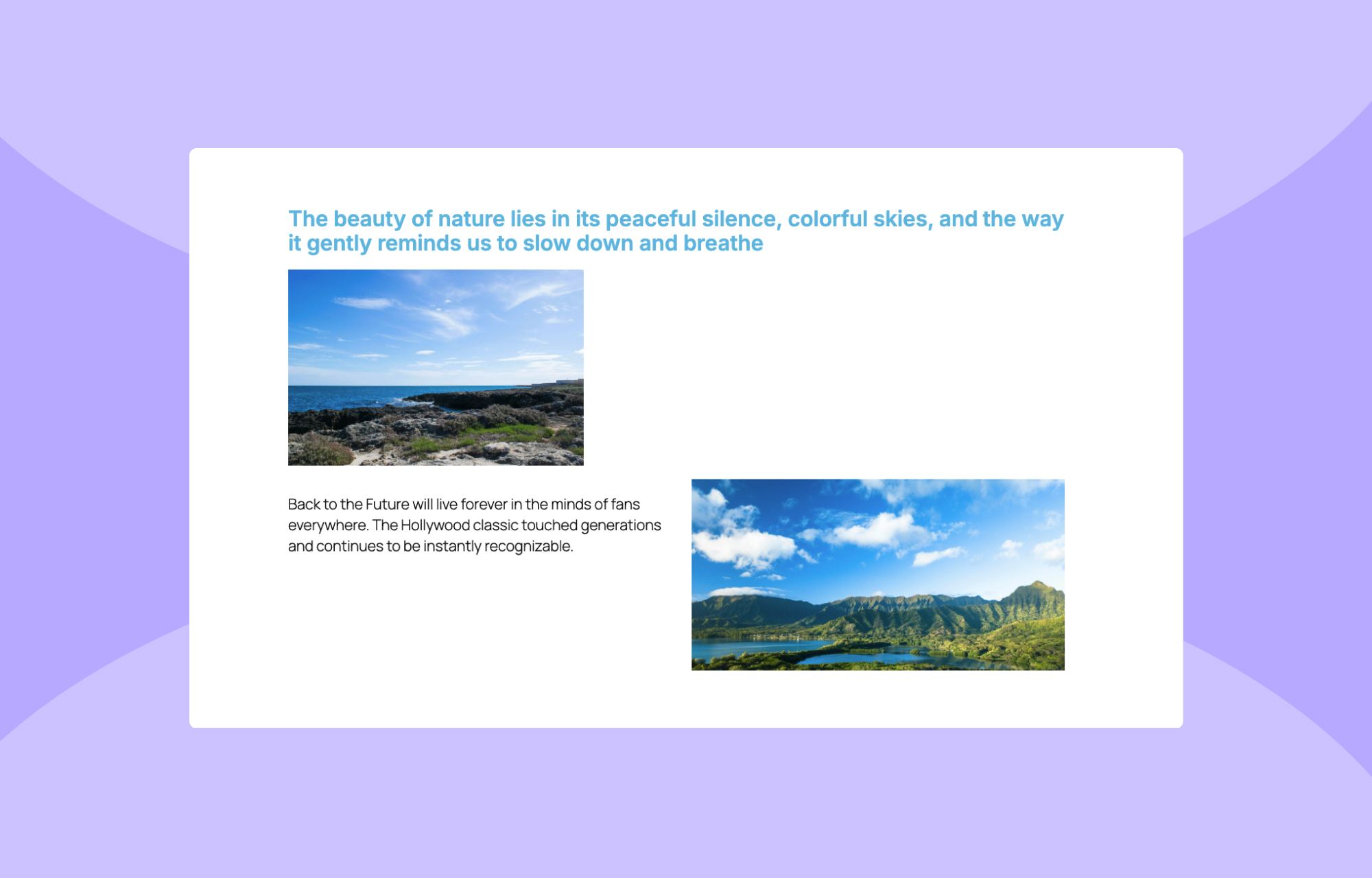
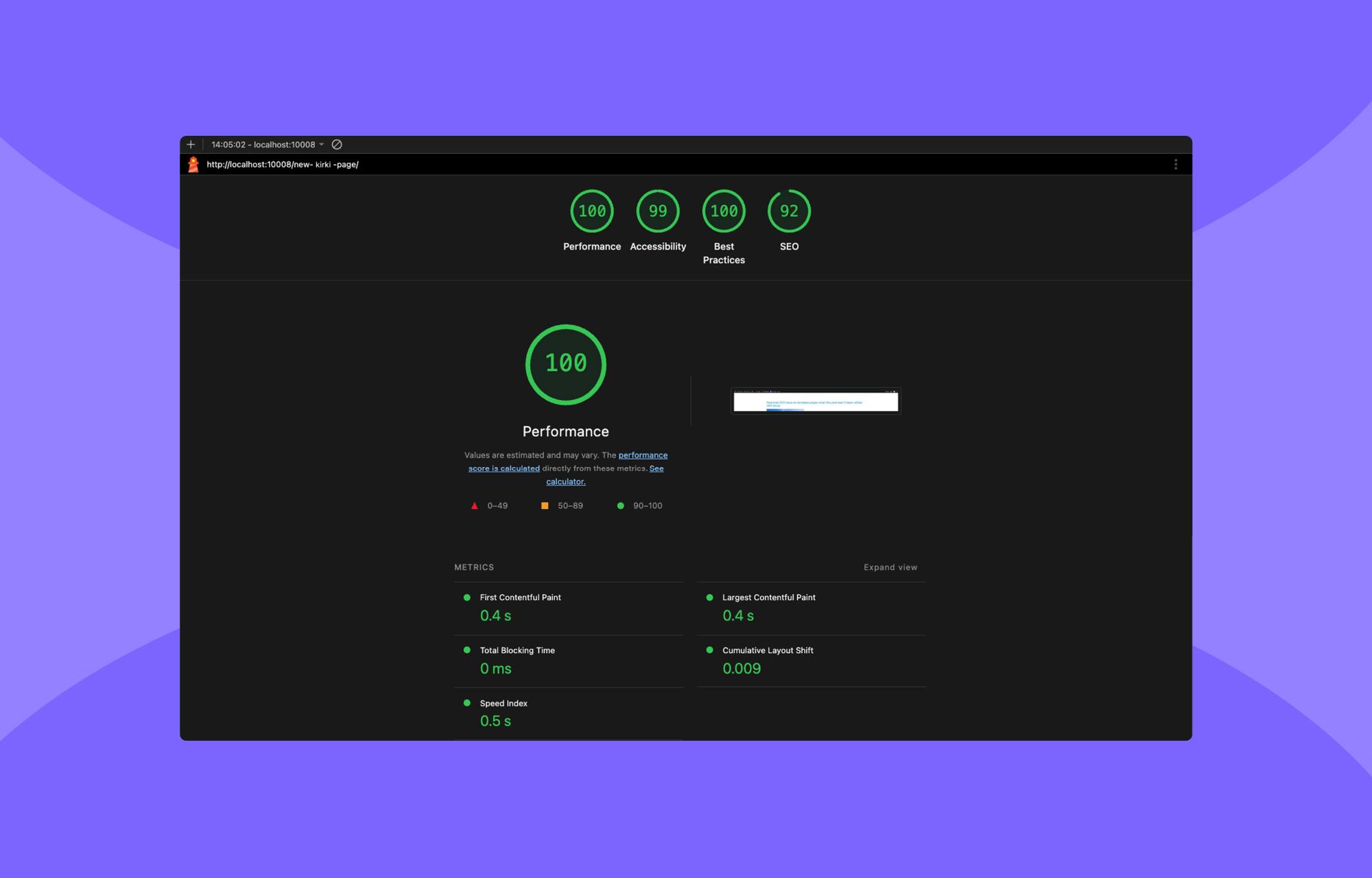
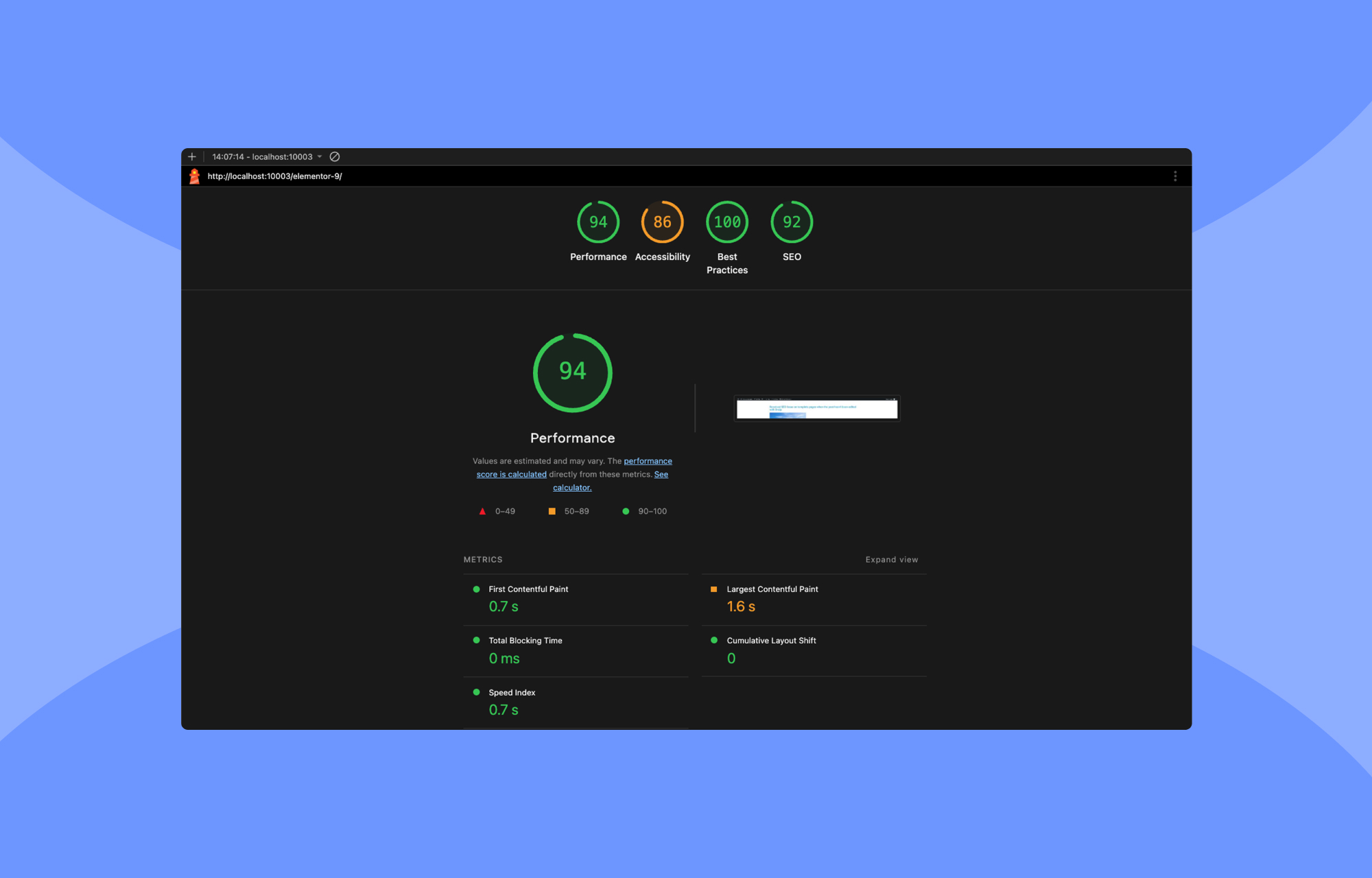
A head-to-head comparison was run under identical conditions. Both Kirki and Elementor were installed on a clean WordPress setup with the default Twenty Twenty-Five theme, creating identical layouts with comparable design elements. Lighthouse audits measured load time, responsiveness, and Core Web Vitals.
Sample Layout:
Kirki's Performance:
Elementor's Performance:
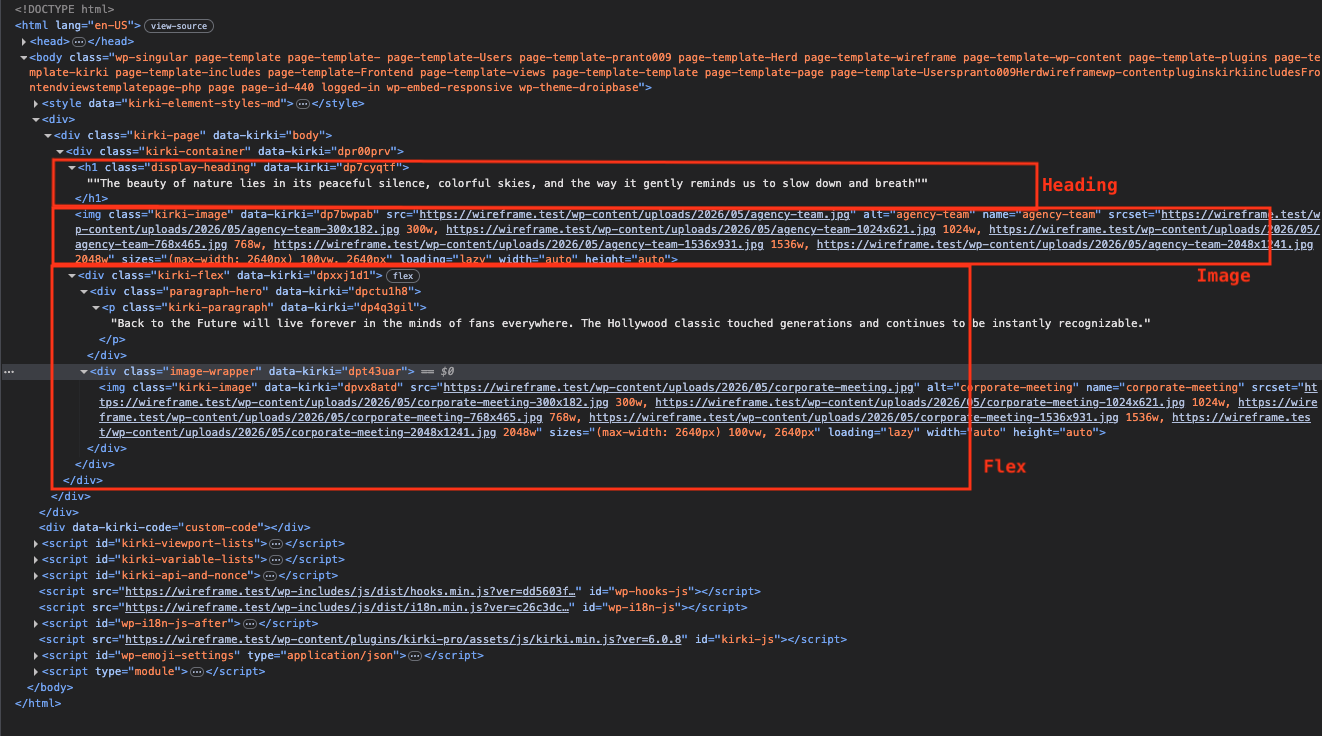
Kirki's Code Output:
Elementor's Code Output:
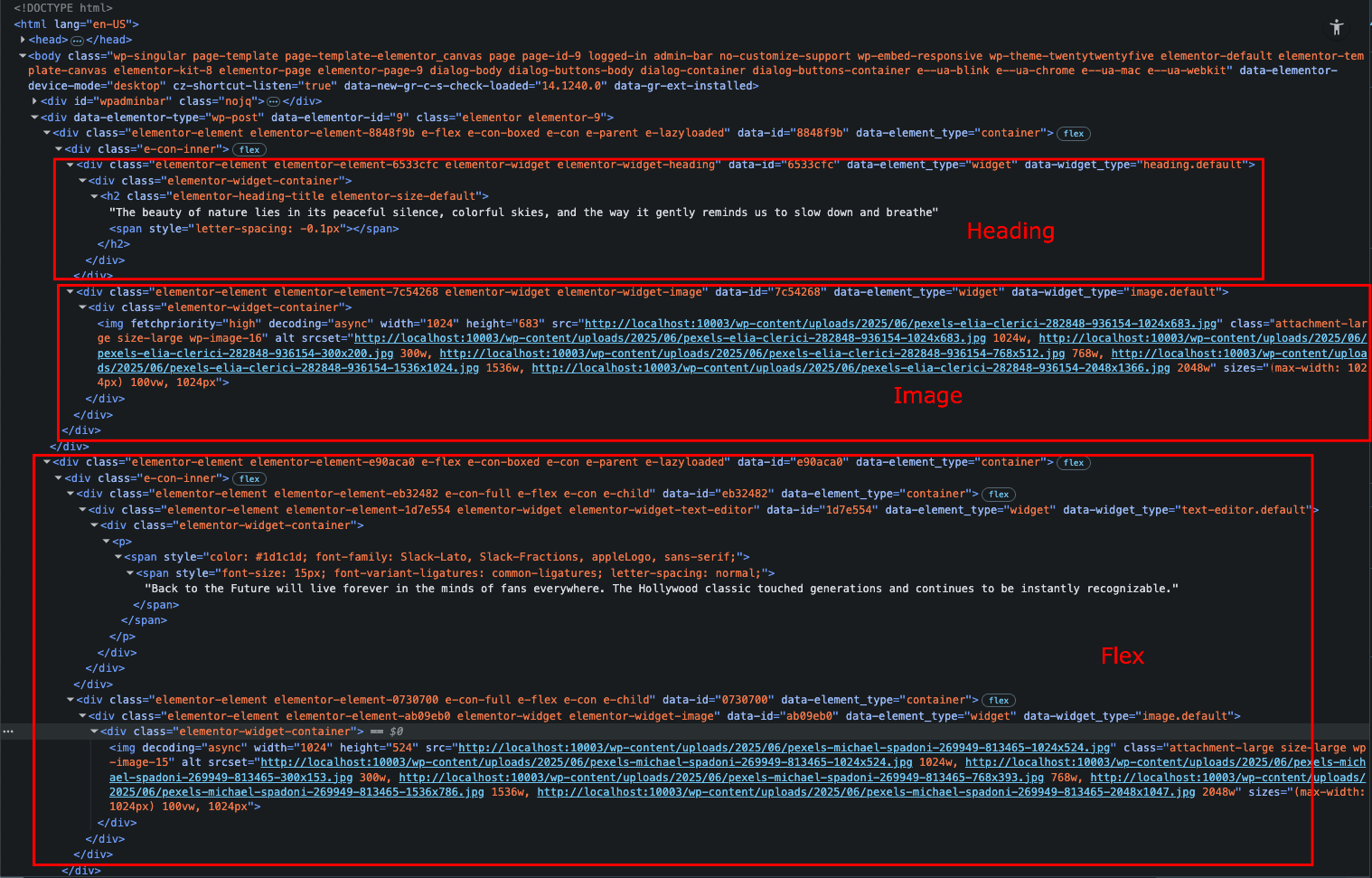
The result was stark. Kirki's output contained a much leaner DOM — fewer <div>s, minimal wrappers, no unnecessary markup — producing faster load times and higher audit scores across the board. Elementor, even on the same simple layout, generated heavily nested markup plus additional scripts that dragged performance down. If clean output and fast rendering matter to you, the difference is immediately measurable.
The Infinite Canvas
Kirki's core departure from other builders is its infinite canvas. You pan and zoom freely, placing elements exactly where you want them rather than into predetermined rows and columns. Overlapping sections, layered backgrounds, and visually built interactions are all possible with pixels-level control and no code.
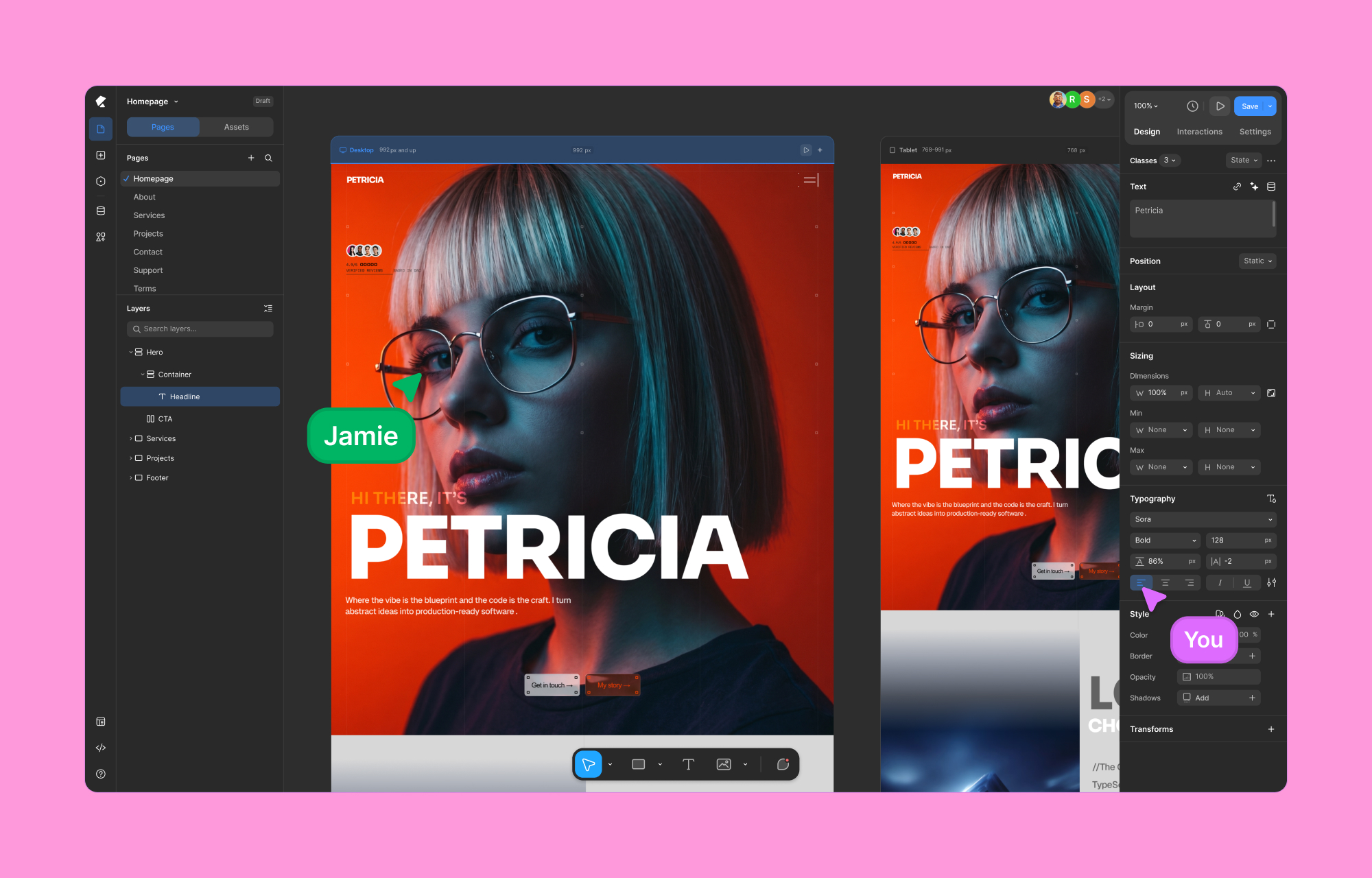
The editor supports both light and dark modes. If you know Figma or Webflow, the workspace will feel familiar; if you don't, it's still the most direct way to position design elements on a page.
Responsive Design Without Mode-Switching
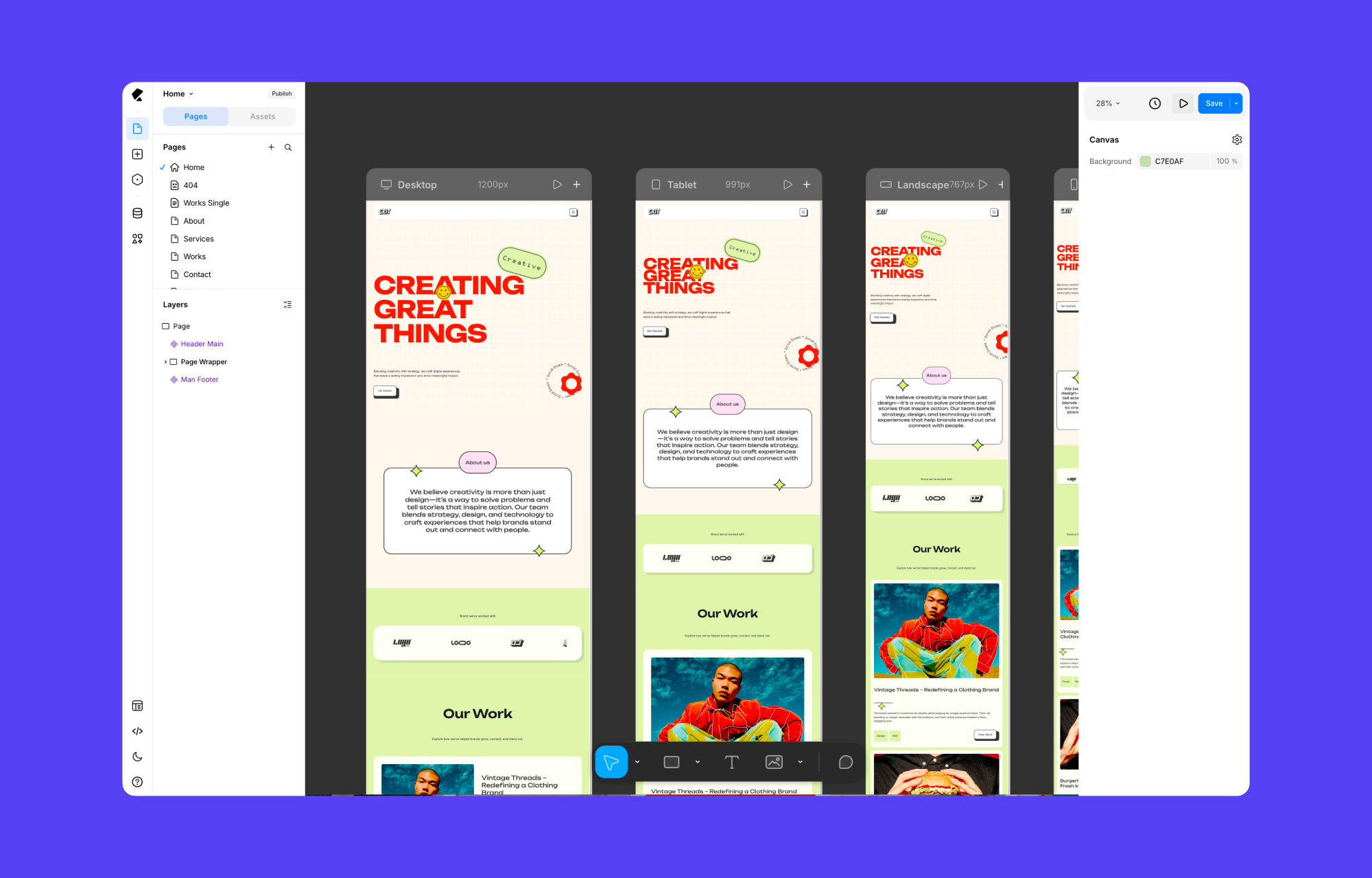
One workflow benefit: Desktop, Tablet, Landscape, and Mobile views are simultaneously visible on the canvas. You do not toggle between modes. Edits made to larger breakpoints cascade down via a style system, so responsive adjustments are made only where needed rather than rebuilt for each device.
Figma Import
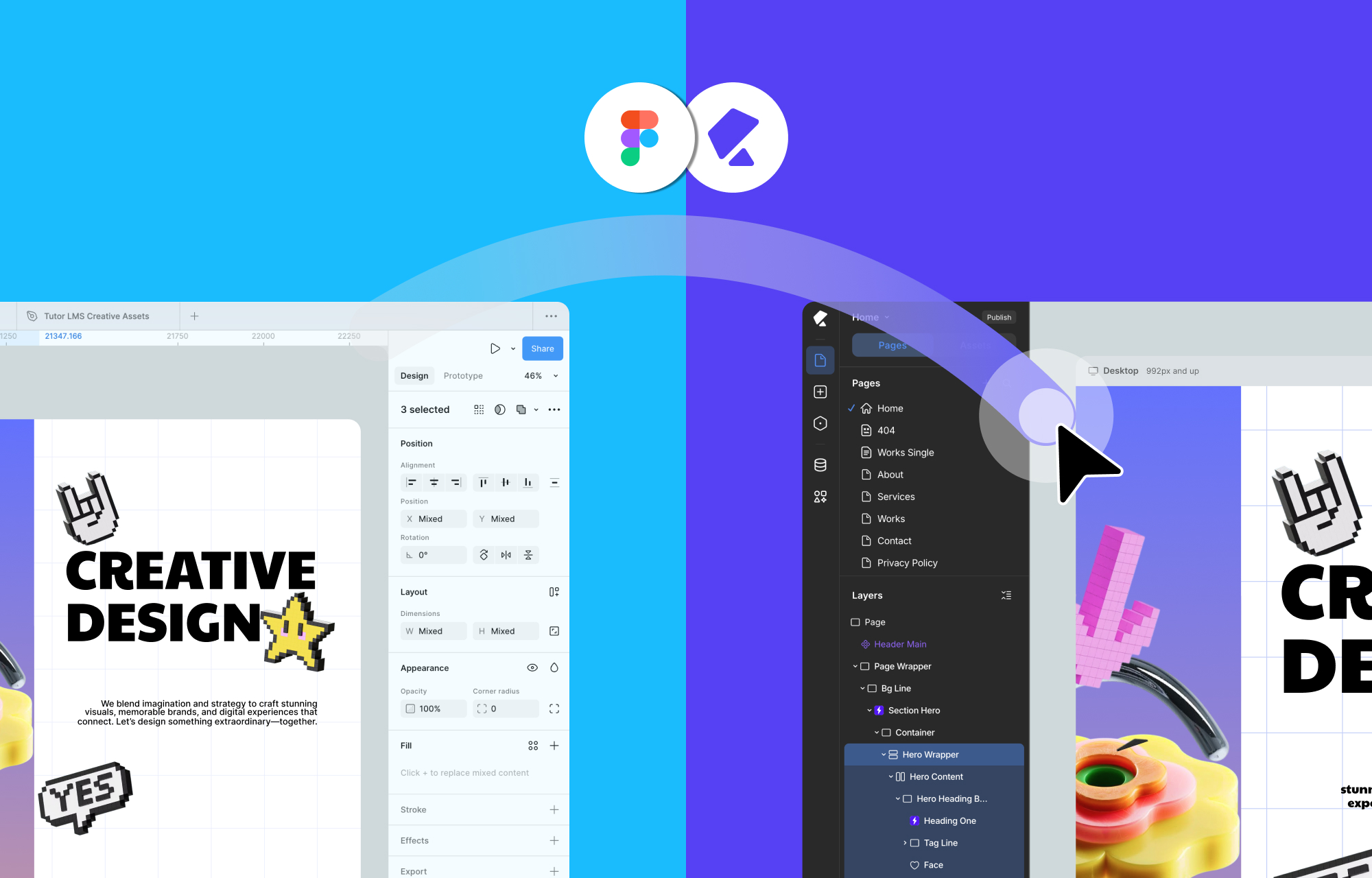
Designs can be imported directly from Figma, eliminating the rebuild-from-scratch phase. Imported designs are responsive by default and adapt to custom breakpoints. Kirki supports unlimited breakpoints, with styles intelligently cascading to smaller screens.
Built-In Features Replace Plugin Dependencies
Traditional WordPress dynamic content setups require ACF or another third-party plugin. Kirki includes a Dynamic Content Manager natively, offering:
- Custom content types and fields.
- Reference and multi-reference relationships.
- Visual dynamic template building.
- Dynamic SEO on template pages.
- Advanced filtering on Collection elements.
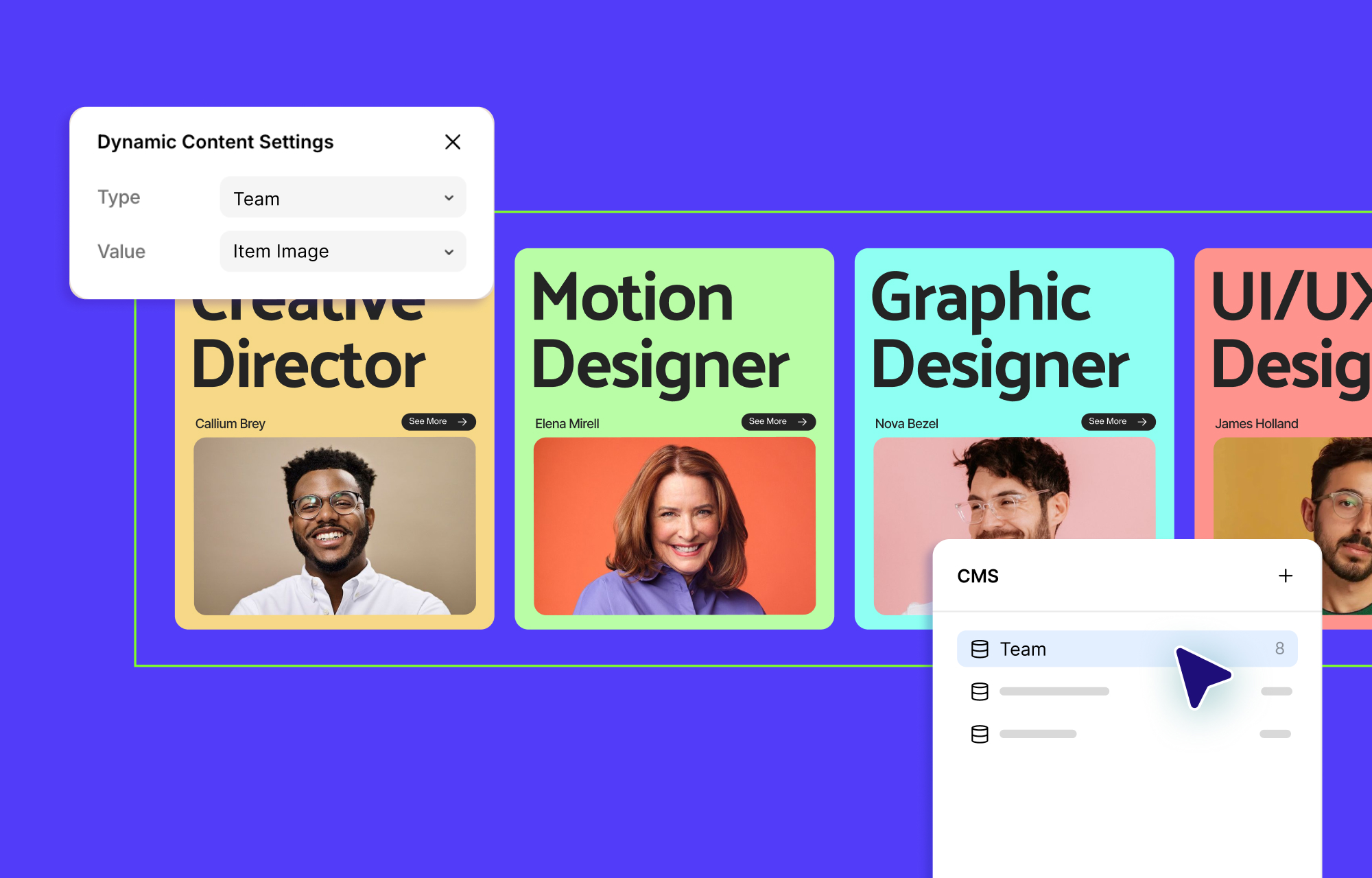
No code and no external plugins are needed for any of that.
Reusable Style Classes
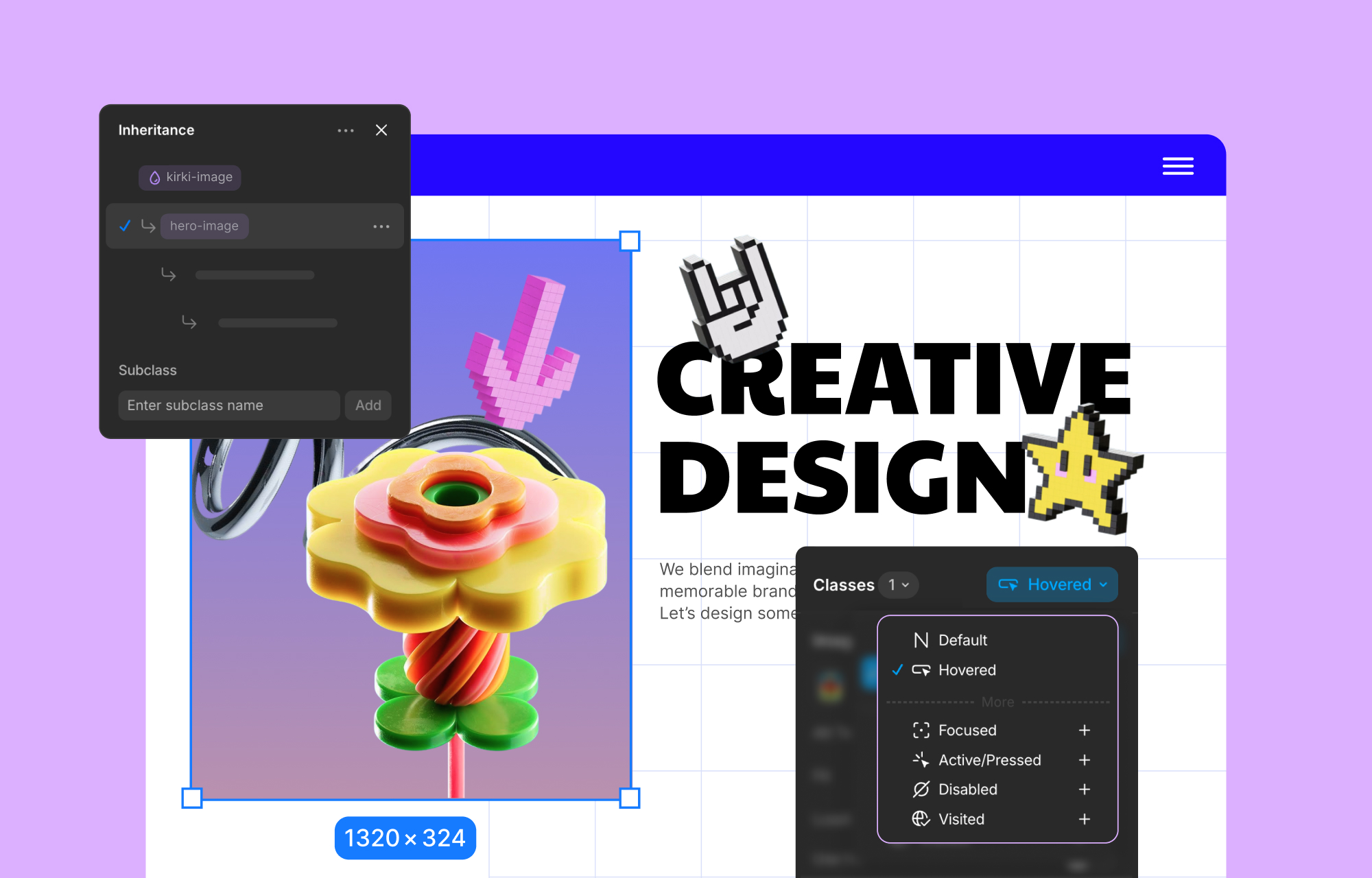
Style management uses a class-based system. Styling an element automatically saves it as a reusable CSS class, which supports:
- Global classes for components like buttons, cards, or headings.
- Reuse of those styles across pages and projects.
- Instant updates across every instance when a class changes.
- Subclasses for slight variations — a secondary button — that still inherit the parent's styles.
Global CSS Variables
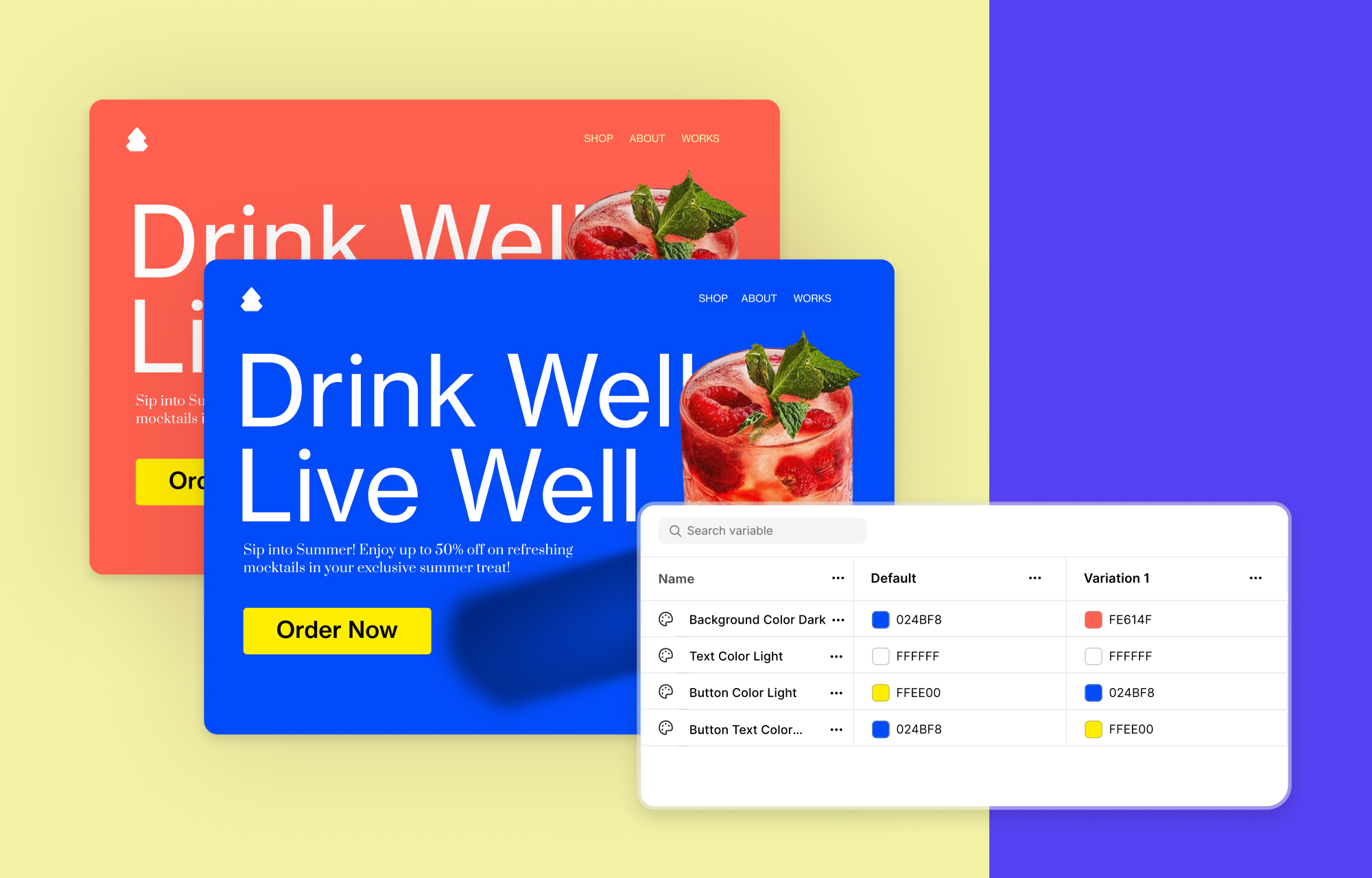
Design tokens including colors, fonts, spacing, and sizing can be set as Global Variables. These pair with the class system to maintain visual consistency and update values site-wide from a single change — including themed switches like light and dark modes. Custom CSS is still available for advanced users, with JavaScript injectable at the page or element level.
Interactions and Animations
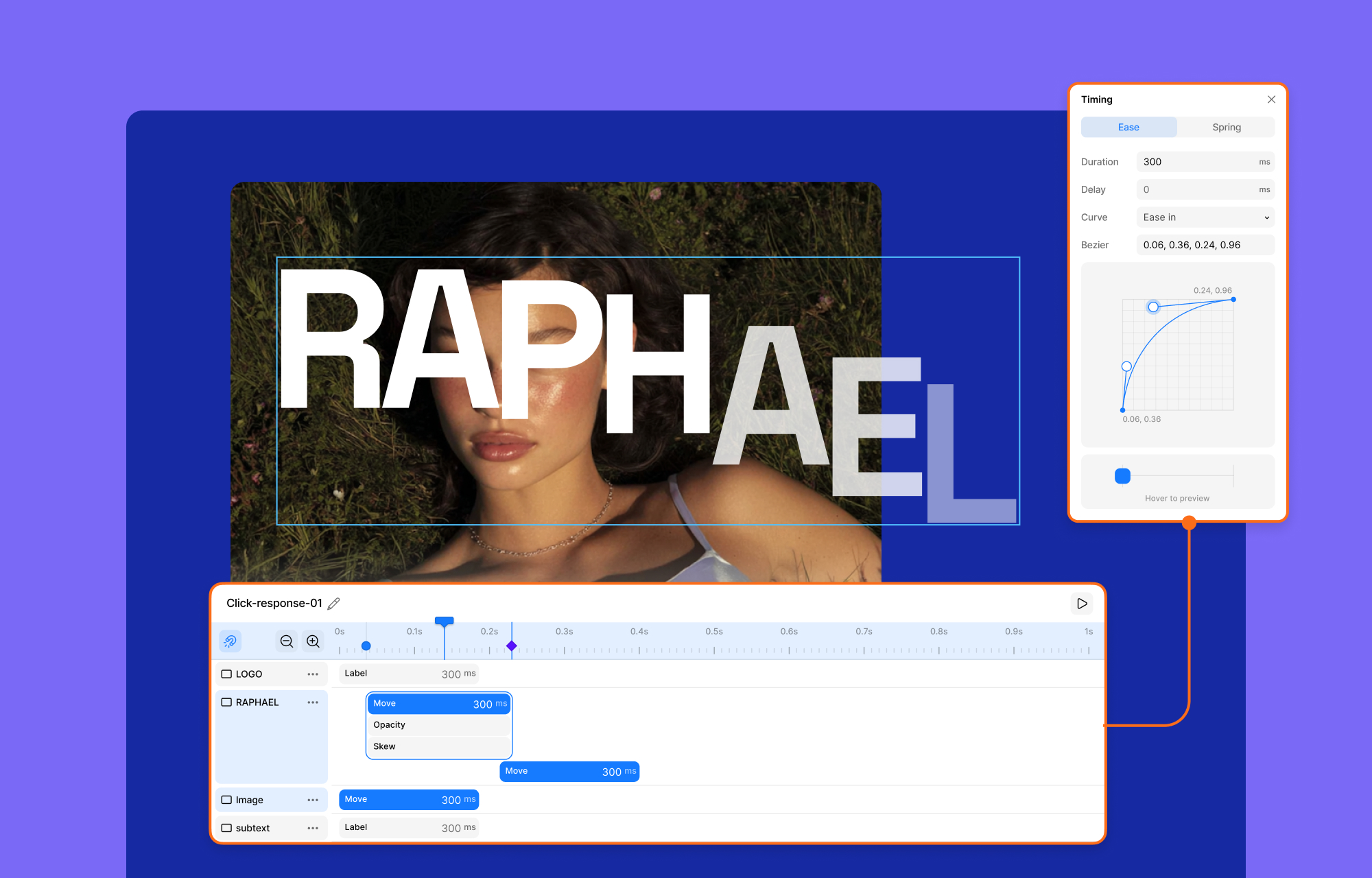
Kirki's visual interaction builder covers scroll-based animations, hover and click effects, and cross-device interactive sections. A timeline-based editor allows multi-step animation choreography with precise timing, easing, delays, and sequencing. Text animations can be applied by character, word, or element, triggered by scroll, hover, load, or custom events.
Team Workflow and Site Quality Controls
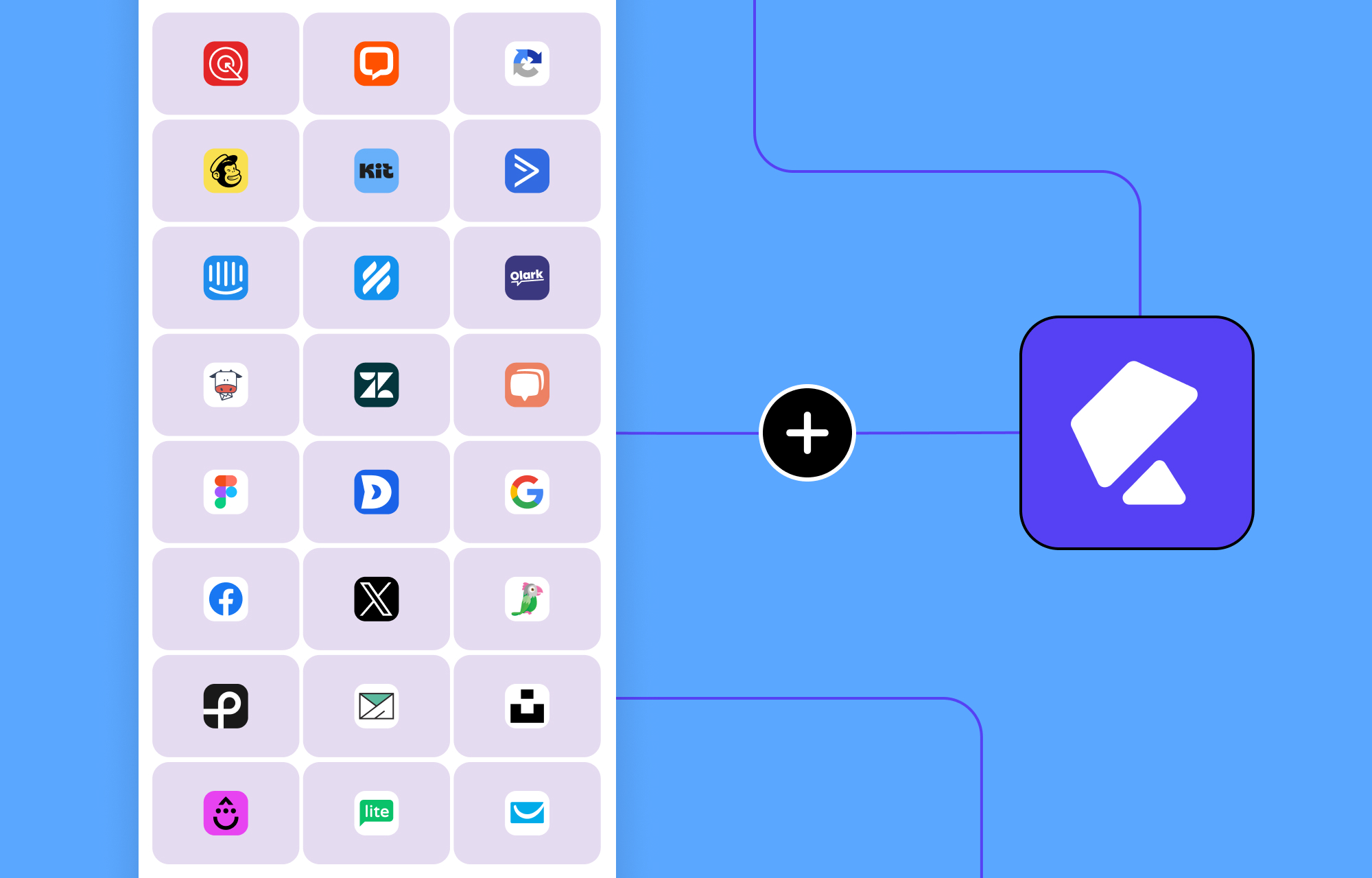
Kirki includes tools aimed at teams and agencies beyond just design. Kirki Apps centralizes integration management — analytics, CRM, email marketing, support widgets — so third-party connections are configured within the editor, without leaving the workspace.
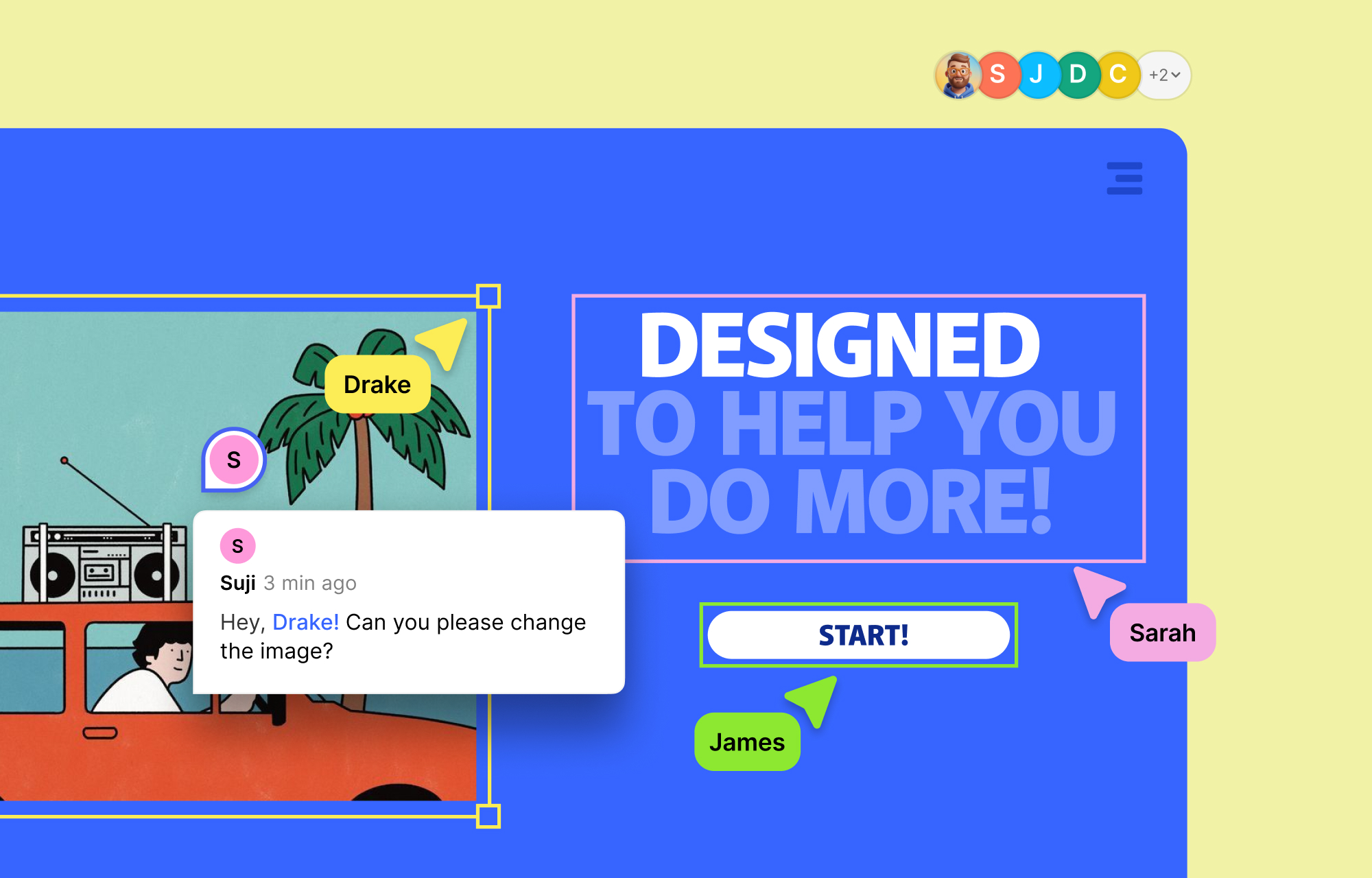
Multi-user co-editing is built in as well. Multiple team members can edit the same page simultaneously on the canvas, see each other's cursors and changes in real time, and leave comments pinned directly where revisions are needed.
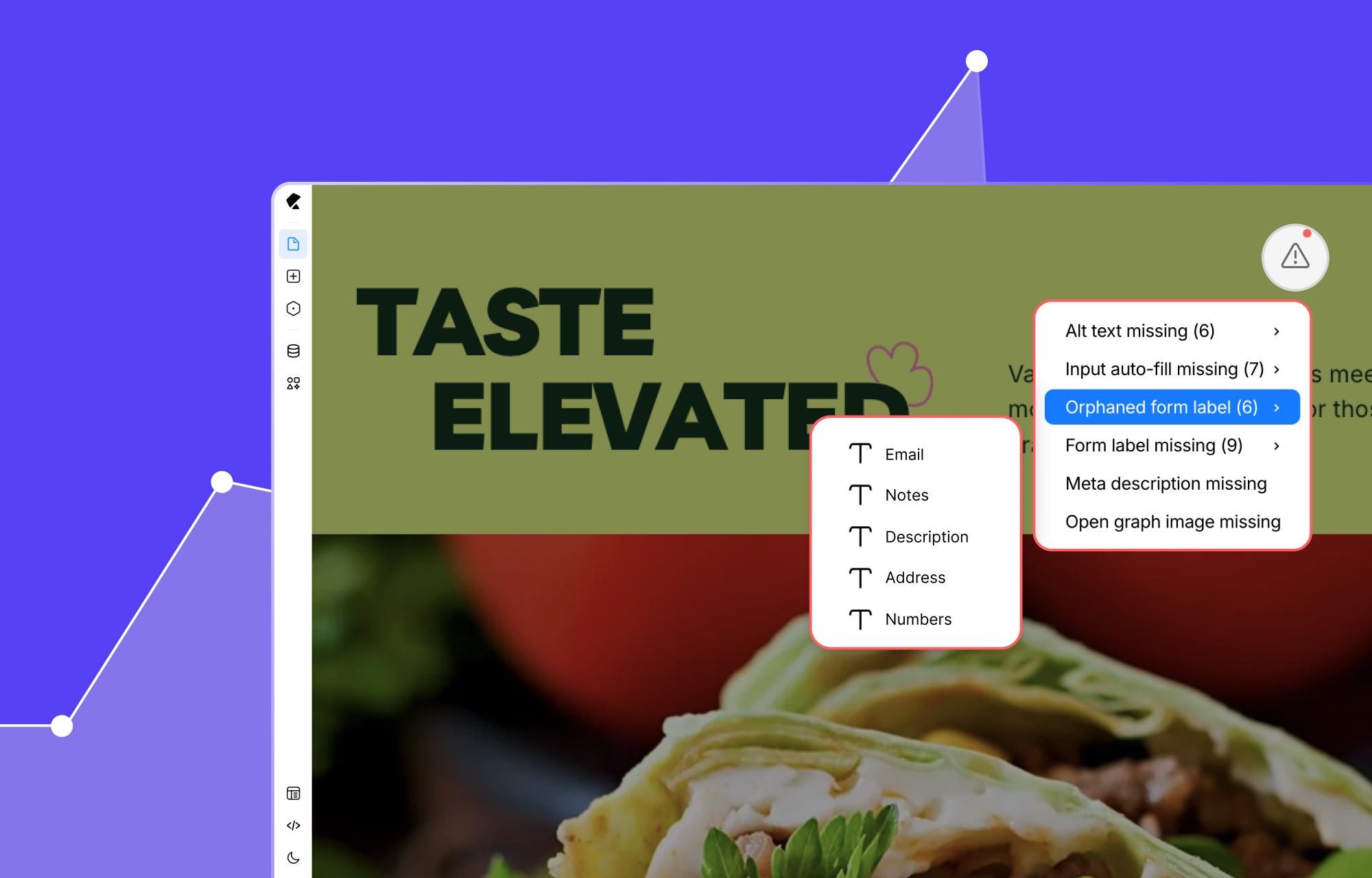
Before publishing, the built-in Page Audit tool scans your layout for missing image alt text, broken links, unassigned or duplicate classes, accessibility issues, and other common problems — a built-in quality control step that helps ensure published sites are fast, accessible, and SEO-ready.
From Blank Page to Finished Site
Kirki’s template and asset library removes much of the friction from starting a new project. The Template Kits cover complete multi-page website designs across various industries; pick one, swap in your content, and you have a launch-ready site. New kits are added on a regular schedule, and access is included at no extra cost.
For more granular work, standalone pre-designed pages (a landing page or pricing page, for instance) can be dropped straight into a project. If you prefer building from scratch, pre-made sections for hero banners, testimonials, pricing blocks, and FAQs let you assemble a layout visually without beginning from an empty canvas.
Learning Curve and Use Cases
Kirki’s interface and workflow have been refined to lower the barrier to entry. The growing library of blocks, sections, pages, and full templates means you rarely have to start from nothing. Guided onboarding walks new users through the essentials, and an AI generator can scaffold entire pages and layouts in seconds.
That said, it is not the simplest tool for a quick five-page brochure site. Lighter options like Elementor are faster to pick up for basic builds, but they trade away power, performance, and design control. Kirki is aimed at users who want pixel-level control, clean code output, genuinely responsive layouts, dynamic content, and advanced interactions, packaged in a way that scales without breaking. The learning investment is real, but recent additions have shortened it considerably.
What Sets Kirki Apart
Kirki positions itself against the compromises typical of traditional page builders. Its freeform canvas removes the constraints of rigid rows and predefined layouts, letting you place elements where they belong rather than where the grid allows.
Responsive editing is handled side by side: desktop, tablet, and mobile layouts can be previewed and fine-tuned simultaneously, which removes a lot of guesswork from breakpoint management. The platform also consolidates tools that usually require third-party add-ons, bundling essential widgets and features into a single integrated system.
On the technical side, Kirki claims performance-optimized output: clean, lightweight code aimed at faster page loads and better search performance. A Figma-to-WordPress workflow is built in, reducing development time while preserving design fidelity. Dynamic content, animations, and global styling controls are also part of the core feature set. The free version includes enough functionality to produce a polished, professional site before a paid upgrade becomes necessary.
Final Assessment
In direct comparison with established WordPress page builders, Kirki holds up well. It produces cleaner, faster code and offers more design freedom than most competitors, while bundling features that otherwise require multiple plugins. For users tired of plugin sprawl and its associated maintenance burden, the all-in-one approach saves both time and money. For those building serious, scalable websites, it presents a credible alternative to the status quo.



