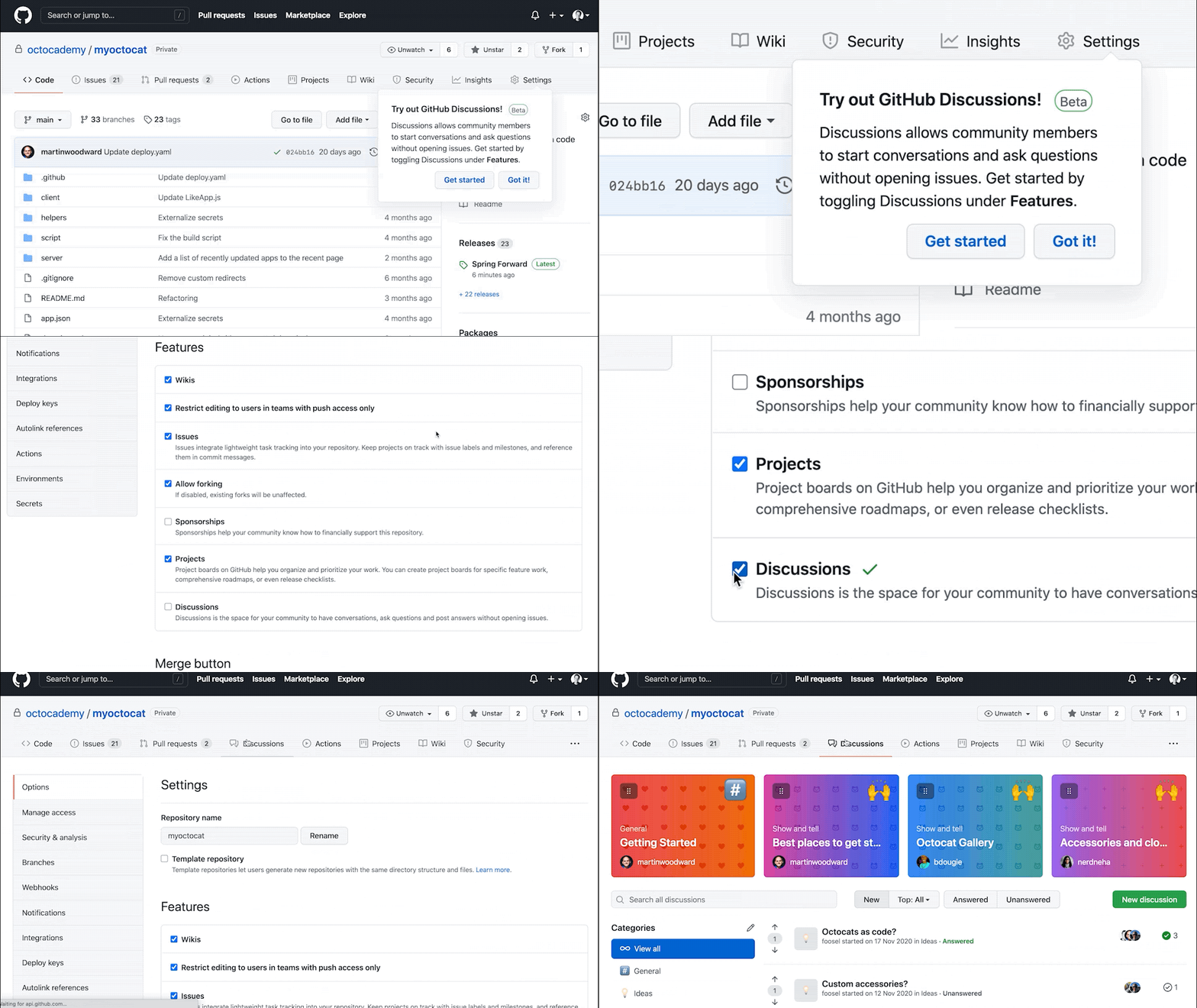

Discussions expands beyond the repository
Until now, GitHub Discussions was scoped to individual repositories. That design made sense for single projects, but it became a constraint for organizations and communities running discussions across multiple repos. Organization-level Discussions address that gap, giving open source projects, enterprises, and development teams a place to centralize communication without forcing conversations into a single repo's issue tracker.
Homebrew is already using the feature to consolidate questions and answers across more than 20 repositories into one community view. You can see it live at the Homebrew organization's Discussions page.
How to start using Organization Discussions: Enable Discussions from your organization settings, then choose which repository will host discussions for the entire organization. The visibility of organization-level discussions matches that repository's visibility: a public repository makes them public, while a private or internal repository restricts them to organization members.

Polls arrive in Discussions
Polls have been one of the most-requested additions to Discussions, and they are now generally available. When creating a new discussion, select the Polls category to add up to eight voting options. Polls in public repositories are visible to anyone, but only logged-in users can vote.
GitHub's own teams have used polls internally for questions ranging from design choices and roadmap planning to practical team logistics like meeting frequency and learning resources.
How to start using polls: Start a new discussion on any GitHub Discussions forum and select Poll from the category drop-down menu in the top left.

Discussions notifications in Slack and Microsoft Teams
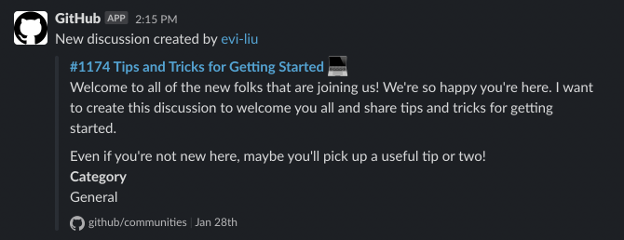
Asynchronous conversations on GitHub are useful, but many teams still live in chat applications day to day. The GitHub app for Slack and Microsoft Teams now supports Discussions subscriptions, sending a notification whenever a discussion is created or answered.
How to use this feature: After connecting GitHub to Slack or Microsoft Teams, subscribe to Discussions in a channel with the command:
/github subscribe <organization>/<repository> discussions
Answer previews surface Q&A results
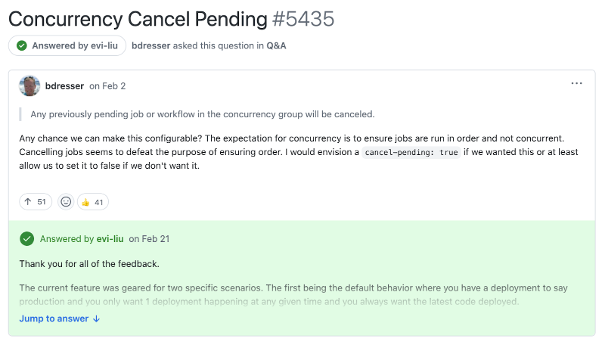
Q&A has been a core part of Discussions since launch, with communities like Vercel and Dogecoin using it to address common questions. Finding the accepted answer in a long thread, however, could take some scrolling. Discussion threads now show a preview of the answer the original poster marked as correct at the top of the page, with a link to jump straight to the full response.
Availability
GitHub Discussions is available on GitHub Free, GitHub Team, and GitHub Enterprise accounts for both public and private repositories. Enable it from a repository or organization's settings. For more context on how teams are using the feature, see GitHub's guides on what Discussions is, how five open source communities use it, and its lesser-known collaboration features.