

View transitions and multi-page video state
Chris Coyier's walkthrough covers keeping a video's state intact as users move between pages using CSS view transitions. On a single page this is straightforward; across pages it takes JavaScript. The pageswap event saves the video's state to sessionStorage as a JSON string, and pagereveal restores it. The same approach works for audio and iframes. Because the continuity is simulated, there is a small amount of audio stutter, but the effect still holds up.
Coyier's CodePen has also opened a private beta of CodePen 2.0, which you can request access to. It supports real multi-file projects, which means view transitions can be built inside CodePen.
Giving media queries names with cascade layers
Kevin Powell demonstrates a technique for "naming" media queries through CSS cascade layers. It is less effective than @custom-media — or container style queries, as one commenter proposed — but those aren't supported across all browsers yet, and the trick is a creative stand-in until they are. Adam Argyle noted that @custom-media is being trialed in Firefox Nightly; there's no word yet on container style queries.
Resets, browsers, and layout fundamentals
Vale's CSS reset is worth reading even if you already have your own. One takeaway is svg:not([fill]) { fill: currentColor; }, though there is considerably more in it.
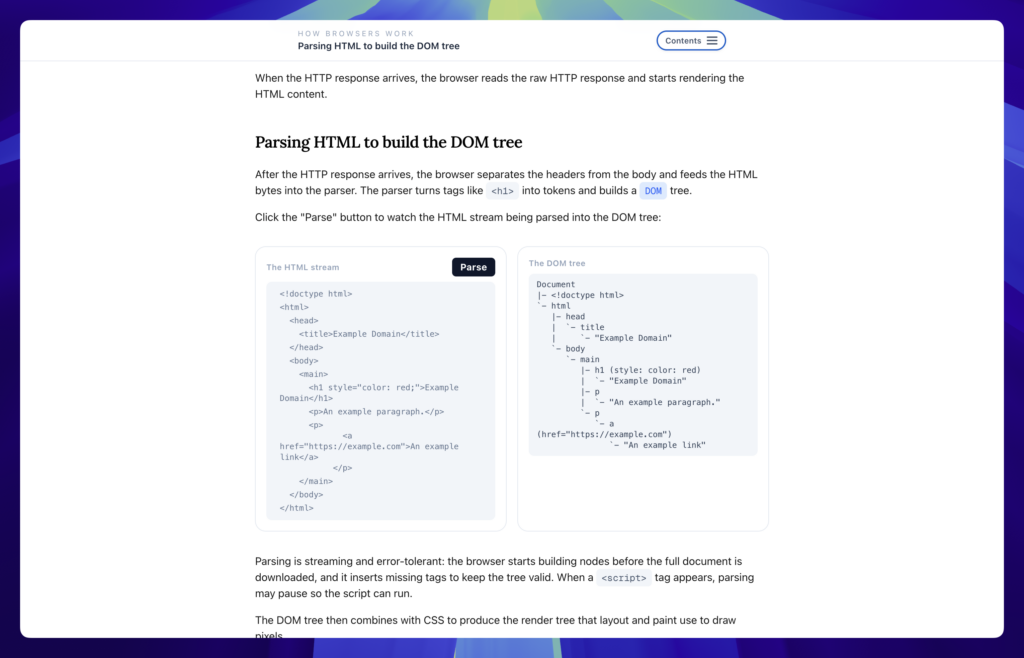
For anyone who wants to know what actually happens between typing a URL and seeing pixels, Dmytro Krasun's interactive How Browsers Work covers IP address resolution, HTTP requests, HTML parsing, DOM tree construction, layout, and painting. It also raises questions about where web languages bottleneck and why certain HTML, CSS, and JavaScript features are designed the way they are.
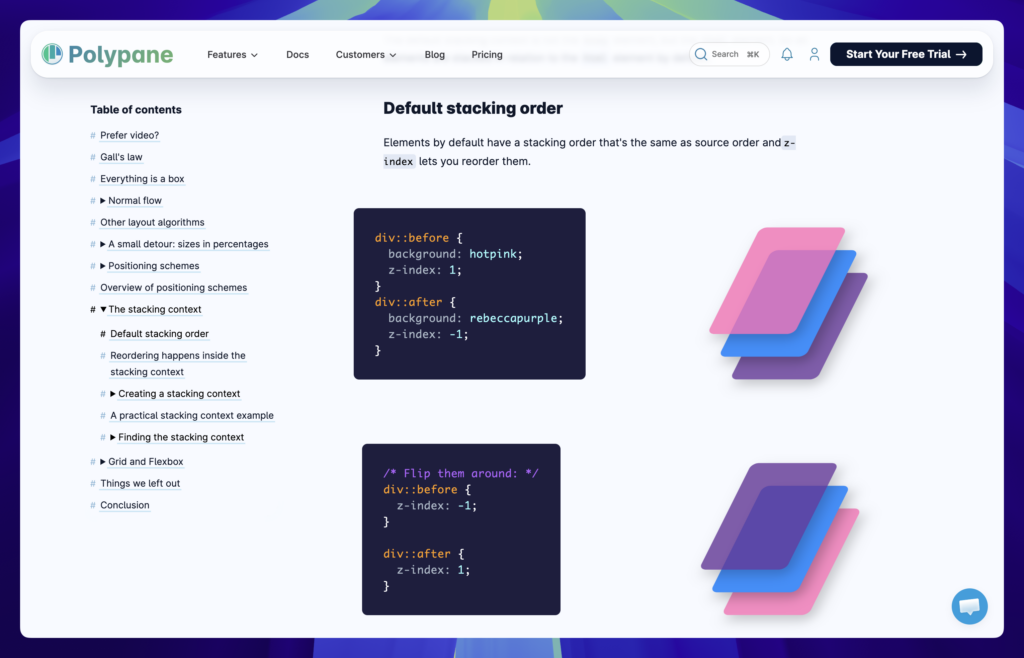
Polypane's explanation of CSS layout fundamentals covers the box model, lines and baselines, positioning schemes, the stacking context, grid layout, and flexbox. Beginners should find it makes the subject click; for experienced developers, the value is in seeing how these foundations apply to newer CSS features as the language evolves.
CSS masonry: grid lanes on the horizon
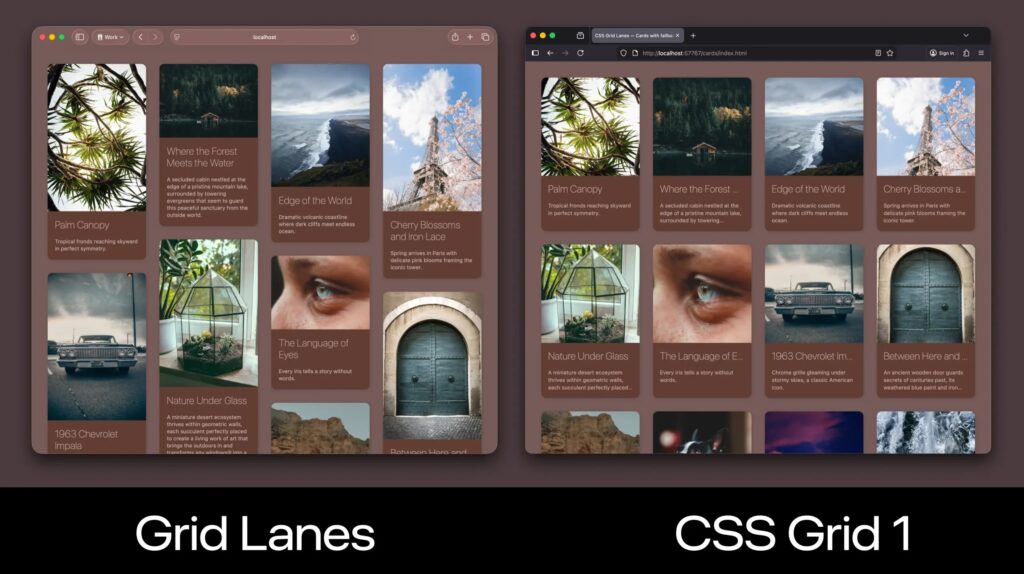
Jen Simmons clarifies when display: grid-lanes — CSS masonry — will be usable. No browser supports it yet, but Firefox, Safari, and Chrome/Edge are all trialing it, so the situation could change quickly. Polyfills are available in the meantime. For a head start, Sunkanmi Fafowora has a walkthrough of display: grid-lanes.
Design and UX
Andy Clarke's article on theming animations with CSS relative color syntax is aimed at developers who treat design systems and organization seriously and see illustration and animation as impressive but messy. It bridges art and logic, and it's a natural fit for anyone invested in CSS variables.

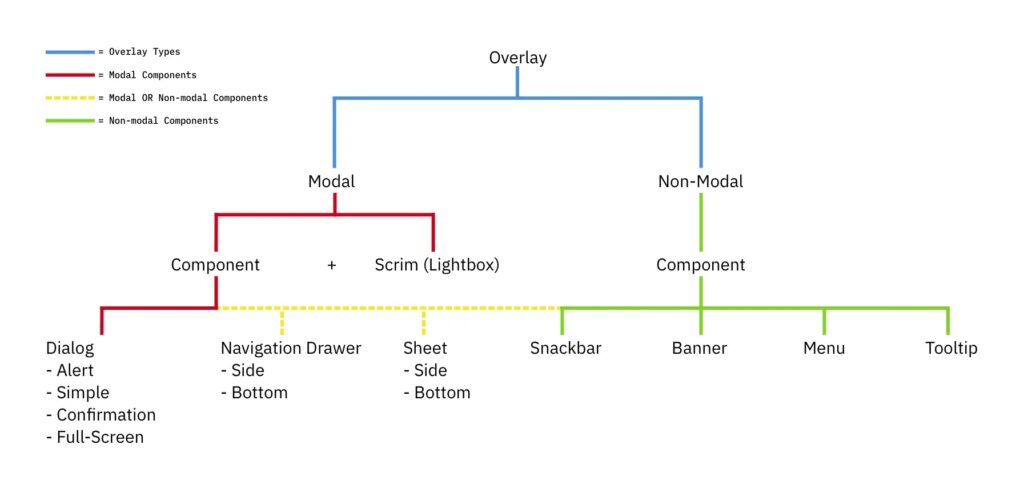
Overlay terminology remains murky: modals, pages, lightboxes, dialogs, tooltips. Newer CSS features such as popovers and interest invokers are useful but add to the confusion. Ryan Neufeld sorts out modal versus page and supplies a framework for choosing among overlay types.
OS-level text scaling in Chrome Canary
Operating systems let users increase or decrease text size, but the web has historically ignored that setting. Josh Tumath reports that Chrome Canary is trialing a meta tag to make browsers respect it: <meta name="text-scale" content="scale">. Tumath's post goes into further detail.



