

The Case for Feature Phones in 2025
Feature phones, commonly called flip phones, remain a significant hardware category. Annual sales exceed 200 million units, roughly matching iPhone sales in 2024. In the US alone, millions sell each year, and telecom operators transitioning away from 2G networks continue to push budget-conscious users toward newer, more capable devices. Demand is especially strong in South Asia and Africa, where flagship smartphones are cost-prohibitive for most people.
Modern feature phones differ from their predecessors. They support 4G, WiFi, and Bluetooth, and can run apps. Platforms such as Cloud Phone and KaiOS enable this, and development follows patterns familiar to web developers. Building apps for these platforms is comparable to creating a Progressive Web App (PWA), with distribution handled through dedicated app stores.
These devices go by many names — dumb phones, button phones, basic mobiles, or keypad mobiles — but share common traits: they are affordable, have small screens, and rely on physical buttons.
Why Target This Market?
Users of feature phones are often first-time internet users eager for content and services. The market offers several practical advantages for developers.
- Organic growth. User acquisition costs are minimal. Unlike Android and iOS, where average cost per install runs around $2.5–3.3, feature phone apps generate substantial organic downloads.
- Brand introduction. Users who start with feature phone apps will search for familiar apps when they eventually migrate to smartphones, generating additional installs on major app stores.
- Low competition. Roughly 1,700 KaiOS apps exist, and Cloud Phone has even fewer. Google Play hosts over 1.55 million Android apps. Standing out among a few thousand is considerably easier than among millions.
Technical Foundations
Feature phones have not always supported third-party apps. The Ovi Store, launched in 2009 and later renamed the Nokia Store, introduced installable apps a year after the iPhone's debut. Those early apps relied on the fragmented Java 2 Mobile Edition (J2ME) runtime, available only on select Nokia models, and frequently required integration with poorly documented proprietary packages like the Nokia UI API.
Today's feature phone platforms take a different approach. They have replaced native runtimes with standard web technologies — HTML, CSS, and JavaScript. This reduces barriers to entry and broadens the pool of developers who can contribute, but introduces its own set of trade-offs.
Hardware Constraints
The affordability of feature phones comes from low-end, often dated hardware. At the budget end are RTOS phones powered by chips like the Unisoc T107 with as little as 16MB of RAM, typically running Opera Mini or Cloud Phone. At the upper end is the TCL Flip 4, which runs KaiOS 4.0 on a Qualcomm Snapdragon 4s processor with 1GB of RAM. To contextualize the disparity, Apple's iPhone 16 Pro has 500 times more memory (8GB RAM) and supports download speeds up to 1,000 times faster than a low-end flip phone's 4G LTE CAT-1 connection.
Performance Characteristics
KaiOS executes apps directly on the device, meaning resources are genuinely constrained. Code must be minified, thumbnails downsized, and performance tested across real hardware. Desktop testing with a narrow viewport is not sufficient. Cloud Phone and Opera Mini, however, function as remote browsers. They offload computationally expensive rendering to servers, so performance generally matches modern desktops. In practice, this yields some counterintuitive characteristics. Fetching a 1MB file to display a data table does not consume 1MB of the user's mobile data — only screen changes stream to the device. Conversely, complex animations and page transitions consume data because each frame triggers a partial screen refresh. Opera Mini claims this model saves up to 90% of data compared to conventional browsers.
Security Considerations
The standard guidance about browser storage applies to feature phones: avoid storing sensitive data client-side. KaiOS shares similarities with traditional browsers in that apps cannot access data from other apps, but it does not encrypt client-side data. Remote browsers differ. Opera Mini has no support for client-side storage whatsoever, while Cloud Phone encrypts data in its data centers rather than on the user's phone.
Designing for Small Displays
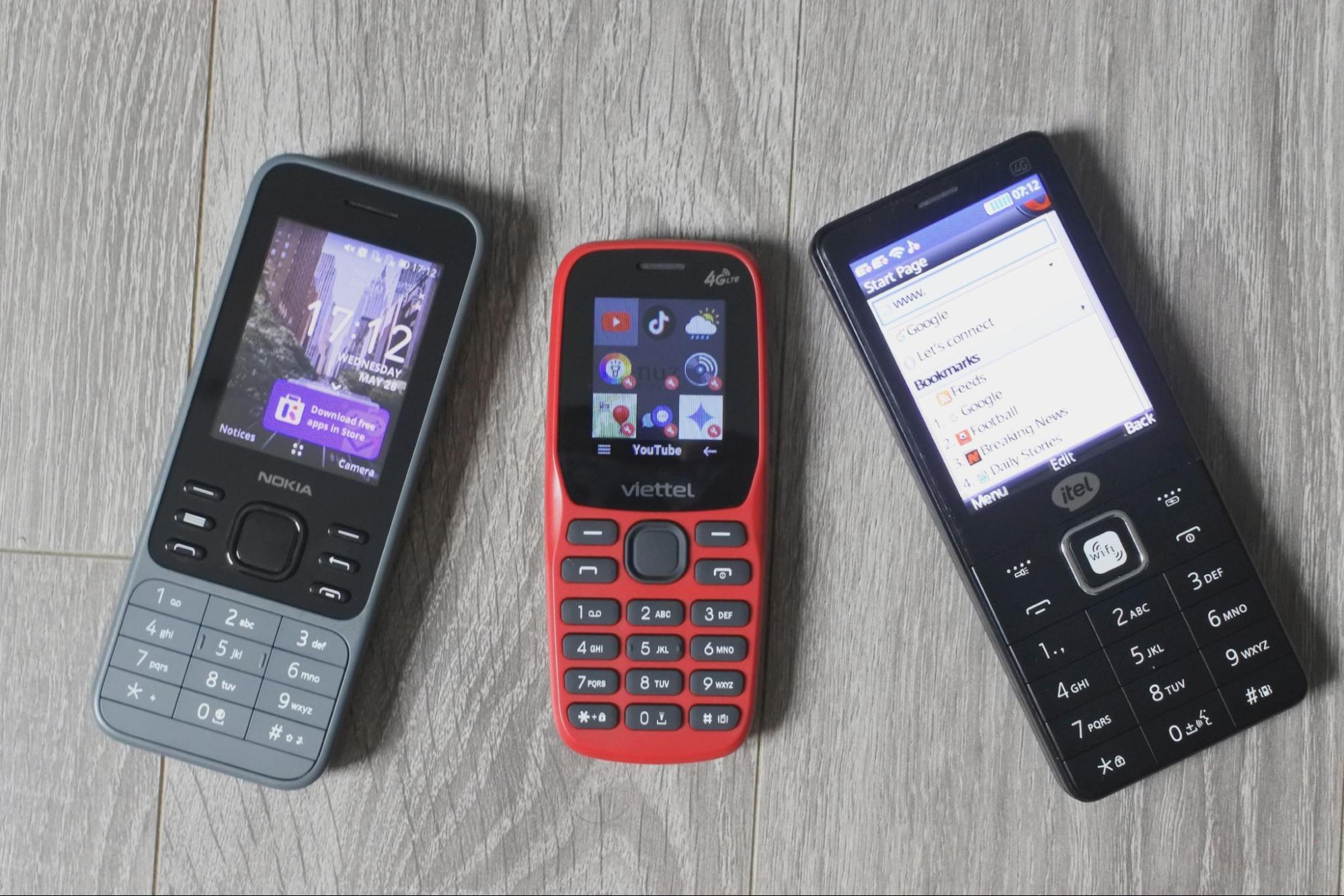
Popular frameworks do not serve these devices well. Bootstrap v5 treats all screens below 576px as extra small, and Tailwind sets its smallest breakpoint at 40em (640px). Industry guidance from Norman Nielsen suggests the smallest breakpoint be reserved for mobile up to 500px. These thresholds ignore the substantial variation among small screens in size, resolution, contrast, and brightness. Small-screen usability requires distinct design considerations — not a shrink-to-fit model. All these devices have screen widths below the smallest common breakpoints, but treating them equally is a mistake.
Most websites render far too large for feature phones. Oversized fonts, overly detailed graphics, and sticky headers that consume a quarter of the screen make pages unusable. Many sites also disable horizontal scrolling, a technique that smooths touchscreen interactions but makes overflowed content impossible to reach on a flip phone. The table below highlights the diversity among small screens across flip phones and budget smartphones.
| Resolution | Display Size | Pixel Size | Example |
|---|---|---|---|
| QQVGA | 1.8” | 128×160 | Viettel Sumo 4G V1 |
| QVGA | 2.4” | 240×320 | Nokia 235 4G |
| QVGA (Square) | 2.4” | 240×240 | Frog Pocket2 |
| HVGA (480p) | 2.8-3.5” | 320×480 | BlackBerry 9720 |
| VGA | 2.8-3.5” | 480×640 | Cat S22 |
| WVGA | 2.8-3.5” | 480×800 | HP Pre 3 |
| FWVGA+ | 5” | 480×960 | Alcatel 1 |
Flip phone screens typically range from 1.8” to 2.8” with resolutions of 240x320 (QVGA) or 128x160 (QQVGA). For reference, an Apple Watch Series 10 has a 1.8” screen at 416x496 resolution. Flip phone displays suffer from low resolution, pixel density, contrast, and brightness by modern standards.
Adding Custom Breakpoints
Rather than manually overriding framework-defined layout dimensions with media queries, extend your framework's defaults with custom, named breakpoints.
Bootstrap v5
Bootstrap defines a $grid-breakpoints map in the _variables.scss Sass file, containing defaults from SM (576px) to XXL (1400px). Use the map-merge() function to extend the defaults and introduce your own breakpoint.
@import "node_modules/bootstrap/scss/functions";
$grid-breakpoints: map-merge($grid-breakpoints, ("xs": 320px));
Tailwind v4
Tailwind supports theme extension in the tailwind.config.js file. Use the extend key to define additional breakpoints.
const defaultTheme = require('tailwindcss/defaultTheme')
module.exports = {
  theme: {
    extend: {
      screens: {
        "xs": "320px",
       ...defaultTheme.screens,
         },
    },
  },
};
Designing for the D-Pad
The defining input on a flip phone is the directional pad (D-pad): four arrow keys plus a central select button, the same layout as a TV remote. A well-built feature phone app supports this scheme so every visible control can be reached and activated without a mouse or touch.
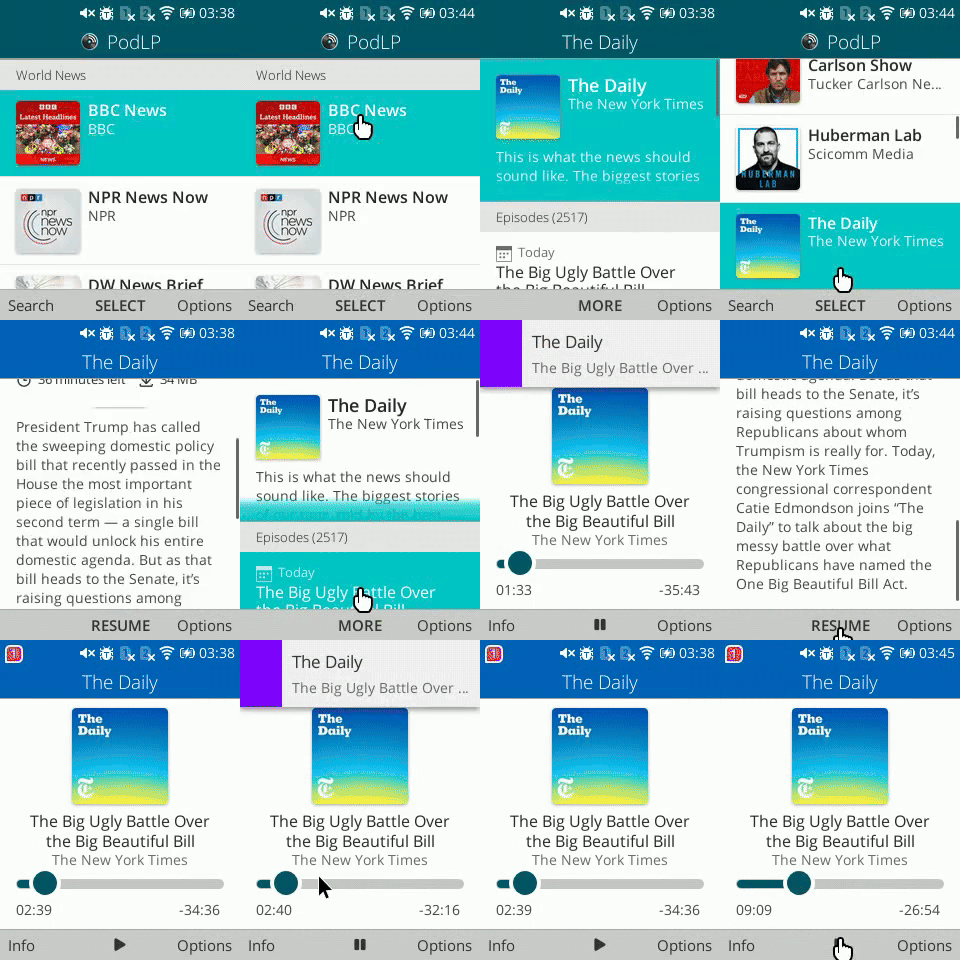
Platform support for spatial navigation with an emulated cursor is inconsistent and generally delivers a worse experience. Opera Mini Native offers only a virtual cursor, Cloud Phone only spatial navigation, and KaiOS supports both. Building with keyboard accessibility in mind sidesteps the problem entirely: an app that responds to arrow keys and Enter works acceptably under an emulated cursor, but the reverse is not guaranteed.
Practical rules for keyboard-first flip phone UIs: never remove the focus outline; restyle it with box shadows to match your theme; autofocus on the first item in a sequence (list or grid) while avoiding keyboard traps; and ensure the focused element is scrolled fully into view.
Make Typing a Last Resort
Entering text on a nine-key keypad with T9 is painfully slow, even for short messages. For longer input, it becomes a serious deterrent to completing any task.
Whatever you do, don’t make flip phone users type!
Redesign flows to minimize keystrokes. Favor numeric input wherever possible: register with a phone number, send numeric PINs or one-time passwords (OTPs), and derive address details from a postal code. Integrate single-sign-on (SSO) options like “Log in with Google” so users need not retype complex passwords. Be aware, though, that many new internet users lack an email address or easy access to one. Enabling voice search where available is another strong alternative, particularly for languages such as Tamil where predictive typing is rarely supported; AI models like Whisper Tamil and research from the Speech Lab at IIT Madras provide viable speech-to-text paths.
A Fragmented Web Platform
Feature phone web development targets no single browser. At least three major web-based platforms operate differently:
- Opera Mini Native, launched in 2005, is an ad-supported remote browser still running on the decade-old, discontinued Presto engine.
- KaiOS, launched in 2016 on a Firefox OS foundation, is a mobile OS where the system itself is a web browser.
- Cloud Phone, launched in December 2023, uses a modern Puffin (Chromium) remote browser as its app store.
Cloud Phone and Opera Mini are both remote browsers, but their differences go beyond shared architecture.
| Platform | Cons | Pros |
|---|---|---|
| Cloud Phone |
|
|
| KaiOS |
|
|
| Opera Mini Native |
|
|
Each platform supports different capabilities, so plan for the lowest common denominator your application can tolerate. Text-heavy sites like news, wikis, and blogs work fine on Opera Mini’s aging stack. Video streaming runs on Cloud Phone and KaiOS. Real-time interactive games require KaiOS; the remote rendering of Opera Mini and Cloud Phone cannot sustain high frame rates. No single strategy fits all feature phone targets.
Market Scale and Opportunity
The 4G flip phone segment is expanding. Reliance’s JioPhone, a KaiOS device, has sold more than 135 million units, and the company is steadily migrating India’s 250 million 2G users to faster networks. Similar initiatives are underway elsewhere, including Vodacom’s $14 Mobicel S4 in South Africa and Viettel’s distribution of 700,000 4G flip phones to rural 2G subscribers.
Aggregate numbers vary by source. KaiOS reports enabling “over 160 million phones worldwide,” while Opera states “over 300 million people use Opera Mini.” Cloud Phone claims “one million users from 90 countries” a year after launch. The combined audience already numbers in the hundreds of millions.
Why Feature Phones Deserve Your Attention
Given the scale, developing for flip phones is not an exercise in nostalgia. A keyboard-navigable, low-typing web app can reach an otherwise underserved population, including many of the 2.6 billion unconnected people targeted for connectivity by 2030.
Network transitions are converting millions of users to 4G flip phones, and millions more are coming online for the first time. Remote browser technology has lowered the barrier to entry: launching on feature phones no longer demands costly low-end hardware optimization. For developers willing to design around the D-pad and the limits of small screens, this is an accessible and growing market.



