

Why CSS Refactoring Needs A Strategy
CSS is deceptively simple. It doesn’t demand much of the developer upfront, which is exactly why it accumulates so much technical debt over time: bloated files, specificity wars, near-identical duplicated blocks, unused selectors, and workarounds that outlive their context. Left alone, that debt guarantees unexpected side-effects when new components are added, and it makes the codebase progressively harder to maintain.
Refactoring is rarely as straightforward as deleting poor-quality code and shipping a cleaner version. The team has to analyze the existing codebase, identify its weak points, agree on an approach, and justify the investment to stakeholders. This article covers the groundwork for that process; later parts address strategy and performance optimization.
The Costs Of Poor-Quality CSS
CSS’s flexibility is also its liability. Specificity, inheritance, global scope, and source-order dependence all allow code to degrade quietly. On a team level, inconsistent skill levels, personal preferences, and missing guidelines accelerate that degradation.
Common symptoms include:
- Decreasing code quality as features are added without adherence to internal rules.
- Regression bugs when extending selectors or adding new features.
- Duplicated code blocks that should be extracted into reusable variations.
- Unused retired code that nobody is confident removing.
- Inconsistent naming and file structure across the project.
- Overspecified selectors that force developers to write overrides instead of clean extensions.
- Self-defeating overrides, where higher-specificity rules exist only to counter lower-specificity ones.
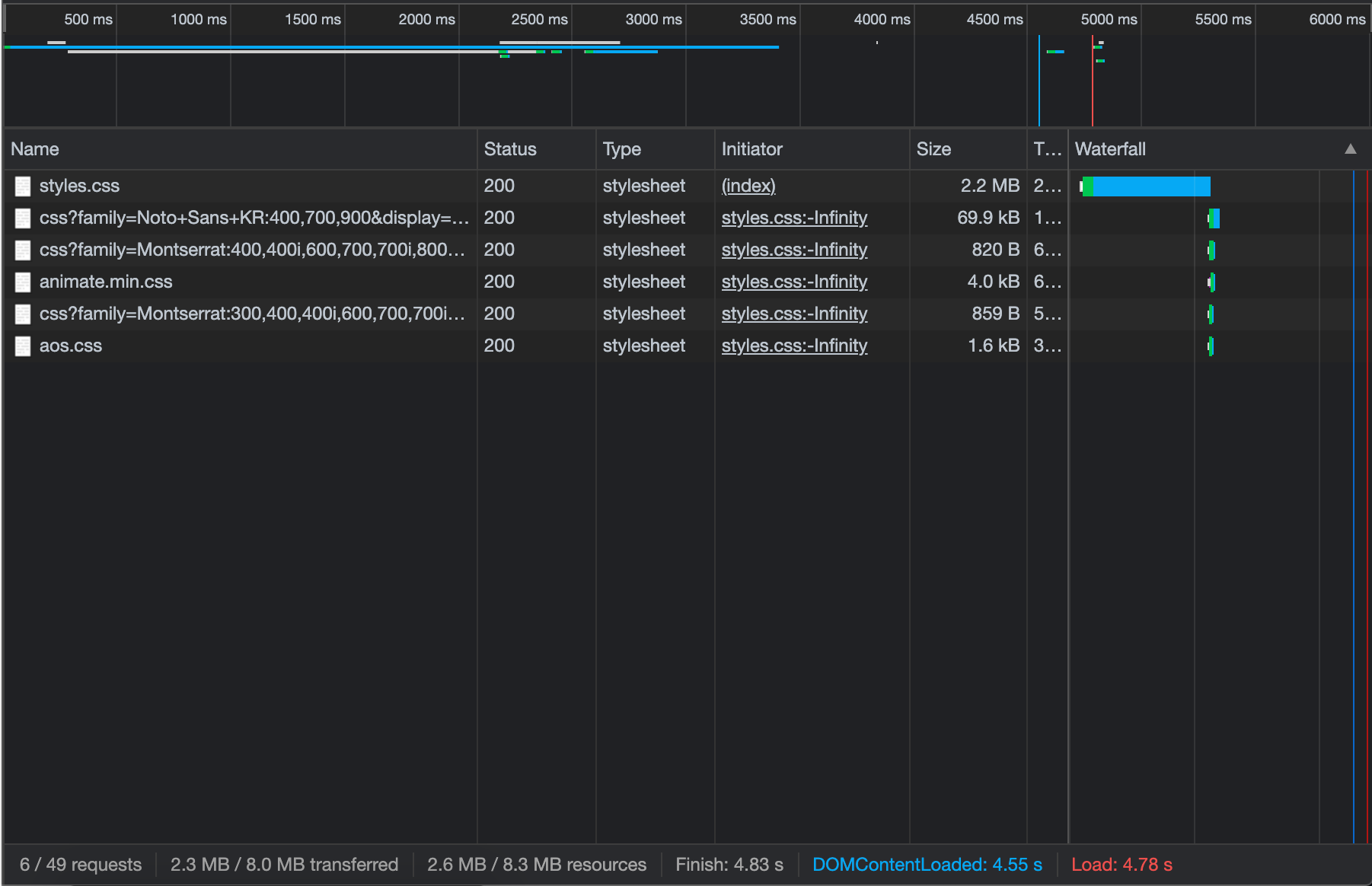
When these problems stack up, the result is often a large CSS file. Since CSS is render-blocking, that means users on slow connections wait longer to see any content at all. The damage isn’t limited to the front end either; a tangled stylesheet slows down feature development and costs the team time and the business money. That last point is the one that usually gets stakeholders’ attention.
The Netlify team’s experience illustrates the pattern. What began as organized PostCSS grew into a complex architecture with high specificity and overriding rules. Increasing tech debt made it harder to ship fast without regressions, particularly as more developers contributed to the codebase.
Refactor Or Rewrite?
Refactoring improves an existing codebase incrementally without changing its presentation or core function. Changes are limited in scope and avoid broad architectural shifts. A common trigger is the addition of a new variation of an existing component. When a project has multiple variations of the same card component, each with its own undocumented quirks, refactoring the CSS before adding a third variation prevents duplicated code and fragile selectors from piling up.
Rewriting replaces all or most of the existing code. It makes sense when the codebase’s issues are architectural and can’t be resolved through incremental change, or when the project is undergoing a rebrand or redesign that affects the whole site. A rewrite allows the team to adopt a new tech stack, establish fresh standards, and solve problems the old code could only work around.
When Refactoring Is The Right Move
Refactoring works best for incremental improvement while preserving the current design. It suits teams that can slot maintenance work between priority tasks. Stakeholders will agree to limited-time refactoring, expecting quick execution and continued availability for core projects.
Schedule refactoring at regular intervals when no major design changes are imminent. The developer with the most CSS experience should flag issues and create refactor tasks proactively, keeping standards in place as newer team members join the codebase.
When A Full Rewrite Is Justified
A rewrite should be reserved for core issues that incremental work can’t solve, or where refactoring would cost more than starting fresh. Clients who are dissatisfied with an inherited codebase often respond well to a rewrite recommendation. A full rewrite is also justified when the website faces a major change — a rebrand or redesign that touches most of the site.
| Refactor | Rewrite | |
|---|---|---|
| Pros |
|
|
| Cons |
|
|
Measuring CSS Codebase Health
Before proposing a refactor to stakeholders or project managers, it helps to back up subjective code-review concerns with hard numbers. Measurable targets — file size, selector complexity, color count, number of media queries — give the team concrete goals to track throughout the process.
CSS Stats is a free tool that offers a detailed overview of CSS quality. It surfaces metrics that can reveal hard-to-spot issues such as an unexpectedly large number of color variations or overly specific selectors. CSS Stats can be used to set measurable objectives like reducing specificity or consolidating color choices.
“A tool like CSS Stats can easily help you figure out consistency issues within your codebase. Indicating what can happen when everybody has different opinions on how a grey tone should look like, you will end up with 50 shades of grey. Moreover, Specificity Graph gives you a good overall indication of your CSS base’s health.”
At trivago, where a large-scale CSS refactor took place, the team used CSS Stats metrics to guide the effort. Within three weeks, they managed to improve overall codebase health, reduce CSS file size, and improve render performance on mobile.
For command-line usage, Wallace provides basic stats on file size, rule and selector counts, selector types, and complexity. The Project Wallace analyzer is a free web-based option that uses an advanced backend version of Wallace, offering data visualizations and additional metrics. Project Wallace also sells a complete analytics platform that tracks CSS changes per commit, though the free tier and basic analyzer are generally sufficient for auditing and planning.
Quality Depends on Discipline, Not Just Tools
No automatic tool can make architectural decisions for you. The most reliable way to keep CSS maintainable is a combination of discipline, attention to detail, and solid knowledge of the language’s fundamentals — the cascade, inheritance, specificity, and browser rendering behavior.
Overspecified selectors written by one developer can limit reuse, forcing others to duplicate code for similar components. These early decisions compound over time. Tools can enforce rigid, predictable rules, but they cannot evaluate how a selector is actually used in context.
Practical ways to improve your own CSS skills include studying architectural patterns such as those in CSS Guidelines, practicing on personal projects or challenges from Frontend Mentor, and learning from mistakes. Reviewing weak spots after writing poor code helps avoid repeating them.
Beyond individual discipline, teams should establish internal CSS standards. Clear company-wide conventions for naming, architecture, and code style make the codebase easier to understand, streamline onboarding, and allow any team member to perform effective code reviews.
Kirby Yardley, who refactored the Sundance Institute design system and CSS, stressed this point:
“Without proper rules and strategy, CSS is a language that lends itself to misuse. Often developers will write styles specific to one component without thinking critically about how that code could be reused across other elements (…) After lots of research and deliberation about how we wanted to approach architecting our CSS, we decided to use a methodology called ITCSS.”
The trivago team likewise found that guidelines were essential. They introduced a pattern library, adopted atomic design, and implemented methodologies like BEM and ITCSS to support large-scale maintenance.
Some standards can be enforced automatically. Linting tools like Stylelint offer rules for things like disallowing empty blocks, duplicate selectors, excessive nesting, or high specificity, and for enforcing naming patterns.
Key Takeaways
- Use CSS Stats or Wallace to gather baseline metrics before refactoring; this provides measurable goals and a way to track progress.
- High-quality CSS depends on developer knowledge and attention to architectural principles; tools can only enforce rigid rules, not make contextual decisions.
- Establish clear internal guidelines for naming, architecture, and code style to keep the codebase consistent and reviewable by any team member.
- Automate part of the enforcement with linting tools like Stylelint, which catch errors and enforce common best practices.
The next step is a bulletproof refactoring strategy that ensures a safe transition from the current codebase to a cleaner, more maintainable one — the subject of the next article in this series.



