
A Diagnostic Stylesheet for Your <head>
Developers have a growing toolbox for measuring and auditing CSS performance. Beyond profiling tools and browser metrics, a clever approach is to use a diagnostic stylesheet — dedicated CSS that visually flags potential trouble spots right in the page. Harry Roberts, a web performance consultant, recently released just such a helper: ct.css.
The tool’s name is a nod to Computed Tomography (CT) scans. Like a medical scan, it offers a quick look inside a specific area — in this case, the <head> of a document. Roberts said he frequently reviews clients' <head> tags to make sure everything is arranged optimally, and doing so manually is painstaking work:
“There are a lot of complex and often conflicting rules that constitute ‘good’<head>tags, and cross-referencing everything can soon grow unwieldy, so to make my life easier, I developed ct.css — a quick and dirty way of seeing inside of your<head>.”
Roberts distilled the insights from his performance work into an ideal order for <head> content. The snippet then surfaces problems that often come from a suboptimal arrangement.

How the Diagnostic Works
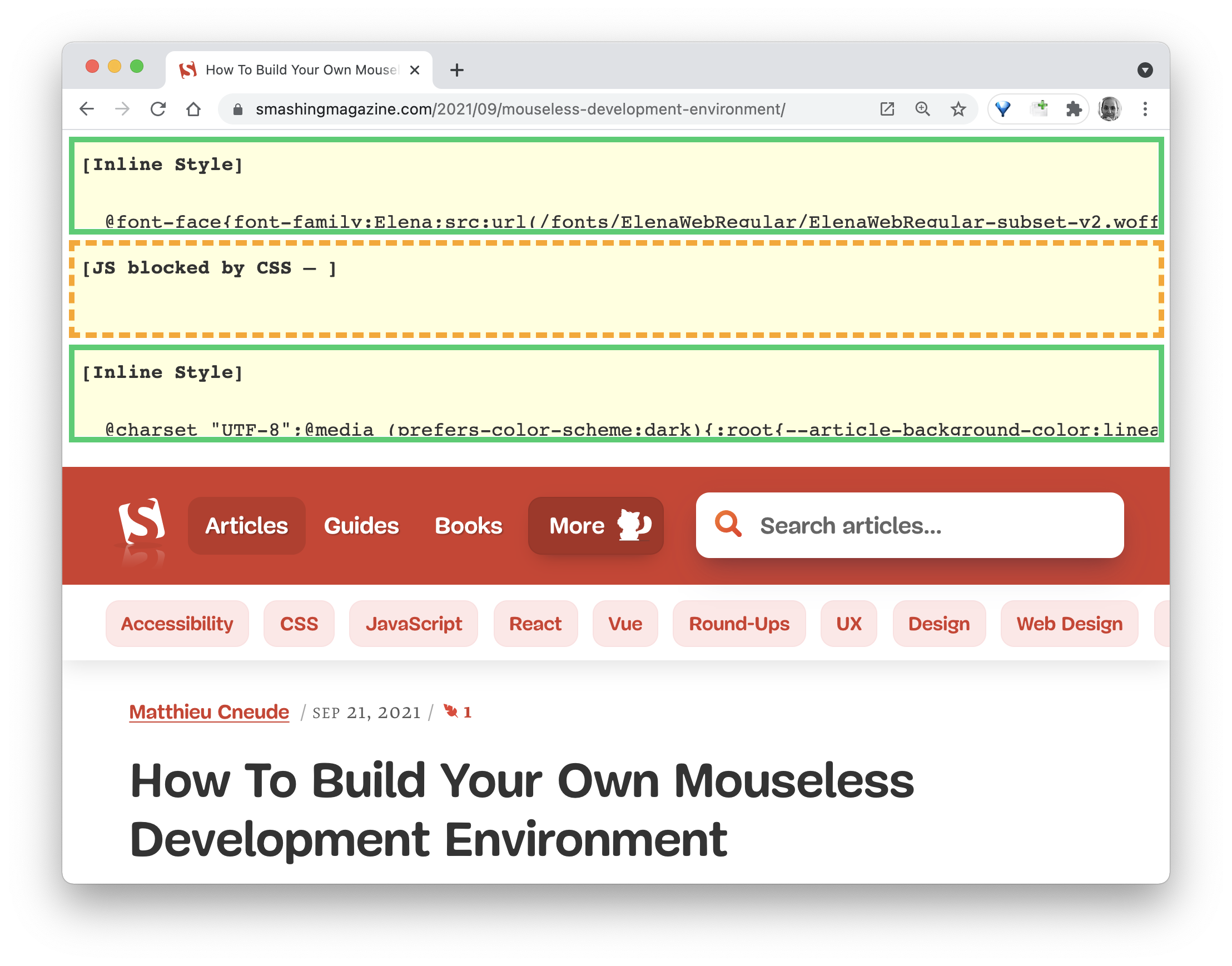
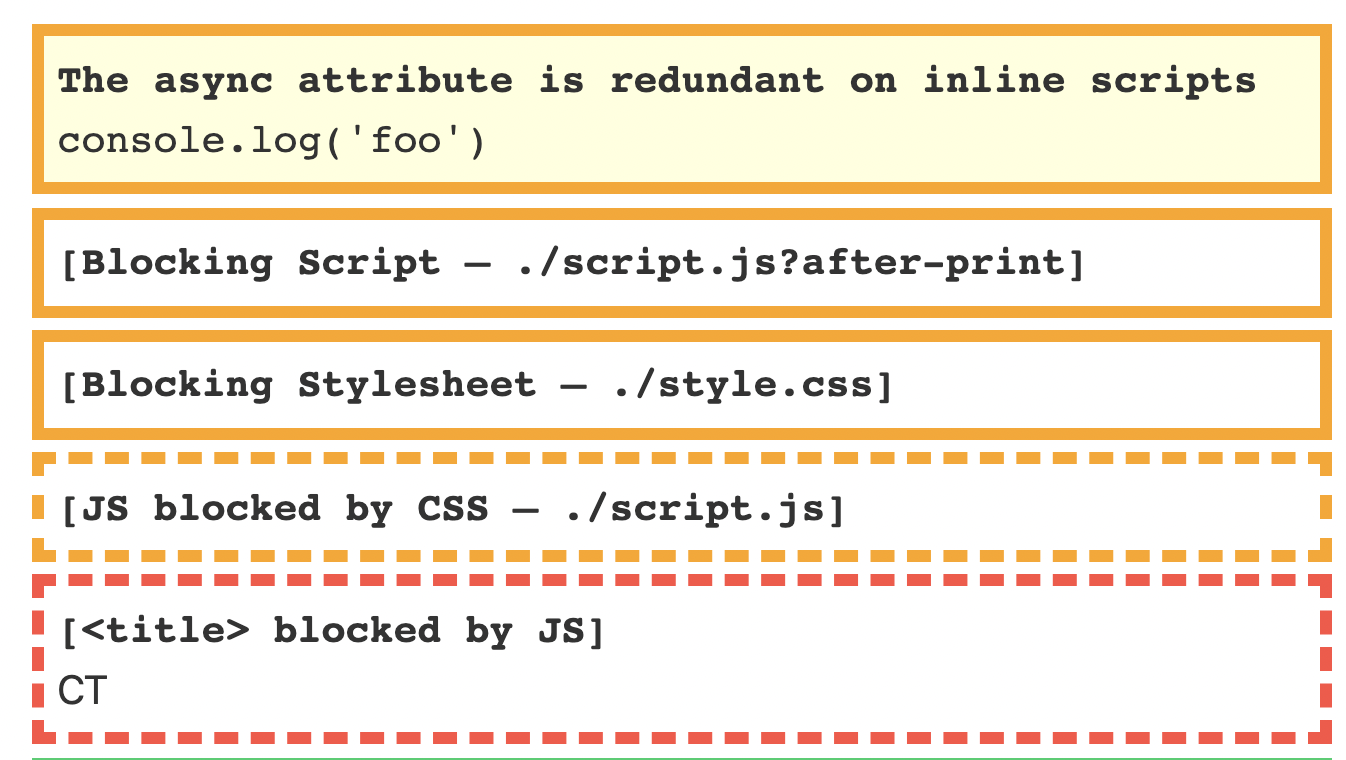
If you want to test a site, grab the bookmarklet from csswizardry.com/ct and add it to your browser’s toolbar. Load any page and activate the bookmarklet. The tool then runs its checks and overlays useful pointers onto the page, highlighting areas worth double-checking when you suspect performance bottlenecks.
Nothing is permanently fixed by the tool, but that's the intended workflow: the diagnostic indicators are meant to stay visible while potential problems exist, then disappear naturally once you've addressed them.
The snippet is available for direct experimentation at csswizardry.com/ct.