

Projects arrive on GitHub Mobile
GitHub Projects is now available in public beta on GitHub Mobile, giving you a way to keep tabs on issues and projects from anywhere. The feature is the first step in bringing the full Projects experience to mobile, and it’s open for testing on iOS TestFlight and Google Play (Beta).
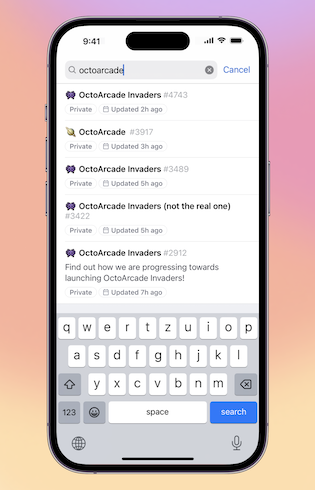
Find your projects faster
You can reach Projects from a repository, an organization, or your own user profile. From there, all items appear in a list layout that’s simplified for mobile but still shows the details needed for planning and tracking.
Switch views and manage what you see
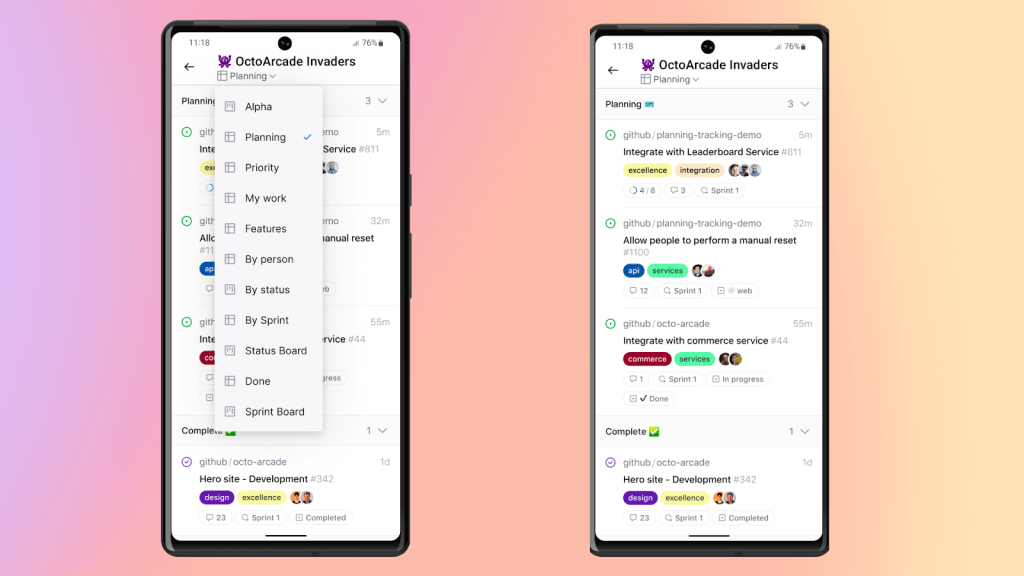
Projects render exactly as you’ve configured them on the web, with your chosen groupings intact. Tapping the title bar opens a pull-down menu where you can switch between different views on the fly. The mobile list view keeps information organized with collapsible buckets, so you can expand what matters for sprint tracking or feature planning and hide the rest when you need a cleaner overview.
Edit custom fields inline
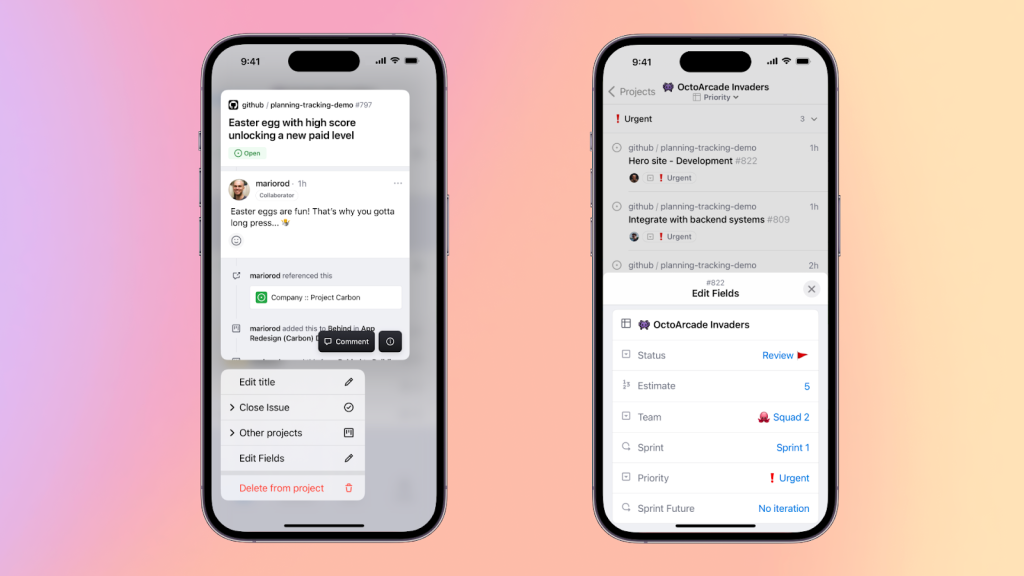
Custom fields (status, category, priority, iteration, and more) show up as pills right in the list for quick scanning. A long-press on any item opens a context menu for editing these fields, deleting the item, or previewing its contents. Tapping into the preview gives you the full issue detail view, where you can leave a comment without switching context.
Try it and share feedback
The beta is live now on Google Play (Beta) and iOS TestFlight. More capabilities are on the way, and GitHub is asking testers to weigh in early. You can leave feedback in GitHub Mobile Discussions, through the “Share Feedback” option in your app profile, or via review on the Play Store and iOS App Store.


