Payload is now integrated into Figma Make, giving teams a built-in backend for storing and managing the content and data behind the sites they build. The open source content framework joined Figma last year, and its downloads have grown 6x over the past 12 months, making it the fastest growing open source CMS on NPM. It can be self-hosted or extended, with more at Payload.org.
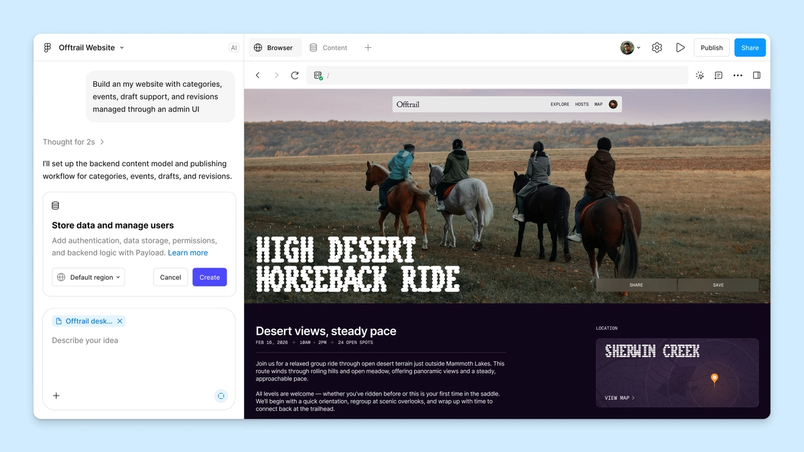
Websites and apps need somewhere to keep everything from published copy to visitor submissions. When you prompt an app in Figma Make with Payload, the setup now includes the tools for that: a database, file storage, user login, and an admin panel. Designers can prompt with real content, marketers can add and update that content through the admin panel, and developers can customize the app with Payload's framework. Granular permissions control who can change what, so each role gets a workspace built for its work.
Content and hosting in one place
Payload supplies the pieces an app depends on — content, media, permissions, workflows, versioning, APIs, and an admin panel — while Figma does the hosting, keeping content and data next to the designs that shape them. Consider a delivery service launch: the site must explain the service and accept driver applications, and the team needs a way to store applications, review them, and track applicants through onboarding. The old path meant attaching an external CMS for copy and images and working with engineers on application storage. With Payload, the website and its backend arrive together, including an admin panel where marketers manage content and product teams review applicants, cutting out separate system setup and maintenance.
Customer snapshot: IBM — Noah Trevino, lead visual and UX designer at IBM, tested whether Payload could ease management of his team's frequently updated internal websites. He provided his existing design screens and the list of fields he needed, and received a working draft the team could use to update content themselves. "Payload gave my team a content system anyone can manage, with version history built in, so those resources stay accurate and useful long after launch," he said.
Routine editing without engineering tickets
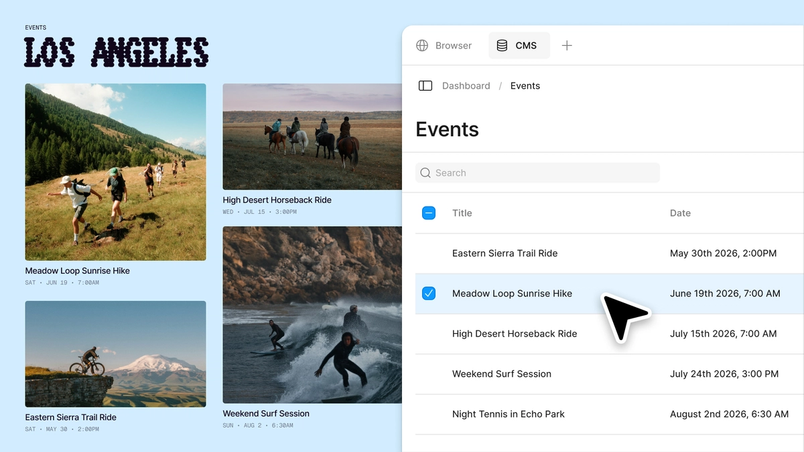
Payload's editing panel handles everyday updates directly, so teams no longer have to prompt their way through changes, leave Figma for a third-party CMS, or build a separate editing page. Creating articles, editing copy, tagging content, swapping media, reordering categories, reviewing versions, and publishing all happen there — no ticket or engineering wait required. Once a web app is published, logging into the site and adding /admin opens the content management interface.
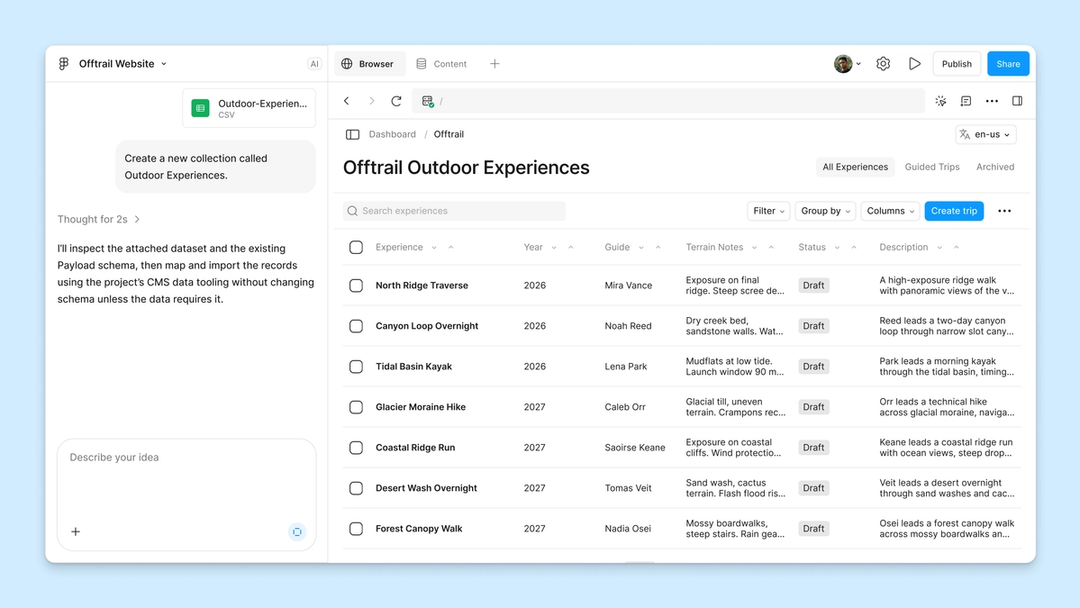
A concrete example: Figma marketer Seth Harris and his team are building a companion site for the Source Material YouTube series, where viewers browse books and magazines featured in episodes. Each item is a Payload entry holding its title, cover image, and associated episode, plus custom fields for binding and cover finish that drive how it appears on an interactive 3D shelf. The admin panel lets the team add items and update those details without prompting each entry; if a batch of catalog entries is needed later, the team could upload a CSV instead of entering items one by one.
Storing API keys safely
Features that touch outside services need credentials. If visitors sign up for a newsletter about new product arrivals, sending a confirmation email requires permission to use your email service, granted through an API key. Previously, storing that key securely required setting up and connecting a Supabase project. Now the key can be saved directly in Make's settings, and Figma stores it securely so it isn't exposed to visitors once the site is published — less setup for confirmation emails, with the key kept private.
Content and data stop being something a team builds around; they become the raw material it designs with, from the first prompt through to what ships. Content stays current, and the features visitors rely on are supported with fewer separate systems to stand up along the way.
Payload is available on all plans, with access rolling out to all accounts over the coming weeks. Hosting infrastructure for Payload-backed Figma Make projects is currently in beta and free to use; pricing and packaging will be announced before they take effect. The help center has instructions for adding a backend to a functional prototype or web app.