
VS Code hovercards now speak Baseline
Visual Studio Code version 1.100 and newer now shows Baseline status in its built-in web feature hovercards. The update aligns the editor’s browser compatibility information with the way MDN, Can I Use, and web.dev have already adopted Baseline. No extensions or configuration are required——the feature works out of the box.
Previously, hovering over a CSS property in VS Code displayed a list of supported browser versions. That raw data required you to mentally map version numbers to release dates to gauge how long a feature had been available across browsers. The new UI replaces that with a single clear signal: the feature’s Baseline status plus the year it became Baseline. For features that haven’t reached Baseline yet, the hovercard tells you exactly which browsers are missing full support.
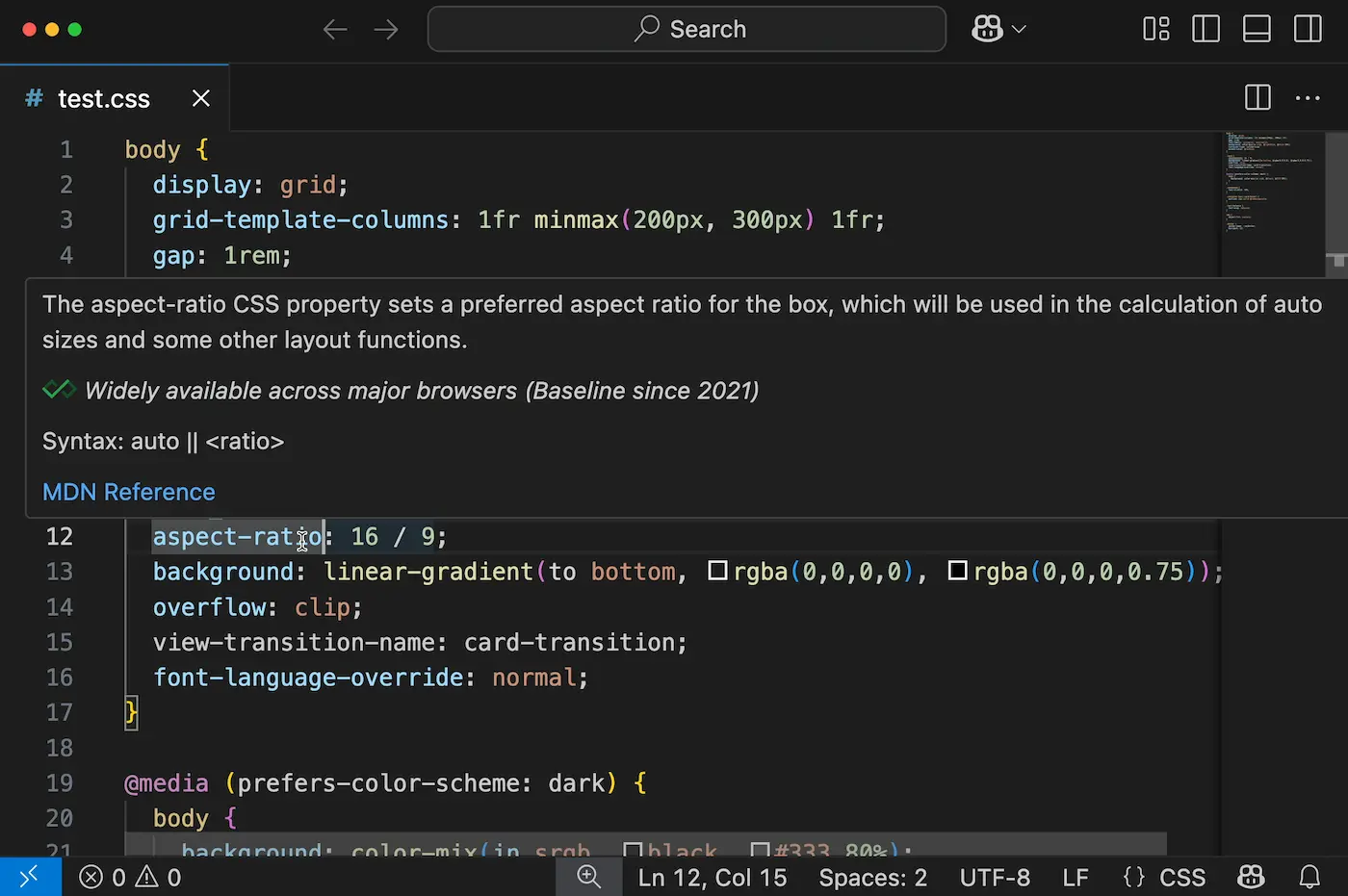
aspect-ratio CSS property in the latest version of VS Code, with browser support expressed in terms of Baseline:"Widely available across major browsers (Baseline since 2021)"
HTML support data arrives
This release also marks the first time VS Code shows browser compatibility for HTML elements and attributes, not just CSS properties. The information appears in the same hovercard format as CSS, with Baseline status and year.
Consider the autocorrect input attribute, which shipped in Firefox just a few months ago. Hovering over it in the editor immediately reveals that support is limited. In cases like this—where the feature fails safely in unsupported browsers—the feedback helps you decide to use it without much risk.
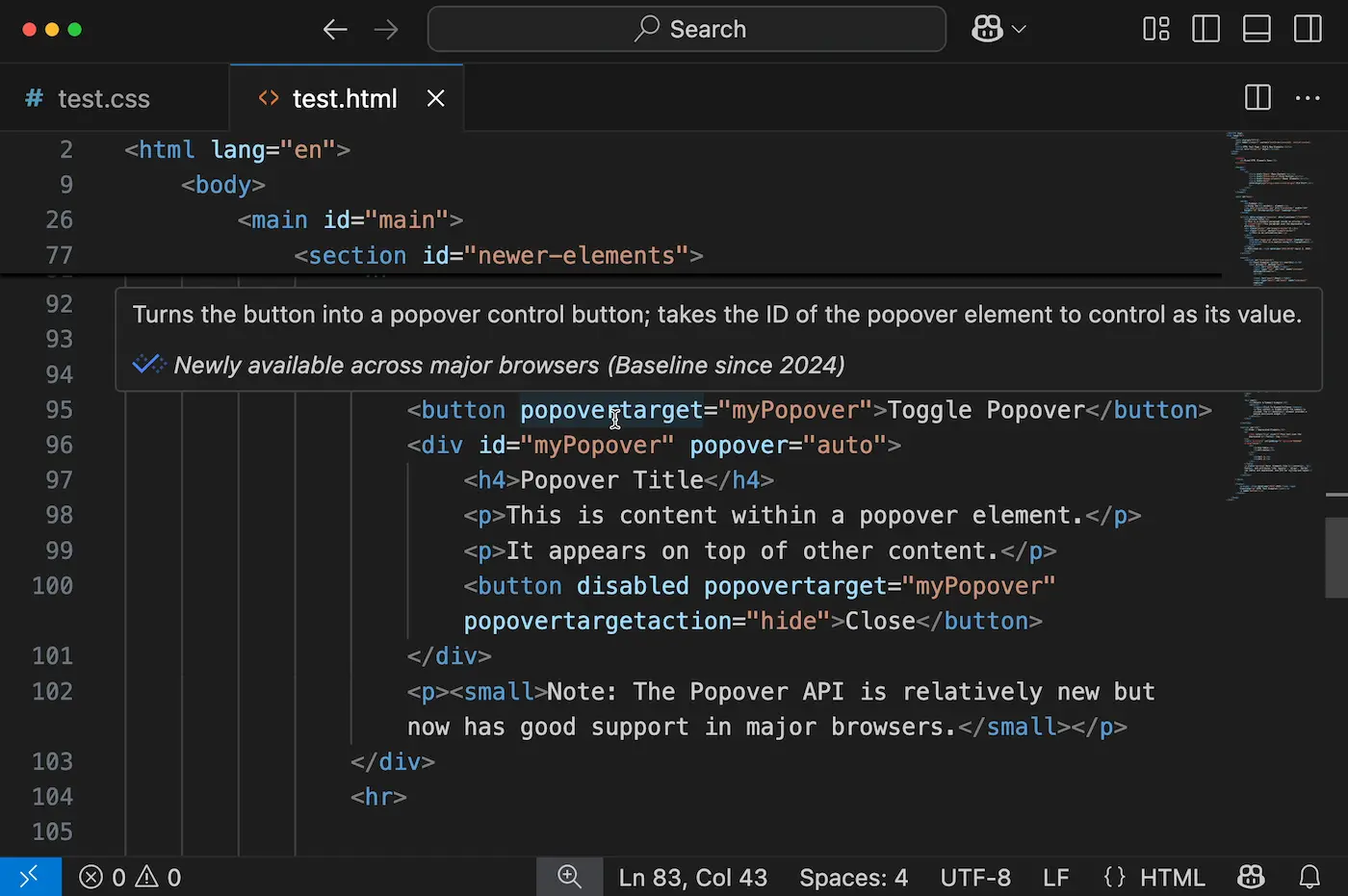
dialog HTML element and Newly available popover attributesOther HTML features are less forgiving. The dialog element does not degrade gracefully when unsupported, so it’s reassuring to see its hovercard reports it has been Baseline since 2022 and is Widely available across major browsers. That kind of signal can give you confidence to adopt features you may have assumed were too new.
The Popover API offers a middle ground. It has also reached Baseline, but only in 2024. It is therefore still “Newly available” rather than “Widely available,” since it hasn’t yet accumulated the 2.5 years required to earn that higher designation. The hovercard’s year indicator helps you calibrate risk accordingly before shipping it to all users.
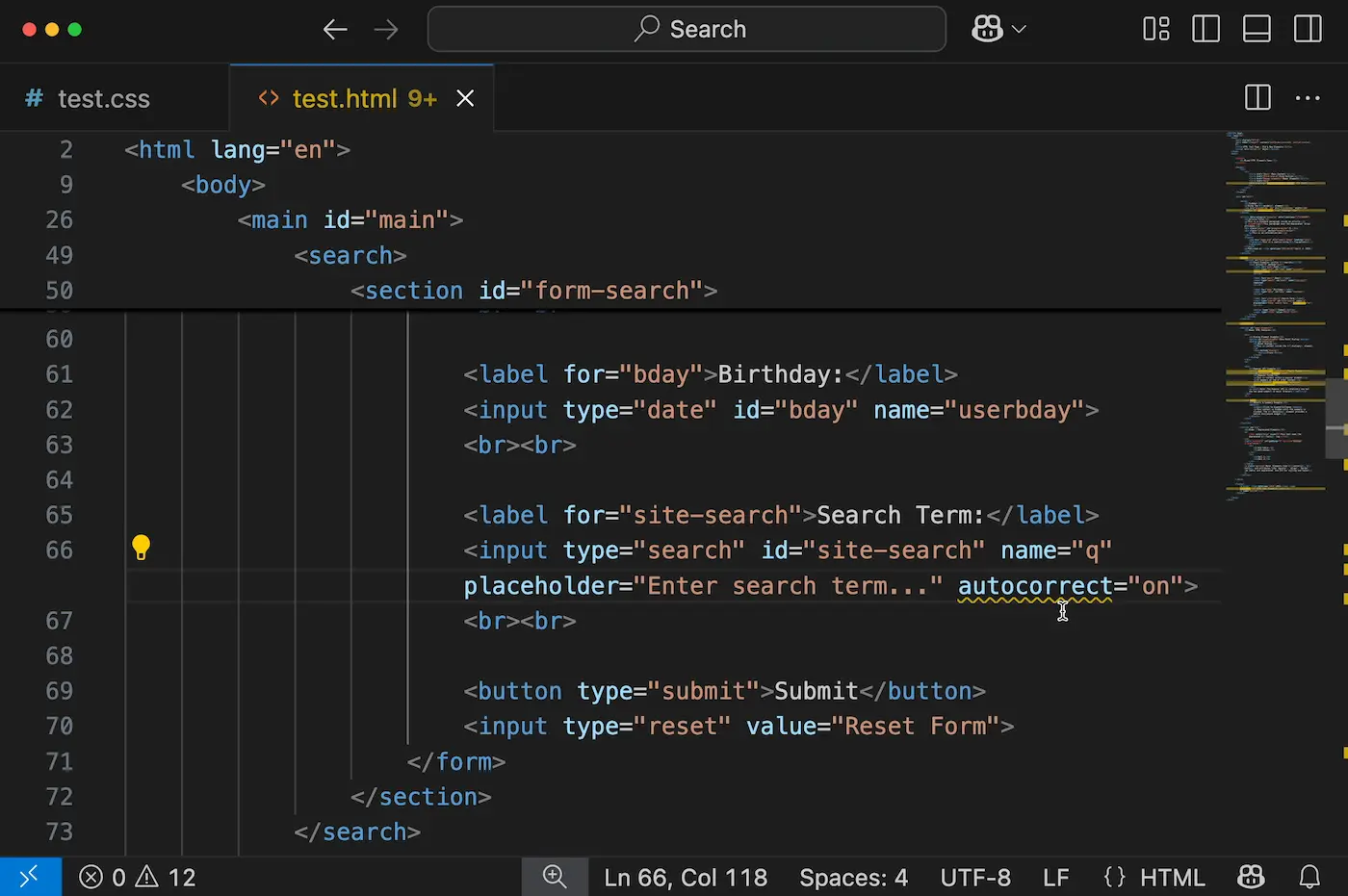
autocorrect feature is not yet Baseline, and suppressing that warning with a commentThe linter complement
You don’t have to hover to get Baseline-aware feedback. The use-baseline rules now available in the HTML ESLint and ESLint for CSS plugins flag non-Baseline features in your HTML and CSS files directly in the editor with squiggly underlines. The Stylelint plugin offers a similar rule via stylelint-plugin-use-baseline. These linter rules work well alongside the new hovercards, catching unsupported features even when you don’t inspect them manually.
Downstream editors inherit the UI
Because many popular editors are forked from Code - OSS or rely on the same language servers that power VS Code’s HTML and CSS features, the Baseline UI should eventually reach them automatically when they upgrade:
- VSCodium
- Firebase Studio
- Cursor
- Windsurf
- Zed
- Eclipse Theia
- Trae
- GitHub codespaces
- GitLab workspaces
- Replit
- StackBlitz (Bolt)
JetBrains is also working on Baseline integration across its IntelliJ-based IDEs, starting with WebStorm; a separate announcement will cover that effort.


