
CloudFront edge caching can accelerate asset delivery, but the Vite integration that pulls chunks and bundles from the CDN still pays a connection cost. A WebPageTest trace of a real app using that configuration shows the penalty.
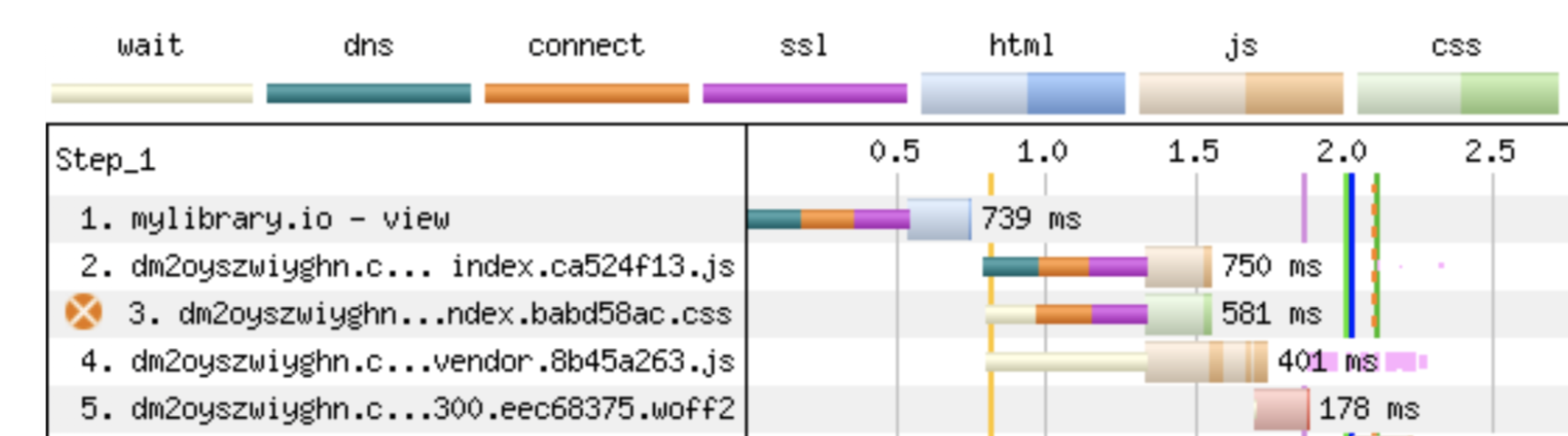
The structure above shows the problem: but serving only the assets from the CDN still leaves the app doing additional connection setup. The full writeup shows the details.
The alternative is to host the entire app on CloudFront. That means putting the whole application behind the CDN, but serving non-cacheable requests for data, authentication and the like back to the underlying origin server. That needs care. In the sample app the approach added about 200–300ms of improvement on initial LCP page load over the proxy setup, and edge caching should deliver more value for subsequent asynchronous chunks once the connection is established.
The setup involves DNS changes, and depending on your app you may need cache headers to prevent certain assets from ever being cached. Instructions will vary with your app's needs, and this walkthrough may not fit yours.
Create the distribution and manage the domain record
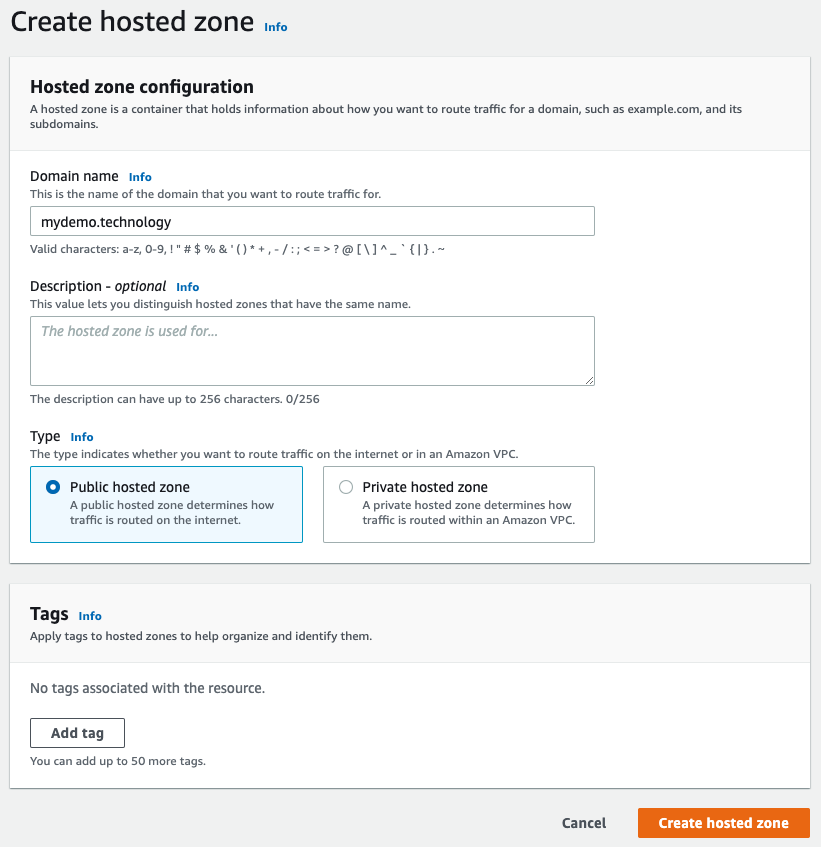
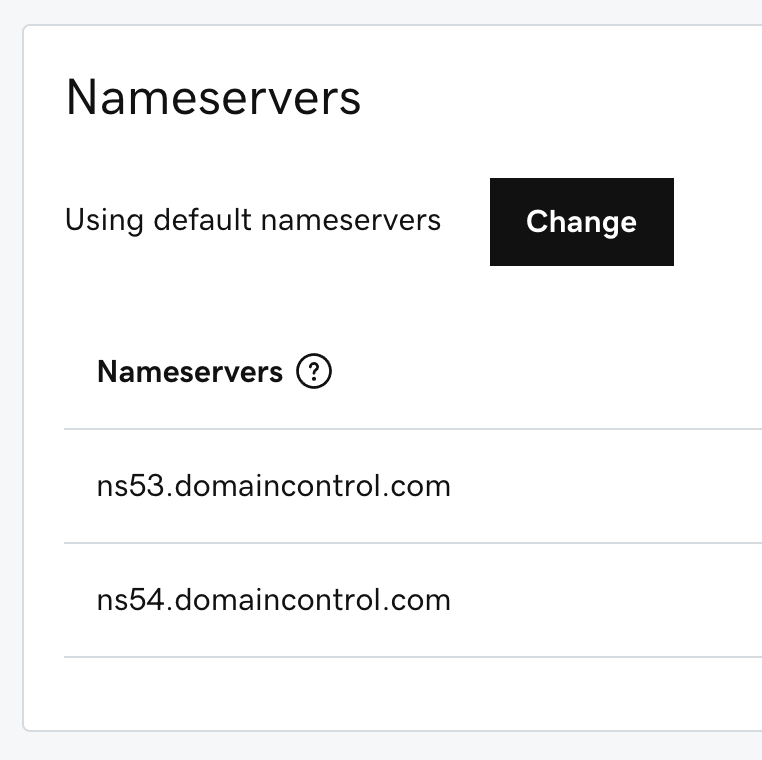
The domain used in the source example was managed through Route 53. First, create a Route 53 hosted zone for the domain, then replace the domain's registrar name servers with the ones AWS provides. Before doing anything, record the original name servers and DNS records so you can roll back.

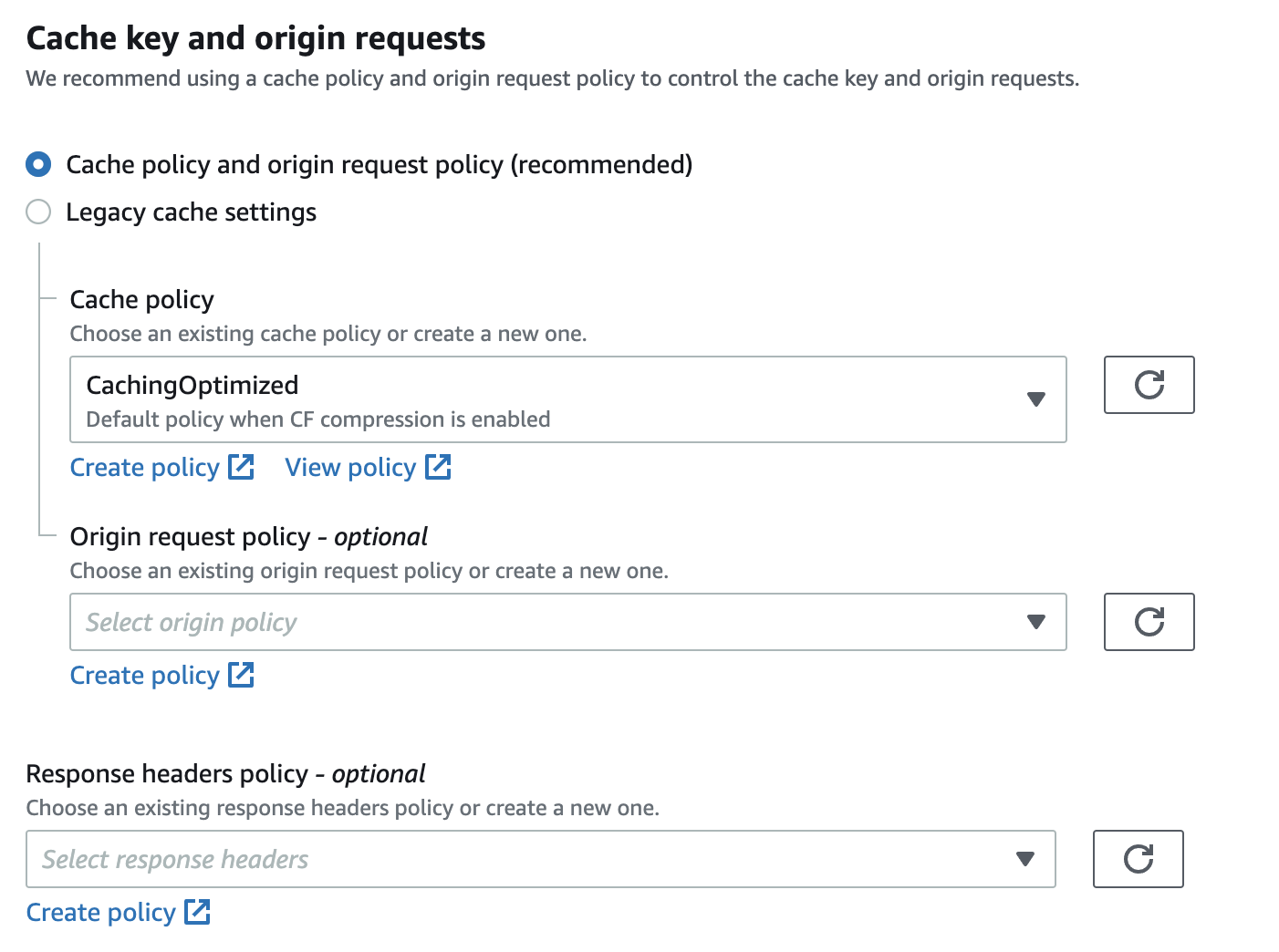
The CloudFront distribution is set up like before, so the focus is on the differences. For the origin domain, do not use the top-level domain (e.g. your-app.net): use whatever URL your hosting provider gives you, e.g. a Heroku URL.


CRITICAL: enable HTTP verbs beyond GET. If your app handles authentication or writes, POST requests will be rejected otherwise:

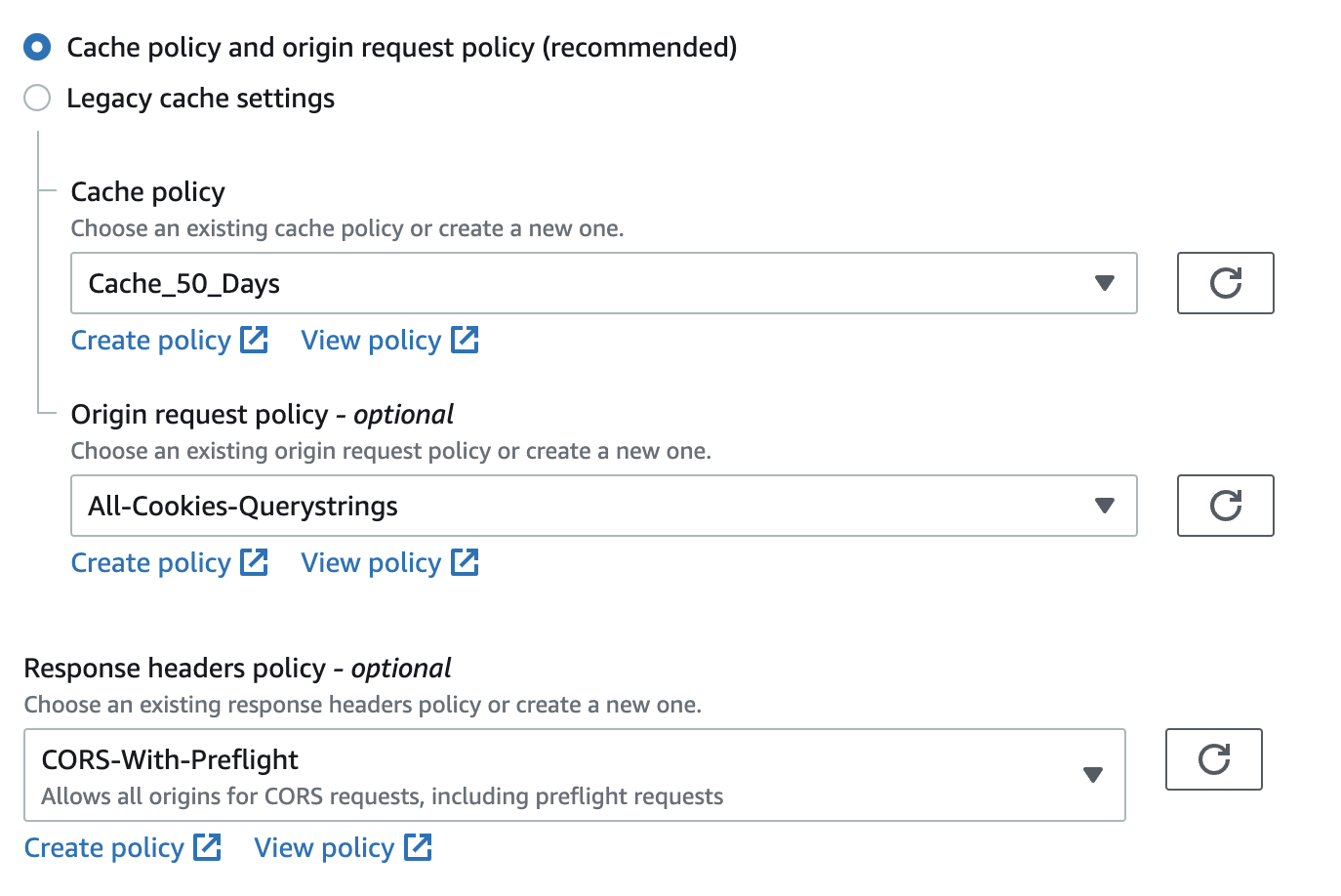
Three custom policies are needed:
- Cache policy: minimum TTL of 0 so response cache headers are respected, and all query strings enabled if you use them. In one observed app, multiple concurrent GraphQL requests with differing query strings were treated as identical by CloudFront because query strings were being ignored.
- Origin request policy: includes query strings and cookies, which are key for authentication and data queries. This determines what CloudFront forwards down to your web server.
- Response headers policy: choose "CORS With Preflight."


The domain has to be proven to be yours. Request an SSL certificate from ACM.

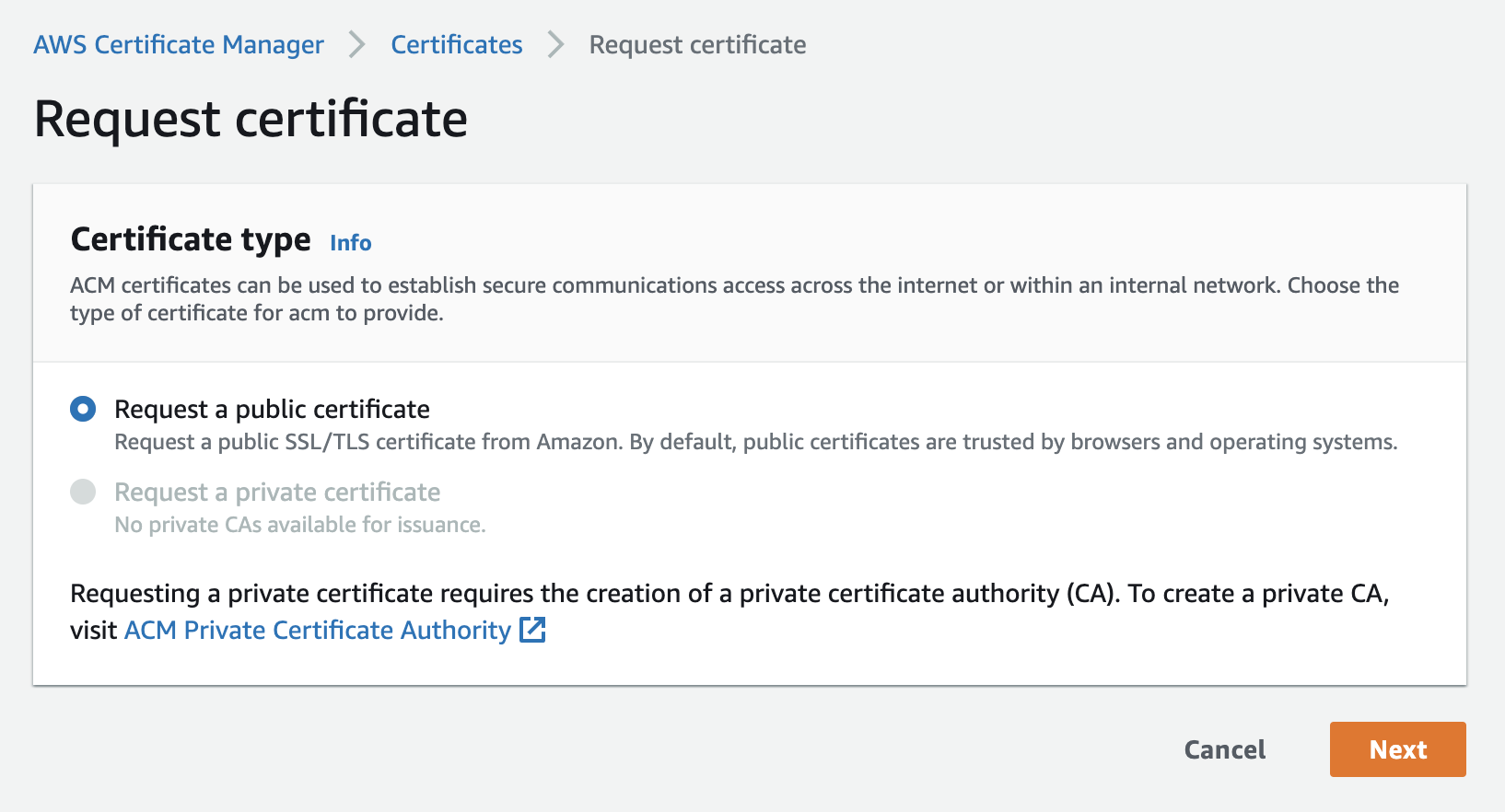
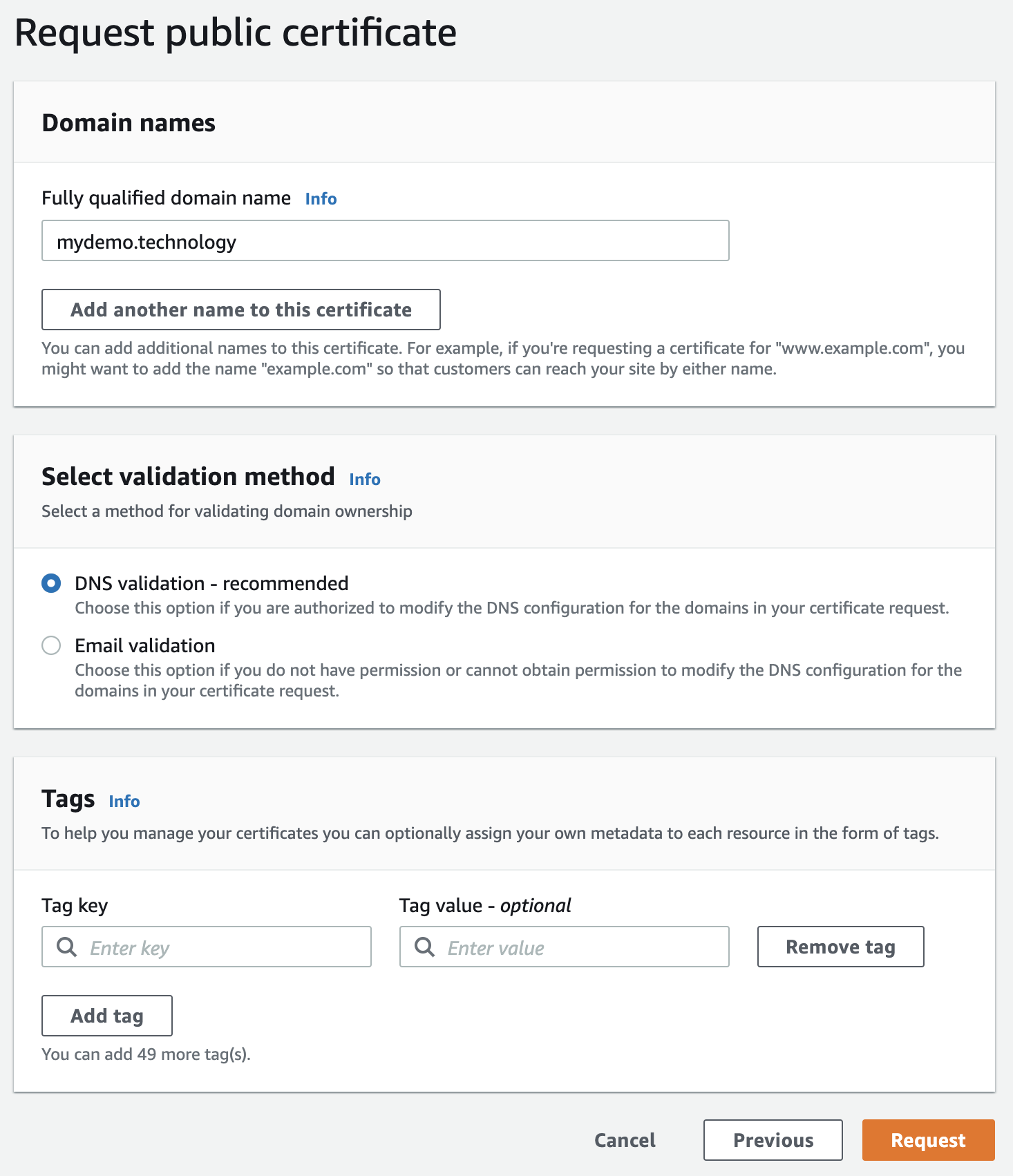
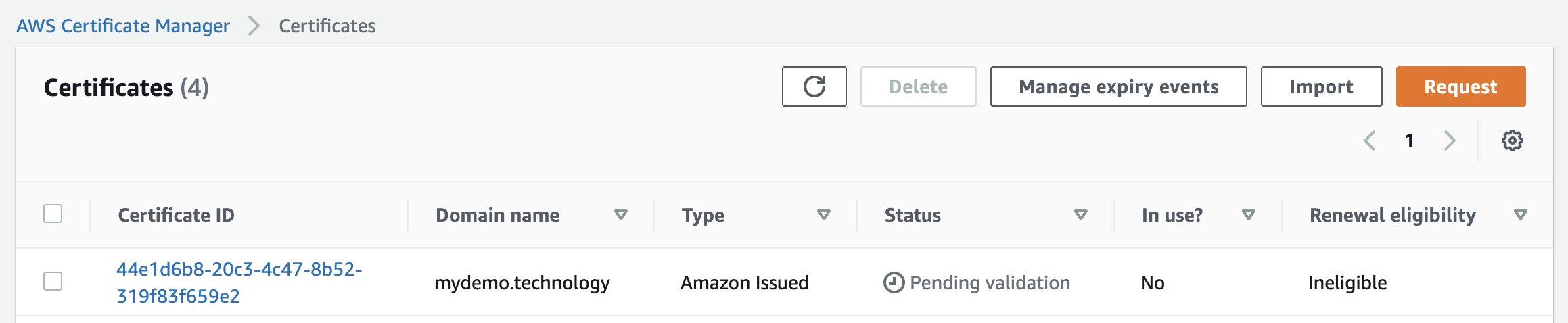
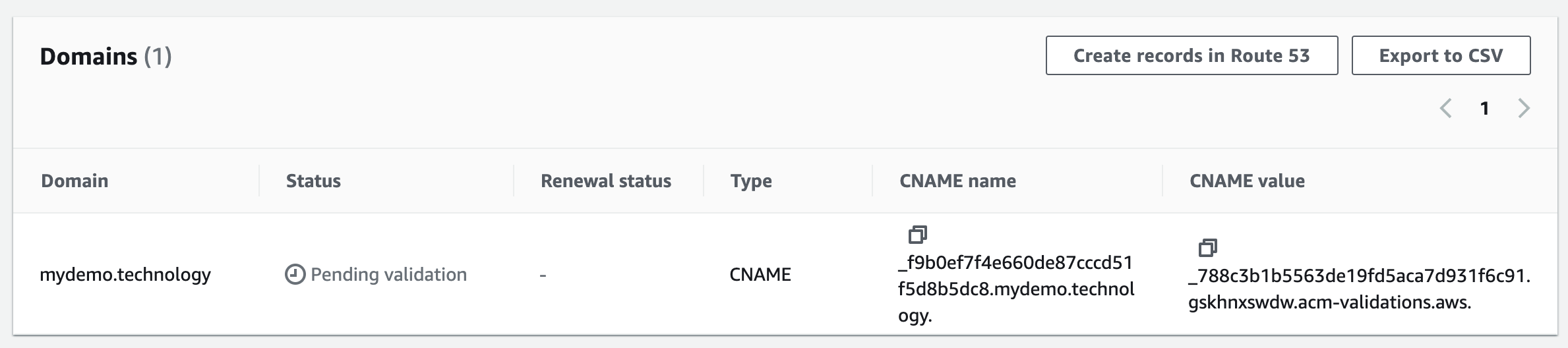
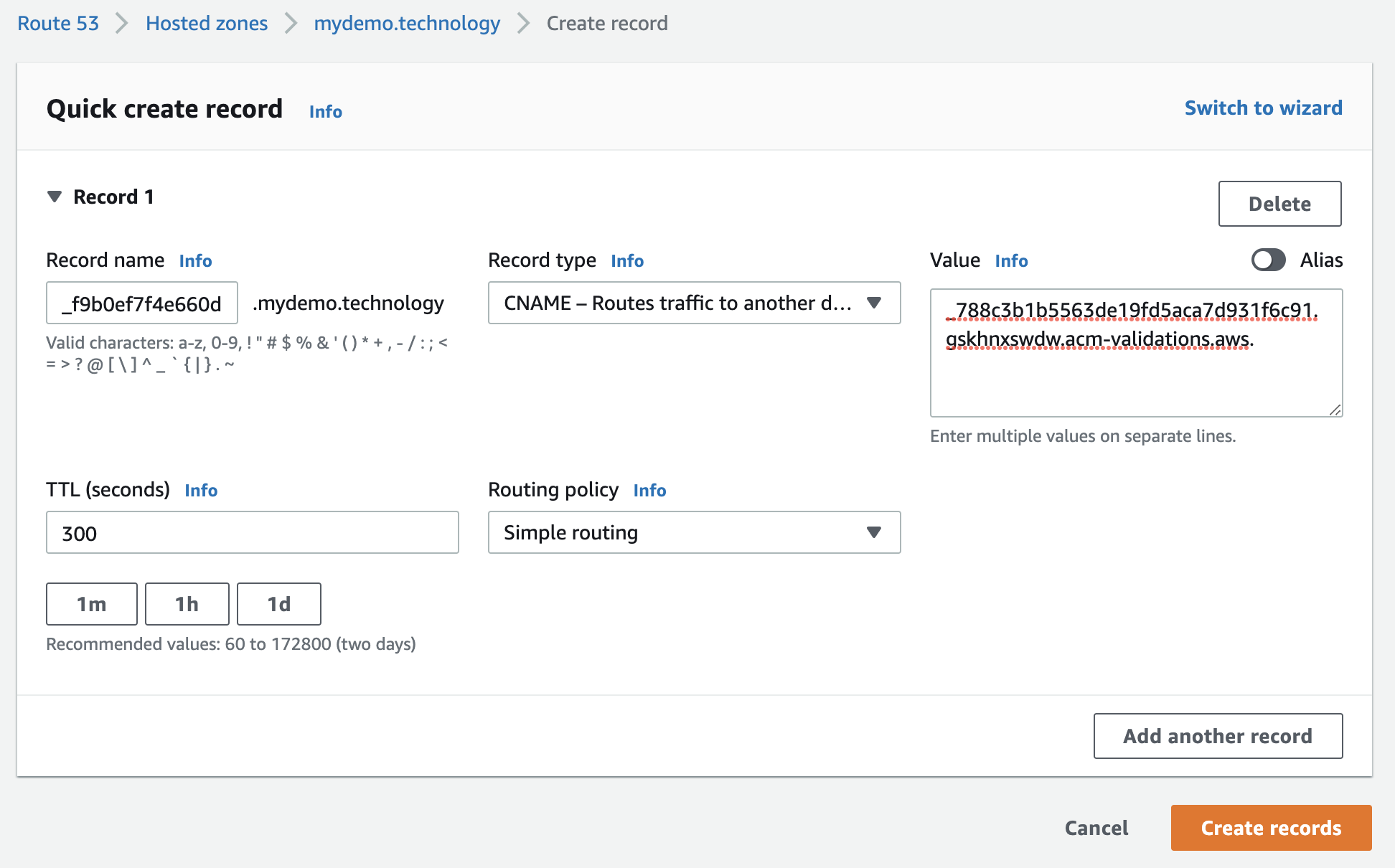
Validation: add the CNAME record in the Route 53 hosted zone. For Record name, take the first label only (for example, take _xhyqtrajdkrr from _xhyqtrajdkrr.mydemo.technology); for Record value, take the full value.

Once the name servers propagate, AWS can validate the certificate. That can take up to 72 hours, though the source author saw refreshes within about an hour. Success shows for the domain and the certificate:


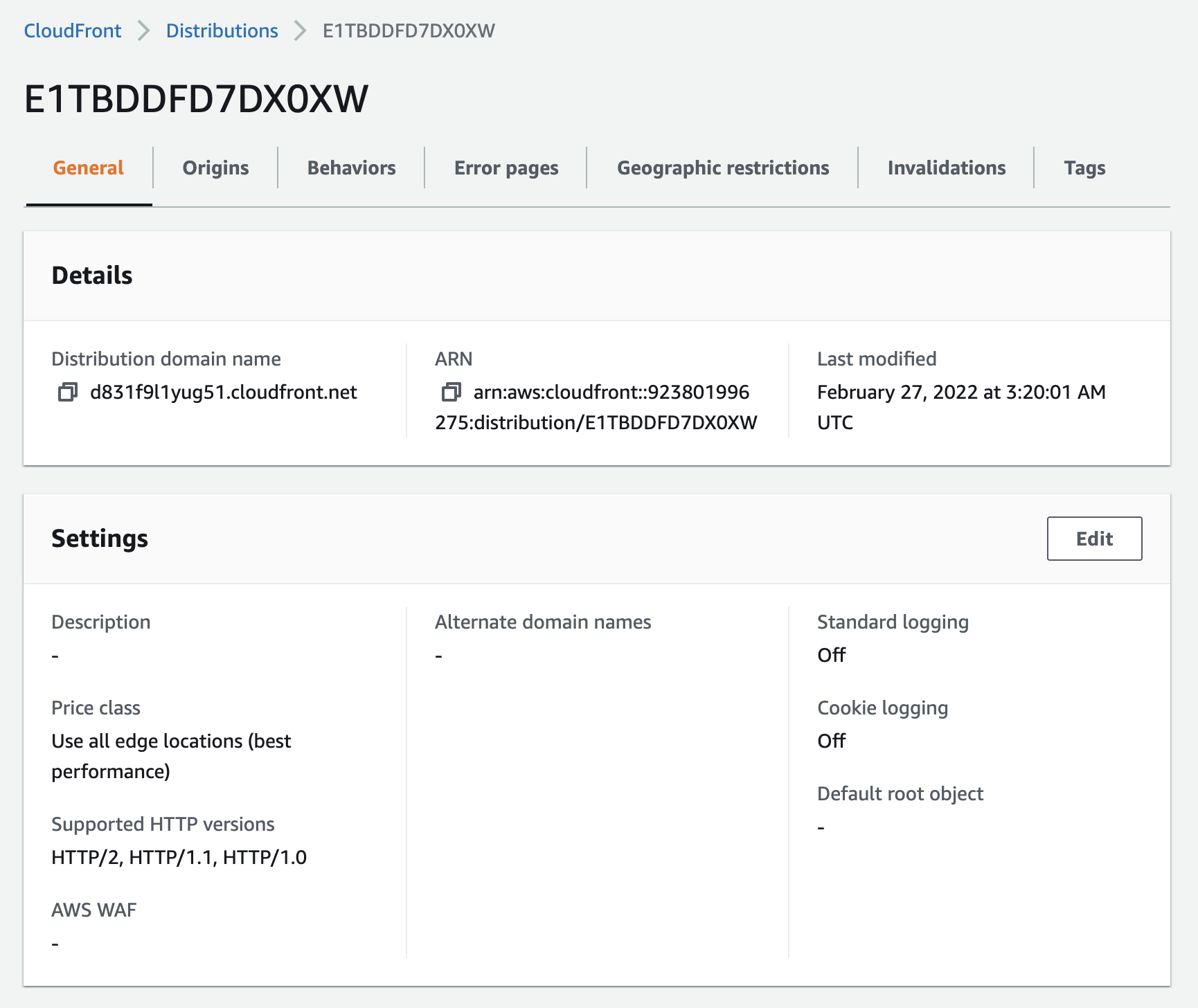
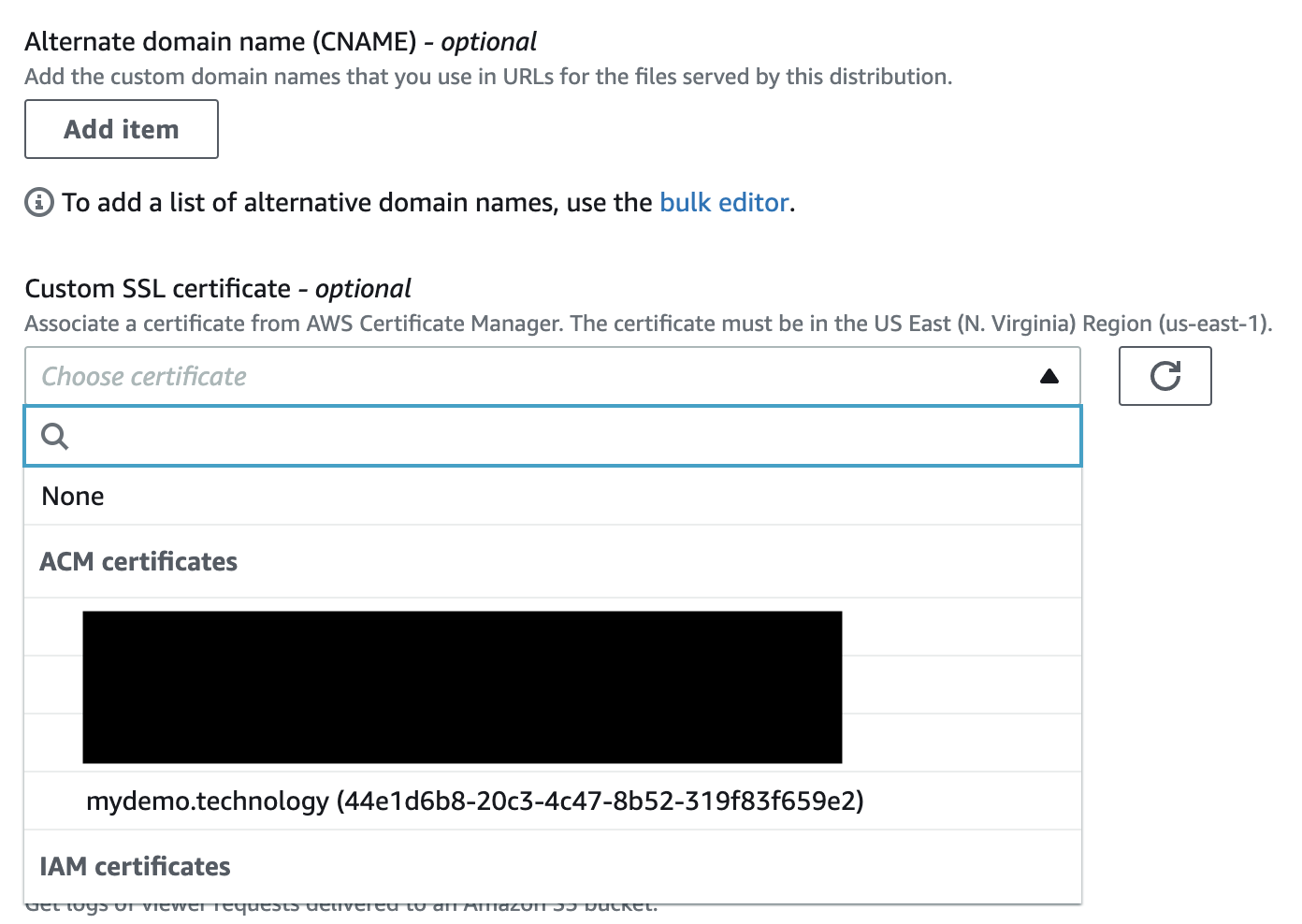
Now attach the certificate to the CloudFront distribution and add the top-level domain to the CNAME list:

Point the apex domain at the distribution: create an A record for IPv4 and an AAAA record for IPv6. Leave the record name empty for both and mark each as an alias, then choose the CloudFront distribution.
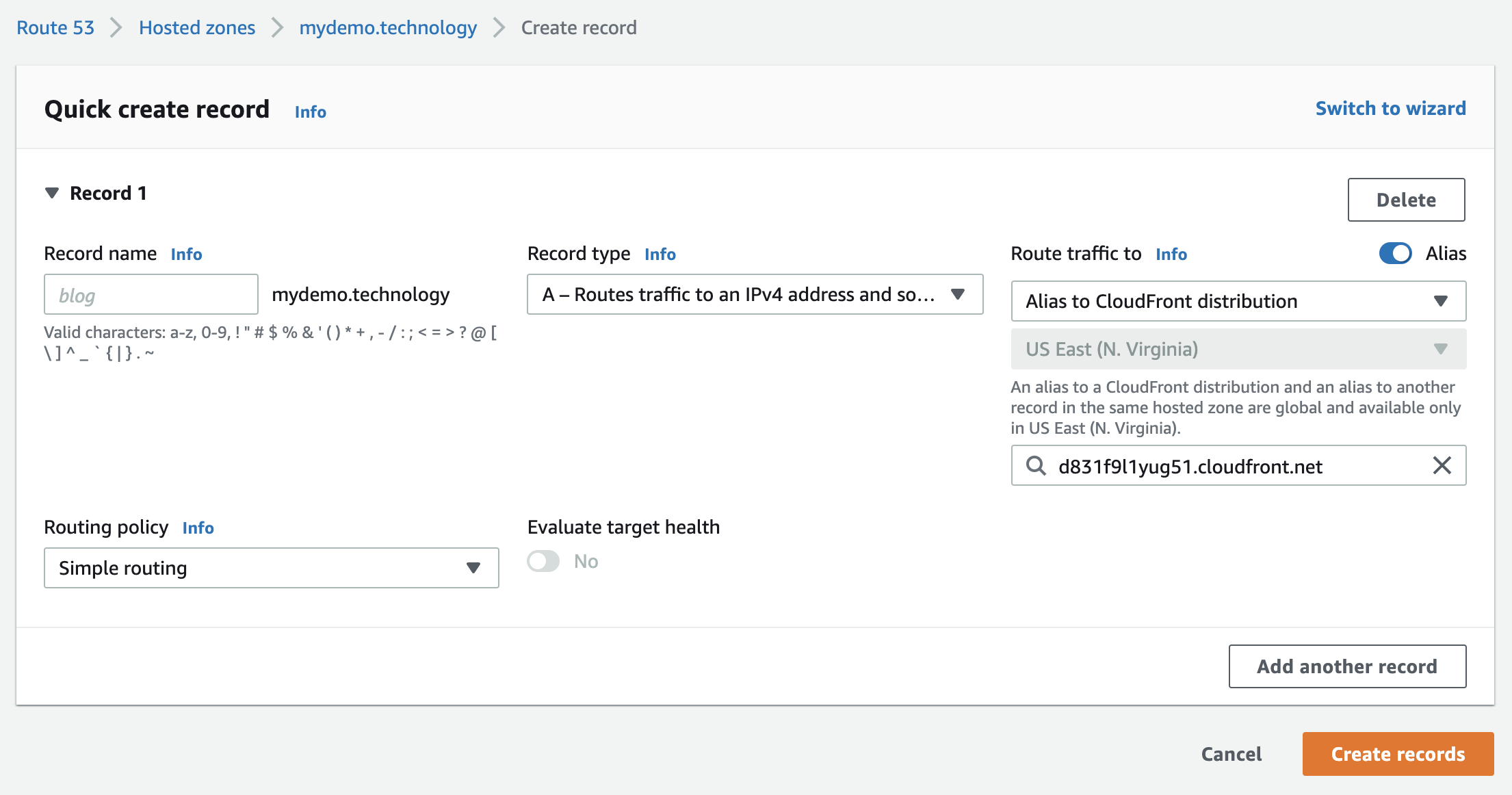
That's the end of the infrastructure setup: deploy and check that the app loads.
Excluding things from the cache you must exclude
If any GET requests with side effects of any kind are made, then this whole setup should be tested carefully, and the possibility of disabling the cache for requests on specific amounts can be a path.
Cache-control hygiene and verification
POST health after the switch is done. Check that every POST reaches the origin correctly. Assume correct forwarding of cookies — this will generally work, but confirm it anyway.
The real hazard is with all other GET requests to the web app. CloudFront will return a cached response for any GET it has a cached response for. That's disastrous for cached responses to REST or GraphQL GETs, and a service worker retrieved from cache never gets its updated version. To opt a resource out of caching, set "Cache-Control" to "no-cache". In Express, this is middleware on the data access paths:
app.use("/graphql", (req, res, next) => {
  res.set("Cache-Control", "no-cache");
  next();
});
app.use(
  "/graphql",
  expressGraphql({
    schema: executableSchema,
    graphiql: true,
    rootValue: root
  })
);
For particular files, e.g. a service worker, add a corresponding route before the static middleware:
app.get("/service-worker.js", express.static(__dirname + "/react/dist", { setHeaders: resp => resp.set("Cache-Control", "no-cache") }));
app.get("/sw-index-bundle.js", express.static(__dirname + "/react/dist", { setHeaders: resp => resp.set("Cache-Control", "no-cache") }));
app.use(express.static(__dirname + "/react/dist", { maxAge: 432000 * 1000 * 10 }));
Test thoroughly, because there is a lot to go wrong. After every change, invalidate in CloudFront: the Invalidations tab, enter /* to clear everything, clear the cache, and rerun.
After the cutover
Running the same WebPageTest trace after the app is fully moving behind CloudFront shows no additional connection setup for the assets.