
Push Notifications FAQ
Why doesn't push work when the browser is closed?
The Android OS is designed to listen for push messagesand wake up the relevant app when one arrives, even if the app was closed. Browsers on Android work the same wayas native apps: the OS wakes the browser, which in turn wakes the service worker and dispatches the push event.
Desktop operating systems are different, and macOS provides a clear visual cue. Look at the icons in the Dock: the marking beneath an icon means the app is running; its absence means the app is not running.
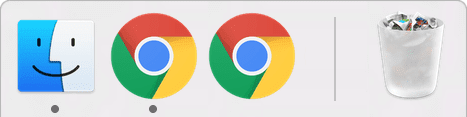
Push messages are delivered whenever the browser is running in the background, even with zero open windows. On desktop, push is only missed when the browser is fully quit. On Windows the state is harder to discern, but the rule is the same.
How do I make my home screen web app open fullscreen from a push?
When a web app is added to the home screen on Chrome for Android, launching it from the icon can run it in fullscreen mode without the URL bar.
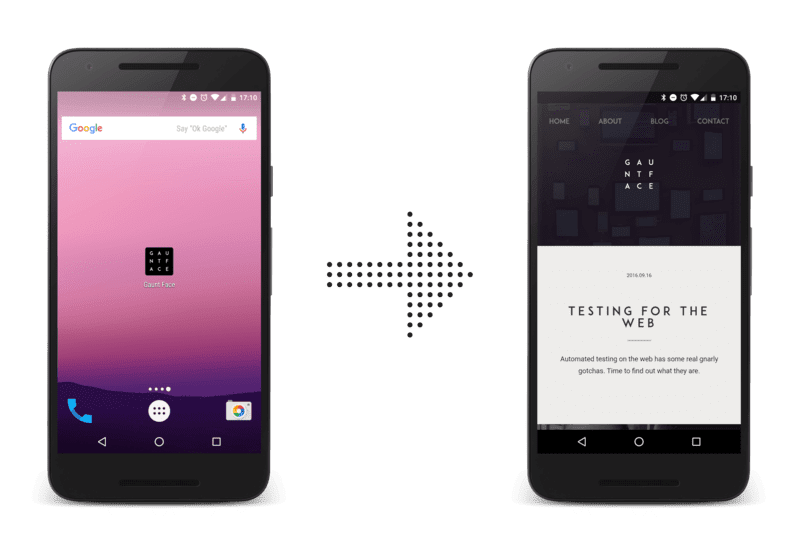
Developers naturally want notification clicks to keep that experience. Chrome has partially implemented this, but reliably opening clicked notifications in fullscreen requires the user to visit your site via the home screen icon regularly. Otherwise, notifications opens in the normal browser UI. This area is still under active work.
Why is this better than web sockets?
A service worker can be woken up when the browser window is closed, whereas a web socket lives only as long as a browser window and web page are open.
What's the deal with GCM, FCM, Web Push, and Chrome?
Explaining the current state requires a short look at Chrome's history with web push.
December 2014
Chrome's first web push implementation relied on Google Cloud Messaging (GCM). This was not web push:
- It required creating an account on the Google Developers Console.
- It needed a unique sender ID to configure messaging correctly.
- GCM's servers accepted a proprietary API request, not a web standard.
July 2016
The Application Server Keys feature—known as VAPID in the spec—launched, and Chrome switched from GCM to Firebase Cloud Messaging (FCM) as its messaging service. Two things changed materially:
- Chrome with Application Server Keys needs no Google or Firebase project setup; it just works.
- FCM supports the web push protocol, the standardized API that all push services eventually support This means one kind of request works regardless of which push service the browser uses.
Why is this confusing now?
Much existing content references GCM or FCM. If you see GCM in a tutorial, treat it as either outdated or Chrome-centric. Instead, think of web push as a browser that has a push service managing message delivery, where that push service accepts requests over the web push protocol. This abstraction lets you ignore vendor specifics. This guide is written from that standards-focused angle.
Firebase has a JavaScript SDK. What and why?
The Firebase Cloud Messaging JS SDK abstracts away web push internals:
- You handle a single FCM token string rather than the fields of a
PushSubscription. - You trigger sends through FCM's proprietary API, which does not require payload encryption—a plain-text POST body works.
- It supports extras like FCM Topics, which also work on the web though the documentation is sparse.
- It spans Android, iOS, and web, which suits teams already working with Firebase across platforms.
The SDK uses web push underneath; it just moves the complexity out of sight. Treat it as one way to simplify implementing web push standards.


