
A Faster Path to Community Contributions
Contributing to a new project often starts with a frustrating setup process that varies by repository, sometimes requiring dozens of configuration steps before a developer can write a single line of code. GitHub Codespaces, now in limited public beta, replaces that friction with a cloud-hosted development environment that spins up directly within GitHub.

A Codespace can be configured to load code, dependencies, developer tools, extensions and dotfiles automatically. Environments can be left at any time and are reopened on return, with browser-based VS Code providing code completion and navigation, extensions and terminal access. Desktop IDE users can connect their local editor to a running codespace as well. Pricing is not finalized, but GitHub says its code-editing functionality will remain free, while cloud codespace usage will move to pay-as-you-go after the free beta period.
Conversations by Design
Issues and pull requests enforce a linear workflow that suits code merging but not necessarily broader community interaction. Brainstorming, onboarding help and best-practice questions typically get shoehorned into these formats despite the awkward fit. GitHub Discussions gives those conversations a dedicated, threaded space inside the repository where a project's community already collaborates.
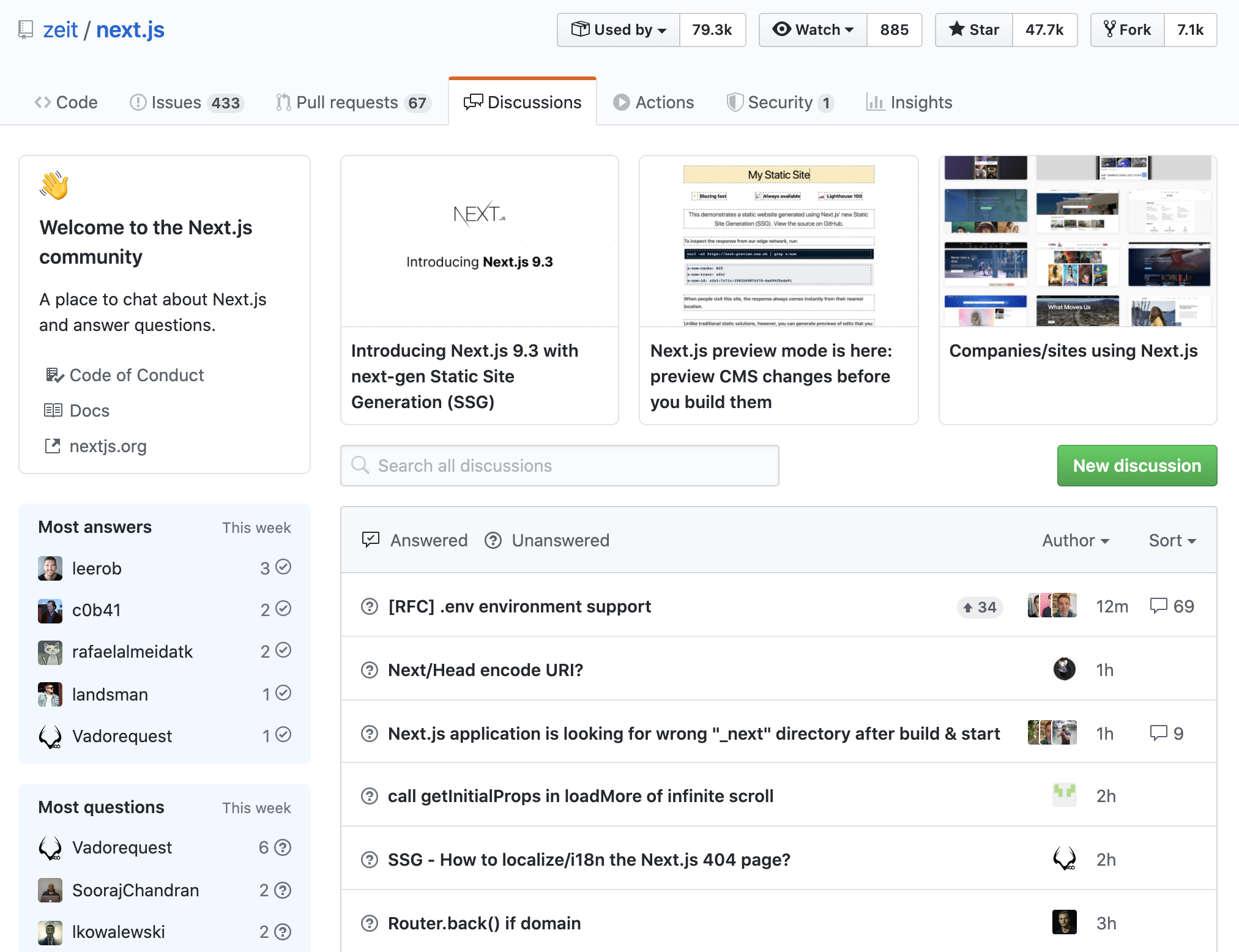
Questions in Discussions can be marked as answered, letting a community's knowledge base grow organically over time. Because threads are not closed the way issues are, they double as a home for FAQs and other evolving documentation. Discussion participation is reflected in users' contribution graphs, reinforcing GitHub's stance that community work is development work. A beta with selected open source projects is underway, with broader availability planned.
Hardening Private Repositories
Two security features from GitHub Advanced Security are entering cloud beta: code scanning and secret scanning.
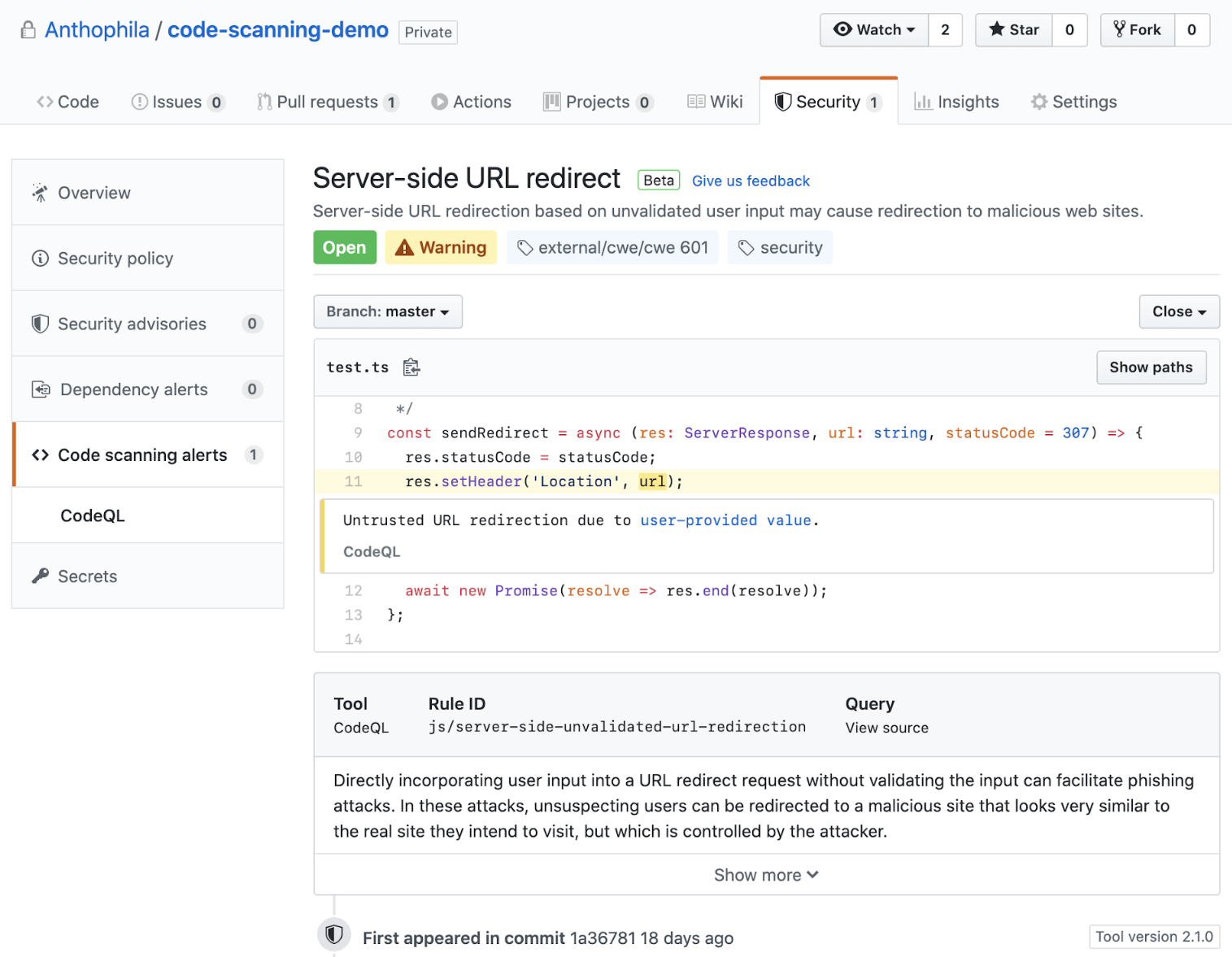
Code scanning, previously available only in an on-premises product, is now native to GitHub's cloud workflow. With each git push, the CodeQL semantic analysis engine checks code for new potential vulnerabilities and surfaces findings directly inside pull requests. CodeQL spent the past year building a track record for detecting real-world flaws, including Chromium IPC vulnerabilities. The capability is free for public repositories, with open source maintainers able to sign up directly.
Secret scanning, formerly token scanning, extends an existing capability for public repositories to private ones. The detection coverage, built with partners including AWS, Azure, Google Cloud, npm, Stripe and Twilio, has identified more than ten million potential secrets since its 2018 introduction in public code. Private repositories will now get the same notifications when known secret formats are detected. Both scanning features remain free for public projects and bundled in GitHub Advanced Security for private use.


