

Blocking secret leaks before they happen
Security teams have long relied on secret scanning to detect exposed credentials in code. But detection alone still costs time: every leaked secret must be triaged, rotated, and cleaned up. GitHub is now closing that loop by letting organizations with Advanced Security enforce push protection on their own custom patterns, not just the built-in set.
Push protection for custom patterns can be enabled per pattern. That means administrators can decide, for each custom pattern they have defined, whether to block pushes outright or only raise alerts. The granularity is useful for managing false positives: patterns that are noisy can stay in alert-only mode while trusted, high-confidence patterns get hard enforcement.
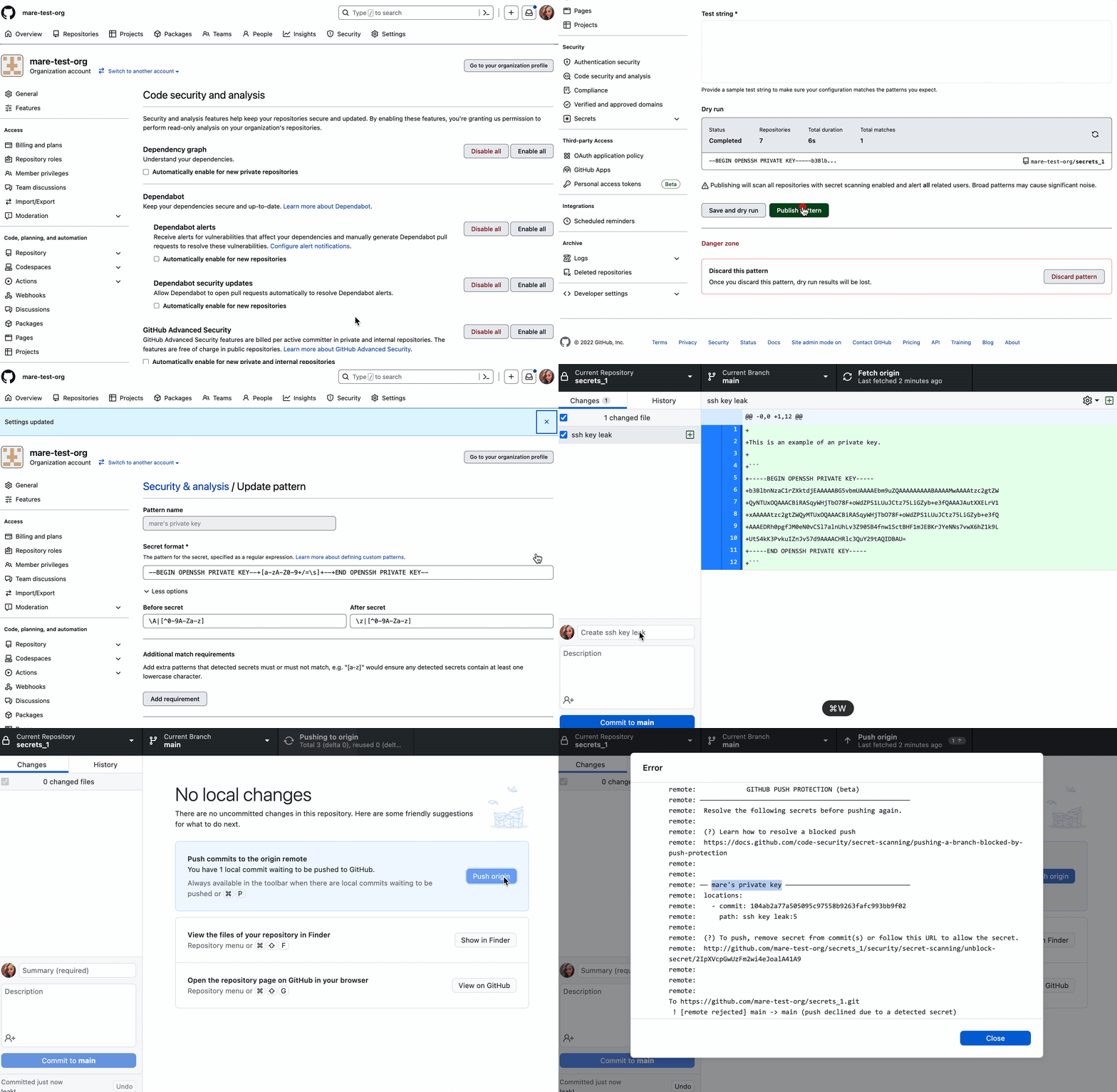
If I attempt to push a secret, I immediately know it. GitHub’s secret scanning push protection stops me before a secret is pushed into the code base, saving me tons of time. If, instead, I rely solely on external scanning tools to scan the repository after the secret’s already been exposed, I’ll need to quickly revoke the secret and refactor my code. The integration of GitHub’s secret scanning and push protection directly in a developer’s flow saves time and helps educate developers on best practices.
Setting up enforcement for custom patterns
Custom patterns can be defined at the repository, organization, or enterprise level, but push protection for those patterns is configurable only at the organization or repository level. Once enabled, GitHub will reject any push that contains a match to the pattern.
To get started, navigate to the organization's code security settings. With GitHub Advanced Security and secret scanning already active, you can create a new custom pattern through the UI. Before publishing a pattern, GitHub lets you run a dry test to see what it would catch.
After publishing, if you're satisfied that the pattern produces few false positives, you can flip on the "Push protection" toggle on the pattern's page. GitHub advises checking alert streams regularly to keep false positive noise low for developers. Using push protection selectively—on patterns you trust—builds credibility with contributors so they don't start ignoring alerts.
Secret scanning availability
Secret scanning alerts are free for all public repositories. Push protection and private repository coverage require GitHub Advanced Security, which also bundles code scanning and supply chain security features. Service providers interested in joining the secret scanning partner program can contact [email protected]; the program currently supports more than 200 patterns across 100+ partners.



