

Projects General Availability Brings Planning Directly Into GitHub
GitHub has announced the general availability of the new Projects experience, built on GitHub Issues. The tool has been in public beta since last year, and the team has been shipping updates regularly throughout that period. With this release, Projects is available to all existing Free, Team, and Enterprise (Cloud) customers as part of GitHub Issues.
The core idea behind the revamped Projects is to eliminate the gap between planning and development. Teams often fall back on spreadsheets or standalone planning tools when their workflow doesn't match a rigid methodology, but that creates a disconnect from the codebase and the work quickly becomes stale. Projects aims to solve that by putting planning next to the actual work—issues and pull requests—while remaining flexible enough to support a range of workflows, from sprint tracking to large-scale release management.
Flexible Views and Custom Data
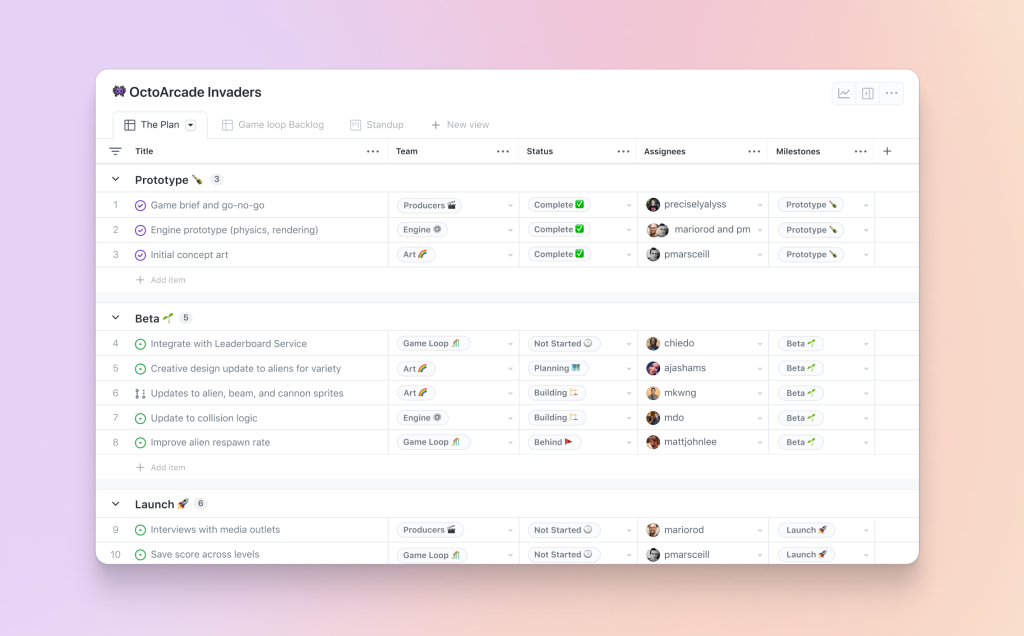
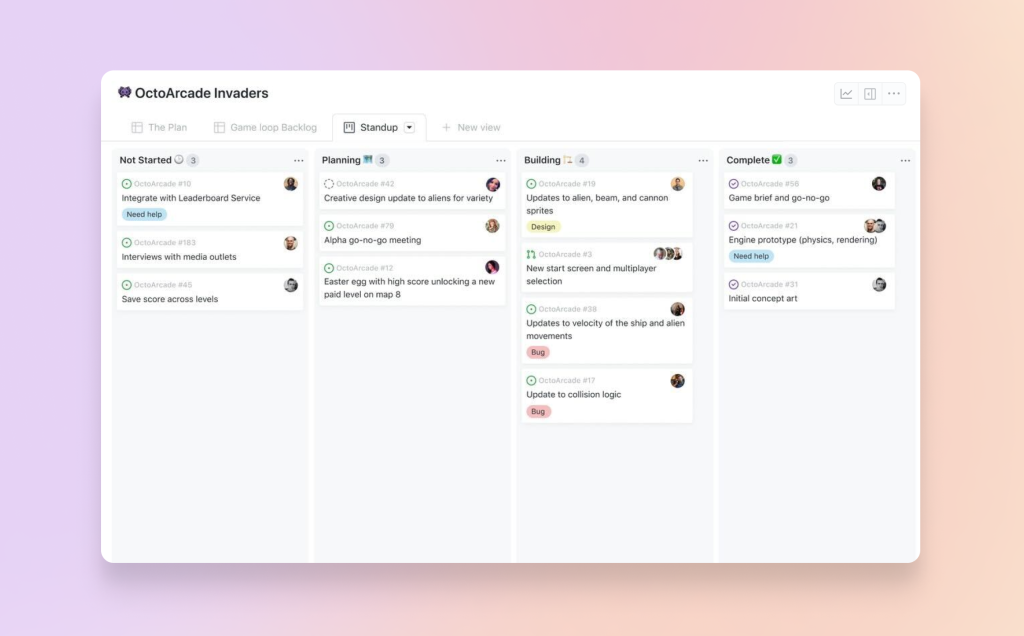
Projects offers both table and board layouts, letting teams switch perspectives depending on the task at hand. The table view behaves like a spreadsheet, allowing you to filter, sort, and group issues and pull requests by stage, priority, status, assignee, or any custom field. The board view provides a more visual card-based layout with customizable grouping and card content.
Since different teams track different metadata, Projects includes a type system for custom fields. You can define fields of type text, number, date, iteration, and single select. Iterations support flexible date ranges and breaks, making it possible to represent sprints, cycles, or quarterly roadmaps. The interface also shows linked pull requests and reviewers directly in both views.
Charts and Automation
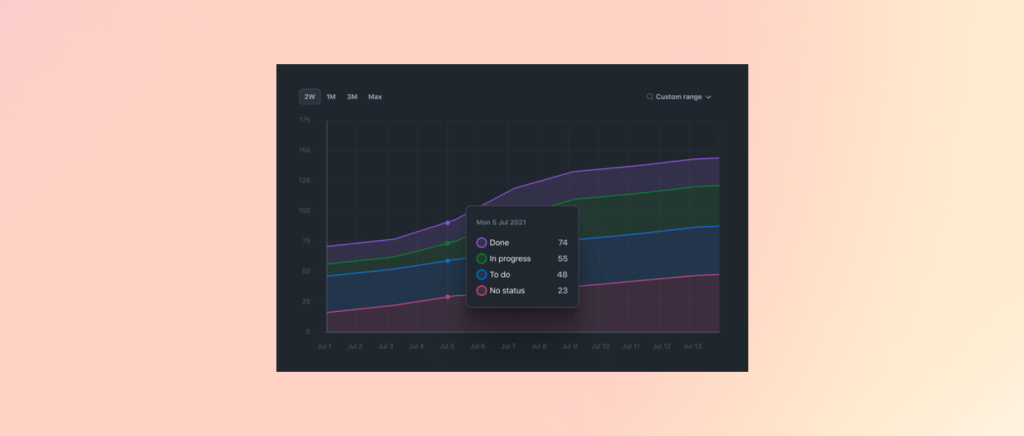
For teams that want insights without extra tooling, Projects includes configurable charts. You can create bar, column, line, and stacked area charts to track cycle velocity, current work status, or cumulative flow. Aggregations like sum, count, average, min, and max help you extract the right signal from your data. Charts can be persisted and shared via URL so the whole team sees the same picture.
Automation is another key piece of the release. Built-in workflows and APIs handle the busywork of keeping issues updated and reports generated. The GraphQL ProjectsV2 API, GitHub app project scopes, and webhooks for project item metadata updates give teams programmatic control. A GitHub Action can automatically add issues to projects as they are created.
Roadmap Ahead
The team says it will continue the pace of frequent updates going forward. Over the next two quarters, the focus is on improving day-to-day usage and delivering four main roadmap items:
- Dependencies and relationships. Parent-child, duplicate, depend-on, and block relationships will link related work across issues and projects.
- Complex workflows. New automation capabilities will support custom triggers, conditionals, and action logic.
- Timeline layout. A timeline view will show task duration and ordering, with group-by support for segmenting by team, initiative, or product line.
- GitHub Mobile. Projects access will come to mobile for working with issues and projects away from the desktop.



