Static Sites Get a Content Layer
The web began as static HTML files, and that model has proved remarkably durable. Serving pre-built files from a server remains popular for good reason: simplicity, scalability, and security. What has changed is who can maintain those sites. Early static sites required developers working in code editors, but a long line of content management systems has steadily closed the gap between that developer workflow and the needs of non-technical editors.
Desktop Editors and the First Static CMSs
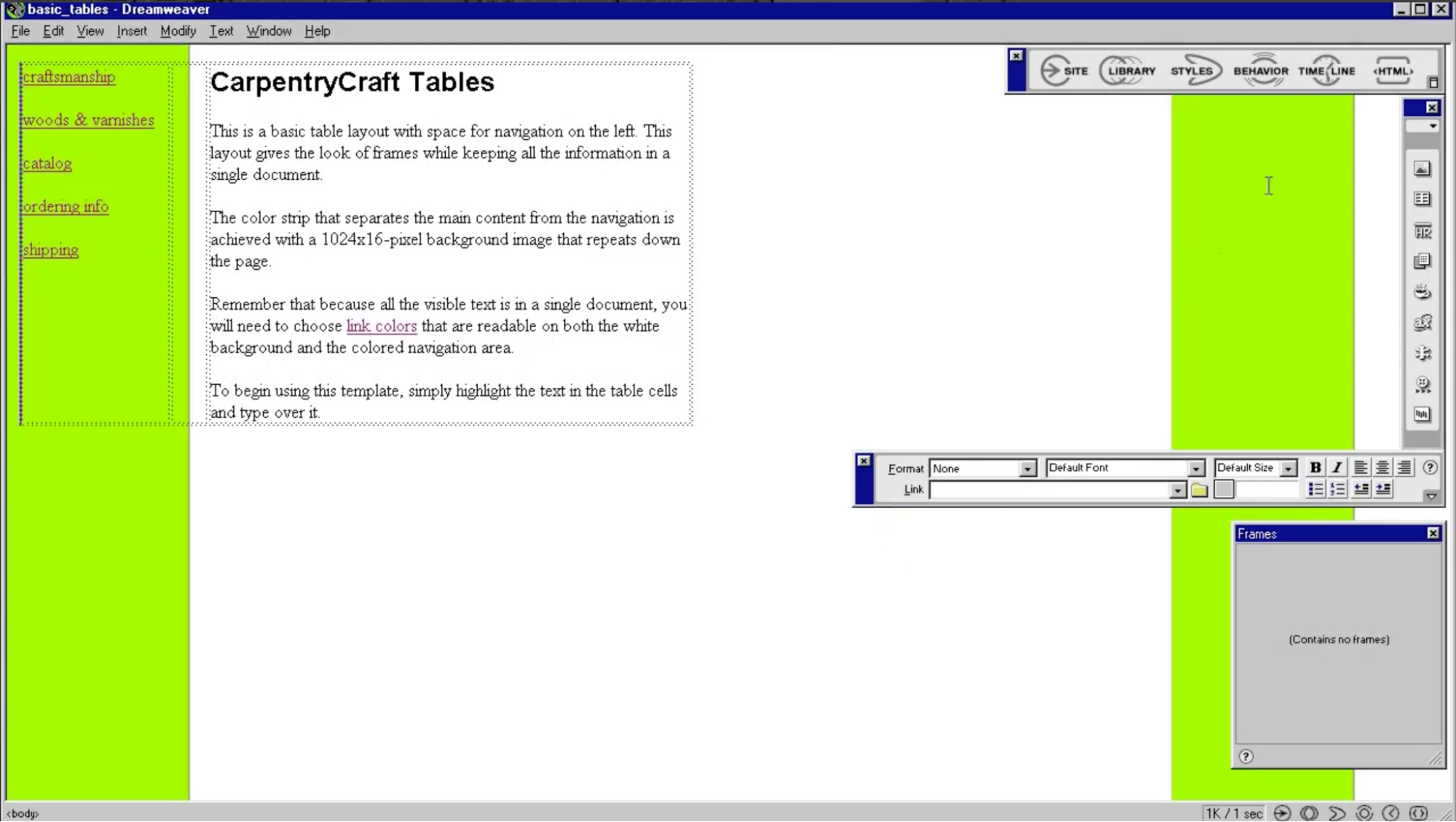
The 1990s brought the first attempts at managing static sites as something other than raw code. Microsoft FrontPage (1996) and Macromedia Dreamweaver (1997) offered WYSIWYG editing with hand access to the underlying HTML. The ability to drag and drop components while keeping control of the markup was a significant leap in tooling. These desktop applications were not content management systems in the modern sense, but they introduced concepts that would persist.
Dreamweaver 4, for instance, added editable regions, which separated content from layout on a static page. That made it feasible to hand off content editing without risking the rest of the site. Similarly, integrated FTP bridged the gap between local development and live deployment, so edits could be made directly on the server. The pain of changing a navigation element across dozens of pages, however, remained unsolved. Dynamic sites had already solved that with includes, but static site authors were still copying and pasting.
The First Static Site Generators
The early 2000s saw a clash between two blog platforms: MovableType (2001) and WordPress (2003). WordPress won the battle — it now powers around 40% of the web — but MovableType established the pattern that would evolve into modern static site generators. Its creators, Ben and Mena Trott, built it out of dissatisfaction with existing blog CMSs on the grounds of performance and stability, reasons that still drive teams to static today.
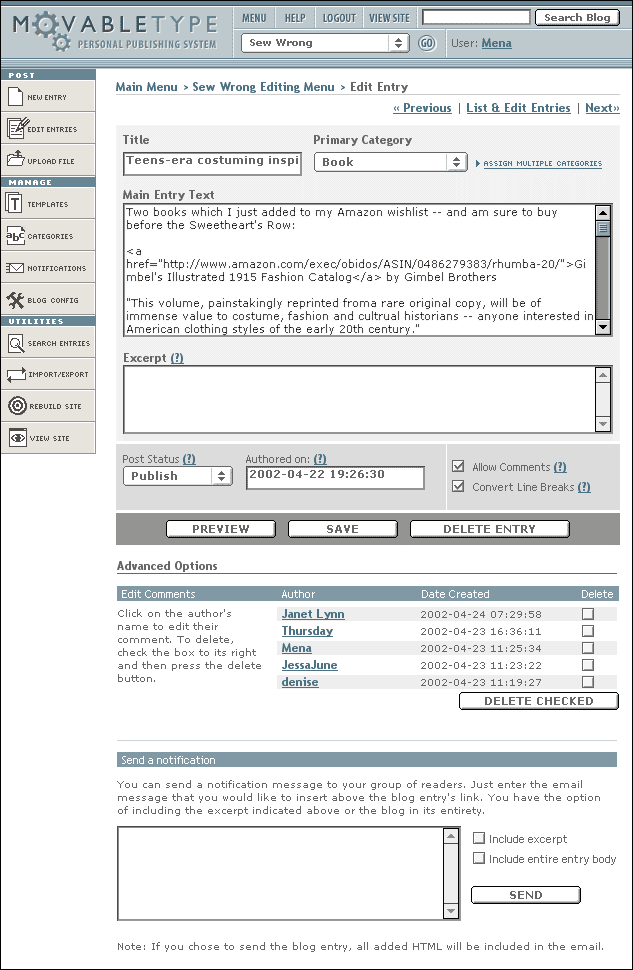
MovableType avoided the word "static" in its documentation, instead describing the process of "rebuilding" the site after changes. That perception problem followed the community for years and eventually contributed to the adoption of the term "Jamstack." MovableType was one of the first downloadable, self-hosted platforms and included everything needed to manage a blog. It worked with straight HTML since open-source WYSIWYG editors did not yet exist and Markdown would not appear until 2004.
The next step came in 2007 when Denis Defreyne released Nanoc. He had struggled to get any Ruby-based CMS running on a server with only 96 MB of RAM. Nanoc removed the UI entirely, becoming a command-line program that compiled local source files into HTML. It introduced features that later became standard in static site generators:
- Layouts: Reusable elements created with Ruby’s ERB templating language.
- Page metadata: A separate YAML file for titles and other page metadata, before front matter existed.
- Markdown support: Content written in Markdown and transformed into HTML at build time.
- Templates: A feature similar to what Hugo would later call archetypes.
- Plugins: Extensions called libs that let users customize the generator.
Tom Preston-Werner announced Jekyll in November 2008, taking Nanoc’s model and refining it with two notable innovations. Front matter placed YAML metadata directly at the top of a content file, eliminating the need for separate metadata files. Jekyll was also blog-aware, converting Markdown posts into an array that could be iterated over and paginated.
Together, Nanoc and Jekyll reshaped how static sites were built. Keeping configuration, layouts, and content as static files meant the whole site could live in a Git repository. With Jekyll’s structure, GitHub itself could act as a CMS — creating a new blog post became as simple as committing a new Markdown file.
From Developer Tools to Publishing Platforms
A key transition came in 2012 with Prose.io, built by Development Seed. The team had moved their websites from Drupal to Jekyll and created Prose.io to make it easier for content writers to contribute. Prose.io synced with a GitHub repository and provided a clean interface for the routine tasks: updating front matter, writing Markdown, creating posts, and uploading files. Every change saved back to GitHub, creating a tight workflow between developers and content editors.
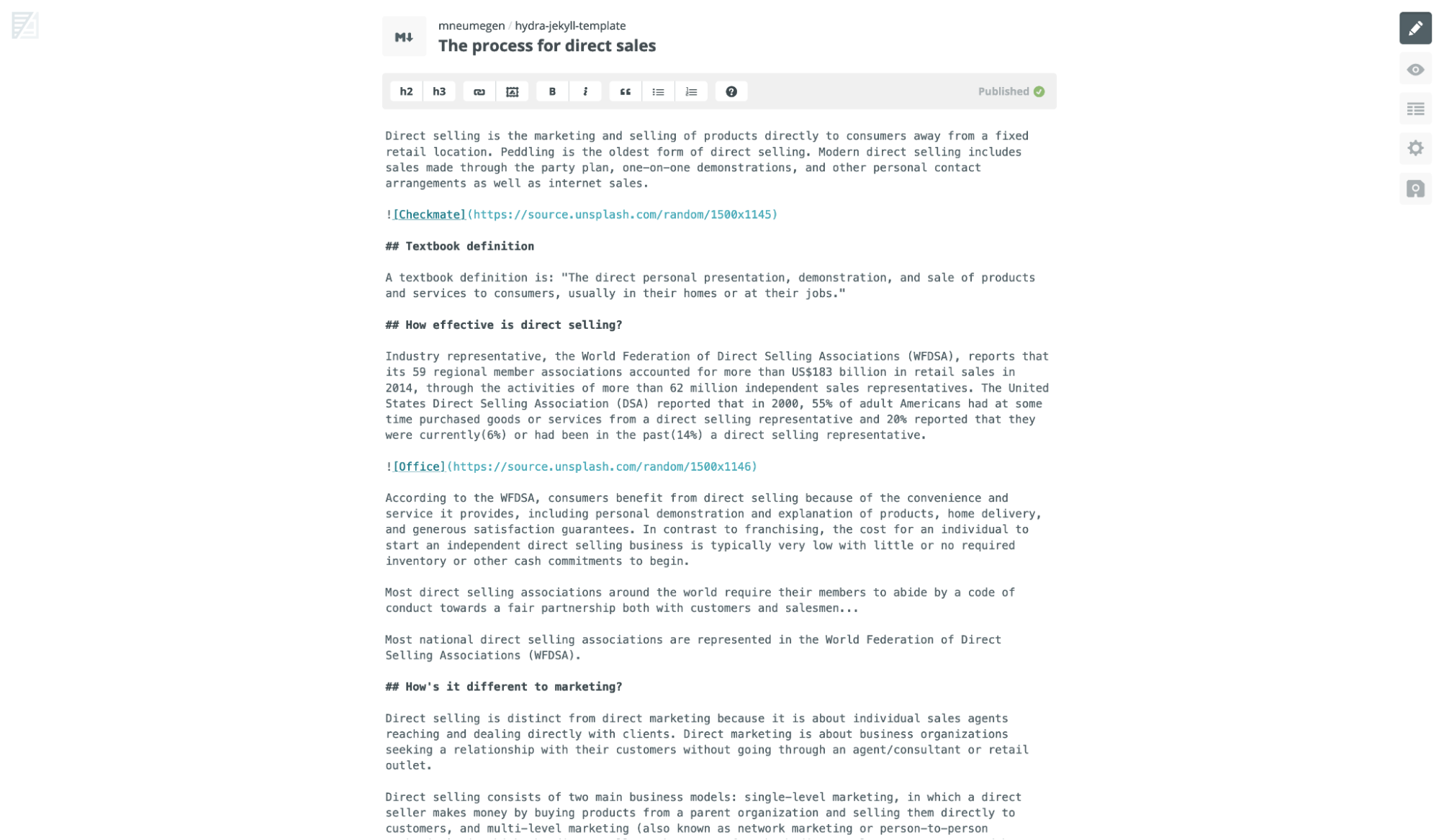
Prose turned Jekyll into a viable content publishing platform, not just a developer tool. That shift opened the door for the hundreds of Jamstack CMSs now available. Modern offerings generally fall into three categories.
SSG/CMS Package
These platforms handle both content management and site rendering, echoing the MovableType approach. Because they control the whole stack, they can offer live previews, simple setup, and strong conventions. The trade-off is that the editing and generation layers are bundled together. It is possible in some cases to discard the static site generation half and use the platform purely as a content API.
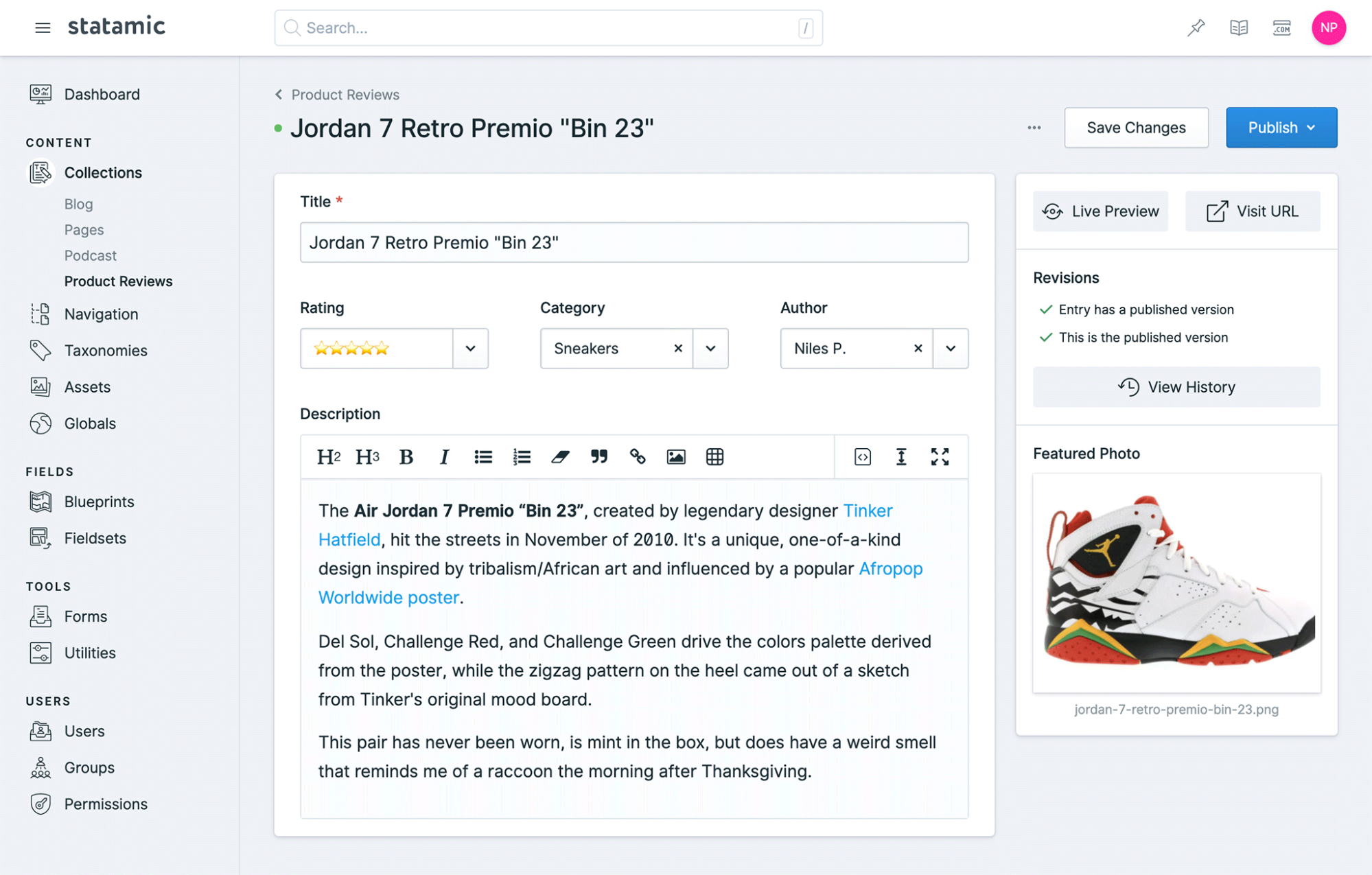
Examples include Statamic, Publii, and WordPress paired with the Simply Static plugin.
Content API
These services provide content as a commodity. They offer a broad selection of field types for assembling structured content and expose sophisticated APIs for retrieving it. During a build, an SSG downloads the content and treats it like any other data file. Content APIs are well suited to reusing content across different digital touchpoints and to managing large volumes of content with rich relationships between items.
Depending on a third party has drawbacks. Content lives on someone else’s infrastructure, leaving you exposed to downtime, API changes, and terms you do not control. Also, since the editing interface is abstracted from the final use case, fields can feel disconnected from what a visitor sees rendered on a page.
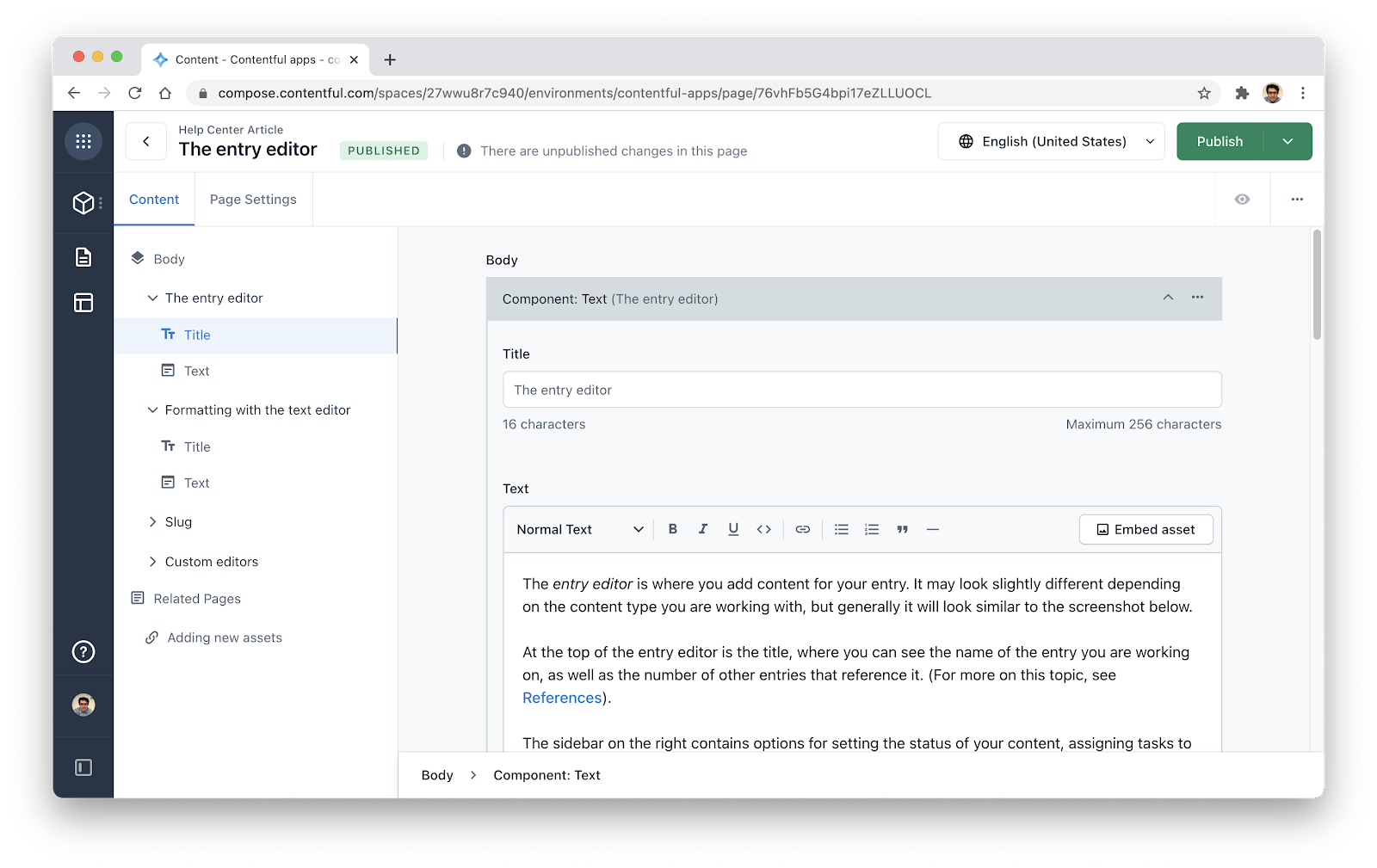
Representative platforms include Contentful, Prismic, and Strapi.
Git-Based CMS
This category follows Prose.io’s lead. These platforms connect to a Git repository, present the files through an editing interface and push changes back on save. The entire site — content included — stays in version control. Git workflows become accessible to non-technical contributors.
The limitation is that everything lives in the repository. Reusing content across multiple digital experiences requires building JSON endpoints on the static site itself. Hosted repositories also cap out around 2 GB, so a third-party service may be necessary for larger media libraries.

CloudCannon, Netlify CMS, and Tina operate in this space.
Where Modern Jamstack CMSs Fit
Static site generators began as developer tools for personal blogs. That simplicity gave developers complete control, but contributing to a site required real web development skills. Over the last decade, Jamstack and its CMS ecosystem have pushed far beyond that origin into mainstream production use cases.
Documentation and Developer Portals
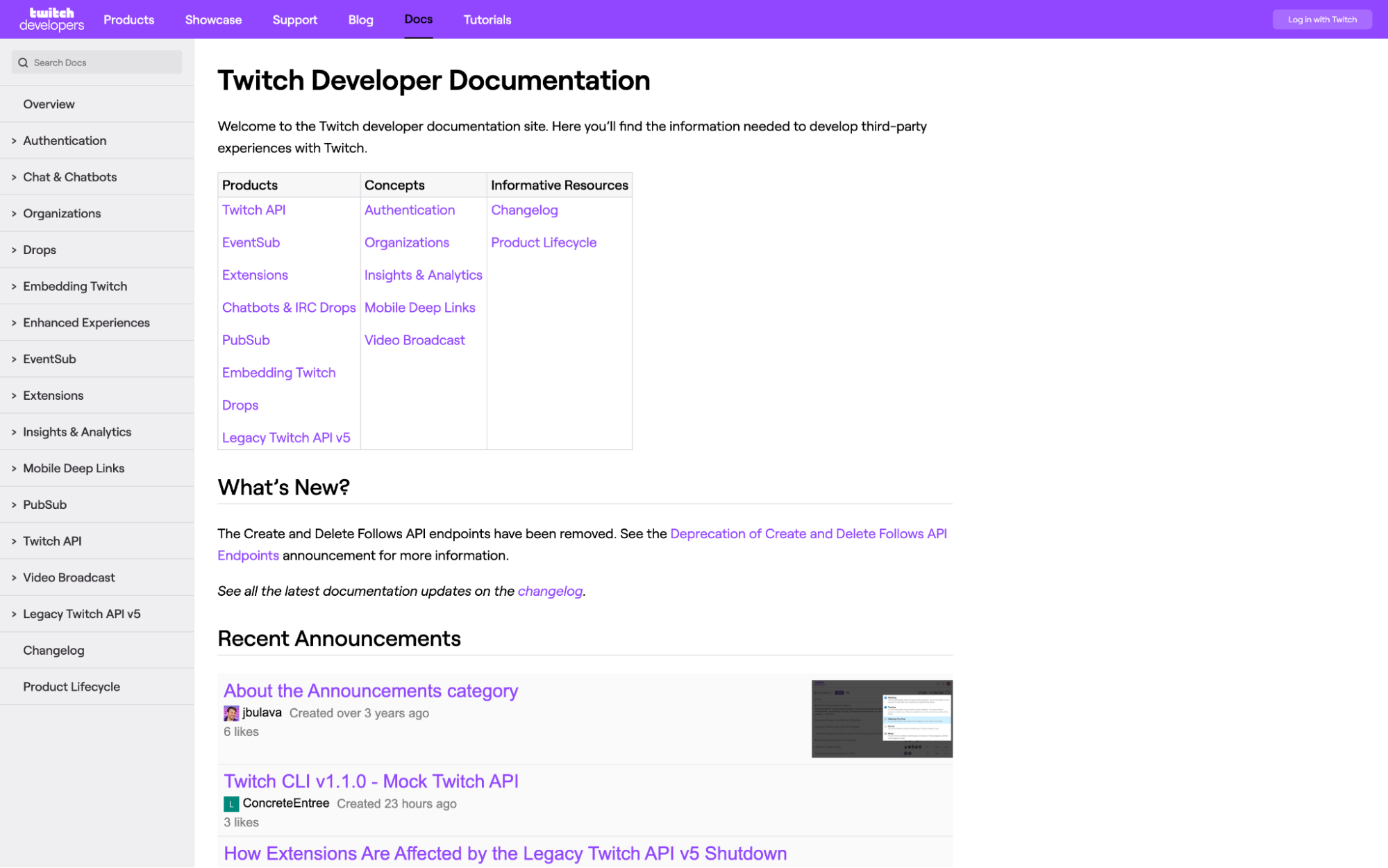
Documentation carries high expectations: developers want speed, precision, and the ability to contribute. Jamstack's architecture maps naturally onto those needs. Content written in Markdown gets versioned in a repository, so the developer community can submit improvements alongside the codebase itself. Page loads feel instant, and the content workflow stays close to the development process. Twitch, Rackspace, and Linode all run their docs on Jamstack.
E-commerce at Speed
Storefront performance is directly tied to revenue. Amazon's research found that 100ms of added latency costs roughly 1% of sales. Jamstack sites rank among the fastest on the web and have far fewer moving parts to keep running, which matters when downtime means lost orders. The ecosystem also supports continuous iteration; developers can ship conversion experiments quickly.
Commerce platforms like Snipcart, CommerceLayer, headless Shopify, and Stripe manage the transactional backend while the marketing and product pages stay static. Victoria Beckham Beauty and Louis Vuitton both run Jamstack storefronts.
Corporate Sites, Enterprise Blogs, and Government
Corporate websites are often the first impression a company makes. Jamstack CMSs now meet enterprise demands for translation workflows, publishing approval steps, and complex content modeling. Netflix, Peloton, and Intercom rely on Jamstack for their primary web presence.
The misconception that static sites only serve small deployments is also fading. Hugo's build speed and modern CMS architectures handle very large content volumes. Smashing Magazine, web.dev, and JFK International Air Terminal's site all run at that scale.
For government, Jamstack introduces a compelling transparency story: when site content lives in a public repository, every change has a history and citizens can file suggestions. digital.gov and CIO.gov publish their repositories on GitHub.
For smaller client work, visual editing tools like Storyblok, CloudCannon, and Tina allow non-technical stakeholders to edit their sites directly.
Comparing Jamstack Against Older Platforms
Getting a website online generally follows two routes: picking a template or commissioning a bespoke build. The former costs well under $100 and takes minutes for an individual or small business. The latter ranges from roughly $1k and goes up quickly; custom functionality is expensive, but it also differentiates a brand from the millions of template-driven sites.
Website Builders: No Real Competition
Squarespace, Wix, and Weebly address the mass-market template workflow. Jamstack remains tooling meant for developers. Listen to the terms involved — incremental regeneration, instant cache invalidation — and it's clearly not a product for laypeople. Even with highly refined CMS interfaces offering drag-and-drop editing, the end-user rarely cares whether the backend is Hugo or a dynamic server. The technical benefits are only compelling to teams already building bespoke web projects. In practice, the Jamstack use case and the template-builder market barely overlap.
WordPress: It's More Nuanced Than a Rivalry
WordPress deserves credit for capturing both workflows: it offers template-and-plugin simplicity for amateurs, and it has rich APIs for building custom experiences. That broad surface explains why it powers nearly 40% of the web.
Talk about Jamstack often descends into comparing against WordPress as a slow, insecure monolith. If you look closely, it's not actually a Jamstack versus WordPress argument; WordPress serves very well as a headless CMS or as a source that outputs static pages:
- Hosting platforms Shifter and Strattic convert WordPress sites into static output.
- A Simply Static plugin outputs the entire site as static files.
- WordPress-as-a-headless-CMS configuration feeds content into a separate static site generator.
Migration in the other direction is also well-supported. Most platform migrations start by turning blog posts and assets into Markdown files. SSGs commonly ship dedicated importers: Hugo and Jekyll both have WordPress migration tools, as does Hexo. Headless CMS setups accept one-off data imports or rerun a custom script pulling WordPress content out via an API.
Webflow: About How Much Control You Need
Webflow occupies a middle ground. It's too complex for a pure website builder, but it lets designers create bespoke sites without code. For use cases that fit its feature set well, it can be an excellent fit. The decision ultimately comes down to how much flexibility a project needs. Anything pushing beyond Webflow's capabilities requires a developer; once that staffing investment is on the table, integrating it through a Jamstack workflow is a productive way to spend it.
Drupal Where Jamstack Still Has Ground to Cover
Drupal operates as a powerful framework suited to complex bespoke solutions for enterprise-scale problems rather than smaller informational sites. The modern Jamstack CMS can point to many successes on those smaller sites. The enterprise use case, however, has fewer examples because Jamstack must overcome three practical constraints to truly rival a large Drupal installation.
Build Time at Scale
Pre-rendering a small site takes seconds; pushing 100 thousand pages through a SSG can easily take an hour per build. Checkpoints that regenerate everything after every editor's change make that workflow untenable. Tooling choices matter: a Go-based Hugo handles large builds much faster than a Ruby-based Jekyll. SSGs provide mitigation strategies like build caching, incremental builds, dynamic persistent rendering, and site sharding. Improvements are constant, but there's no silver bullet yet — longer builds still work against adoption on genuinely large infrastructure.
Dynamic Functionality
Drupal ships with forms, commenting, search, and custom API endpoints as core bread and butter. For Jamstack, those features come through third-party services. An extensive tools ecosystem covers commenting, search engines, contact forms, and commerce. But if a site needs a bespoke, home-grown dynamic implementation, the Jamstack still has two workable routes:
- Build a separate API that the static front end calls upon.
- Run serverless functions at CDN edge nodes, as offered by Netlify, Vercel, Cloudflare Workers, and AWS.
Fine-Grained Permission Systems
Large Drupal projects depend on deep permission trees that can reflect large content teams' complex roles. The Jamstack CMS ecosystem has yet to invest in the same level of access control because few large content organizations run on it. That creates a chicken-and-egg problem: the demand for fine-grained permissions appears once big teams adopt the platform, and general adoption may depend on having those permissions first.


Where Jamstack CMSs Go From Here
Jamstack CMSs are on a promising path, but there's still ground to cover before they become the default choice for mainstream business websites. Several hurdles stand between the current state of the technology and wider adoption.
Closing the Editing Gap
Platforms like Squarespace and Webflow set the bar for intuitive content editing. Writing directly on the page removes guesswork and eliminates the mental leap between form fields and the final rendered result. Jamstack content management, by contrast, has gravitated toward a disconnected approach—editors fill in abstract fields that bear little resemblance to how content appears on the live site. That separation enables content reuse, but it sacrifices the editing experience to gain that flexibility. These aren't mutually exclusive goals. An editing experience on par with Squarespace is achievable on a Jamstack site, and closing that gap would let teams reap Jamstack's benefits without compromising how editors work.
Reducing the Developer Bottleneck
Developers remain integral to Jamstack, often playing an outsized role in the content publishing process. For Jamstack to mature, content tools must reduce that reliance. Editors should be able to create, manage, and publish content independently once a site is configured. Progress has been made toward editors becoming fully self-sufficient, but there's still meaningful work ahead.
Bringing Git-Style Collaboration to Content
Basic staging and production workflows in most CMSs suffice for simple sites but break down quickly with multiple contributors. It's the content equivalent of a developer team all committing to a single branch. Git's workflow has transformed software collaboration, enabling distributed teams to build high-quality products together. The same principles can apply to content because Jamstack sites are static and live in a repository. With the right interface, these collaboration patterns could reach a much broader audience than any CMS has supported before.
Developers review pull requests through code diffs, highlighting exactly what changed. Reviews support threaded conversations on specific lines, with iteration until the work is ready to merge. Pull requests typically also run status checks—small programs that lint, test, or measure whatever matters for the project. Code diffs and status checks are essential for maintaining code quality. The challenge is translating these concepts for content editors who shouldn't have to look at source code.
Code diffs aren't the answer for non-technical editors; the point of a Jamstack CMS is to abstract away technical detail. Content diffs, however, can show what changed without exposing the underlying files. Visual diffs offer a complementary angle—platforms like Percy already provide pixel-perfect comparisons between page versions. On the static checking side, tools exist for broken links, missing alt tags, SEO checks, grammar, and accessibility. What's needed are friendly interfaces on top of these tools so editors can identify and fix problems on their own. Integrating these workflows into Jamstack CMSs has the potential to fundamentally change web content management.
A Tipping Point in the Making
The foundations of Jamstack CMSs go back to the early 90s, but only in the past five years have significant funding and resources accelerated the approach. Jamstack remains in early adoption, yet it may be nearing a tipping point. Large-scale deployments by world-leading companies are increasing daily, and as tooling and platforms improve, that trajectory seems likely to continue. Over the next decade, it will become difficult to justify building a bespoke corporate website or application without Jamstack.
Where do you think Jamstack CMSs will be in 2030?
Further Reading
- A Guide To Image Optimization On Jamstack Sites
- How To Work With GraphQL In WordPress In 2024
- Modern Methods For Improving Drupal's Largest Contentful Paint Core Web Vital
- Next.js Wildcard Subdomains



