

One issue to start every release
About a month before a planned ship, the Product Operations team opens an issue in the Release repository. That issue captures the release type, product category, and target customer, and it also flags the GitHub Actions automation the release will need—for example, checks for missing campaign content or uncompleted sign-offs. An Actions workflow then adds the issue to the wider project board. Any supporting material (Docs, FAQs, related releases, formatting requirements) goes into the same issue.
Go-to-market and customer readiness issues are created separately but automatically bundled with the main release issue on the project board, so all stakeholders see the full picture in one place. Date changes and other edits trigger an automatic comment at the bottom of the issue, keeping a visible audit trail of the latest updates.
The board and the issue stay in sync
GitHub Projects keeps the issue and the project board bidirectionally synchronized, so teams can work from whichever view is more convenient. Metadata added to an issue appears on the board immediately, and edits made directly on the board are reflected back in the issue in real time.
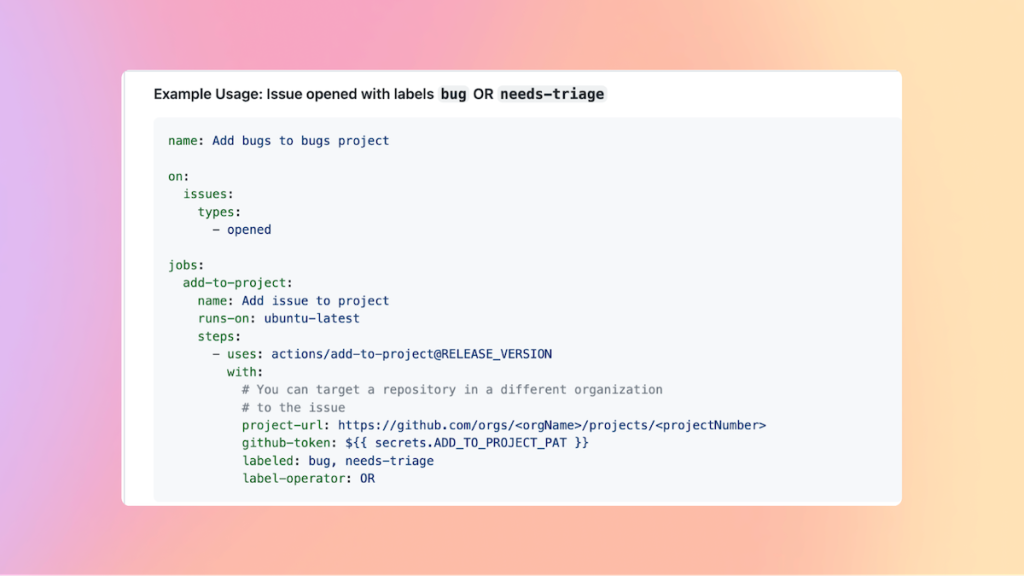
The Add-to-Project Action automates the hand-off further. It runs a workflow whenever issues or pull requests are opened and labeled in a repository, and it can add issues to a project even when they have been transferred into the main repository. Filters control what gets added: issues can be included only when they match certain labels, with support for AND/OR operators on labels and a NOT operator for exclusions.
Views built for weekly reviews
The project table gives an at-a-glance summary of what any release involves, which is exactly what the weekly launch review meetings need. Different team members pull up their boards to share status and updates, and the visual layout makes cross-team status readable without digging into individual issues.
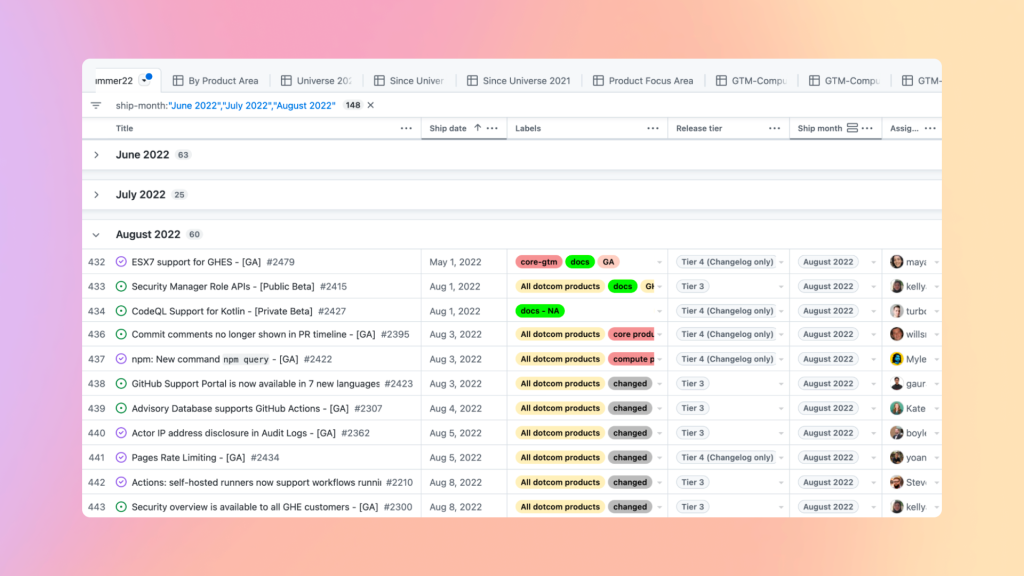
Filtering makes the same project data useful to different audiences. Leadership can filter to see everything scheduled to ship in a given timeframe, such as summer 2022. The Docs team can isolate upcoming feature ships that have documentation attached. Comms teams can see what is coming soon to plan announcements, and customer success can trace how their input flows into the releases repo.
A workflow that scales with the release
Because every step—from issue creation to board updates to automated checks—runs through GitHub Projects and Actions, releases stay coordinated regardless of how many teams are involved or how large the cross-functional scope. The same tools that track scope and timelines also surface customer feedback after a ship, so stakeholders stay aligned before, during, and after each release.


