

GitHub Classroom meets Visual Studio Code
Introductory computer science courses face a familiar bottleneck: the tooling itself. Before students can engage with course material, they must wrestle with Git, editors, and assignment workflows — all while educators juggle large rosters and limited office hours. Through conversations with students and professors, several recurring pain points emerged:
- Professional tools presume experience: Environments built for developers prioritize deep customization over a clear onboarding path.
- Teaching staff are stretched thin: Scaling support without sacrificing feedback quality is a constant challenge.
- Setup friction drives attrition: Students who hit early tooling obstacles are disproportionately likely to drop introductory courses.
The new GitHub Classroom extension for Visual Studio Code targets these issues directly. It distills the essentials of Git, GitHub Classroom, and the editor into a single workflow, with built-in access to autograding and collaborative sessions via Microsoft Live Share.
A student-first assignment flow
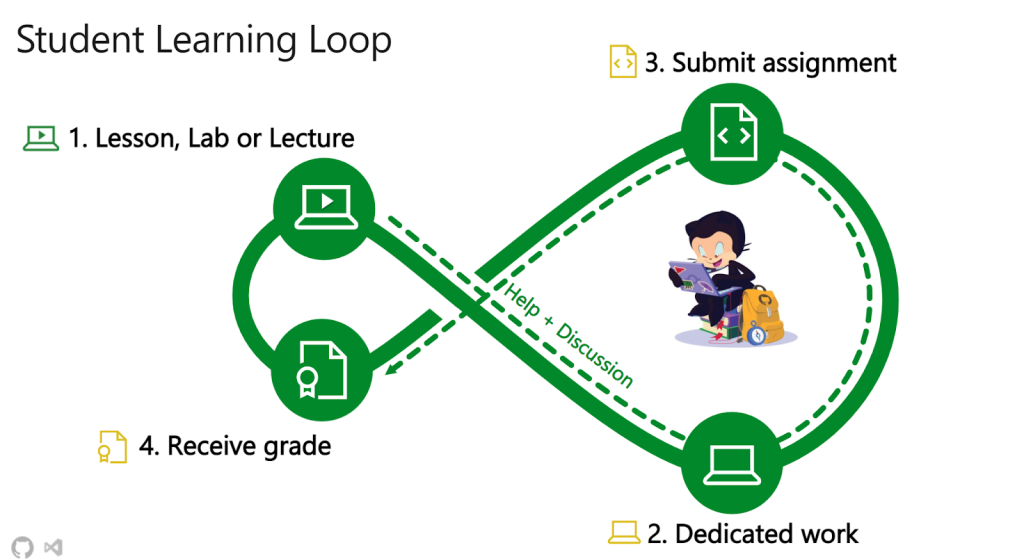
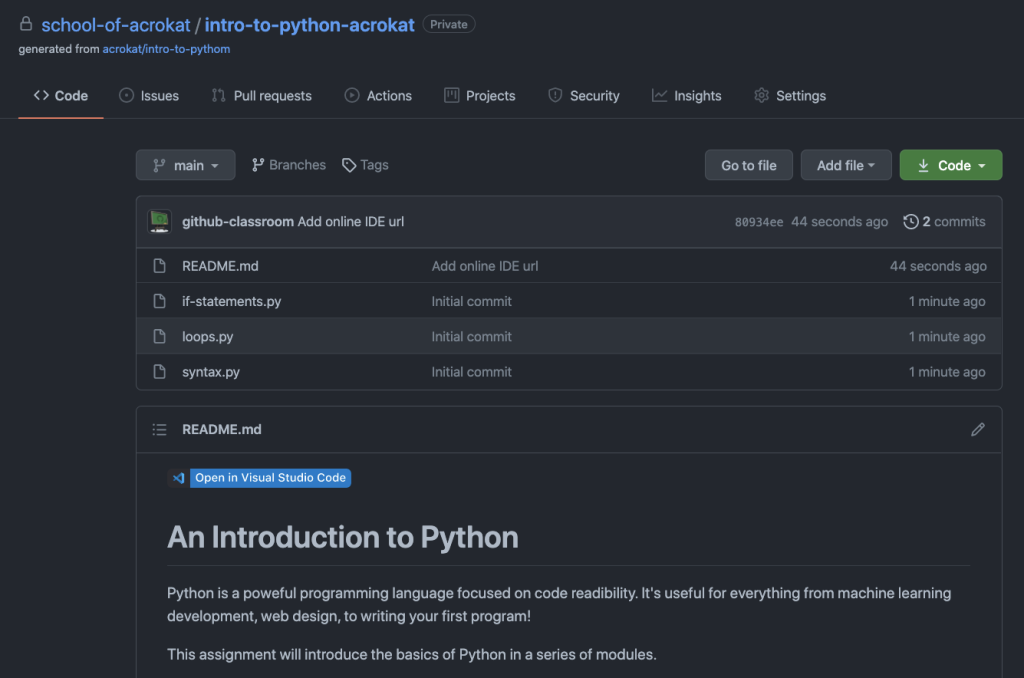
For students, the extension removes the guesswork from assignment management. They can install it themselves and import their work, or — when an instructor enables Visual Studio Code for an assignment — use a single "Open in Visual Studio Code" action. The extension handles environment setup and lands the student directly in the correct repository.
From there, the editor becomes the entire workflow: browsing code, editing, committing changes, submitting the assignment, and reviewing integrated autograding feedback. For group projects or TA-supported sessions, Live Share enables real-time collaboration directly within the same interface. Getting started details are covered in the documentation.
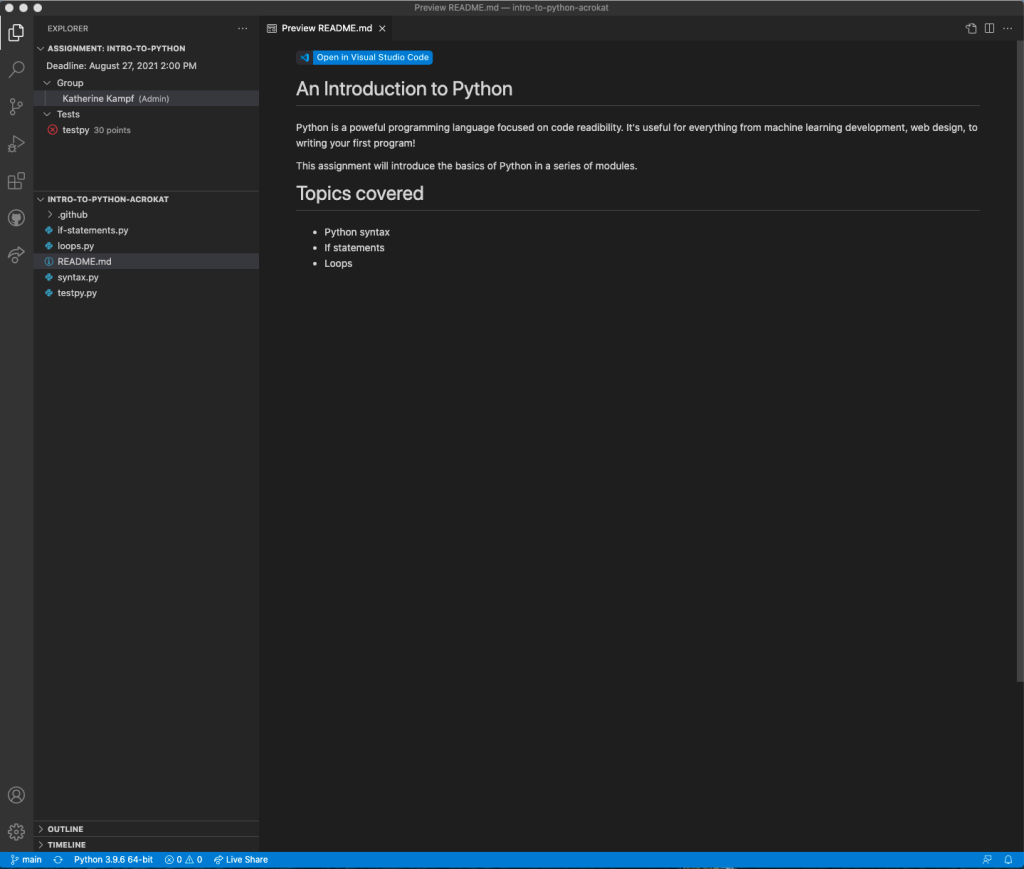
What instructors gain
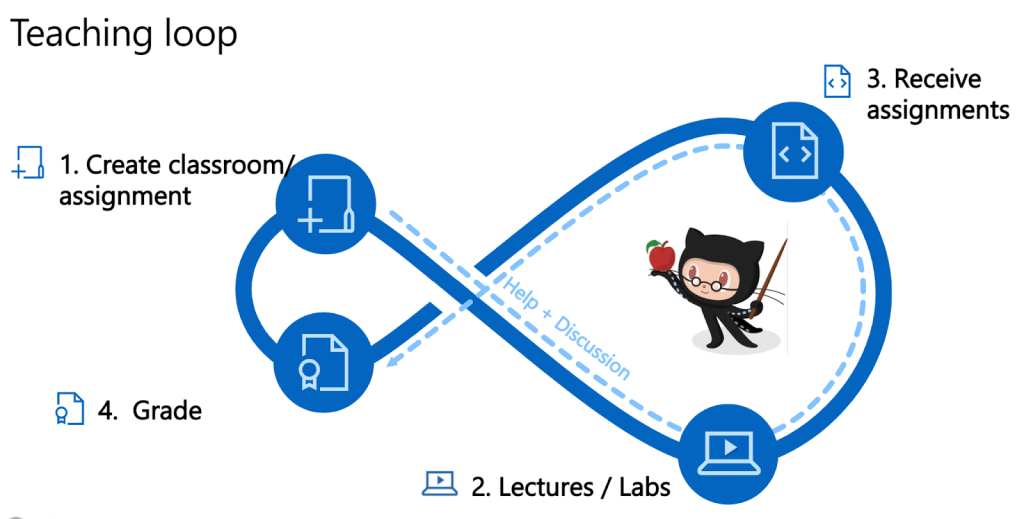
The extension shifts setup burden away from office hours. When creating a new assignment, teachers can select Visual Studio Code as the preferred editor. Each student repository then carries a badge that triggers installation of both Visual Studio Code and the extension on first click — no manual configuration required.
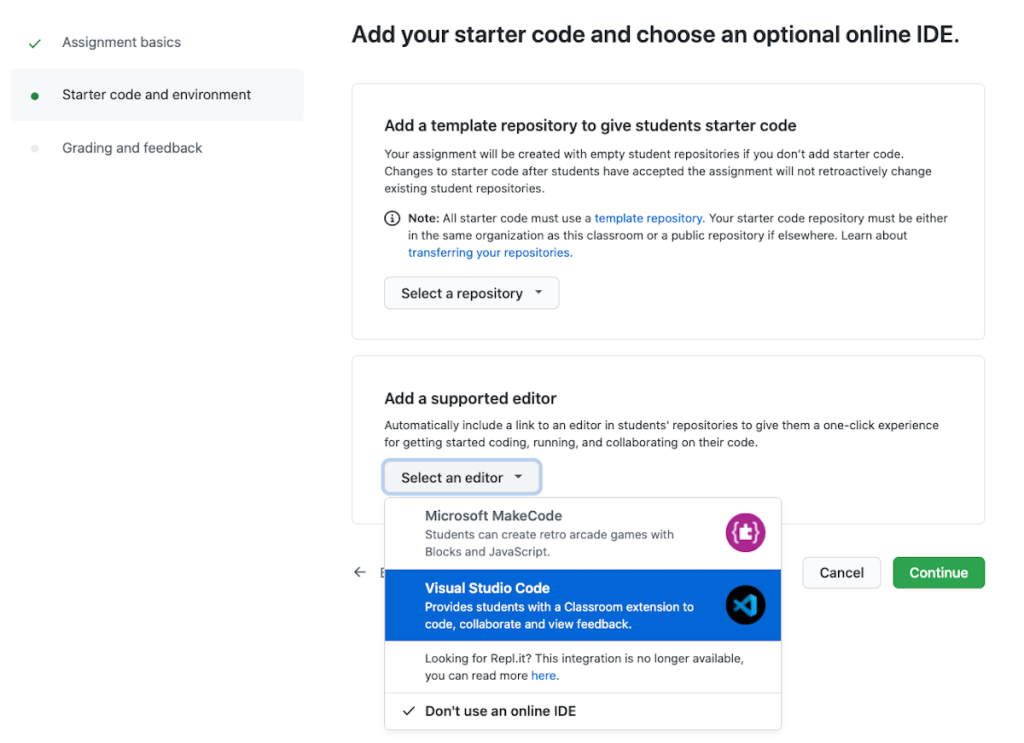
The resulting assignment badge looks like this:
Available now
Students and teachers can install the extension today from the Visual Studio Code Marketplace. Instructors can also test the workflow by enabling Visual Studio Code when creating a new assignment through GitHub Classroom.


