

Codespaces expands beyond single-repository projects
GitHub has updated Codespaces to better support two project structures that were previously difficult to work with: multi-repository microservices and monorepos. The initial release of Codespaces targeted cloud-native applications contained in a single repository, but as organizations scaled their adoption, the need for broader project support became clear.
Repository permissions for microservice workflows
Developers working across interconnected services—such as billing, event, and authorization services—often need to clone and create pull requests in multiple repositories from within a single codespace. Previously, this required manually setting up a personal access token inside the codespace. Now, users can configure which repository permissions their codespace should have at creation time.
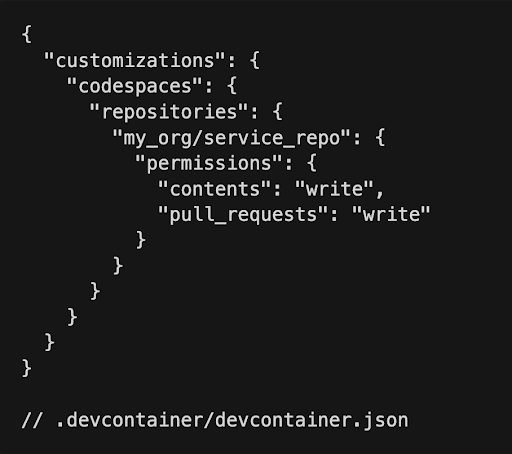
These permissions can also be specified in devcontainer.json under the customizations.codespaces.repositories key. This ensures every developer working on the project is prompted for the appropriate permissions. GitHub notes that future work will focus on automatically cloning across multiple services and letting users configure environment initialization per repository.
Multiple dev container configurations for monorepos
For large organizations with many teams contributing to a single repository, Codespaces now supports multiple devcontainer.json files inside the .devcontainer directory, provided they follow the pattern .devcontainer/${DIR}/devcontainer.json. When multiple configurations exist, users select the appropriate one at codespace creation time, allowing each team to customize its environment.
For instance, a documentation team working mainly with Markdown files could use a lightweight configuration tailored to that workflow:
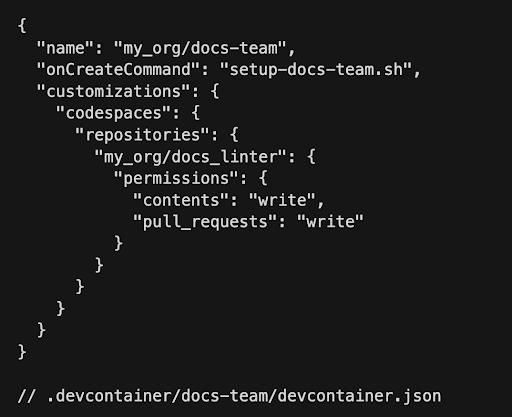
In this example, the onCreateCommand script sets up the environment for the docs team, using permissions granted to my_org/docs_linter to pull in a documentation linter repository.
Advanced creation flow
While the one-click creation experience remains the default for simplicity, Codespaces now offers an advanced create flow for users who need more control. It allows selection of branch, region, machine type, and dev container configuration when creating a codespace.
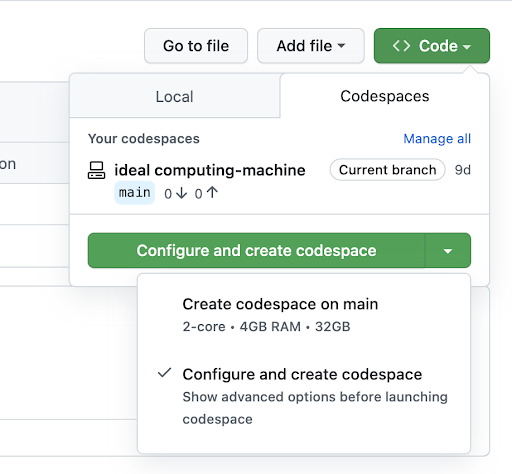
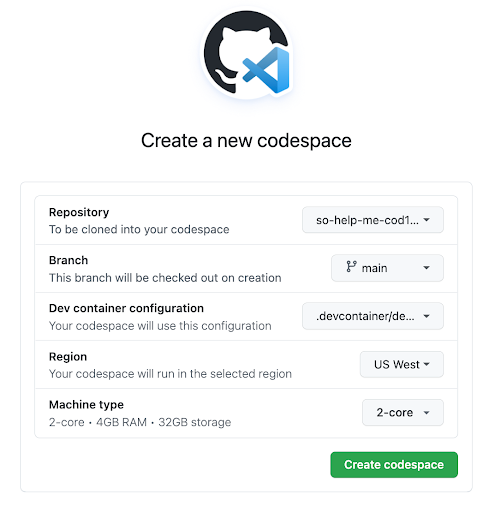
Users who don't need these options can still select "Create codespace on <branch name>" to spin up an environment with the default configuration.
Getting started
Repository administrators can set up multiple dev containers, each with its own permission sets, setup scripts, and configuration for specific teams. Developers can then choose the appropriate dev container, machine type, and region during creation. The relevant documentation covers configuring multi-repository support, setting up multiple dev containers, and using the advanced creation flow.


