Accessible naming with ARIA
ARIA provides the only standard mechanism for adding accessible labels and descriptions to elements on a page. These labels are implemented through a set of properties that each serve a distinct purpose.
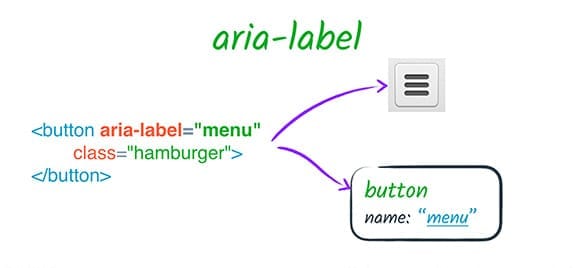
The aria-label attribute supplies a string that replaces any native labeling mechanism, such as a label element or text content. For instance, when a button contains both text and an aria-label, assistive technology uses only the aria-label value. This is especially useful for graphical controls, like an icon-only button, where visual cues aren't available to screen reader users.
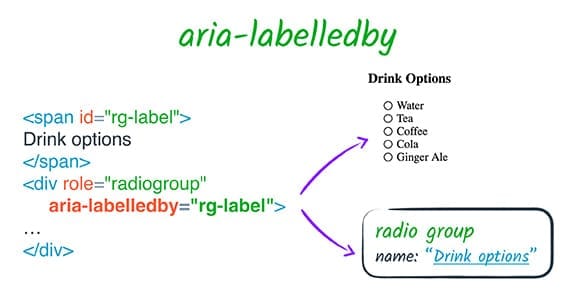
With aria-labelledby, an element references another DOM element by ID to use as its label. This differs from a native label element in several important ways:
- It works on any element, not just those that are labelable by default.
- The relationship is inverted: the labeled element points to its labeling element, rather than the other way around.
- It accepts multiple ID references, which are concatenated in the order provided, whereas only one label element can be associated with a control.
- It can point to elements hidden from the accessibility tree, so a hidden
spancan serve as a label. - It doesn't provide the click-to-focus behavior of a native
labelbecause ARIA only affects the accessibility tree.
One crucial detail: aria-labelledby overrides every other naming source, including aria-label and native HTML labels, when present on the same element.
Relationship attributes
aria-labelledby is a relationship attribute, meaning it creates a semantic connection between page elements that is independent of their DOM structure. The ARIA specification defines eight such attributes, six of which take references to other elements:
aria-activedescendantaria-controlsaria-describedbyaria-labelledbyaria-ownsaria-posinsetaria-setsize
Each establishes a different kind of link with different implications for how assistive technology presents the content.
Reordering and focus with aria-owns and aria-activedescendant
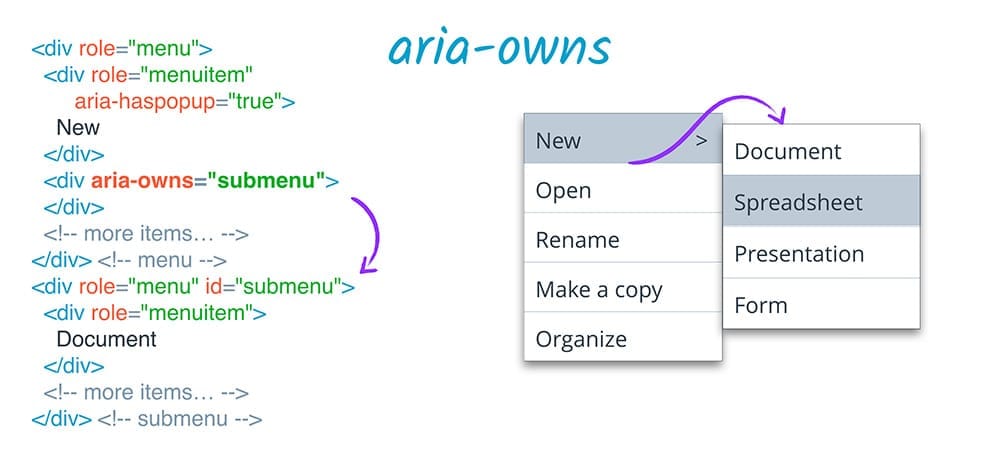
The aria-owns attribute tells assistive technology that an element apart in the DOM should be treated as a child of the current element, or that existing children should be presented in a new order. This is valuable when visual layout prevents a proper DOM parent-child relationship—for example, a pop-up sub-menu that must live outside its parent's DOM subtree for styling reasons. Screen readers can still present the sub-menu as a child of its logical parent.
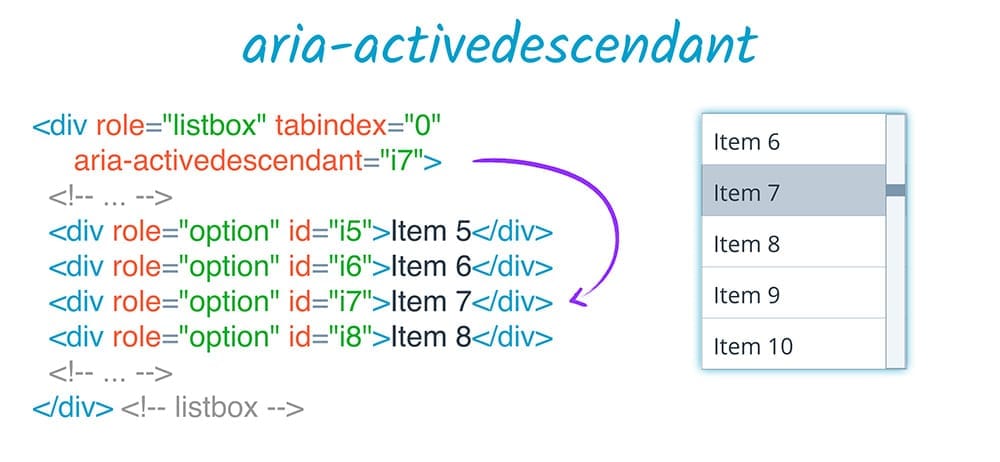
Along similar lines, aria-activedescendant lets an element appear focused to assistive technology even when the actual focus remains on a container. In a listbox, for instance, focus can stay on the list container while aria-activedescendant is updated to point at the currently selected item.
Supplementary descriptions and set membership
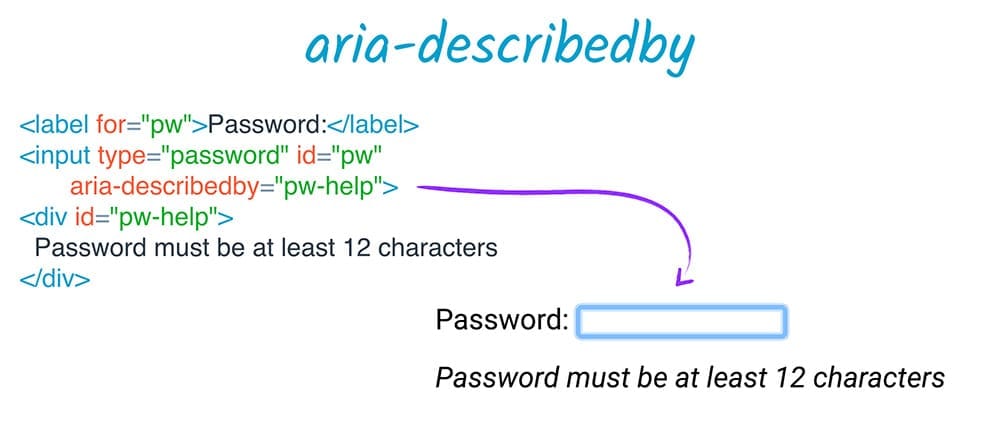
For auxiliary explanatory text, aria-describedby provides a description in the same pattern as aria-labelledby. It can cite elements not visible in the DOM or to assistive tech users, making it handy for information that augments but isn't essential. Consider a password field paired with text about minimum requirements. A description is presented differently from a label—it may be optional to access, can follow other information, or can be interrupted by the user's own input echoing back. Because of its secondary role, it won't obscure the element's role or label.
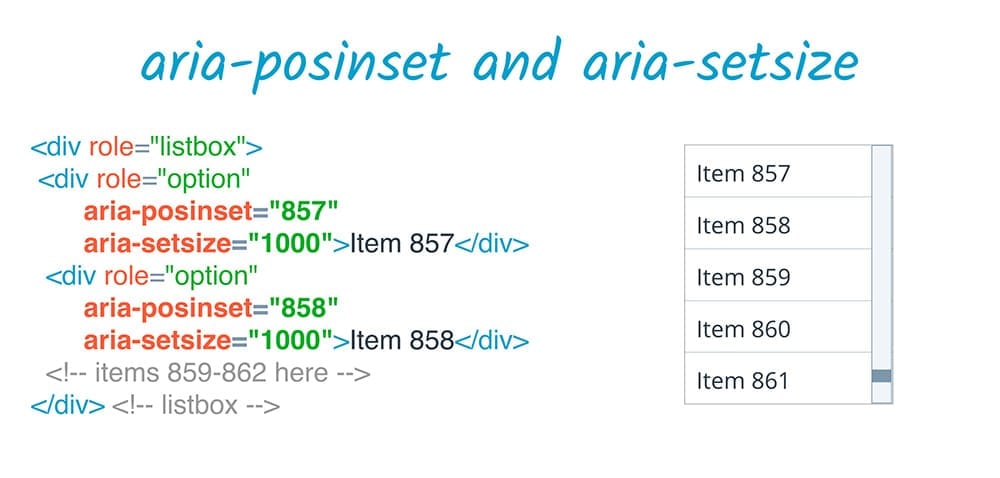
The remaining pair of relationship attributes, aria-posinset and aria-setsize, handle the special case of defining positions within a set of siblings. In situations where the DOM doesn't contain the full set—like with lazy rendering of a very long list—aria-setsize specifies how many items exist in total while aria-posinset gives the element's index. For a set that spans 1000 items, an element first in the DOM can be identified as item 857; the user can then rely on dynamic loading to reach earlier members.