
README badges are a familiar sight in open-source repositories such as the official React project, where they surface fast-changing facts like the latest release version or whether the build currently passes. Some projects, Next.js among them, go further and use custom artwork. The reason badges earn their place is not decoration: a badge in a README can refresh itself, pulling new values from a remote server instead of relying on hardcoded text. This walkthrough covers badges built with the badgen.net generator, badges fed by a serverless endpoint on Napkin, and finally badges that return a custom SVG.
The mechanism: badges are images
The whole system rests on one property of Markdown: images are referenced by URL, so a renderer fetches the image from a server at page load.
!\[alt text\](path or URL to image)Whoever controls the server therefore controls what the image shows at any moment. With badgen.net you can use predefined templates, while Napkin lets you write and deploy a serverless function in the browser and expose it as an endpoint the badge can call.
Static badges with the Badgen URL pattern
Badgen builds templated badges from URL patterns:
https://badgen.net/badge/:subject/:status/:color?icon=githubColors, icons and other options are documented on the site. Choosing :subject as Hello, :status as World, :color as red and :icon as twitter gives this URL:
https://badgen.net/badge/hello/world/red?icon=twitterThat image is embedded in the README with ordinary Markdown image syntax:
!\[my badge\](https://badgen.net/badge/hello/world/red?icon=twitter)
Beyond static text, Badgen ships templates for common metrics. A star count for any repository is available from a template URL, for example badgen.net/github/stars/vercel/next.js.
https://badgen.net/github/stars/vercel/next.jsFeeding Badgen from your own endpoint
For data Badgen does not cover natively, it accepts a template that reads from your own HTTPS endpoint, which must return JSON:
https://badgen.net/https/url/to/your/endpointA concrete case is a badge showing the current Bitcoin price in USD. Suppose the endpoint lives at https://some-endpoint.example.com/bitcoin and answers with:
{
  "color": "blue",
  "status": "$39,333.7",
  "subject": "Bitcoin Price USD"
}
The badge URL then simply points Badgen at that address:
https://badgen.net/https/some-endpoint.example.com/bitcoin
What remains is producing that endpoint. Hosting options range from a DigitalOcean or AWS EC2 server to Google Cloud Functions or AWS Lambda, but all of them add setup work that outweighs the task. Napkin's in-browser editor deploys a function with no installation or configuration, and its Bitcoin badge example already fetches the price and returns it as JSON — runnable from the editor or usable directly as an endpoint.

Passing the Napkin endpoint through the same Badgen scheme yields a live badge:
https://badgen.net/https/napkin-examples.npkn.net/bitcoin-badgeModifying the function
The example function can be forked with the button in the editor's top-right corner; you will be asked to sign in or create a Napkin account first.

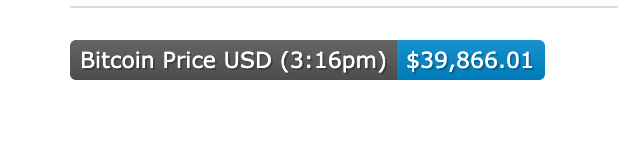
A forked function accepts arbitrary code and any npm module. Adding the moment package (version 1.1.0) allows the response to report when the Bitcoin price was last updated, so that timestamp appears in the badge itself:
import fetch from 'node-fetch'
import moment from 'moment'

const bitcoinPrice = async () => {
  const res = await fetch("<https://blockchain.info/ticker>")
  const json = await res.json()
  const lastPrice = json.USD.last+""

  const [ints, decimals] = lastPrice.split(".")

  return ints.slice(0, -3) + "," + ints.slice(-3) + "." + decimals
}

export default async (req, res) => {
  const btc = await bitcoinPrice()

  res.json({
    icon: 'bitcoin',
    subject: `Bitcoin Price USD (${moment().format('h:mma')})`,
    color: 'blue',
    status: `\\$${btc}`
  })
}
Reloading the README will not always show the new value immediately, because GitHub serves badge images through a proxy intended to block abuse such as excessive request volume or JavaScript injection. The proxy does not cache aggressively, since heavy caching would defeat the point of badges; observed TTL is roughly 5 to 10 minutes.
Serving a custom SVG directly
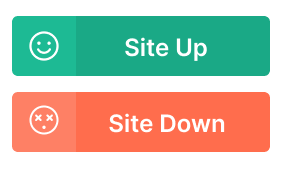
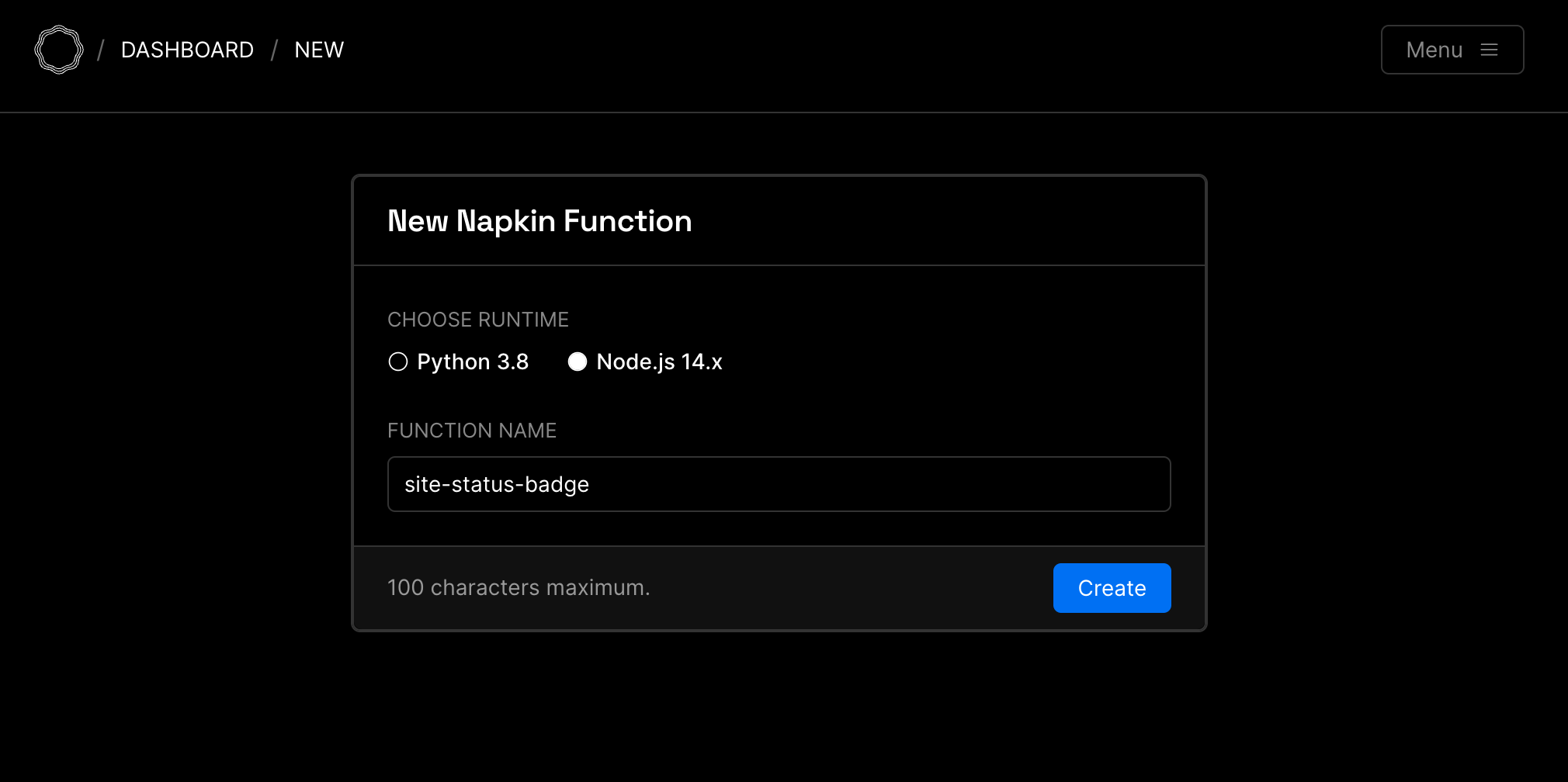
Badgen cannot render custom SVGs, so the last variant has the badge call a Napkin endpoint directly. The example function, named site-status-badge, requests example.com: a 200 response returns the green badge as an SVG file, anything else returns the red badge. The two states look like this:
The source is available in the Napkin example and reproduced here:
import fetch from 'node-fetch'

const site_url = "<https://example.com>"

// full SVGs at <https://napkin.io/examples/site-status-badge>
const customUpBadge = ''
const customDownBadge = ''

const isSiteUp = async () => {
  const res = await fetch(site_url)
  return res.ok
}

export default async (req, res) => {
  const forceFail = req.path?.endsWith('/400')

  const healthy = await isSiteUp()
  res.set('content-type', 'image/svg+xml')
  if (healthy && !forceFail) {
    res.send(Buffer.from(customUpBadge).toString('base64'))
  } else {
    res.send(Buffer.from(customDownBadge).toString('base64'))
  }
}
Because example.com is unlikely to fail, the code includes a forceFail case to simulate an outage; appending /400 to the endpoint URL triggers it.
!\[status up\](https://napkin-examples.npkn.net/site-status-badge/)
!\[status down\](https://napkin-examples.npkn.net/site-status-badge/400)



