
The distinction between describing an idea and building it is where learning happens, according to Figma's education team, and creative tools in graphic design, computer science, and STEM classrooms are shifting instruction from project-based to product-based work. Rather than presenting concepts through posters or slide decks, students construct the thing itself—an app, a prototype, an interactive experience—and pick up a different set of skills along the way: collaborating in a shared digital environment, critiquing and receiving critique, conducting user research for a real audience, iterating on feedback instead of submitting and moving on, and moving between visual design and code.
A Gallup study cited by the company found that 46% of Gen Z students say their interest in learning is driven by hands-on work, and roughly 1 in 3 say they learn best through real-world connections.
The tooling is free for classrooms: Figma for Education grants free access to Figma Design, and Dev Mode provides a bridge into code for computer science teachers. A 10-part curriculum, Figma Design: High School Essentials for CTE Classes, pairs video tutorials with companion files so middle and high school students can learn the basics at their own pace.
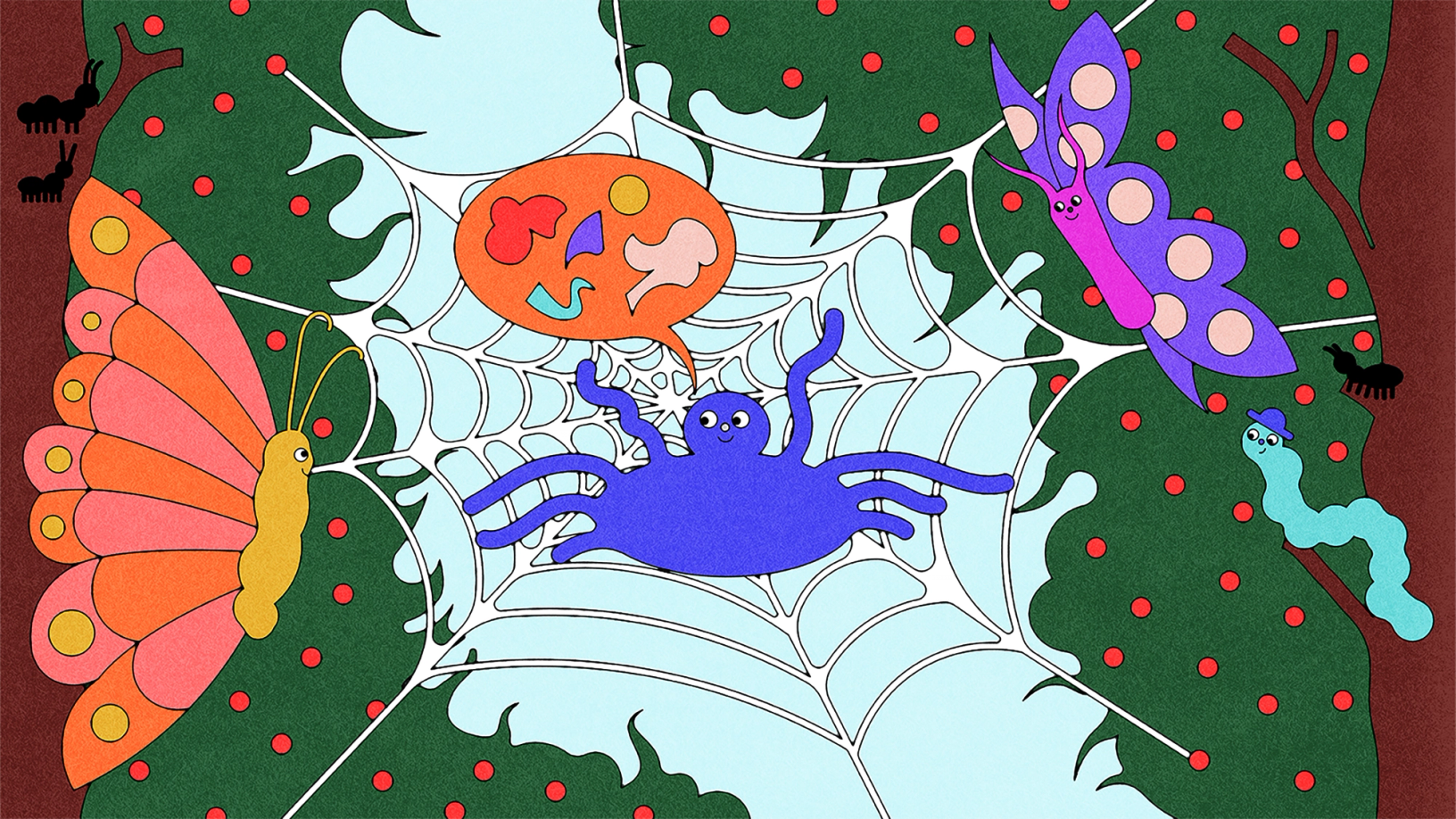
Shared canvases, shared workflows
Maddison Dorsey teaches graphic design at a Title 1 high school in Illinois where every student works on a Chromebook. With no installed desktop software available, browser-based Figma became the practical choice. Her students design drink can packaging, album covers, board games, and fully functional Android prototypes; whether the result is printed for hands-on manipulation or clicked through on screen, creating something tangible drives engagement and curiosity.
When a class works inside a shared Figma team, students parcel out work as professional teams do—one on the UI kit, one building screens, another running research. That structure supports critique: "One of my favorite things is they post what they're working on in a FigJam and use sticky notes to critique each other," Dorsey says. She can monitor progress in real time and catch problems before they compound, making the process itself a feedback opportunity.
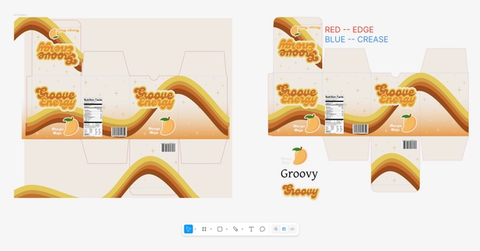
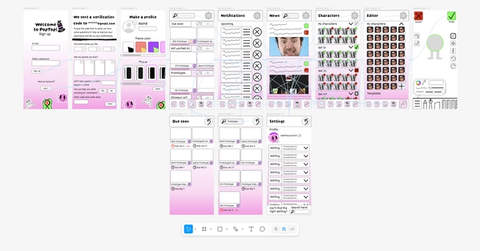
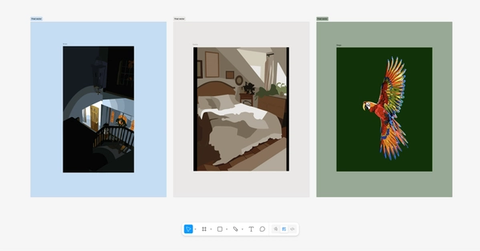
When iteration outlasts the assignment
Kristine Monsada, who teaches 6th through 8th grade in Nevada, introduced Figma Design as part of an app design project and was surprised at how fast students converted rough ideas into working prototypes. "When I first demoed Figma and showed them how a navigation button could link one screen to another, they were like, 'Woah, we can do that?'" she says. "And then they started thinking, 'Okay, this actually feels real.'"
Starting from a blank canvas rather than a template or a fixed rectangle lets an idea evolve beyond the brief. One student, working on branding for a restaurant, decided his app also needed a camera shutter sound, scrolling video, multiple interactive flows, and animation—none of it assigned—and spent hours on YouTube working out how to build the features. Students kept editing files after the project ended. "Even at night I'll see 'edited three hours ago,'" Monsada says. "They just keep going because they love iterating."
Lessons with a real client
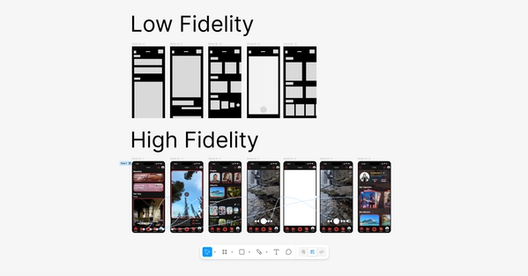
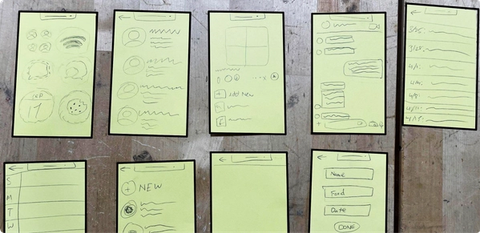
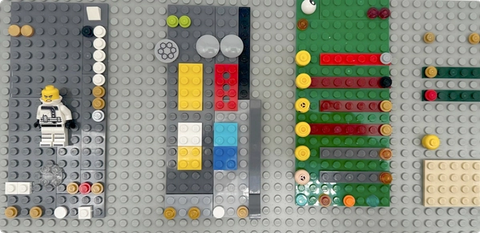
Matt Goodman connected his engineering and technology students to a community need: simplifying how high schoolers sign up to volunteer at a local food bank. Students did user research and interviewed food bank staff to locate friction in the existing process, then prototyped with Legos and flashcards before moving into Figma for high-fidelity work. They presented clickable prototypes to food bank staff and revised their designs based on the feedback—practicing how to take critique and fold user needs into the next version in a way a poster session cannot replicate. "Over the course of the project, they improved their communication skills, showing their design process and prototypes, and taking notes on their client's thoughts," Goodman says. "A big piece is helping students become comfortable receiving and implementing user feedback."
Because stakeholders outside the school held students accountable to real-world constraints, the result carried weight beyond the classroom. "The value wasn't just that students went out into the community," Goodman says. "It's that they had something demonstrable that they could put in someone's hands and let them test. That's a very different conversation than showing a picture of what you'd build."
Assignments that build feedback loops
Clickable prototyping keeps students inside a refinement cycle rather than stopping at description. Suggested assignments draw on students' own experience: Redesign an app for accessibility—what would change for someone with a different ability, background, or device?
- Redesign a checkout or cart experience for usability: where do people get stuck, and what would make it faster or clearer?
- Design an app that solves a problem in your community—something your town needs that doesn't exist, or that would make a neighborhood safer, more connected, or easier to navigate.
- Redesign an app you use every day: what would you change, and what do classmates think could be better?
- Design an app for a problem at your school—lost and found, club sign-ups, a better way to find out what's for lunch.
- Design an app to help students feel more connected, addressing social belonging as one of the biggest challenges in middle and high school.
"If this class showed me anything," Monsada says, "it's that students are willing to learn something they think is super, super cool."
Teachers can set up a free organizational account at figma.com/education, with licenses for the whole class and single sign-on; education status is verified through a form at figma.com/education/apply.



