
Why Wireframes Earn Their Keep
Wireframing is easy to dismiss as busywork, yet it’s one of the highest-leverage activities in a digital product’s early life. A wireframe — also known as a page schematic or screen blueprint — is a visual guide that lays out the skeletal framework of a website or application. The process of wireframing is used early in development to establish basic page structure, taking into account user needs and journeys, before visual design and content are added.
That simplicity is deceptive. When complex products involve many entities, dependencies, and elements, the structured, top-down approach that wireframing enforces becomes critical. According to the Top 20 Reasons Startups Fail report by CB Insights, 17% of startups cited a lack of user-friendliness as a reason for failure. Getting the foundation right can prevent that outcome.
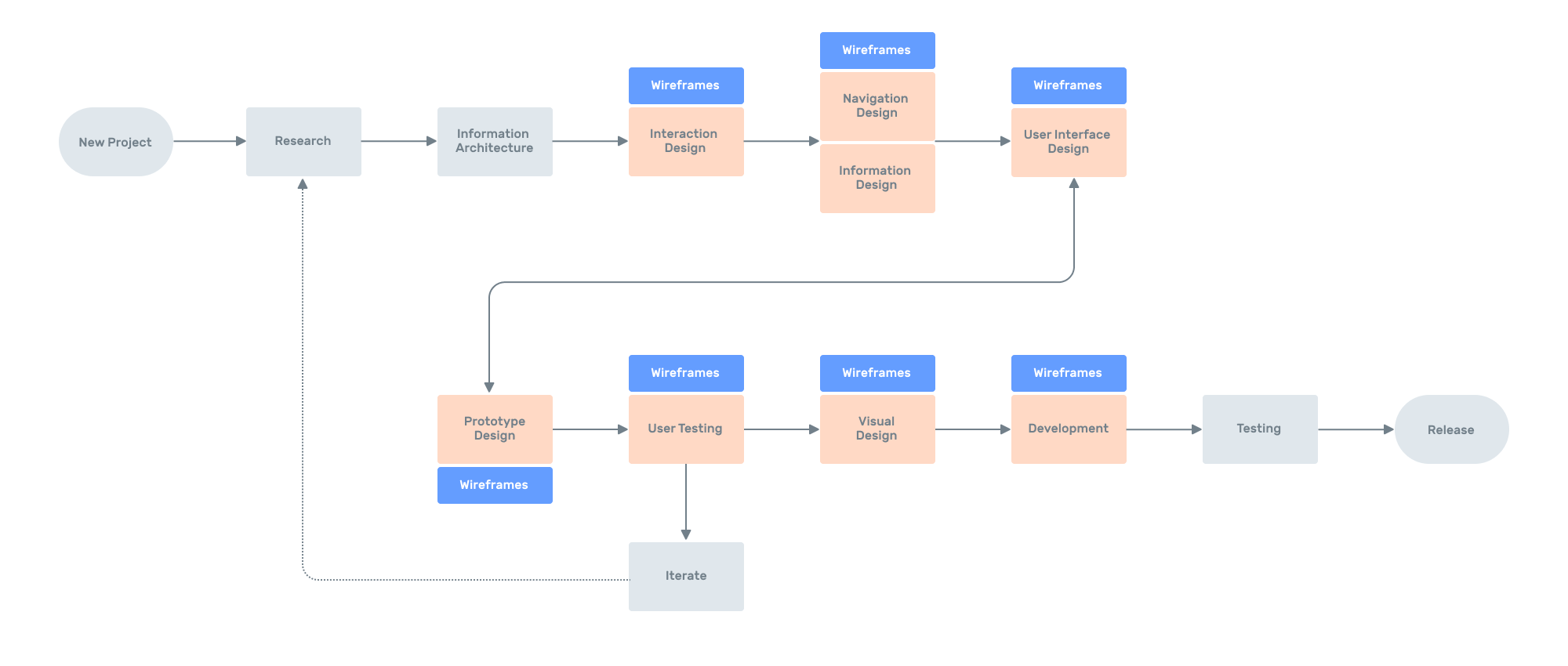
The main output of wireframing is showing the team and stakeholders which entities, pages, and components the application will have, and how those elements interact with one another. That clarity is the value; if you lose sight of it, you will likely fall into common traps: creating wireframes merely to check a box, skipping the stage entirely, preparing wireframes after visual design, or not understanding their purpose at all. Wireframes must precede visual design — like deciding on a technology stack before writing code, not after.
Clients who want to cut project costs may cheer skipping wireframes. But as the designer, you should make the case that this early work saves future expense and ultimately delivers a better product.
The Practical Upside
Done well, wireframes serve several distinct audiences:
- Your team, for estimating. Wireframes give developers and stakeholders a visual representation of the future product far faster than reading specifications. Seeing which screens, elements, and controls exist — and how they interact — avoids discrepancies between initial and final scope estimates.
- Developers, early. No one enjoys designing a polished UI and then hitting development constraints. Wireframes let engineers review the structure before visual design starts, offer feedback, and suggest changes while the cost of making them is still low.
- Clients, for demos. Stakeholders will request changes whatever you do; wireframes make those requests cheaper. Revising a wireframe is far less costly than redoing a prototype, letting you stay agile without burning time on rework.
- Users, for testing. As Eric Ries wrote in Lean Startup, user testing should come as early as possible. Wireframes are an inexpensive way to validate assumptions with real users before you invest in interactive prototypes.
Guidelines That Keep Wireframes Useful
High-quality wireframing comes down to a few consistent habits.
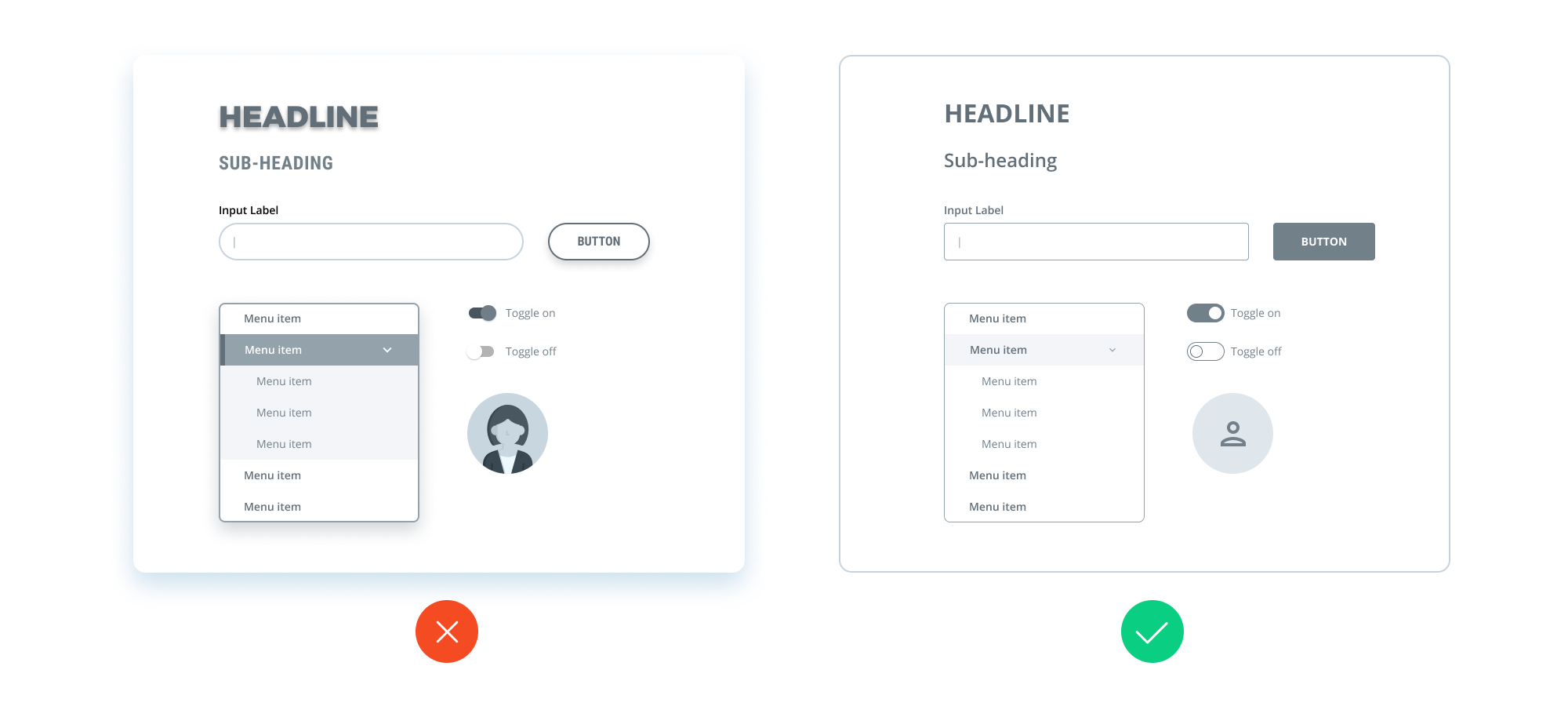
Minimize Color
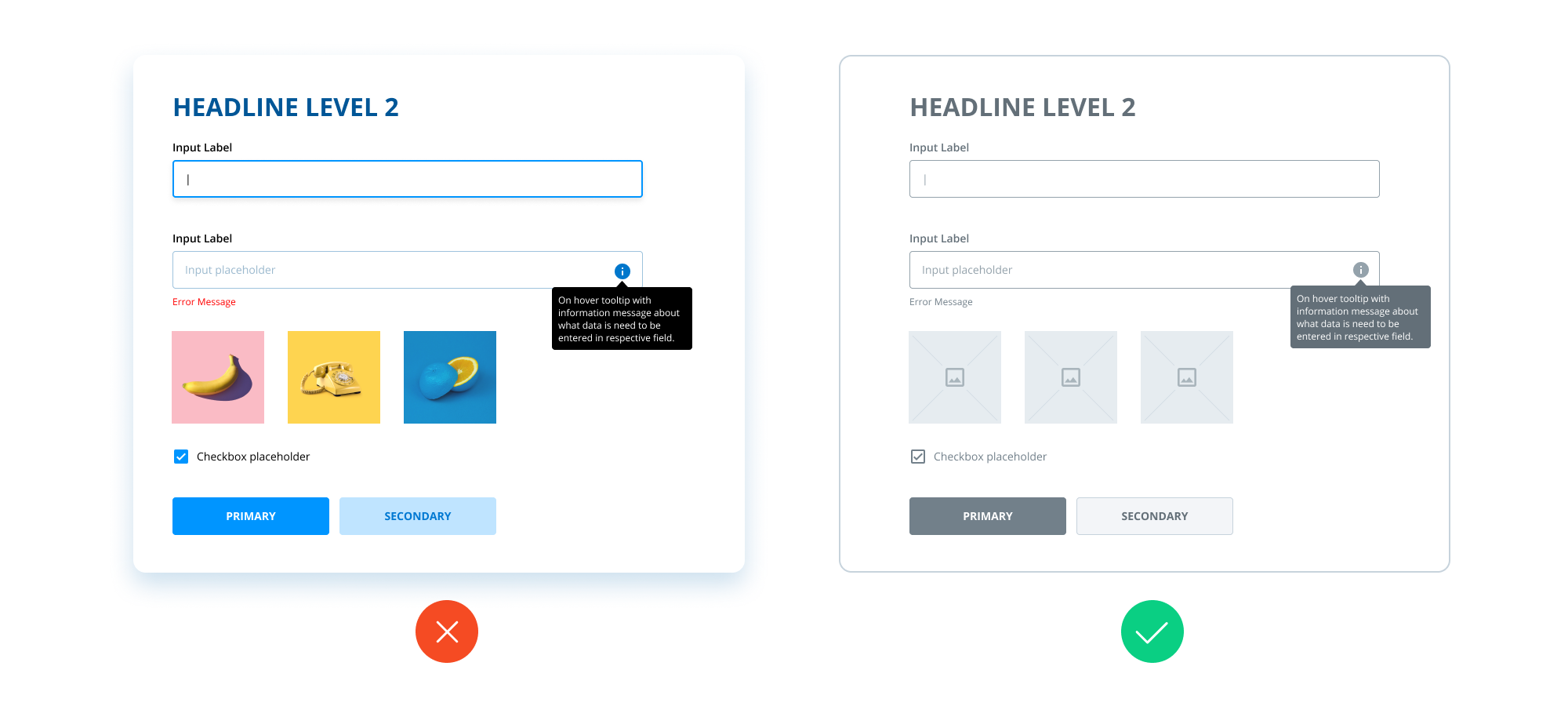
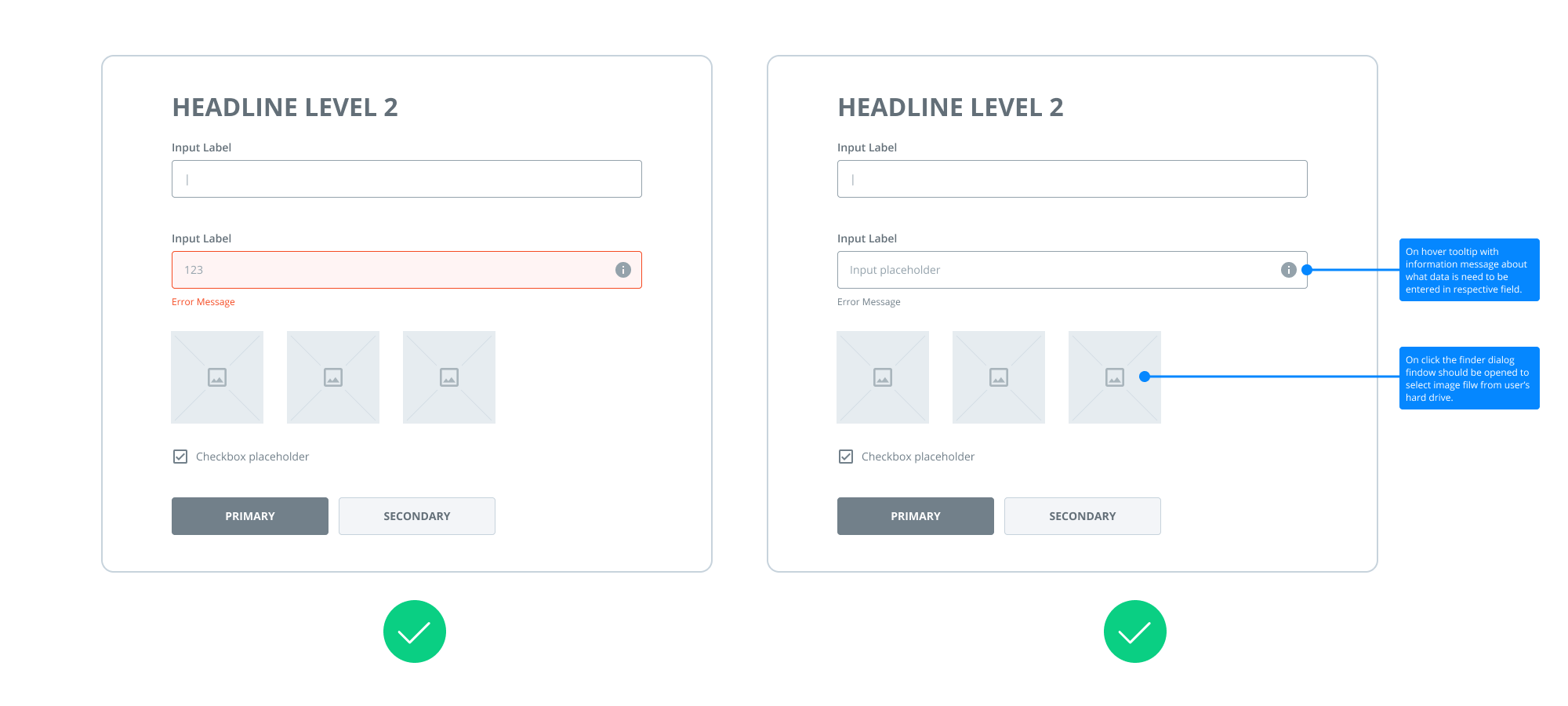
Wireframes exist to show what elements a product will have and how they interact — not to approximate the final visual design. Rich color palettes distract viewers and make updates more difficult. Also, clients who lack UX training may mistake colored wireframes for final designs. That doesn’t mean strict black-and-white only: using red for error states or blue for notes can clarify specific components.
Keep Components Simple
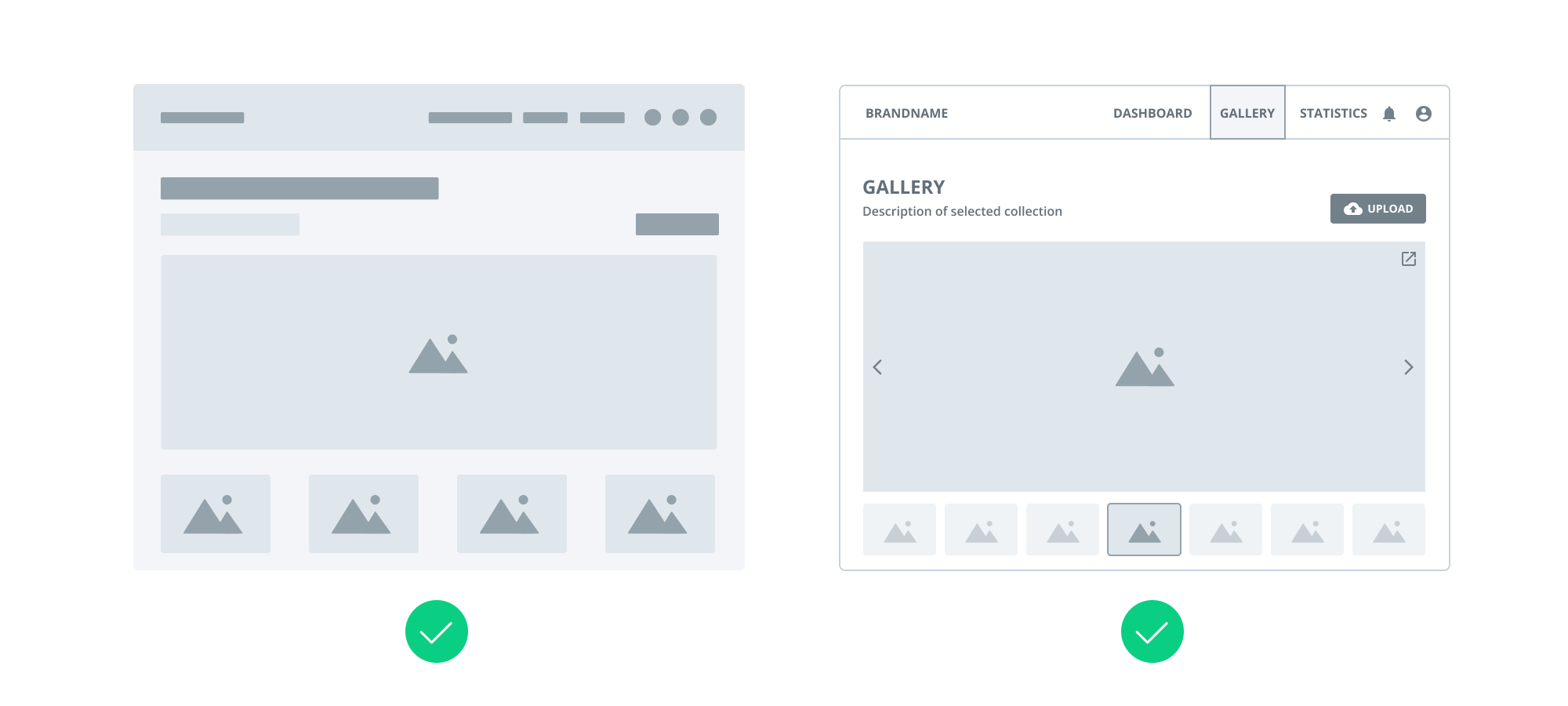
Wireframes should use basic, easily recognizable component designs. Investing hours in detailed, fully designed elements is wasted effort; the team only needs to identify the structure, not the polish.
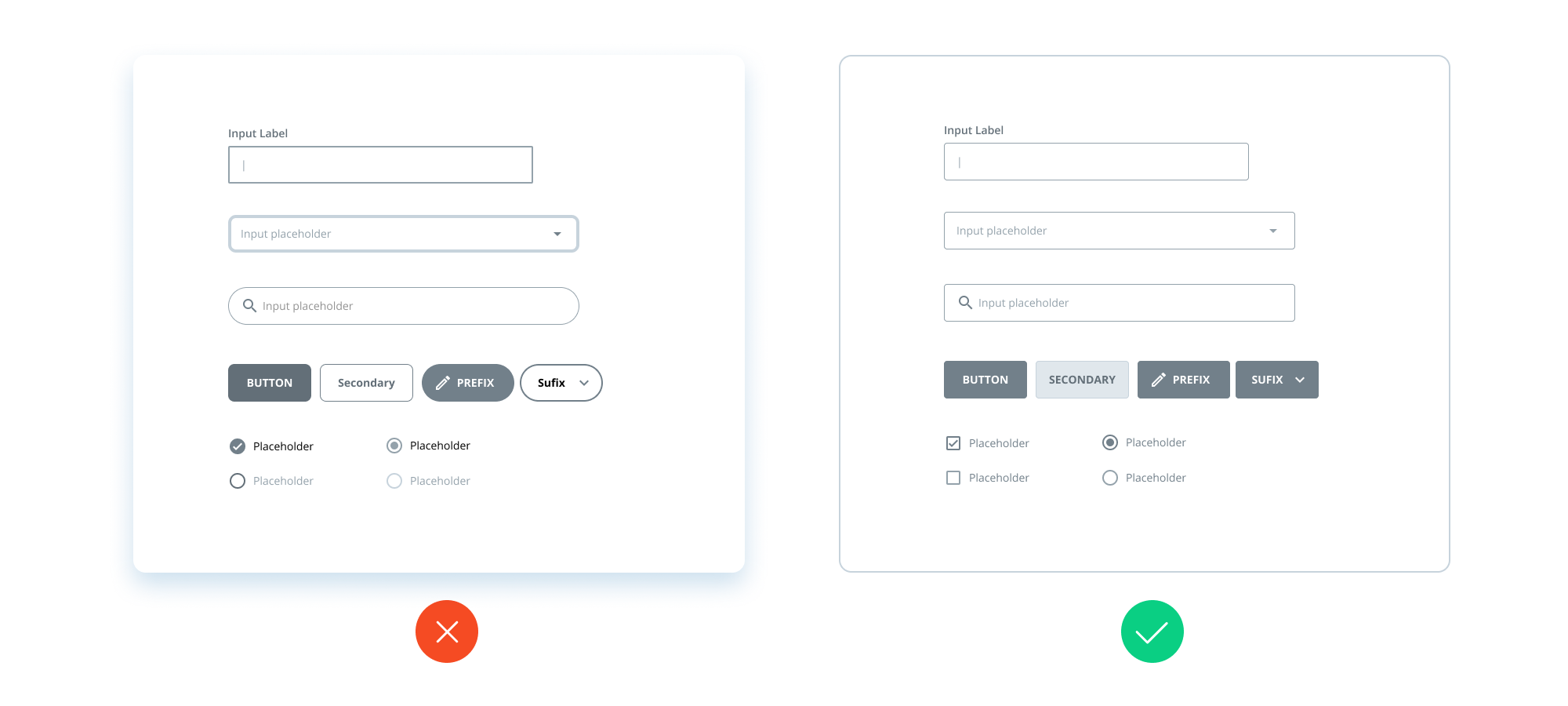
Stay Consistent
Similar components should look the same across all wireframes. If identical elements look different from screen to screen, developers will reasonably question whether they are actually the same — and may add buffer to estimates as a result.
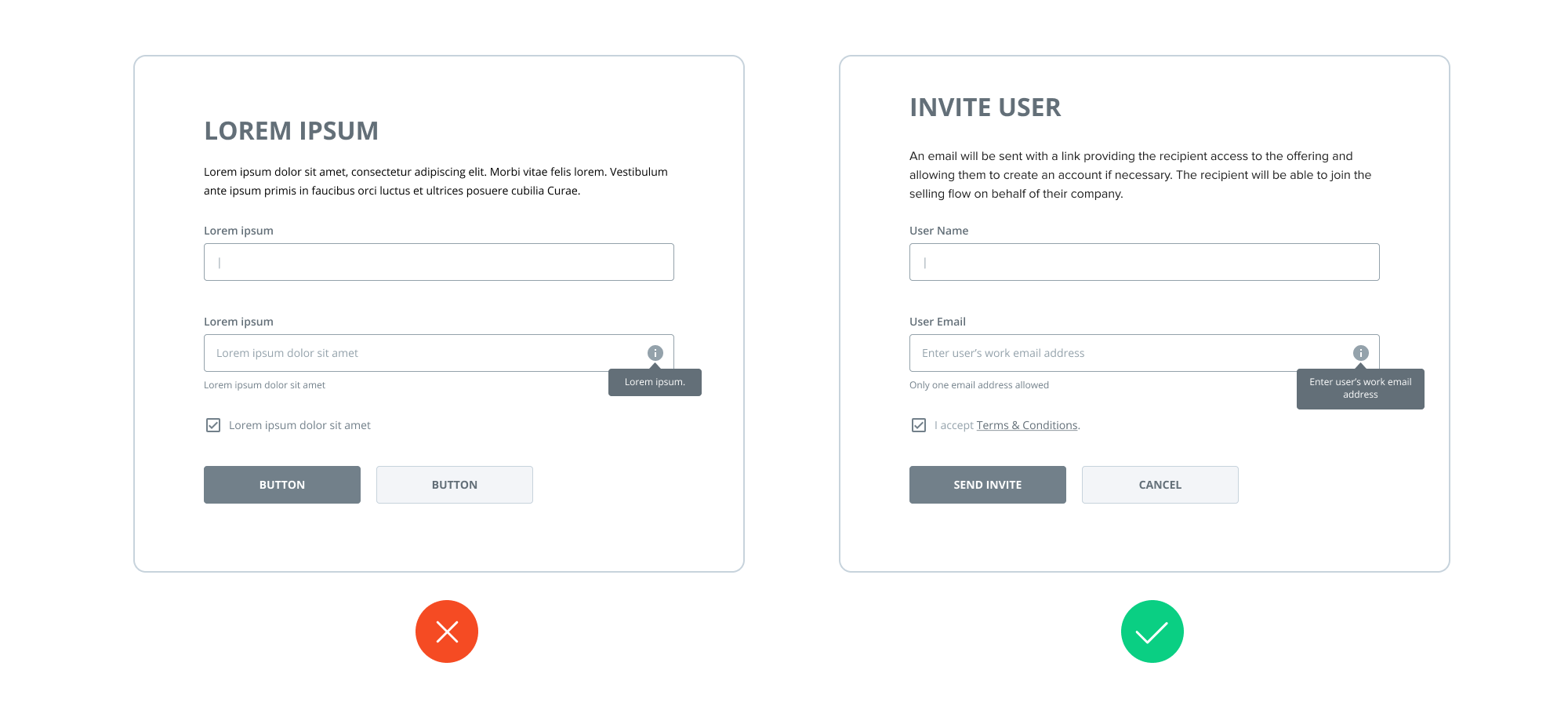
Use Real Content
Filling wireframes with lorem ipsum is a common but damaging habit. Draft content, even if rough, is sufficient at this stage and it affects the layout decisions you make. Real content also adds context for stakeholders and may reveal that the actual copy needs to be gathered sooner rather than later. Placeholder text hides the full picture and often leads to UI adjustments — or worse, a design that does not work with real input.
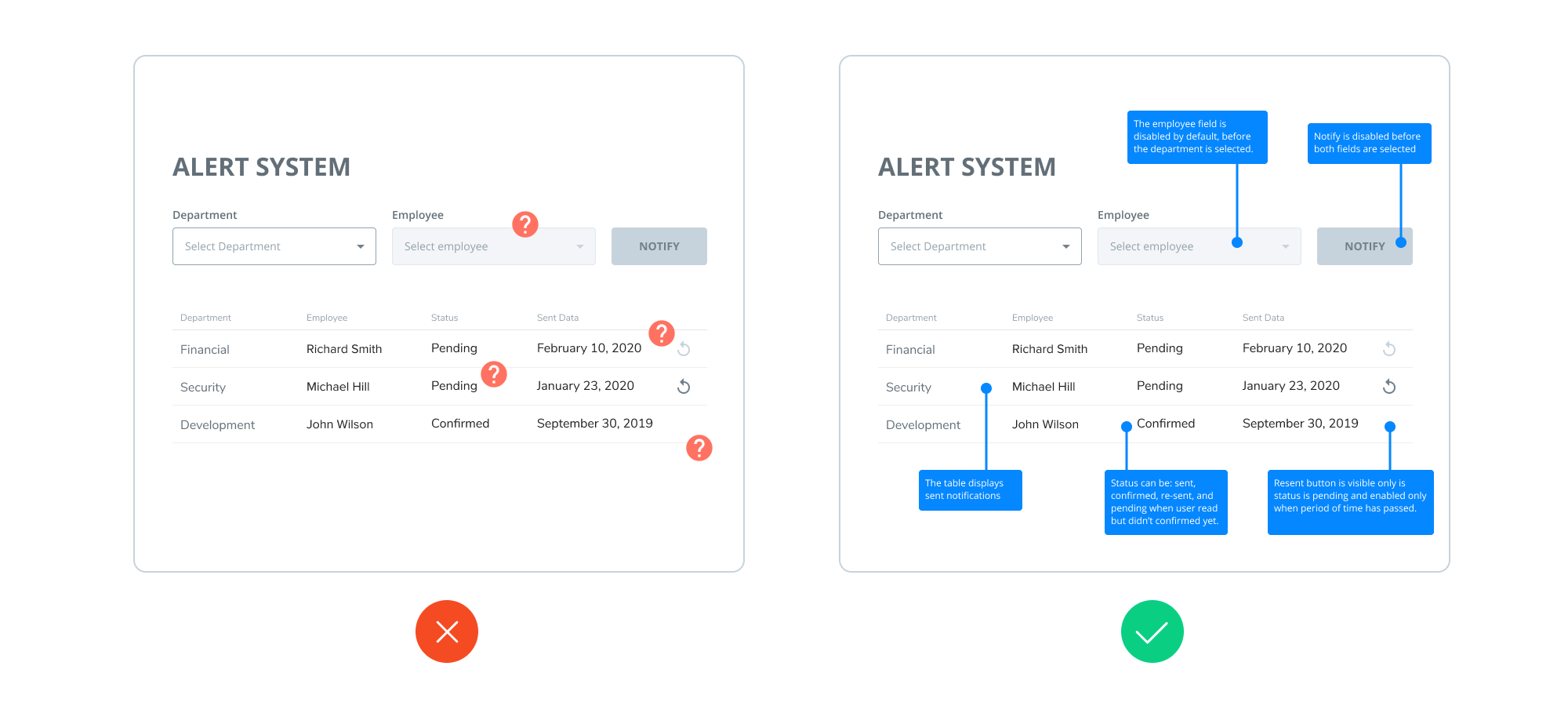
Annotate When Needed
Not every design decision is visual. For logic behind controls or other non-obvious solutions, add on-screen annotations. This heads off developer and stakeholder questions and saves hours of meetings.
Start Low-Fi, Add Detail Sparingly
There is no strict rule on fidelity level; it depends on the project. Ries’s guidance applies here: don’t do extra work that doesn’t bring value. Start basic and add details only when they serve a purpose — such as highlighting a custom solution that needs developer attention.
Extend to Prototypes When Necessary
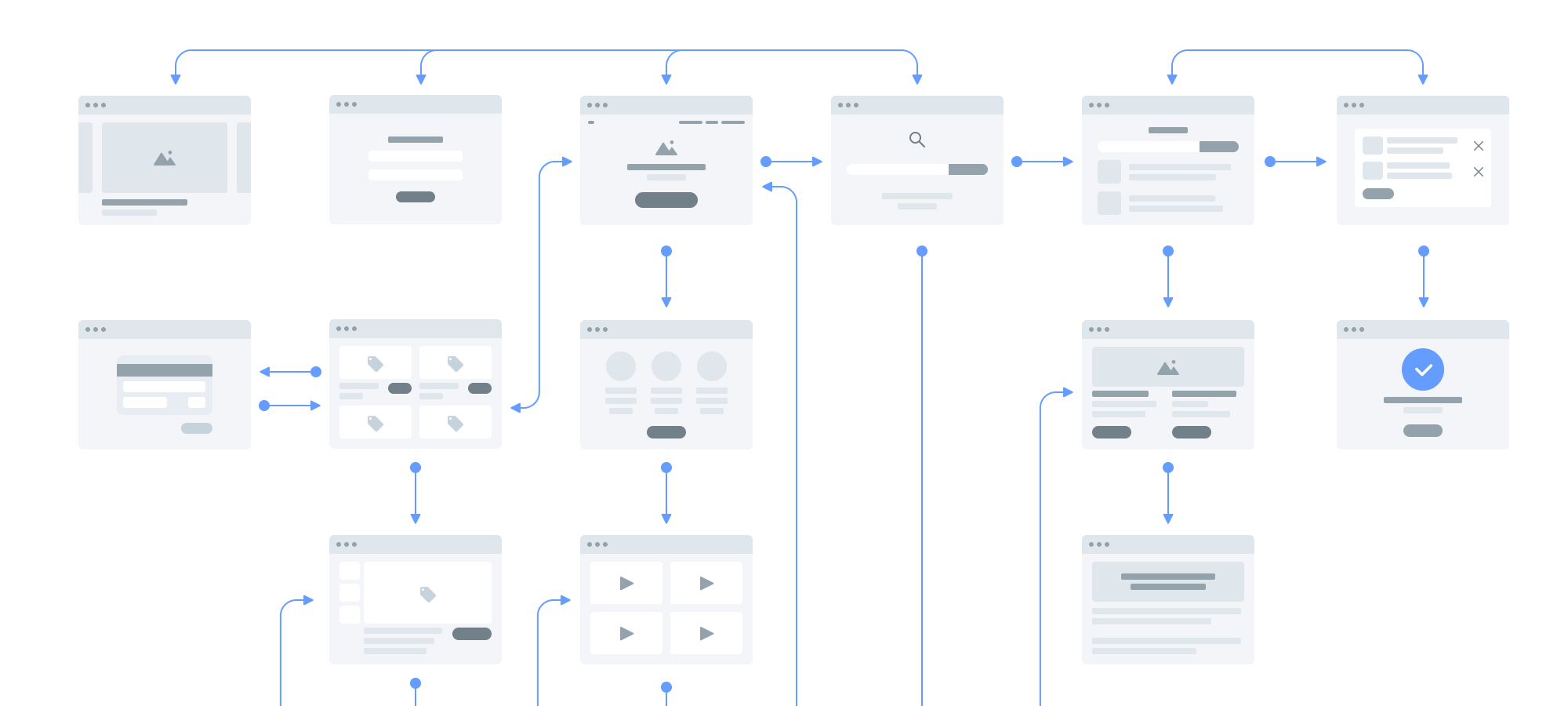
For complex, uncommon interactions, wireframes may not tell the full story. Instead of composing lengthy notes, extend the wireframes into an interactive prototype.
Choosing a Tool
Modern wireframing tools fall into two broad buckets: those built for simplicity, with a low barrier to entry ideal for newcomers, and those built for collaboration, which make teamwork efficient — a backbone of contemporary software development.
Two widely used collaborative options are:
- Figma: a cloud-based tool with a web version and desktop apps for Windows and macOS. It offers powerful features for building wireframes, prototypes, UIs, and supports real-time team collaboration.
- Sketch: a popular choice among UI/UX designers, extended via dozens of plugins. Note it is macOS-only and depends on third-party solutions for collaboration.
The best tool choice is not purely feature-driven. Try several before committing. Popular starting points include Figma, Invision, Adobe XD, UXPin, Axure, and Moqups.
| Tool | Pros | Cons |
|---|---|---|
| Sketch |
|
|
| Figma |
|
|
| Invision Studio |
|
|
| Adobe XD |
|
|
| Principle |
|
|
| Framer X |
|
|
| UXPin |
|
|
| Balsamiq |
|
|
| Axure |
|
|
| Moqups |
|
|
| Adobe Photoshop |
|
|
| Adobe Illustrator |
|
|
Whatever tool you adopt, the same principle carries: wireframing is a communication device. Keep wireframes early, simple, consistent, and grounded in real structure and content — and they will serve the project well beyond the design phase.
A Practical Wireframing Workflow for Cross-Functional Teams
Choosing the Right Collaborative Tool
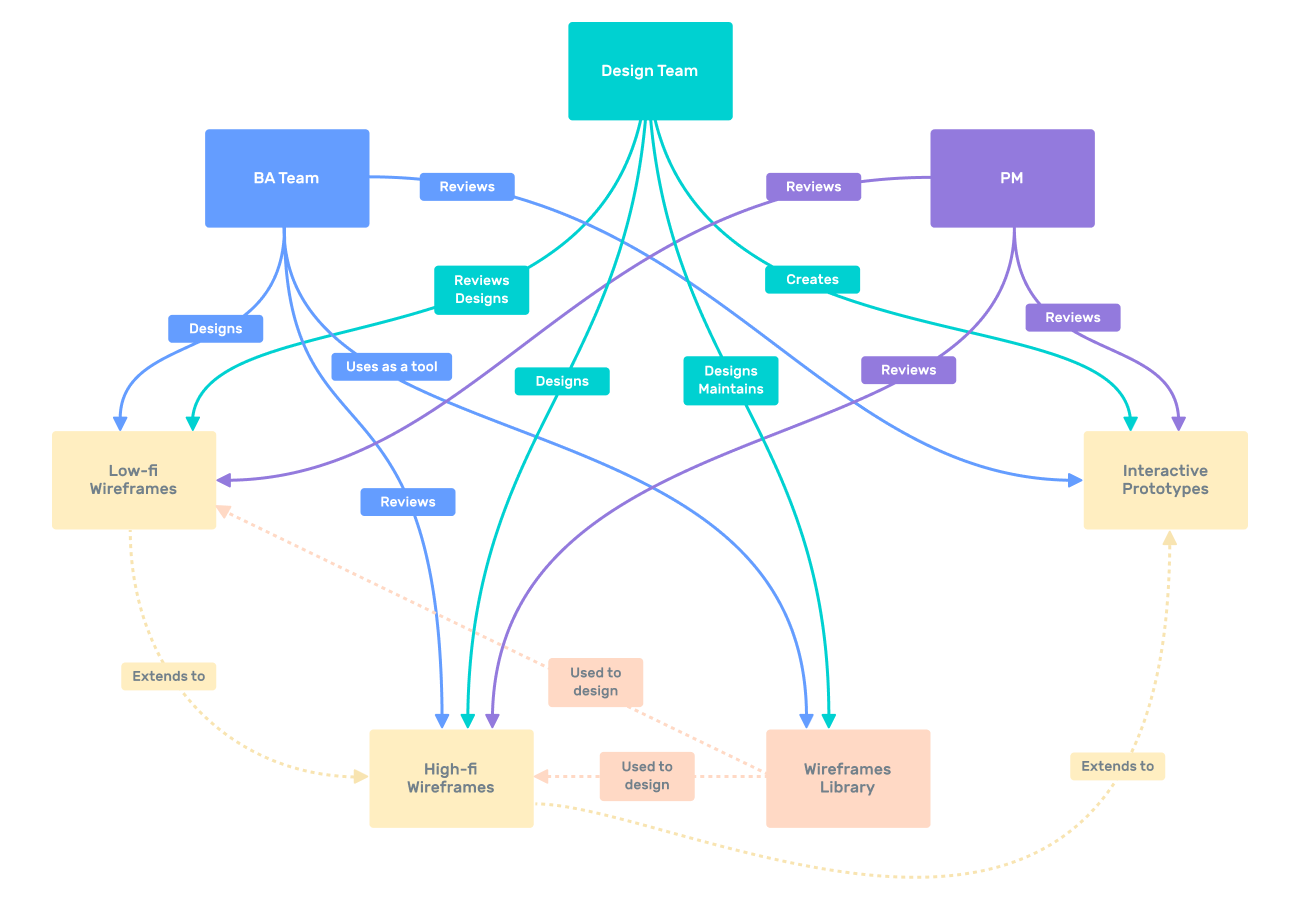
When introducing wireframing into a multi-team product environment, the tool you select can make or break adoption. In a fintech company with both business analysts (BAs) and designers, the requirement was clear: a single tool simple enough for BAs with limited design experience, yet capable enough for professional designers. Easy collaboration across distributed locations was also non-negotiable. Figma met these criteria, becoming the centralized platform for both requirement preparation and design work.
Building and Reusing a Component Library
To accelerate the workflow, the teams created a custom library of standard components. This gave the BA team access to ready-made blocks, so they could assemble wireframes quickly rather than drawing elements from scratch. This approach not only sped up the process but also ensured consistency between the requirements phase and final design.
Onboarding and Skills Development
Adoption required more than just handing over credentials. A dedicated workshop was held to train the BA team on Figma basics and the internal component library. The training also covered advanced features like prototyping, which helped BAs better communicate user flows and interactions.
Key Outcomes and Lessons Learned
The setup proved successful, with teams working from Ukraine, Australia, and the Philippines. Figma became the primary communication channel for wireframes, proving more convenient than email or messaging apps for reviewing and iterating on design concepts.
Wireframes are a deceptively simple practice. They are often overlooked or rushed through, leading to common mistakes: over-decorating them, producing them only to tick a box, or skipping them altogether for visual design. These missteps stem from a misunderstanding of what wireframes are for — showing what elements a product will include and how they interact.
Used correctly, wireframes offer several concrete benefits:
- They lead to more accurate project estimates.
- They involve every team member early, reducing engineering errors that could complicate development.
- They enable early presentations and user testing, allowing teams to gather feedback before investing in building the wrong solution.
With the wide array of tools available today, integrating wireframing into a standard design process is easier than ever. The real task is committing to the practice and finding a workflow that supports your team’s specific needs.