
Why AI Prototypes Fail
AI-generated prototypes rarely fail because of a single glaring flaw. More often, the output is undermined by small inconsistencies scattered throughout a design system: undocumented decisions, leftover hard-coded values, or an over-reliance on the AI interpreting mock-ups without guidance. Hardik Pandya of Atlassian has outlined a practical strategy for reducing these drifts and improving the quality of AI-generated work, from the initial prototype to the final code.

Treat Design Decisions as Infrastructure
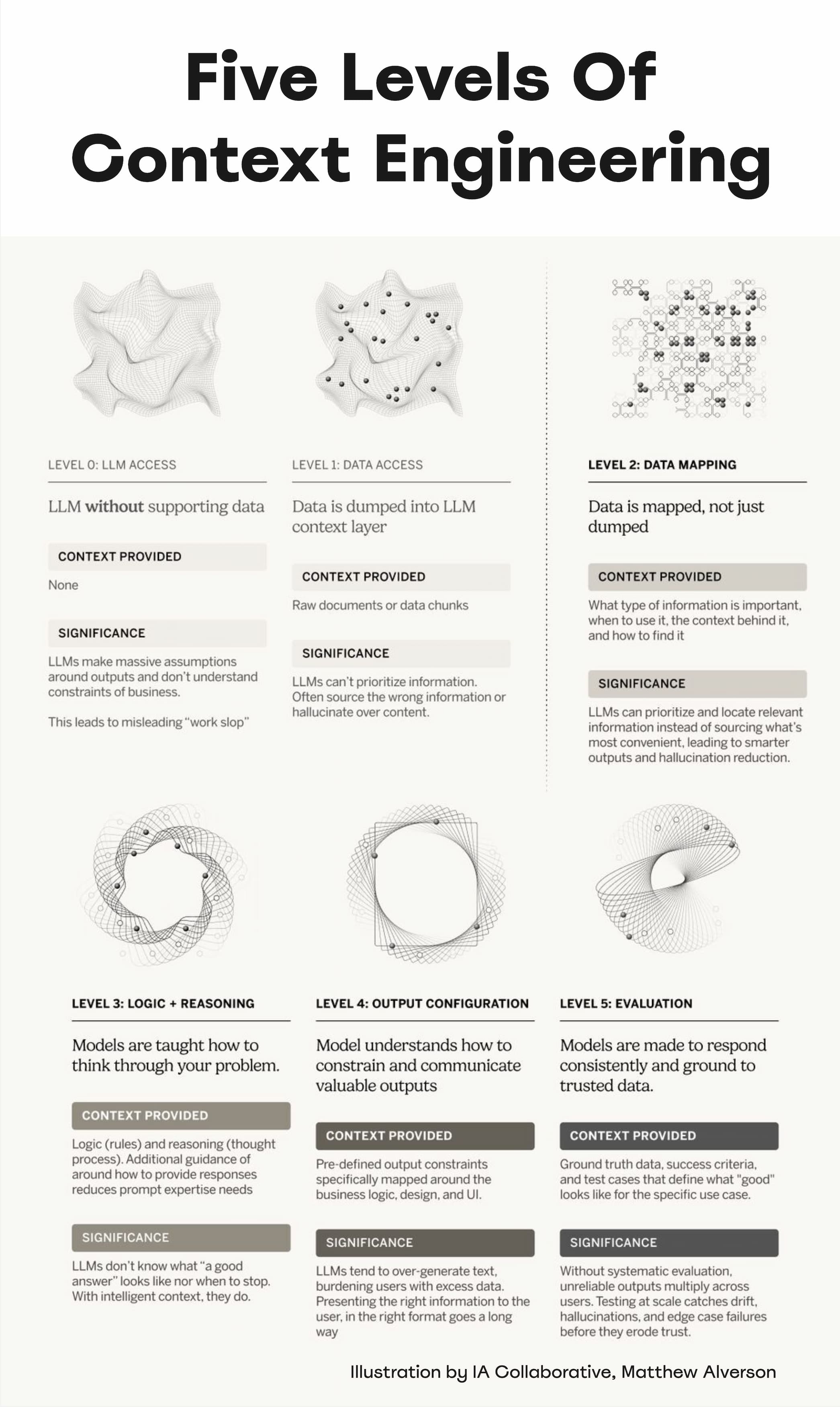
The quality of AI output depends on both clean data and clear human input. AI cannot be expected to know which component fits a situation or how to design accessibly. It needs explicit priorities, design principles, examples, and do's and don'ts to make the right calls.
The most effective approach is to treat every design decision as infrastructure. Beyond purely visual choices, this includes decisions about workflow prioritization and internal processes. Each decision must eventually find its way into a specification file that the AI can read and apply when generating its output.
Audit the System with FigmaLint
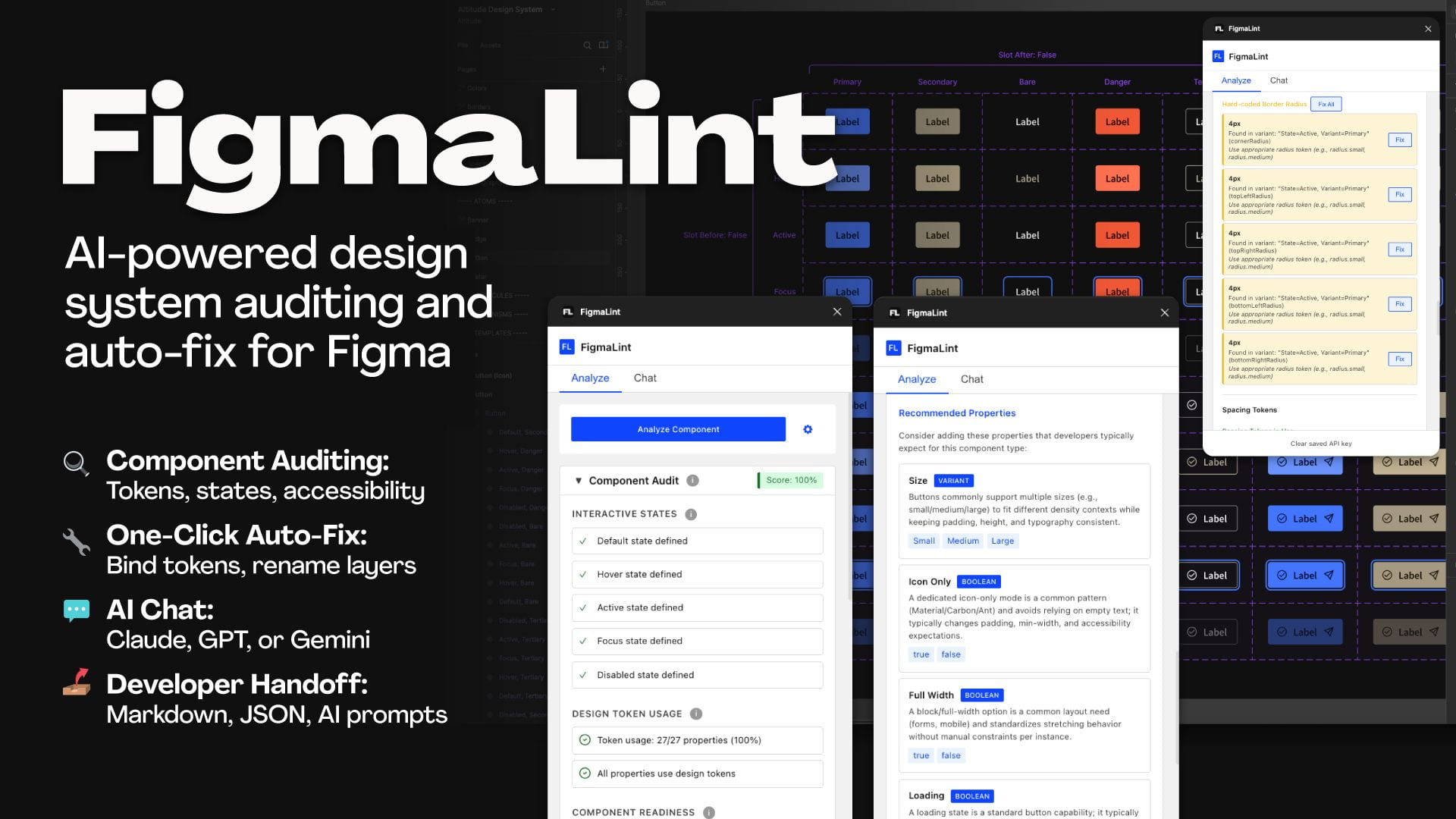
Keeping a design system in check is easier with the right tooling. FigmaLint is a free plugin that audits tokens, states, accessibility, and layer naming. It can also detect detached instances, missing interactive states, and hard-coded values while preparing design documentation.
This is particularly useful for teams working with vendor-supplied design systems and third-party component libraries. Combining audit tools with clear specifications improves the quality of AI-generated prototypes, code, and documentation.
Three Layers of AI Readiness
Addressing these issues requires a structured approach built around three components.
Spec Files
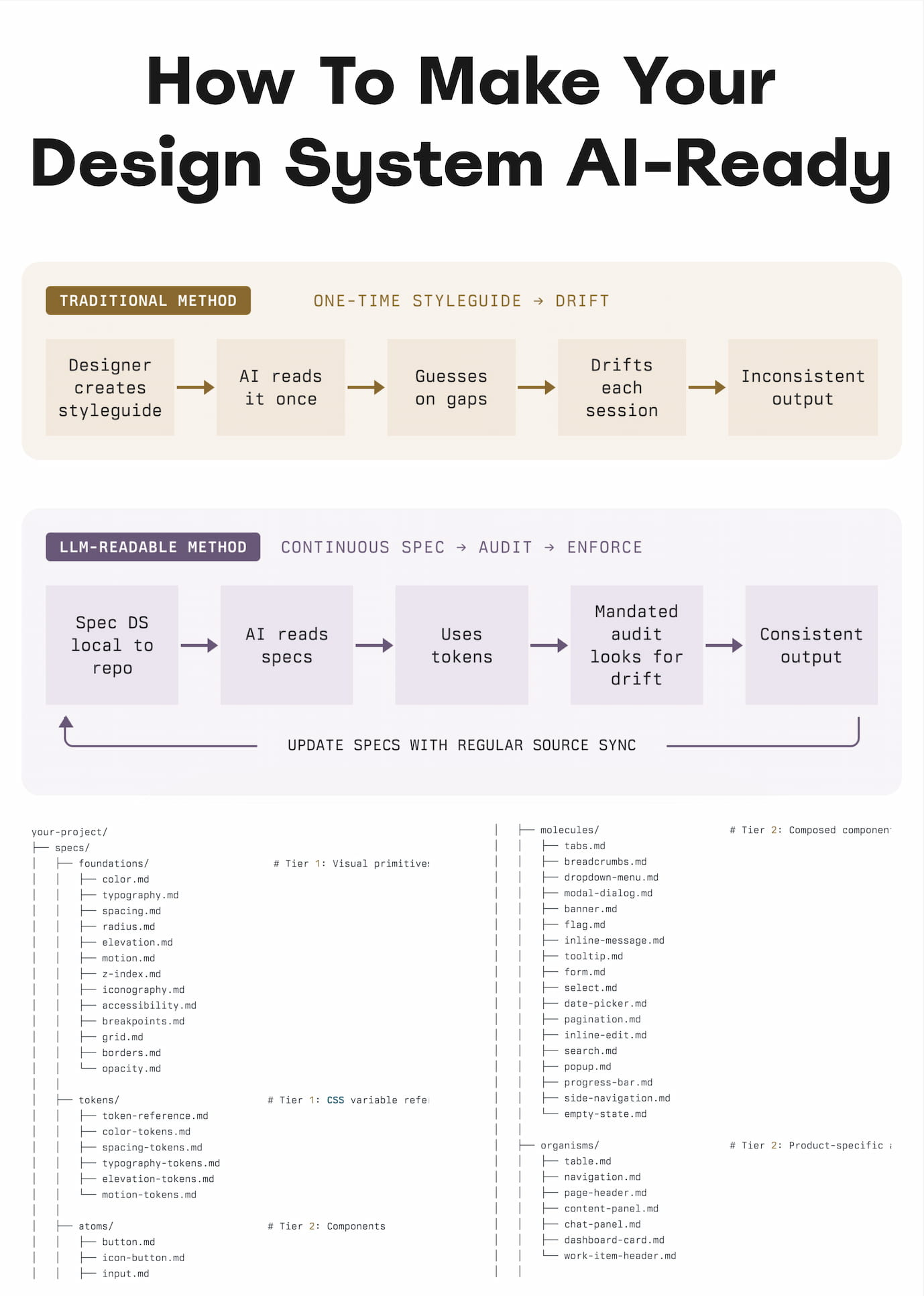
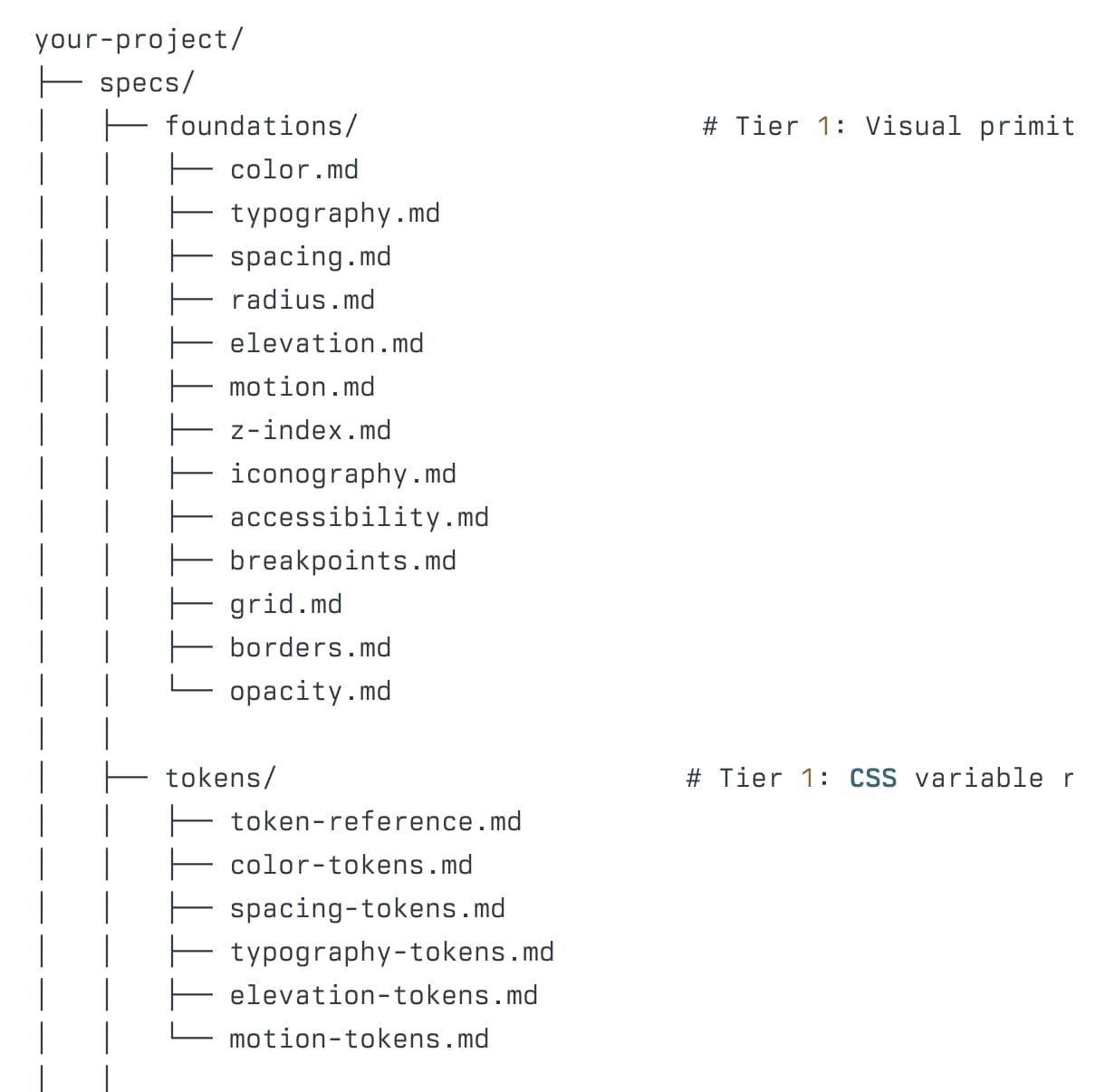
Design principles, guidelines, and rules should be codified into “spec files” — structured Markdown documents covering spacing rules, color choices, component usage, and priorities. The AI reads these files every time it generates a prototype.
Text-based specs are both cost-effective and more accurate. Instead of relying on the AI to decode visual mock-ups, you provide specific instructions. In practice, generating code by extending a spec file is often more successful than generating code directly from a visual design.
Token Layer
A maintained token layer lists all variables used across the design system. This ensures the AI always picks from a closed set of named tokens rather than inventing plausible values on the fly.
Audit Script
An audit script runs against the prototype to catch what the AI got wrong. It scans for violations of the spec, such as hard-coded values, and flags them for correction. This can be a standalone piece of software, with the AI working in a loop until the audit passes.
When the design system ships updates, a sync routine identifies which spec files need to be revised. This makes certain the AI always reads against the current version of the spec rather than outdated guidelines.
Live Examples
Several organizations already publish AI-ready versions of their design systems, using standard llms.txt files or dedicated pages:
AI Cannot Fix Sloppy Systems
AI will not magically resolve accumulated technical or design debt. Its output reflects the quality of the guidelines it is given. Clear decisions, established priorities, and well-defined principles are prerequisites for dependable results.
The more deliberate the guidance, the better the outcome. That means maintaining the design system over time, with decisions flowing into Markdown files as they are made. For design teams, that is a continuous responsibility — one that is unlikely to go away anytime soon.