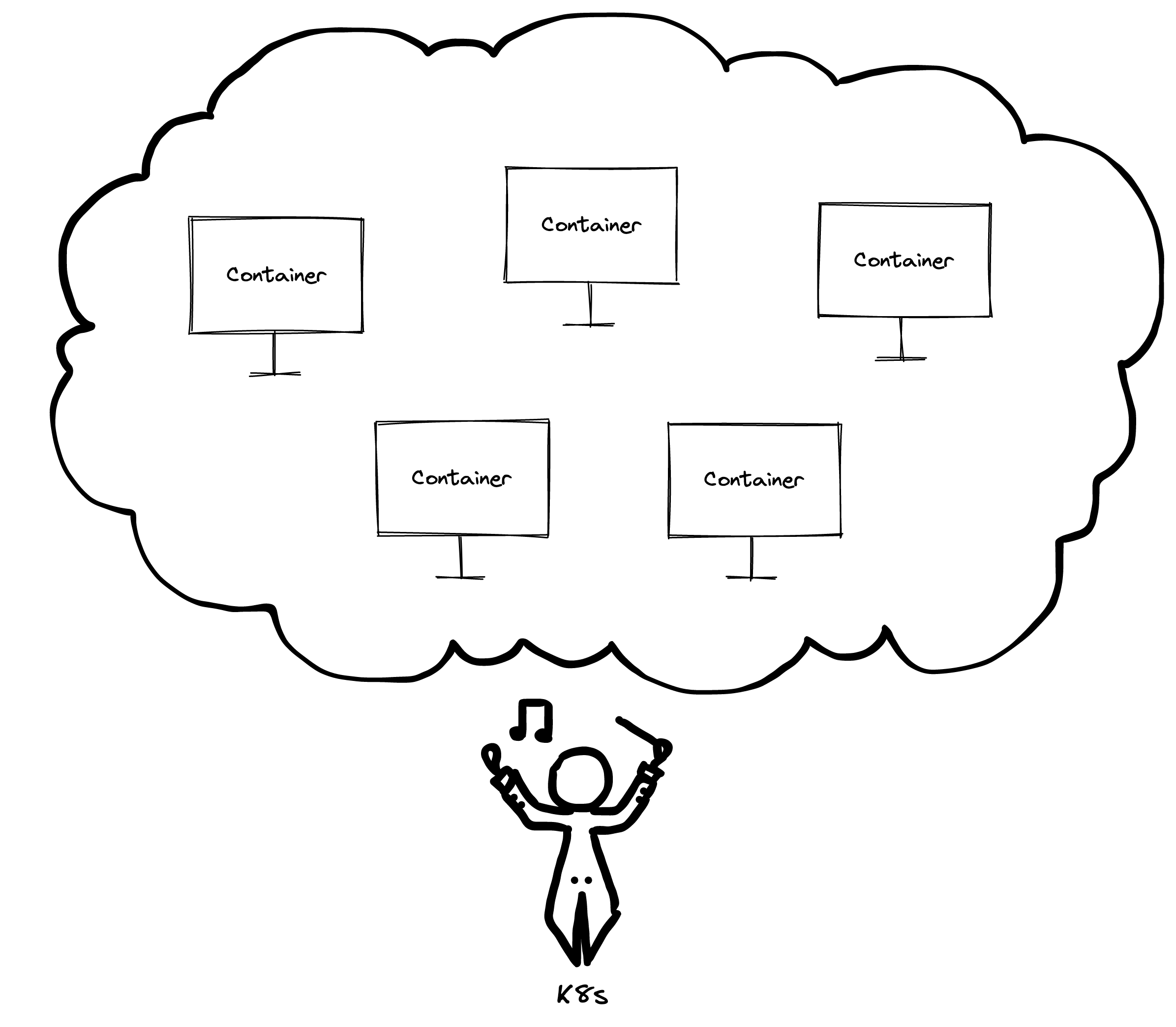
A container is best understood as a virtual computer: something you can create, run, destroy and reboot remotely.

Containers and where Kubernetes fits
Picture that machine sitting in a cloud, running side by side with thousands of other virtual machines, all of which live on one extremely powerful physical server. Your virtual computer is now a container in that cloud.
That alone leaves open the practical questions: how do you create and control the container, how does it talk to the other machines in the cloud, and how does it reach the outside world? Those problems call for something to orchestrate all of it. That role belongs to Kubernetes (K8s), described by Wikipedia as "an open-source container-orchestration system for automating computer application deployment, scaling, and management."

Pods: the smallest deployable unit
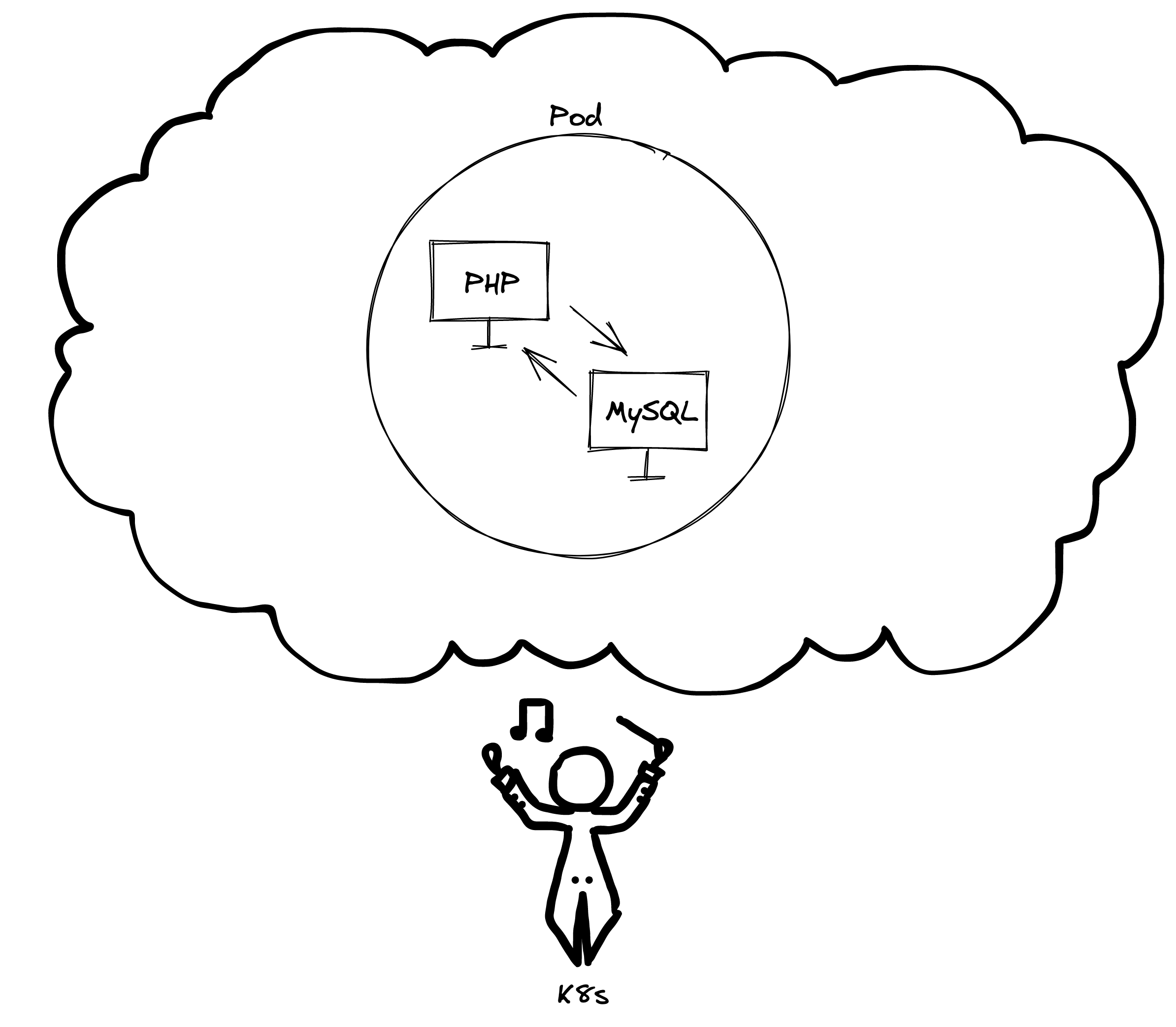
Pods are groups of one or more containers, and they are the smallest deployable unit in K8s — roughly what an atom is to matter.
A typical scenario: you are building a WordPress site, which needs PHP and a MySQL database. Running both on a single machine could be too heavy, so you create one container for PHP and one for MySQL, and K8s handles communication between them. Grouping the two containers in a pod makes the pod represent the whole application, so you can start or kill the entire application through the pod.
In production you would rarely deploy an app as a single pod; there is more to the setup than we can cover here. The K8s documentation on pods goes further.
What happens during a deploy
K8s spins up a new pod, points traffic at it, and once it is satisfied that everything works, it terminates the old pod. Other entities also handle controlling and redirecting requests; that layer is out of scope here.
Deploys sometimes break and an application has to go back to its previous version. Rebuilding everything from zero in that situation — installing Linux, Node and Git, cloning the repository, installing dependencies, building the app — would take ages. A faster route is needed: something like restoring a snapshot from the past.

Images as the recovery and scaling mechanism
An image is a backup of a container with everything already installed and configured. Your Continuous Integration (CI) generates a new image every time you push to the main branch of the repository, and that image is replicated into new containers as they are created.
Images serve two main purposes. The first is fast restoration to a previous image, as in the failed-deploy case above. The second is handling high traffic: when one machine cannot cope, an image lets you create as many identical containers as you need, with the same image replicated across all of them and serving identical content.