
The case for treating a Figma move as an organizational change
Switching design tools is rarely just a software swap. It changes how teams collaborate, share work, and review progress. That makes it a change-management exercise as much as a technical one. Successful migrations tend to follow a recognizable sequence: plan, communicate, rebuild assets, onboard users, and adjust team norms. Getting the first two right reduces friction everywhere else.
Build an internal advocacy group first
A core team of advocates should represent more than the design department. Include developers, product managers, and stakeholders who can give balanced feedback, shape the new workspace, run organization-wide communications, and own the library transfer. This group also typically serves as the point of contact with Figma itself.
Large enterprises illustrate the value of this approach. Wells Fargo leaned on a mix of Figma experts and enthusiasts—internally called the “Figma Jedis”—to lead their transition. Uber paired an existing design system workshop with basic Figma training and demos, easing the tool into daily workflow. JPMorgan Chase selected advocates from those passionate about their design system, drawing nominations from leadership and cross-department groups. In each case, the common thread was choosing engaged, cross-functional people and building on existing initiatives rather than starting from zero.
Get buy-in beyond the design team
Developers, product managers, and executives all need a reason to support the migration. Dropbox’s shift to Figma illustrates how to build that case. Their design team prepared a proposal for leadership outlining pros and cons. To win over the wider organization, they ran workshops, shared best practices, offered early access to libraries and components, and distributed promotional items generously.
For teams planning a similar move, a ready-made Figma Migration Toolkit provides pointers on migrating from a suite of other tools.
Borrow lessons from teams that have done it
Speaking with organizations that have already completed a large-scale rollout can shortcut the learning curve. When Martin Hardee began a broad Figma deployment at Wells Fargo, he reached out to peers at other large companies who had run comparable migrations. Their shared insights—trainings, playbooks, cover pages, and cautionary advice—became a critical input to his own rollout plan.
Set a timeline around real constraints
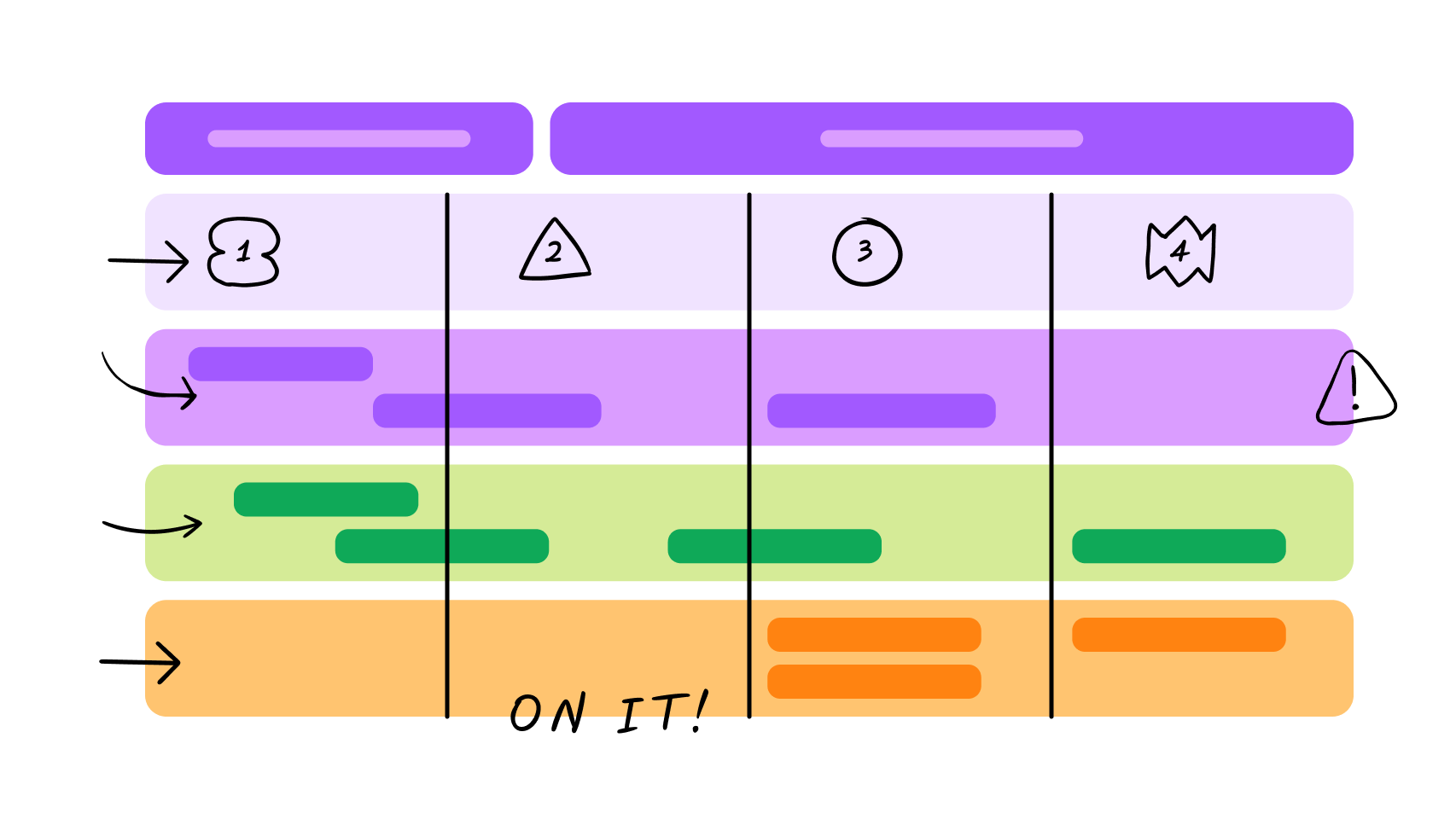
A migration timeline should account for existing commitments and subscription end dates. Annual planning cycles and expiring tool licenses are natural anchors for the schedule. Visual planning tools help keep the process transparent: Gantt charts can map out team milestones and project phases, and a Gantt chart template in FigJam offers a starting point. Another option is a Migration to Figma timeline builder.
Over-communicate through every channel
A detailed communication plan is essential, with different messages for different audiences. Teams typically need announcements that raise awareness of a possible transition, invite participation in a pilot program, confirm the decision to move forward, promote upcoming workshops, and explain role-specific applications. The scale of each announcement varies—some warrant a full presentation, others a quick message in a team channel.
Help Scout’s experience offers a practical example. Before the official switch, principal designer Buzz Usborne recorded a 20-minute demo video explaining Figma’s basics and benefits. The video was well received and helped ease hesitation among reluctant team members. JPMorgan Chase took a broader approach. “We used every communication channel available,” said Andrew Garber-Browne, Vice President, DesignOps Program Manager. Natural communities formed in company chat tools, giving designers and engineers a place to hold open conversations and stay informed.
Repetition matters. Sharing updates at regular meetings and holding office hours keeps the team supported. These recurring touchpoints let people ask questions and get clarification as the migration progresses.
Foundations: Refactor Before You Import
A migration is a rare opportunity to reset. Importing files from a previous tool and stopping there means missing the chance to refactor your design system, align naming with code repositories, and establish clearer guidelines. Treat the move as a fresh start rather than a copy-paste operation.
The real value comes from your advocacy team collaborating on the foundational elements: variable names, modes, component properties, variants, file structure, branch names, and team structure. Walk through Dev Mode with your developers early, to verify that the names and structures you set up in your design system map cleanly to how development works.
Several community resources can help structure this phase. A guide to enterprise workspace structure offers a starting point for organizing teams and files (note it's geared toward Enterprise plans). You can also mock up team names, descriptions, and icons to share with your team before committing to a structure. For design system guidance, a separate community file provides recommendations on building out teams, projects, and files for any plan.
There's a fine line between simplicity and complexity in these foundational decisions. Some pieces can be deferred, but any process changes required afterward should be weighed carefully. Whatever you decide, highlight foundational decisions in your communication plan so the reasoning is transparent.
Teams that have been through this emphasize the value of being selective. Dropbox's month-long migration from Sketch was more than a transfer; it was a chance to refine their design system, address existing issues, and introduce enhancements. The shift enabled a more flexible, decentralized work environment with more accessible design files, plus efficient library inheritance where changes cascade from higher-level to lower-level libraries.
JPMorgan Chase treated the move as an opportunity to declutter and address design debt, favoring a fresh start over preserving older work. They found this more time-efficient in the long run. The same principle applies at the file level: if a design is three years old, it's usually not worth bringing over. Your best focus is often reinventing your design system in Figma and migrating only in-flight or recent projects. Companies typically discover their actual migration list is much shorter than initially conceived.
The migration moment is also the time to prioritize wishlist design system items: implement design tokens, re-architect your token structure, or run a complete audit of your libraries. Tie up loose ends instead of preserving them.
Onboarding: Bottom-Up Momentum
Once the foundation is set, introduce the tool to the broader team — but avoid a top-down mandate. Dropbox and Uber both took a bottom-up approach. Dropbox ran a workshop for engineers, UX writers, and designers, paired with a microsite of tips, tricks, and starter guides developed during Hack Week. Uber used "Figma 101" workshops to showcase capabilities, with realizations about real-time collaboration sparking dialogue through feedback and comments.
Shopify's team put together a prototype file to help their team onboard quickly, and Spotify organized their Figma to suit the needs and culture of their teams.
Wells Fargo used demos and workshops to ease the learning curve, holding office hours multiple times per week and tapering the frequency as comfort grew. The office hour topics tend to shift organically over time — from "how do I use Figma" to broader questions about the design system and design patterns.
Other onboarding techniques worth borrowing:
- Integrate Figma into documentation: Add Figma descriptions to all internal resources for easy discovery.
- Use Figma for onboarding: Incorporate it into organizational charts and team practices for new hires.
- Create a training hub: Build a section in Figma with videos, tutorials, playgrounds, and company-specific materials.
- Run role-specific workshops: Tailor curriculums for different roles. Templates exist for developer-specific workshops with slides, data, and an ebook.
- Hold office hours: Provide a regular forum for questions and personalized assistance.
- Join industry events: Participate in Figma or broader industry events as a team.
- Foster continuous learning: Start rituals like "Figma Fridays" to share tips and skills internally.
- Engage the community: Connect with the broader Figma community for shared resources.
The Cultural Shift Is the Hard Part
Technical training is the easy part. The real challenge is the cultural change that multiplayer product development brings — moving from isolated workspaces to a transparent, collaborative environment.
Resistance to Figma rarely comes from technical complexity, since designers and product builders are typically curious and adapt quickly to new tools. The friction comes from the cultural transformation. At Wells Fargo, the migration shifted collaboration among designers, developers, and product teams toward more synchronous and asynchronous work. At JPMorgan Chase, the role of UX evolved from service-oriented to a more strategic partnership, boosting collaboration and efficiency.
The transition represents a fundamental move toward openness and shared ownership of the design process. Preparing for that requires as much focus on culture as on skills. When adoption succeeds, the topics that surface in team sessions change — people start asking about design system usage and patterns rather than tool mechanics. That's a good sign that the migration has landed.
Additional reference material: Figma's beginner tutorials, getting-started documentation, a guide on what to expect when coming from Sketch, official documentation in Figma Learn, and Figma's YouTube channel for tutorials and deep dives.
Every Figma migration is different, with its own challenges and wins. The common thread is that strategic planning, strong partnerships, and an adaptive mindset make the transition rewarding — and set your team up for durable collaborative success.


