Platform-native CI/CD meets custom automation
GitHub Actions is built to bring CI/CD into the everyday developer flow, but it goes well beyond standard build-and-test pipelines. The same YAML-driven platform can power custom automations ranging from hardware triggers to complex security-testing orchestration. The GitHub Actions Marketplace now hosts over 10,000 pre-built actions, yet advanced users often want to roll their own. Here are seven features worth knowing when designing those custom workflows.
Visualize runs to catch failures early
Every workflow begins and ends as YAML, but monitoring runs doesn't have to happen in raw text. Real-time visualization graphs display progress, clarify dependencies and conditionals, and link directly to logs for troubleshooting. The graph is color-coded so you can tell at a glance which steps succeeded, which are still running, and which failed.

Control execution order with job dependencies
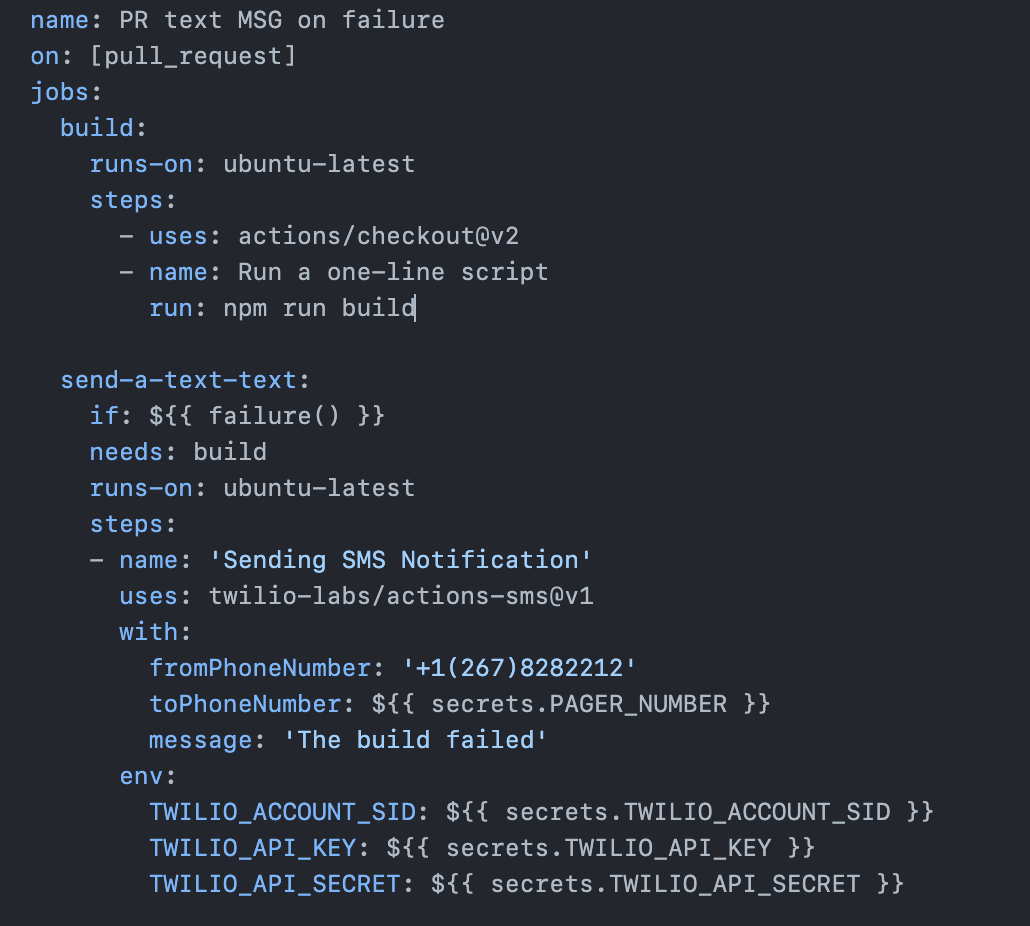
By default, GitHub Actions runs jobs in parallel. The needs keyword lets you impose order by creating dependencies between jobs—if one job fails (a test suite, for instance), dependent jobs are skipped entirely. The same principle extends across workflows, giving you connection points and deliberate breakpoints between separate automations.
Use conditionals to branch step execution
Conditionals, built on the if keyword, decide whether a specific step runs within a given workflow. Combined with job dependencies, they allow a workflow to keep going even when an earlier job fails. GitHub's expression syntax provides built-in functions for data operations, and status check functions let you test whether previous steps succeeded, failed, were canceled, or hit some other state. Conditionals are also handy for tailoring steps to different triggers or environments when sharing workflow data across branches and forks.
Keep sensitive data out of YAML
Secrets provide a secure home for passwords, tokens, certificates, and other sensitive values. Workflows can reference secrets directly, so you can share a workflow file with collaborators without hardcoding credentials into the YAML itself.
Pass artifacts between jobs
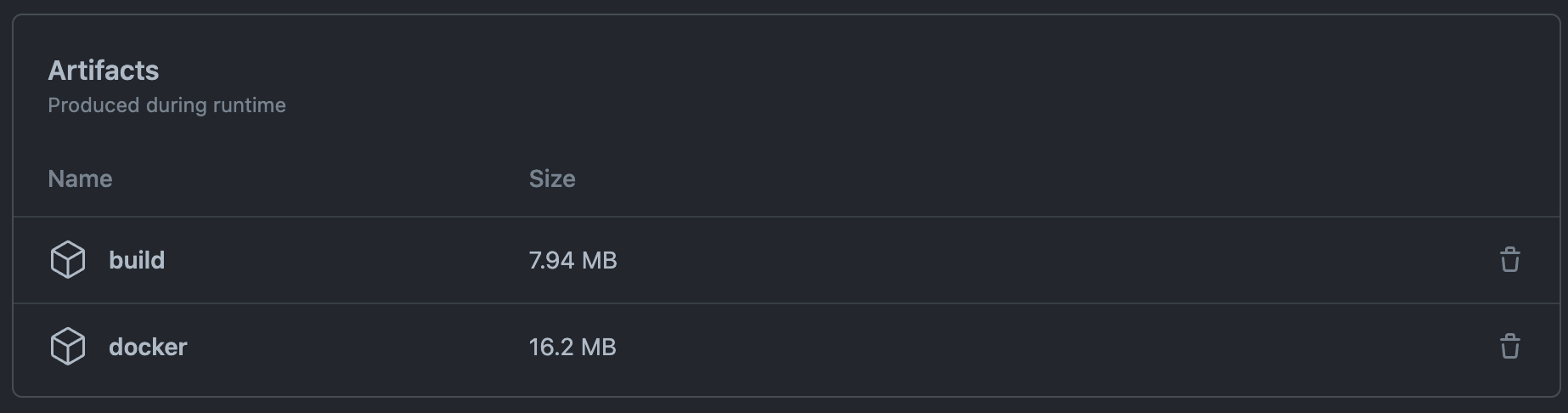
Artifacts let jobs within a workflow share data. Because artifacts are tied to the workflow run that created them, they make complex automations easier to assemble—one workflow run can inform another via dependencies and conditionals without re-running earlier steps.
Reach into workflow state with contexts
Contexts are collections of variables that expose information about workflow runs, runner environments, jobs, and steps. They use expression syntax like ${{ , and most are accessible from anywhere in the workflow, making them a flexible way to derive key operational details.
Gate deployments with environments
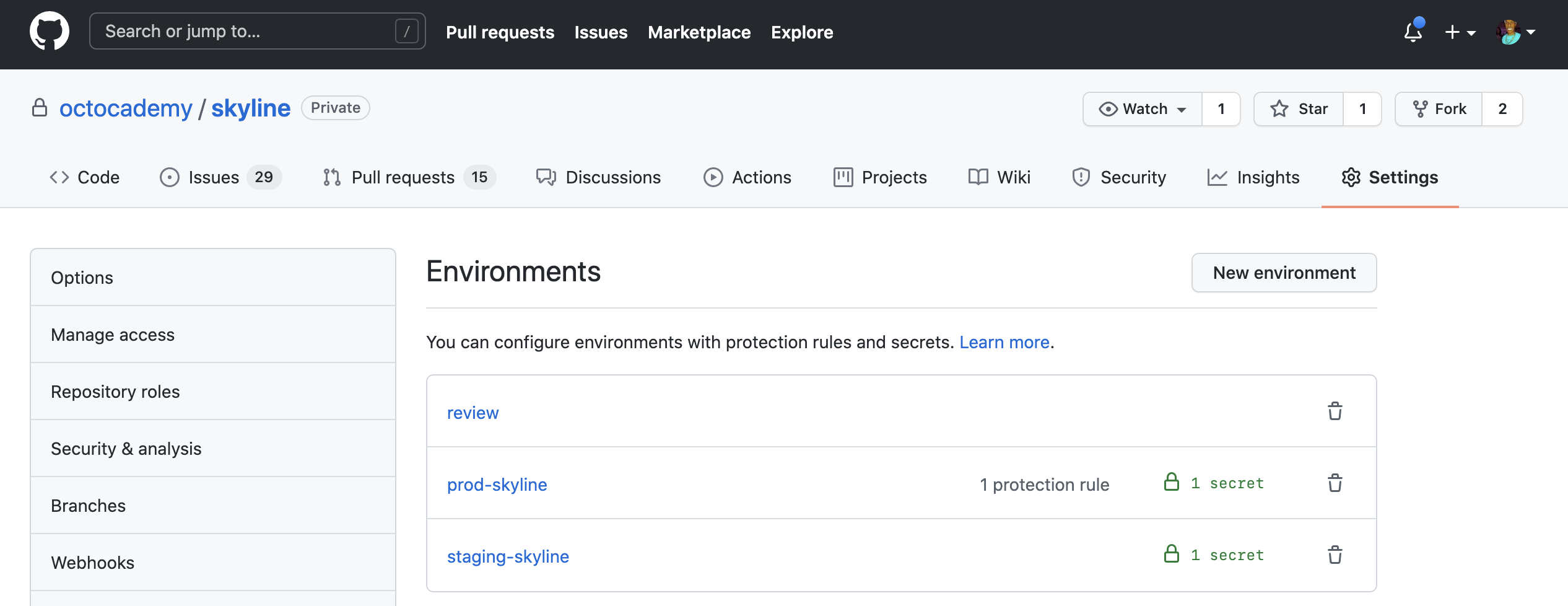
Environments bundle protection rules and secrets into named targets, which you can then reference from a workflow job. That allows you to enforce policies like requiring a specific person or team to approve jobs that deploy to production, or restricting which branches may deploy to a given environment—useful for separating development, staging, and production concerns.