
The Real Cost of Login Friction
Authentication is a constant presence in digital life, yet it remains a frequent source of frustration. Users are asked to remember complex passwords, prove they aren't robots, and jump through verification hoops — often for services they use daily. This friction isn't just an annoyance; it drives real security problems. As Jared Spool once noted, "If a product isn't usable, it's also not secure." When logging in becomes too painful, users resort to unsafe workarounds: reusing passwords, storing them in plain text files, or writing them on sticky notes.
Security matters, but it shouldn't come at the cost of usability. The goal is authentication that feels almost invisible — protective without being obstructive. Here are several patterns that move toward that ideal.
Stop Blocking Password Managers
Disabling copy-paste on password fields is a well-intentioned but harmful anti-pattern. The reasoning seems logical: preventing automated brute-force attempts. In practice, it punishes legitimate users who rely on password managers. Forcing someone to manually retype a 20-character random string is slow and error-prone, yet many sites still do it.
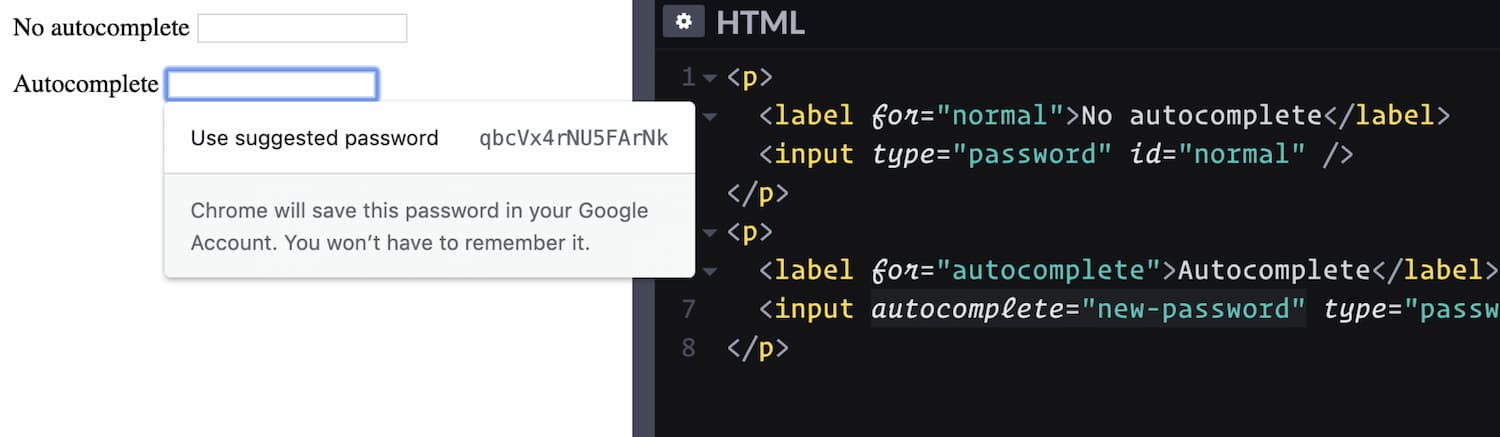
Instead, ensure password fields include the attribute autocomplete="new-password". This tells browsers they can offer a strong, auto-generated password. Users without a password manager benefit most here — they no longer need to invent their own credential, which is often predictable and weak.
Passwords Alone Aren't Enough
The statistics on password usage are sobering. In the US, only about 34% of users employ a password manager. Everyone else depends on memory, sticky notes, or desktop text files. The result is predictable: people choose passwords based on pet names, birthdates, and anniversaries — all easily guessed or discovered through social media.
Even conscientious users struggle. Many forget passwords frequently, sometimes recovering them several times a week. This leads to the dangerous habit of reusing the same password across accounts, prioritizing convenience over security. Allowing users to set their own passwords practically guarantees trouble.
The solution is to nudge users away from passwords whenever possible. Any form of 2-Factor Authentication (2FA) is superior to a password alone. For less sensitive sites, consider remember me cookies that keep sessions alive for 30 days or longer. Aggressive log-outs make sense for banking, but for most services, they serve little purpose other than generating more password reset requests.
Drop Strict Password Rules
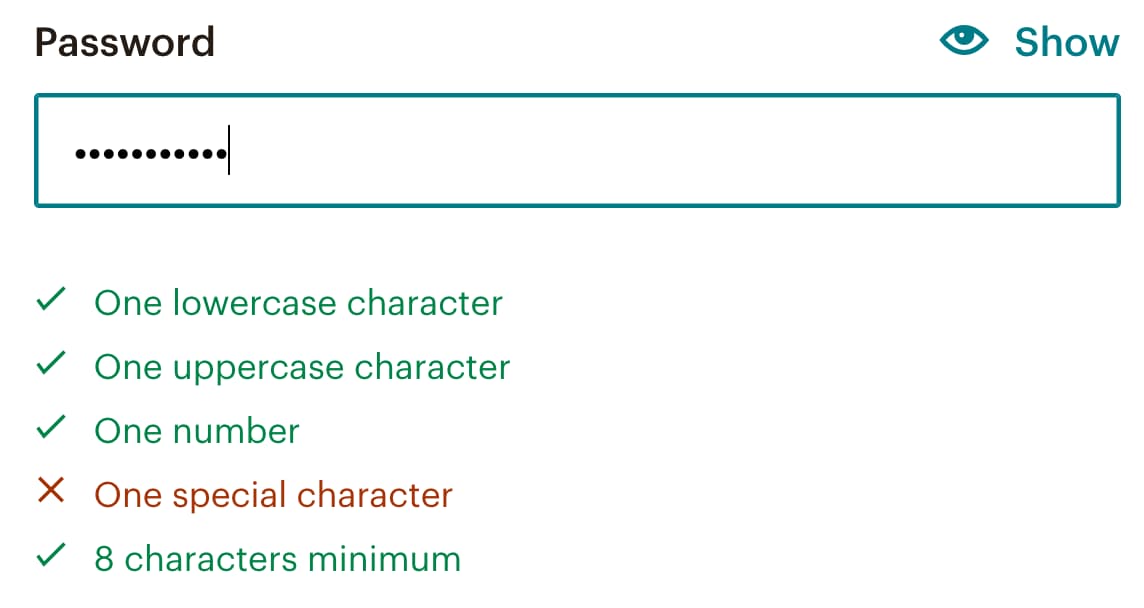
complex password requirements often backfire. Users become experts at gaming the system — appending "1!" to the end of a familiar word or incrementing a number each time they're forced to change it. These passwords are forgotten almost immediately after creation.
Instead, let browsers generate secure passwords via the new-password autocomplete attribute. Then aggressively encourage 2FA adoption — some services offer incentives like a 30% discount for enabling it. The setup requires only connecting a mobile phone or authenticator app, entering a verification code, or confirming with Touch-ID. The payoff is substantial: fewer expensive password resets, less abandonment, and better security overall.
Context Matters for Sign-In Methods
The appropriate level of login friction depends on the sensitivity of the underlying data. Users accept hurdles when they consider them reasonable for the service. But what feels reasonable to a designer isn't always what feels reasonable to the customer.
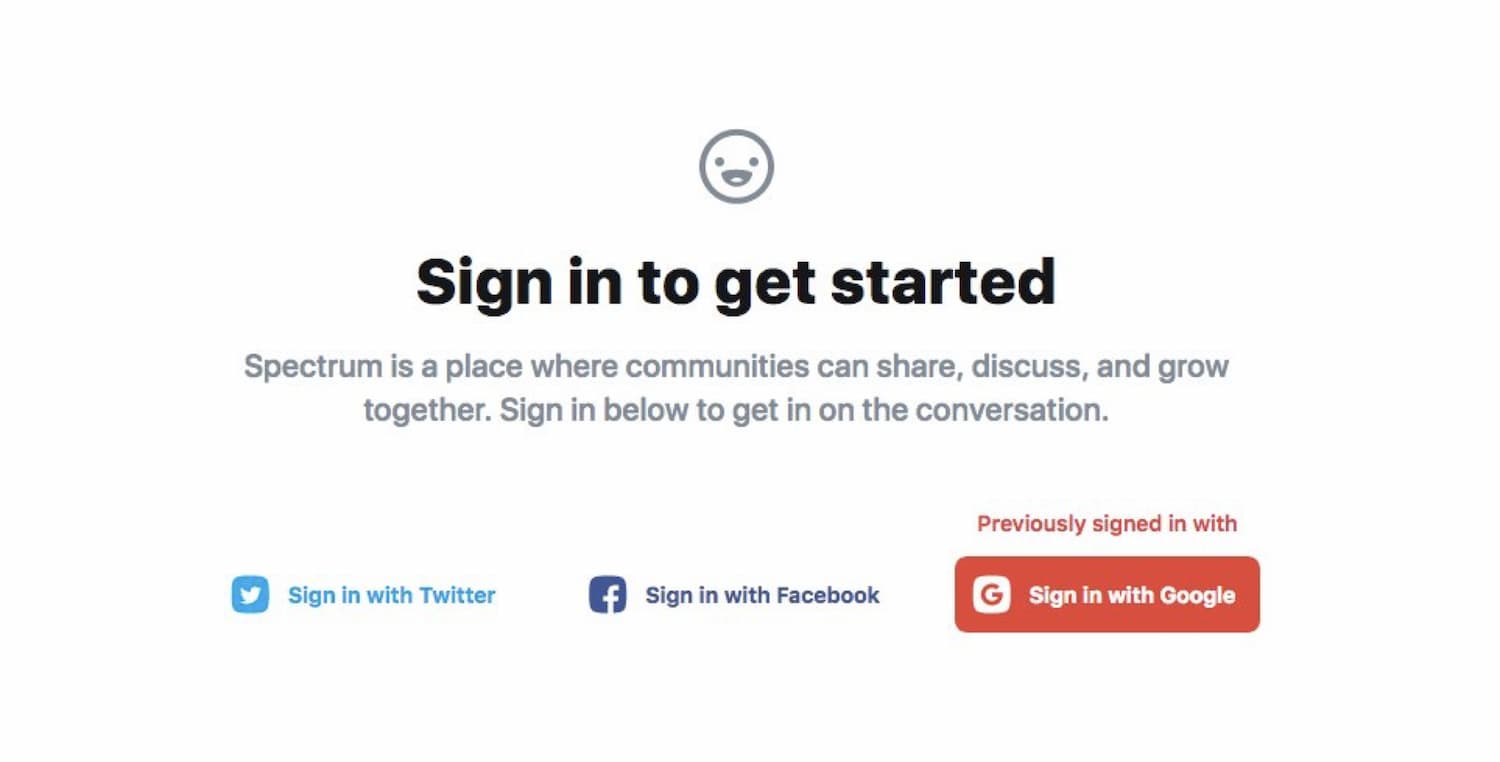
Social sign-in is a prime example. Some users love it for its speed; others reject it out of privacy concerns. There are also legal considerations — GDPR, CCPA, and similar regulations impose obligations when integrating with third-party identity providers.
Another issue: users often forget which provider they used last time. If you support social sign-in, make it easy to recognize previous choices. But never make it the only option. It works well for users who want speed, but it must be optional.
Security Questions Are a False Friend
Security questions are meant to be a second protective layer, but they're weak in practice. Answers about favorite pets, maiden names, or first schools can often be found by browsing someone's public social media profile. Some users respond with the same answer to every question — even reusing their actual password. This performs poorly for both security and usability.
There's also the classic problem of the user who locks themselves out on a Friday evening, unable to remember whether they answered "Rex" or "rex" or "Rex2020" to the pet question. Magic links and push notifications offer greater security and none of the memorization burden.
Build a Real Access Recovery Stack
Being locked out at a critical moment is uniquely frustrating. Users don't want to define a new password or search for a past email — they want to get back into their account. This requires thinking in terms of access recovery, not just password recovery.
Magic links are a valuable part of the recovery stack. They're fast and appreciated by users — until the email doesn't arrive, the inbox is inaccessible, or the account is linked to an outdated address. Magic links also require context switching, from browser to mail client and back. Sometimes prompting for a code sent via SMS is quicker and less disruptive.
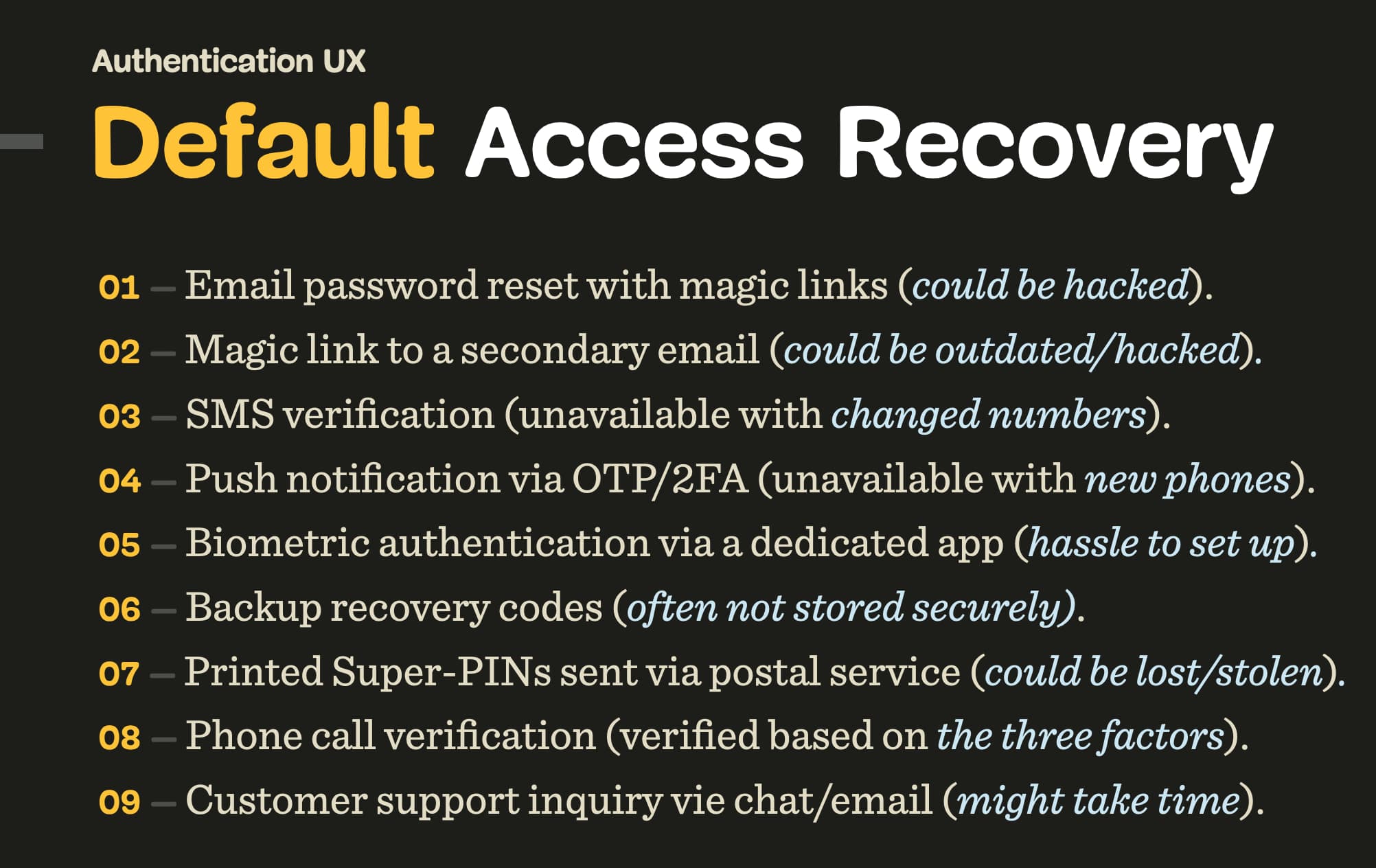
A robust recovery system layers multiple options:
- Magic link to primary email. Assume no password reset is needed; just get the user in. Beware that email access can fail or the account might be compromised.
- Magic link to a secondary email. Often outdated or inaccessible.
- SMS verification code. Unavailable to users with new phones or those without SIM access while traveling.
- Push notification via OTP/2FA. Fails for users who recently bought a phone and haven't configured the authenticator app.
- Biometric authentication or Yubikey. Requires prior setup of OTP/2FA or possession of the physical key.
- Backup recovery codes. Users who have them should always be able to override lock-out. Postal delivery risks loss or theft.
- Phone call verification. An agent can verify identity via knowledge (e.g., recent transactions), possession (credit card), or biometrics (face recognition on a video call).
- Customer support. Live chat, WhatsApp/Telegram, or video call offer human help; standard email is typically the slowest route.
One anti-pattern to avoid: sending a randomly generated password via email and then forcing a new password setup once the user logs in. It's insecure and burdensome. The better path is to encourage 2FA setup early, giving users a fast, secure recovery channel through their authenticator app.
A Less Noticeable Path to Secure Access
Authentication is fundamentally a hurdle, but when the interface becomes difficult, users find creative ways around it — and they forget their passwords shortly after giving up on the process. Before erecting barriers, give users a chance to become familiar with the product. Full 2FA adoption remains the end goal, but reaching it requires a user journey that doesn't punish people along the way. The smoothest authentication is the kind users barely notice at all — no cryptic rules, no arbitrary restrictions, just easy access that remains protected.
How to Balance Security and Usability in Authentication
User authentication is one of the most common points of friction in any digital product. While security requirements push us toward stricter controls, every additional step can send users away. The challenge is to design a login experience that is both safe and frictionless — and that usually means rethinking default patterns and assumptions.
The Password Is Not the Problem
Passwords remain the default, but they are notorious for their weaknesses as well as their burden on users. The logic is well known: longer, more complex passwords are more secure, but harder to remember and type. This leads to common behavior that undermines security — reusing passwords across services or opting for simple, predictable ones.
Instead of piling on more rules, you can shift the emphasis to the authentication choices you offer. Single sign-on (SSO) options, magic links and hardware tokens are some alternatives, and each carries its own tradeoffs. The key is fitting the method to the user scenario, not forcing a one-size-fits-all model on every service.
Why Multi-Step Logins Fail
Many products require steady multi-step verification — first the password, then an emailed code or an authenticator app prompt. Although it works to protect sensitive data, this sequence creates a considerable churn if too much is required for everyday tasks on logged-in sessions.
A smarter UX flow relies on layered friction. Trusted users can move along quickly with a simple authenticated session renewal, while unusual attempts trigger a second factor or a verification challenge. Instead of applying high friction at each request, make security proportionate to the context risk and user history.
Guiding Users Past Mistakes
Design can also help users cope with mistakes, especially 'forgot password' situations. Error messages that say only 'Incorrect password' stop dead when the user may have typed in the wrong email address or misremembered a user ID. Better prompts handle options range by prompting users to check their email program or reset their password immediately rather than have them hunch at a locked view for minutes.
Clear and open paths for recovery are practically security advances. A traceable reset link, plus an explanation of what got wrong and next steps, counts for more than unlimited attempts or lockouts with no visible remedy.
Practical Authentication Resources
Several useful references cover the art of balancing security and interface design in authentication:
- The Current State of Authentication: We Have A Password Problem — Drew Thomas explores many directions for going past passwords.
- Sign-In Best Practices — an in-depth overview on browser tools and patterns that support easy and secure sign-in forms by Sam Dutton.
- Fixing the Failures of Authentication — a talk with Jared Spool on high-barriers we set before users.
- App Login Design: Choosing the Right User Login Option — pros and cons for different app sign-in methods.
- Passwordless Authentication Methods for SaaS Web Applications — when and why removing passwords works for SaaS products.
All this suggests usability and security are not at odds — when approached carefully, they reinforce each other. The goal is to build gentle, safe guardrails rather than frustrating barriers as an acceptable default for granting access.



