
Start With Who You Trust
Every application is a chain of trust. When you build software, you ask users to trust you — and everything you depend on. A threat model makes those trust relationships explicit: who you trust, what you trust them with, and why that trust is justified.
Threat models are a practical way to manage the relentless flow of security concerns. Instead of chasing every new vulnerability headline, you document three things:
- The architecture of your application.
- The potential threats to that architecture.
- The mitigations you have in place.
That's the entire framework. You don't need specialized tools or a security engineering background. You need an accurate picture of your system and a method for examining it. This article walks through building that document using JSONDiff.com as the example. The complete JSONDiff threat model is available on GitHub.
Architecture Comes First
Every threat model begins with understanding your architecture. You need to know the full stack of your application and everything it touches. Whether you have a formal document yet or not, architectural decisions start the moment you choose your tools.
Answer the following questions to establish a baseline:
- Where does the application run?
- Where is it hosted?
- What dependencies does it have?
- Who can access it?
- Where does it store data?
- Where does it send data?
- How does it manage users and credentials?
Then describe the application at a high level and document its flow. A simple architecture diagram — showing only the major components and how they connect — is an excellent starting point. The right level of detail depends on what someone would need to know to understand your security posture.
Consider the architecture of JSONDiff.
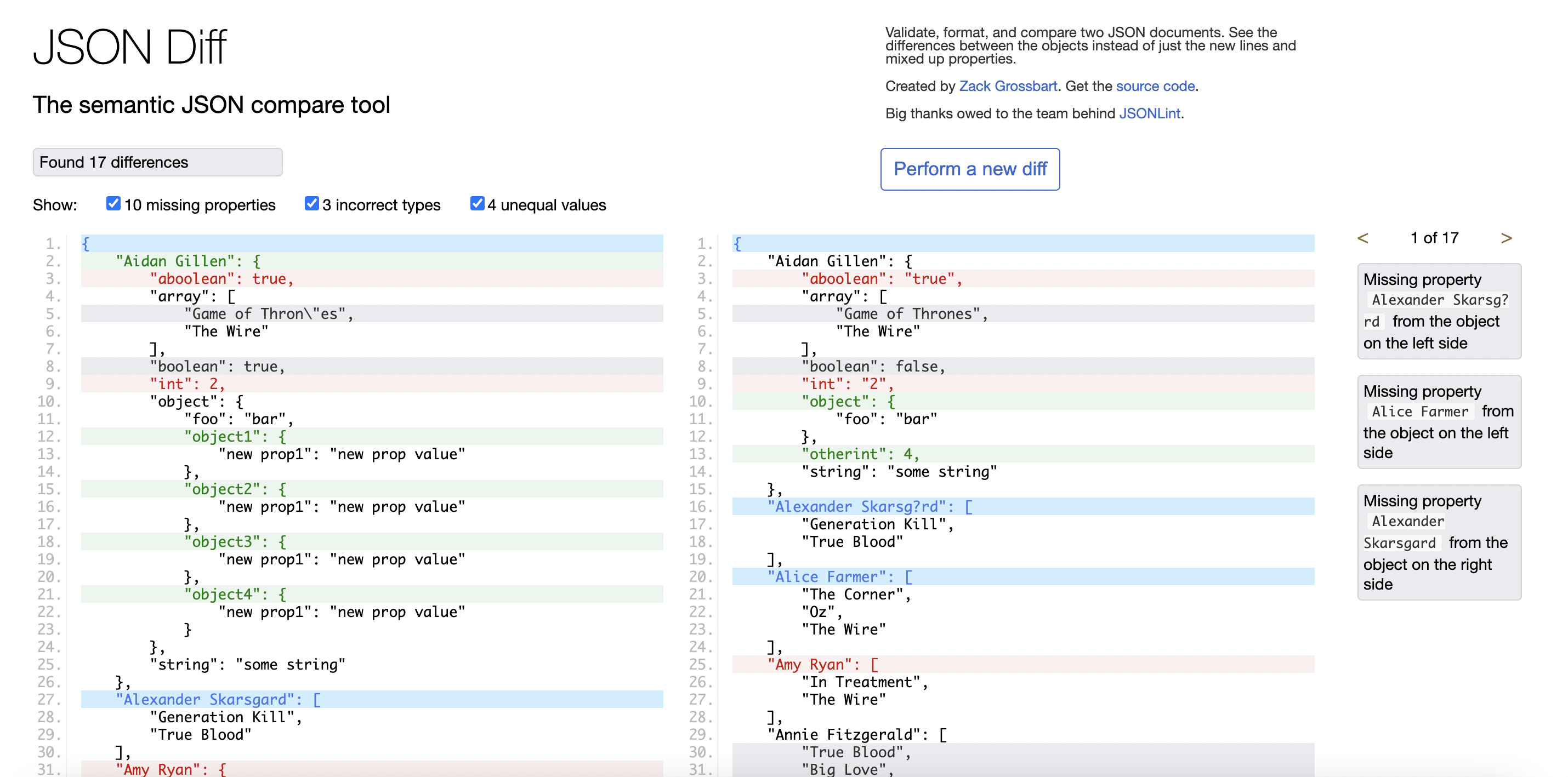
JSONDiff is a browser-based application that compares two JSON documents semantically and displays the differences. It is open source, hosted on GitHub, and available in two forms: the public instance at JSONDiff.com and a private version running in a Docker container. The users are developers who need to find differences that standard text-editor tools or GitHub comparisons miss.

The architecture diagram is straightforward:

The stack is simple: Nginx serves the site, and most logic lives in the client-side jdd.js file. But the exercise of drawing it surfaces critical security questions:
- How does JSONDiff load JSON data?
- Does it ever send that data anywhere?
- Does it store the data?
- Where do the ads come from?
You should write these questions down in your threat model — they are the seeds of the actual threats you will document.
Follow The URL Loading Risk
The architecture description surfaces one particularly interesting issue: how JSONDiff loads data. There are two supported paths.
First, users can copy and paste JSON or select a file from their local system. These interactions are well understood by browsers and present little threat surface.
Second, users can load data from a URL. This is convenient — it simplifies comparing large documents and lets people share comparison links. But it is much more interesting from a security perspective.
The browser's same-origin policy prevents client-side JavaScript from fetching arbitrary URLs. This restriction exists for solid security reasons. JSONDiff intentionally subverts that policy, which should raise an immediate red flag.
The feature is implemented via a proxy script called proxy.php, a server-side component that can load JSON from any URL. At first glance, giving an endpoint the ability to fetch arbitrary data sounds like an invitation to cross-site request forgery (CSRF). That is a genuine risk.
All applications carry risk; the job of the threat model is to match each risk with a mitigation. For this proxy risk, there are two:
- The proxy can only load data that is already publicly reachable on the Internet.
- The content fetched by the proxy is never executed by the server.
Documenting this in your threat model means stating the risk, its severity, and the accepted mitigations. Once you have an architecture diagram and you know where data flows in and out, you have a targeted map for finding these risks — and for showing exactly how you have neutralized them.
Working Threats Into the Model
Threats span the entire development and deployment lifecycle. It pays to document them as you plan, design, build, and test. For each threat you record two things: the specific risk and how you will mitigate it.
Code-Level Threats
A good portion of threats trace back to the code you write. Common categories include weak cryptography, injection attacks, cross-site scripting, and request forgery.
Weak Cryptography
Check whether your application uses SSL or TLS for secure connections, and confirm you are on current recommended versions. For data or password encryption, stick to modern hashing algorithms rather than older ones like MD5 or SHA-1. And if you are tempted to implement your own encryption algorithm, don't. There is rarely a sound reason to do so.
SQL Injection
SQL injection occurs when user-supplied values reach a database unsanitized, letting malicious code alter queries to retrieve, change, or delete data. The defense is simple: never trust user input. Any place that accepts input and stores it deserves attention in the threat model.
JSONDiff never saves the JSON data it compares. If that feature were added, it would open the door to injection attacks regardless of whether the storage was a SQL database like PostgreSQL, a NoSQL database like MongoDB, or a file system. The mitigation would be sanitizing inputs and treating all user data as untrusted.
Cross-Site Scripting
Malicious scripts injected into web applications can execute in a trusted browser context, stealing tokens, passwords, cookies, and session data. This happens when user-supplied code is saved or referenced and then run inside the application's security context.
JSONDiff doesn't let users save anything, but URLs can be constructed to preload documents for comparison:

That is a real threat to model. Someone could send a link referencing malicious code, and a recipient might run it unknowingly. JSONDiff mitigates this by parsing inputs with a custom parser and ensuring nothing gets executed. Testing with deliberately 'evil' JSON and JavaScript files confirms this:
Inventory every input to your application and how you prevent it from causing harm.
Cross-Site Request Forgery
CSRF attacks wait for a logged-in user and then abuse those credentials to steal data or make changes. Session-based unique CSRF tokens are the standard defense. Review everywhere your application uses sessions and what you are doing to prevent them from being shared or stolen.
JSONDiff has no sessions, so there is nothing to steal. Adding login and session management would introduce a whole new set of threats: protecting the session token, preventing reuse, and stopping theft would all need to be addressed in the model.
Logging Sensitive Information
Logs are not a secure place for sensitive data. Logging passwords, tokens, or personal customer information is one of the most common security mistakes developers make, often while recording an activity or error. Code review should always check logging output, and password scanners can be run over log files to catch likely credentials.
Review and Separation of Duties
Trust your team, but verify. People make mistakes, and some may act maliciously. Separating roles across the pipeline reduces risk:
- Writing the code
- Reviewing the changes
- Testing the functionality
- Deploying the application
Even small projects or fully automated pipelines can enforce separation. For instance, ensuring the author of a feature didn't write all its tests means someone else verifies the work. In healthy projects these roles rotate so everyone writes, reviews, tests, and deploys in turn.
For closed-source applications, the Pull Request mechanism in Git can ensure every change is reviewed. Spend time teaching your team what to look for during review.
Static analysis tools catch security issues and other defects. Linters and code checkers like JSHint, along with more comprehensive security scanners, examine source code for language-specific problems. OWASP maintains a list of static analysis tools. Many scanners reference common vulnerabilities and exposures (CVE) databases to know what to flag. Integrating these tools into your build process ensures all changes are scanned.
JSONDiff's code was scanned with JSHint, and all issues were fixed, or so it seemed. The JavaScript got scanned but the server side was missed. Co-author Terry ran the SonarQube lint scanner and found an error in the PHP proxy:

That small fix shows how a second pair of eyes finds problems.
Third-Party Threats
Your application likely depends on many libraries and projects, all listed in a Software Bill of Materials (SBOM). When maintainers or security researchers find issues in those dependencies, the problems land in CVE databases. Third-party scanners check your dependencies against those databases to ensure you aren't using components with known vulnerabilities.
Static application security testing (SAST) tools like Snyk scan third-party threats and report vulnerabilities in your libraries, scored by severity so you know how urgent the fix is. Package managers like NPM have built-in vulnerability checking. Integrating vulnerability checks into the build process mitigates these risks.
Data Security Threats
Application data needs confidentiality, integrity, and availability, both in transit and at rest. Key risks include:
- Accidental data loss or destruction
- Malicious access to confidential data like financial records
- Unauthorized access from partners or employees
- Natural disasters or uncontrollable hazards
Mitigations include strong passwords with defined expiration policies, classifying data and defining access roles, performing authorization checks on every access, deploying firewalls and antivirus, and encrypting data both at rest and in transit.
JSONDiff doesn't store data, so the at-rest risk is minimal. For data in transit:
- The threat: JSONDiff loads data from any URL to compare. How is that data protected?
- Mitigation: JSON uses SSL encryption when available for loading data and always uses SSL to encrypt data sent to the browser.
Runtime Threats
Once deployed, applications face runtime attacks. Penetration testing by a team of experts is the best way to uncover them. Pen-testers play hacker, attacking external interfaces for SQL injection, cross-site scripting, denial of service, privilege escalation, and more. If an external team is out of budget, you can do it yourself with tools like the OWASP ZAP proxy, which scans application endpoints dynamically and reports common threats.
Threats to Stability
Availability attacks aim to disrupt the service rather than break in. High availability and redundancy are the core defenses. Build plans around:
- High-availability infrastructure: Multiple cloud regions or zones with a load balancer.
- Redundancy for system and data: Costs more, so make only critical components redundant.
- Monitoring and alerts: Watch for capacity limits or malicious activity that could bring the system down.
- Backup and restore plans: Know how to bring the system back quickly after an attack.
- Handling dependent service outages: Design circuit breakers and fallback plans so one dependency doesn't take down everything.
Building a Data Recovery Plan
Disruptions come from human error, hardware failure, data center power outages, natural disasters, and cyberattacks. A business continuity and disaster recovery (BCDR) design keeps your organization, users, and employees operating with minimal interruption.
Start with a business continuity plan: assess your people, IT infrastructure, and applications, and define roles and responsibilities for the plan and recovery solutions. For cloud deployments, spread across multiple regions or providers. Data storage is the critical piece; point-in-time replication allows restoration from a secondary data center or a different country or continent. Test the BCDR solution regularly—at least yearly—and have the plan reviewed and improved frequently by the people in your organization.
When the Proxy Is the Weakest Link
For JSONDiff, the worst-case scenario centers on the proxy.php script. It is the only server-side component, which makes it the most attractive target. If an attacker compromised the proxy, they could alter the content it returns. While this wouldn't allow direct code execution, it could trick users into believing two JSON documents are identical when they aren't, enabling malicious manipulation.
Thinking even further, a server compromise that changes the source code brings us back to credential management—already covered in the threat model. This exercise underscores the importance of staying current with PHP updates to receive the latest security patches.
Imagining worst-case scenarios pushes the threat model in new directions and reveals blind spots you might otherwise miss.
Beyond the Basics
This walkthrough only touches on the surface of potential threats. For a more thorough approach, Mitre's attack matrix, OWASP's Top 10 risks, and the Threat Modeling Cheat Sheet are valuable references.
The core principle is simple: examine every way users interact with your app and every way it touches other systems. Fewer interaction points means fewer attack surfaces.
For larger projects, a visual threat diagram helps. Tools like draw.io include shapes designed specifically for this purpose:

When You Can't Fix It, Be Honest
Not every threat can be mitigated. For JSONDiff, Google AdSense presents such a case—the site cannot vet third-party ads in advance or require Google to undergo a security review. The only option is to trust the provider.
When a threat is unavoidable, the best strategy is transparency. Document the risk openly and share it with users so they can make informed decisions about whether the risk is acceptable to them.
Start Early and Keep It Close
Threat models deliver the most value when created at the start of a project. The moment you choose your tech stack, begin mapping out how you'll handle users, data storage, and deployment. These architectural decisions profoundly shape your threat landscape.
Once your threat model exists, share it with the right audiences:
- Security reviewers. For security-conscious organizations, a threat model is often a review prerequisite. Having one ready gives you a significant head start.
- Auditors. They routinely check for threat models as evidence that threats have been thoughtfully considered.
- Your team. Keep the document current during feature development. Updating it forces everyone to weigh the security implications of what they add.
- Everyone else. When your project allows, publish the threat model. Openness demonstrates that you've considered risks and builds trust with your users.
The Model Is Never Done
Threats are moving targets, so your model needs a management plan for incidents discovered internally or reported externally. Each finding goes into the model: how you found it, what the fix was, and how you'll prevent a recurrence. Every application has flaws; what matters is how well you handle them.
Treat this as a continuous improvement cycle:
- Map the architecture to understand the application's purpose.
- List the application's threats.
- Design mitigations for identified vulnerabilities.
- Get the model reviewed by security experts.
- Revise and extend the model whenever new threats surface.
Working on the model early—when architectural changes are still easy—significantly strengthens your defense posture.
The Payoff
A threat model is a personal tool first. It lets you sleep at night, free from the nagging worry about unspotted holes. With a model in place, you can focus on building features rather than second-guessing your security choices.
It's also a customer-facing document. Sharing your threat model tells users you take their security seriously and lets them judge for themselves whether your approach meets their standards.
Threat models are flexible—they scale up or down to fit any project. They're a practical mechanism for reassuring your users and giving yourself peace of mind. That's exactly why every application needs one.