
Keeping Figma Workflows Fast
Figma's plugin ecosystem can either streamline a project or bury it under configuration overhead. The plugins below target recurring pain points: repetitive naming, asset sourcing, and handoff cleanup. They won't replace a solid design process, but they can remove many small, time-consuming steps.
3D Mockups and Perspectives
Vectary 3D Elements is one of the more approachable ways to bring 3D into a design. You can wrap existing designs into a 3D mockup or build custom 3D elements from scratch, with support for layers and transforms. The plugin includes a guide and video for getting oriented.

For broader asset libraries, Figmockups and Clay Mockups 3D offer large sets of 3D mockups. Fig3D goes a step further by converting selected Figma objects into 3D models, including grouped shapes.
Accessibility Checks and Fixes
Stark covers most accessibility needs in a single panel: contrast checking for any two selected objects, vision simulators, and tools to reorder elements by focus order. For a lighter alternative, the Contrast plug-in also handles contrast ratio checks.
For building accessible color systems, Geenes.app lets you create, maintain and test palettes with their variations. It is a reliable choice for teams that need color consistency across a project.
To verify how typography scales impact a layout, Text Resizer lets you preview a design at increased or decreased font sizes without changing your styles manually.
Animation Inside Figma
For lightweight motion design, Figmotion brings a timeline-based animation editor into the tool. You select a frame, define an animation, and adjust easing, keyframes and anchor points directly. It is not intended to replace dedicated animation software for complex work, but it covers common UI animation needs.
Annotations and Redlines
Handoff communication is often where design intent gets lost. The Annotation Kit 2.0 provides sticky notes, measuring lines and tools for adding context to a design as you collaborate.

For specifically passing accessibility requirements to developers, the A11y Annotation Kit includes callouts, focus-order indicators and keyboard-interaction stickers that translate WCAG wording into a visual language. These components are pre-filled with the corresponding CSS or HTML elements.
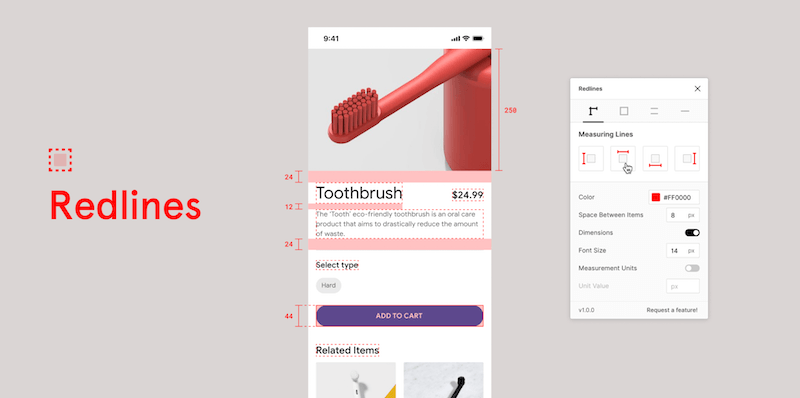
When written specs and measurements are needed, the Redlines plugin plots dimensions automatically. Select one or more layers, customize the settings, and it marks up the geometry on the canvas.
Housekeeping: Renaming, Grids and Pixels
Keeping files organized is easier with Rename It, which performs batch renames on frames and layers using custom filters. Rules using %* allow conversions between cases, such as turning lowercase into camelCase.
After icon drops or chunked content ends up scattered, LilGrid arranges selected elements into a grid with a single command. It affects only top-level elements, and an undo step restores the original state if the result is not wanted.
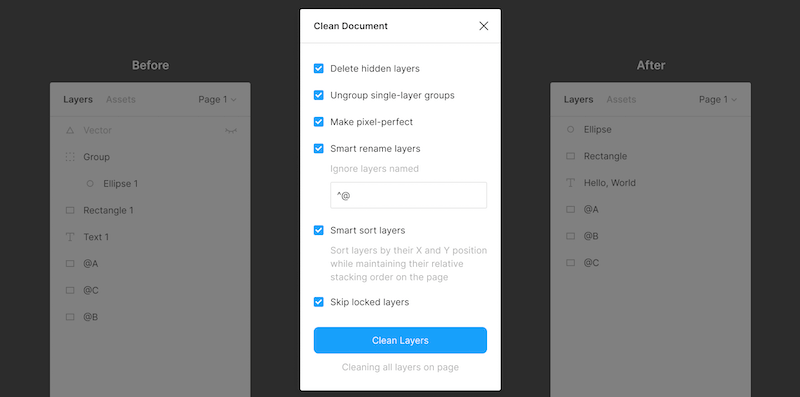
Before delivering a file to engineering, Clean Document removes hidden layers, unravels single-layer groups and normalizes non-integer X and Y positions. It is a sensible final check for prototype hygiene.
Content and Assets
Mockups that need realistic data can rely on Content Reel, which pulls text strings, images, icons and avatars from a single interface. The tool lets you store up to 20 of your own images and pin frequently used content for faster access. For placeholder identities, the Random Name Generator inserts generated names in one step.
For avatar sets sourced from elsewhere, UI Faces aggregates images that you can filter by age, gender and emotion. Because the images come from external collections, always verify the source license before shipping a build.
BrandFetch solves the problem of correct logo procurement by embedding a large library of brand marks. You can insert them directly from the Figma canvas, with a searchable database available as well.
Data Visualization and Charts
For a chart plugin that covers interactive data insertion, Chart supports copying data from Excel, Google Sheets and Numbers, with optional syncing from Google Sheets or remote JSON. It also imports local CSV and JSON files to generate editable charts.
A similarly named option, the Charts plugin, has a broad set of visual types, from simple bar charts to heatmaps. The generated charts remain editable in Figma, and a step-by-step guide explains the workflow in detail.
Color, Gradients and Palettes
Color selection can be automated to speed up design decisions. The Color Palette plugin suggests palettes based on a large built-in library, searchable by number, name or code.
Palette by Dustin Mierau generates recommended palettes based on your design images. Using machine learning, it analyzes an image and proposes colors that fit; you can select up to five source shapes for the color extraction.
Some projects benefit from pulling colors directly from a key asset. The Image Palette plugin returns five prominent colors from a selected image using a median cut algorithm, which is effective for creating matching UI backgrounds.
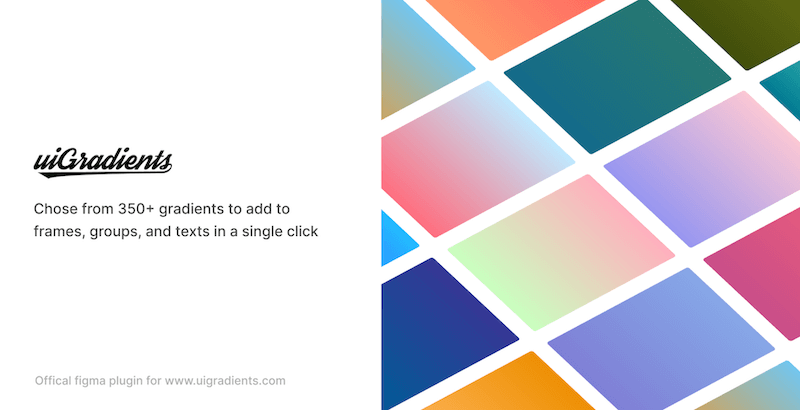
UI Gradients and Web Gradients apply a set of common gradients in a single click across groups, text objects and frames. You avoid recreating those by hand.
Shapes and Typography
Curved lettering is covered by the Arc plugin, which adds a toolbar to bend selected text upwards or downwards or into a circle.
Tokens and Design Systems
For teams managing token-based workflows inside Figma, the Design Token plugin exports styles and tokens to a GitHub repository and automatically converts output via Style Dictionary, eliminating a manual export/import process.

When need to sync tokens across projects in real time, the Design System Manager plugin centralizes themeable tokens within a team. Tokens can be edited in one panel and are accessible programmatically via a GraphQL API for integrations; exports go out in CSS, Less, Sass, JSON, YAML, JS, Swift or Android formats.

Presenting Designs With Realistic Mockups
Presentation quality matters as much as the design itself. Mockuuups Studio provides over 700 device mockup scenes for product shots, visual content, and marketing materials. A walkthrough video covers the full workflow.
Devices look more natural when held, which is where the All Hands mockup generator comes in. It offers a large collection of hands across different shades, shapes, and sizes. Select a frame, pick a hand, and the Figma file updates with your designs placed in the mockup. You can browse the full hands collection separately.
Turning Figma Frames Into Code
HTML <> Figma exports designs as HTML prototypes. Select individual layers or provide a URL to import, and the plugin pulls in the actual styles. A companion Chrome extension captures a web page and converts it into editable Figma layers, generating a page.builder.json file with the page's CSS properties in the background.
Expect some limitations: not all element types and CSS properties are supported, and fonts must be uploaded to Figma or fallback fonts will apply. The plugin is open-source and actively maintained with a sizable community.
Alternatives include HTML Generator, which supports Google Fonts and offers dedicated export options for HTML, CSS, image assets, and SCSS, plus Figma To HTML. For a more advanced solution, Anima creates interactive prototypes and converts them to HTML, CSS, and React code without dependencies. It handles responsive designs and reusable React components, and includes a free tier; exporting code requires the $31 plan.
Using Figma Designs Directly In Vue.js
Klaus Schaefer's open-source Figma-Low-Code plugin lets Vue.js applications consume Figma designs directly. This approach reduces designer-developer handoff time and the amount of front-end code while keeping the Figma file as the single source of truth.

The workflow: build your prototype in Figma, use the plugin to add data and method bindings, then implement business logic in your preferred code editor. Changes made to the Figma file propagate automatically to the deployed web app.
Building HTML Emails In Figma
HTML email design is rarely a favorite task, but the right plugins can make the developer's job easier. A detailed guide on designing emails in Figma walks through the entire process from scratch.
For responsive, production-ready HTML emails, Emailify provides dozens of configurable content modules. You can customize text, images, styles, and auto-layout settings without relying on any other APIs, apps, or websites.
If you are comfortable with generated HTML email code, Email Templates & Code pairs with the Marka plugin to produce HTML output. The set includes customizable newsletter, marketing, and blog-style templates.
Keeping Figma Files Organized
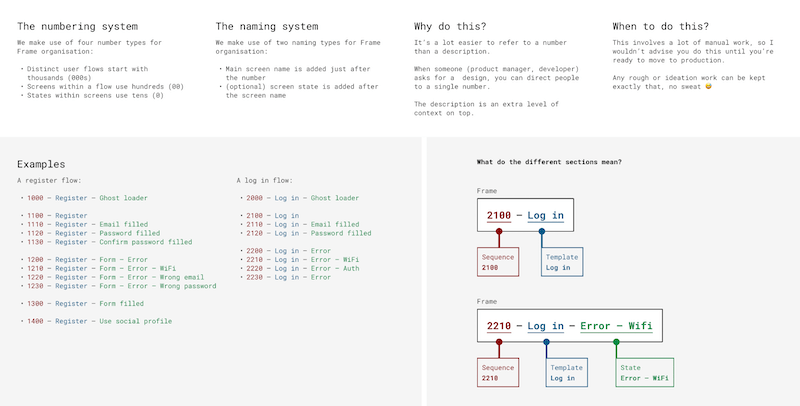
When focused on UI details, it is easy to neglect file structure. Planning it from the start simplifies handoff and cuts cleanup before deadlines. Luis Ouriach's best-practice guide for structuring frames covers consistent naming conventions, descriptive components, and uniform spacing.
Previewing And Pairing Fonts
Manual font switching is tedious, so helpers exist. Better Font Picker and Font Preview both display typeface previews before you apply them.
For Google Fonts specifically, Google Font Pairings offers curated combinations. Start from Figma's Google Fonts page, where each typeface includes a small specimen for previewing style and feel.
Icons And Illustrations Without Leaving Figma
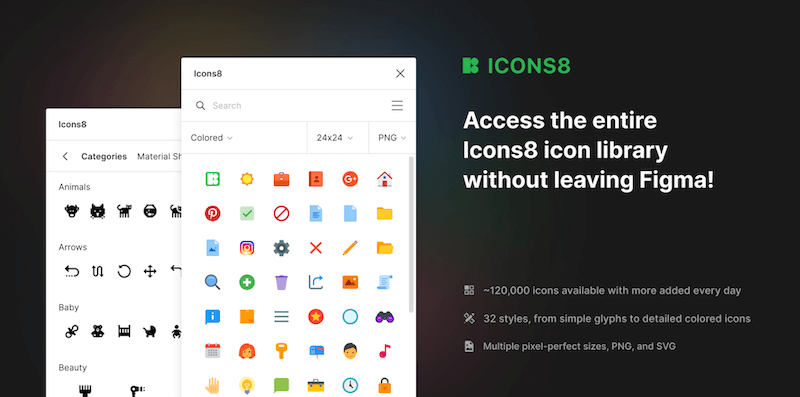
Accessing comprehensive icon libraries inside Figma saves considerable time. Icons8 brings a searchable library of 120,000+ icons across 32 popular styles, exportable as PNG or SVG.
Iconscout goes further with millions of icons plus illustrations and 3D assets. Its designer mode lets you follow specific creators and pull their resources directly rather than searching the full catalog.
Illustration plugins also remove the need to switch tools. Blush lets you create or mix-and-match illustrations, with weekly additions and random composition generation. SVGs and high-resolution images come with paid plans.
The Free Popular Illustration library contains quality free assets under a Creative Commons license. For human figures, Humaaans provides pre-made illustrations of stylized people, browsable by gallery or searchable by niche.
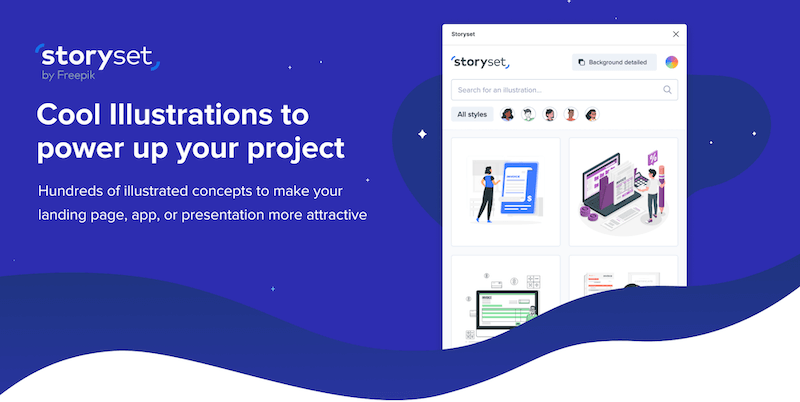
Storyset rounds out the set with hundreds of illustrated concepts, editable styles, colors, backgrounds, and even animation options.
Syncing Google Sheets Data Into Figma
Manual copy-paste from Google Docs to Figma is slow and error-prone. Google Sheet speeds up importing Google Sheets data, with fetch and sync capabilities. Its documentation details sheet structure and Figma layer naming conventions to avoid extra work, with examples to get started.
Interactive Components And Grid Management
Figma's beta Interactive Components feature lets interactive elements switch between variants automatically — for instance, a button transitioning from hover to pressed states. This reduces the frames and connections needed to prototype inputs like checkboxes and toggles.

Steve Ruiz's write-up explores unconventional applications, such as smaller games running in Figma. Rodrigo Osornio examines the advantages for micro-interactions — input fields, loaders, buttons, dropdowns, and subscribe widgets. For a deeper dive into variants, Luke Cardoni demonstrates a single content-adaptable component with 3,360 variants covering every possible text-input configuration.
Grid tools are widely available. Grids Generator applies families of grid configurations, while Guide Mate offers shortcuts for common grids plus custom options.
Snap to Grid creates custom grids and arranges elements so canvas objects snap while moving and scaling. Andreslav Koslov demonstrates it in a 3-minute video. The keyboard shortcut Alt + Cmd + P snaps all objects to the grid while Figma is running.
Embedding Maps In Figma
Mapsicle by Chris Arvin inserts map snapshots into designs at a chosen location or latitude/longitude coordinate.
Where individual country or region SVG maps are needed, the Vector Maps Plugin lets you browse and insert them with a single click. Maps also export as SVG or PDF through https://vector.mapcraft.biz/constructor/.
Bringing Order to Figma Files
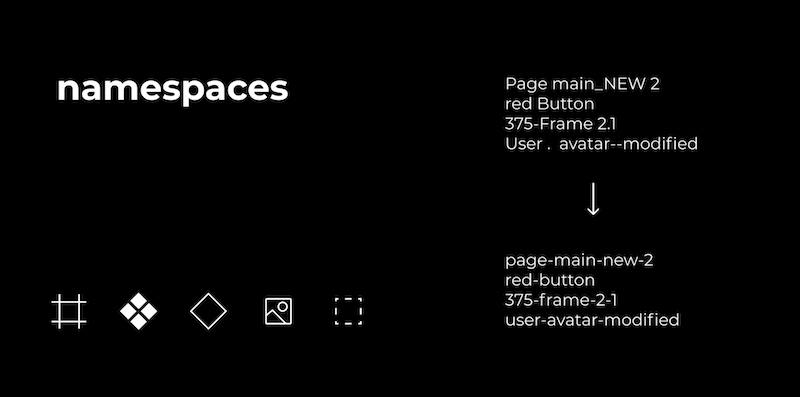
Inconsistent layer and frame names make any shared Figma file harder to navigate, especially as more people contribute to it. The Namespaces plugin helps enforce a consistent scheme across your assets, which is useful when unifying naming conventions in a collaborative file.
If your naming issue is specifically about exports, Figma Exporter will apply a chosen convention (kebab-case, snake_case, or camelCase) to your exported files automatically, saving you from manual renaming.
A Scratchpad and Better Typography Scales
If you need a place for quick notes and ideas while you work, Dustin Mierau's Notepad provides a dedicated space that saves automatically with your document. Other editors can view and edit these notes as well, making it a convenient shared documentation area, though you'll need to reopen the file to see their changes in real time.
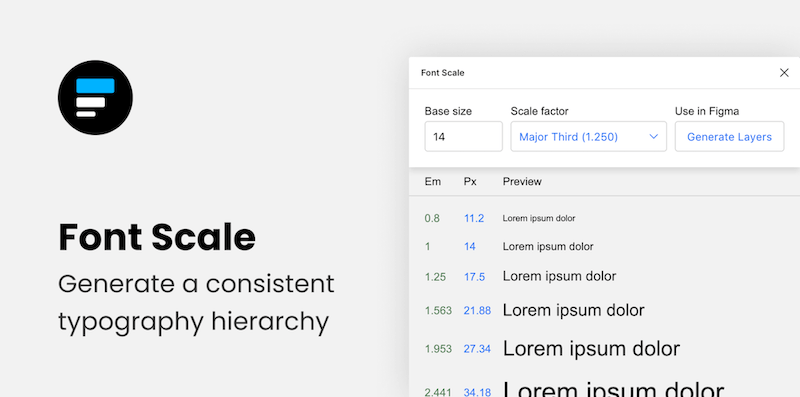
For building a consistent typographic system, a few plugins can generate scales based on your chosen ratio. Typescales and Scaale both create responsive scales from a base value and multiplier. For full control over the custom scale, Sam Smith's Typescale is another option. Textyles generates text styles with a font preview, while Heading-Helper helps with vertical rhythm by using a modular scale, grid, and auto-layout. Font Scale is geared toward keeping the proportion between body text and headings consistent across screen and print.
Patterns, Shapes, and Images
Custom patterns and complex shapes can be time-consuming to build manually, but plugins make the process far quicker. Pattern Hero inserts custom elements into a grid to build a pattern, with support for repeating, shuffling, creating instances, and working with templates. Hero Patterns offers a collection of SVG background patterns that you can mix and match to create a unique set. For a simple dot grid to guide your layout, Dot Grid allows you to customize grid width, height, dot size, gap, and color, saving you the manual effort.
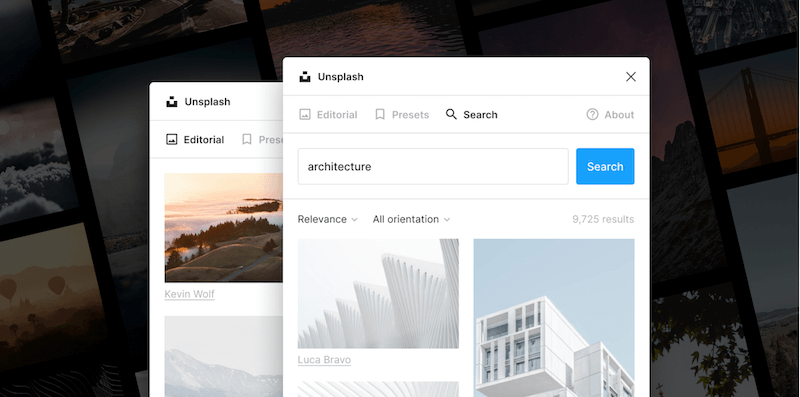
Unsplash brings high-res photography into your project without leaving Figma. If you have images with backgrounds you'd rather not have, the Remove backgrounds plugin handles that, though it requires a remove.bg account.
For generating more organic shapes, Blobs creates complex, unique shapes from controls for complexity, contrast, and point count. When you need waves, Get Waves generates SVG wave patterns after you choose a curve and adjust complexity. Wave & Curve offers another way to produce waves, letting you set the direction to Top and Bottom, Top, or Bottom.
The To Path plugin positions text, shapes, objects, and components along a path, such as curving text around a circle. It also supports repeating shapes along a path, real-time edits to the original object, and modifying the path after linking.
Converting Bitmaps and Speedier Media Workflows
For bitmap-to-vector conversion, the Image Tracer plugin works on black and white images, with a console of options for editing the result.
A quicker way to bring mobile captures in is the Mobile Upload plugin, which sends photos from your phone directly into Figma, handy for sketches and brainstorming sessions, instead of saving and emailing files to yourself.
Time-Savers for Teams and Editors
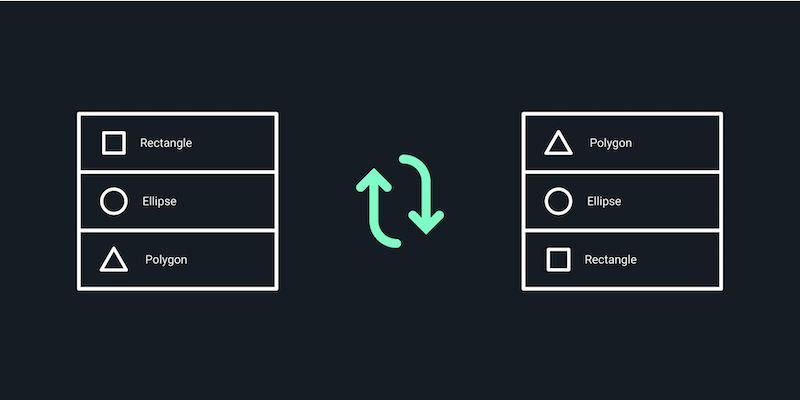
Reversing the order of multiple layers within the same parent is a simple task that the Reverse Layer Order plugin automates, handling all your selections at once.
For swapping text across your design, Content Buddy lists every unique text instance in the file. You can then select the specific ones to alter and enter the replacement text once, rather than hunting through each occurrence manually.
When your design needs to be presented, the Pitchdeck plugin turns frames into an animated slide deck or exports to PowerPoint, Keynote, or Google Slides. It also supports PDF export, webcam overlays, video embeds, speaker notes, and recording with mic audio.
Tables are less of a chore with the Table Generator, which builds figma tables from CSV data you paste in. If your source is an Excel spreadsheet, Table-Paste will convert that into styled rows, and Table-Creator helps build custom, resizable styles tables that can all update when your design shifts.
Wayfinding and Responsive Views
Helping everyone on a project navigate a shared file is an ongoing challenge. After rethinking their own structure, the Shopify team shared their approach and distilled it into a reusable project index template. It works as a starting point for organizing frames so that designers, developers, and everyone else can find what they need without digging.

Testing responsive behavior can be handled several ways. The Breakpoints plugin provides a resizable frame that works without the plugin window, promising that others on your team can test it without having to install anything themselves. Responsify will preview a selected frame at custom device sizes, and Responsive offers similar functionality for checking edge cases in your responsive layout.
Handy Utilities For Everyday Figma Work
Day-to-day Figma work often trips over small friction points: losing image resolution on import, failing to set a precise spacing value, or resizing a frame and inadvertently scaling its contents. A collection of twenty utility plugins targets exactly these problems.
With this plugin set you can nudge layers by exact pixel values, resize frames independently of their children, duplicate components, insert large images without the usual 4096-pixel blur limit, and make fast, accurate selections. For those looking to refine their workflow further, Louis Ouriach’s community best practice guide explains how to structure frames for a smooth handoff.
Wireframing And Prototyping Helpers
Early planning stages benefit from dedicated wireframing tools that help you sketch out ideas before committing to detailed visuals.
For connecting ideas, AutoFlow stands out: select objects and the plugin draws the arrows between them automatically, making flows and explanations quick to produce.
For broader layouts, Wireframe supplies a large library of categorized wireframe components covering user flows, prototypes and basic structures. Since the assets are SVGs, you can adjust them freely to match your needs.
When iteration moves in the opposite direction — from polished design back to rough structure — Wire Box converts high-fidelity mockups into low-fidelity versions. This lets you focus on the overall architecture rather than visual minutiae.
Two more useful additions: oblique creates quick shadows, 3D depth and perspective, while the Wireframer Figma plugin generates placeholder wireframe text with a single click.
Further Exploration
The plugins covered here scratch the surface of what the Figma community offers. You can browse more tools on the Figma community hub, or check these collections:
- Free Figma Resources, Tools and Templates
- Speed Up Workflow With Figma Plugins
- Community recommendations for Figma Plugins
Related round-ups from our archive cover other parts of the design and development stack:
- Front-end Boilerplates
- CSS Auditing Tools
- CSS Generators
- Accessible Front-end Components
- VS Code Extensions
For deeper dives on related topics, see these guides and tutorials:
- An Efficient Design-to-Code Handoff Process Using Uno Platform For Figma
- Sustainable Design Toolkits And Frameworks