

166 Interface Checklists in a Card Deck
Most common UI components come with familiar pitfalls: mis-timed hover states, inadequately sized touch targets, inaccessible form labels. Rather than solving each one from scratch, designers and developers can lean on established patterns—if they remember to ask the right questions at the right time. A new card deck aims to make that easier.
Smart Interface Design Checklists is a physical and digital deck of 166 checklist cards covering everything from accordions and hamburger menus to date pickers and video players. Each card groups the questions that should be answered before building or shipping a component. They are meant as conversation starters for design and dev teams, not prescriptive answers. The goal is to surface details that are easy to miss until they become costly fixes.
Inside the Deck
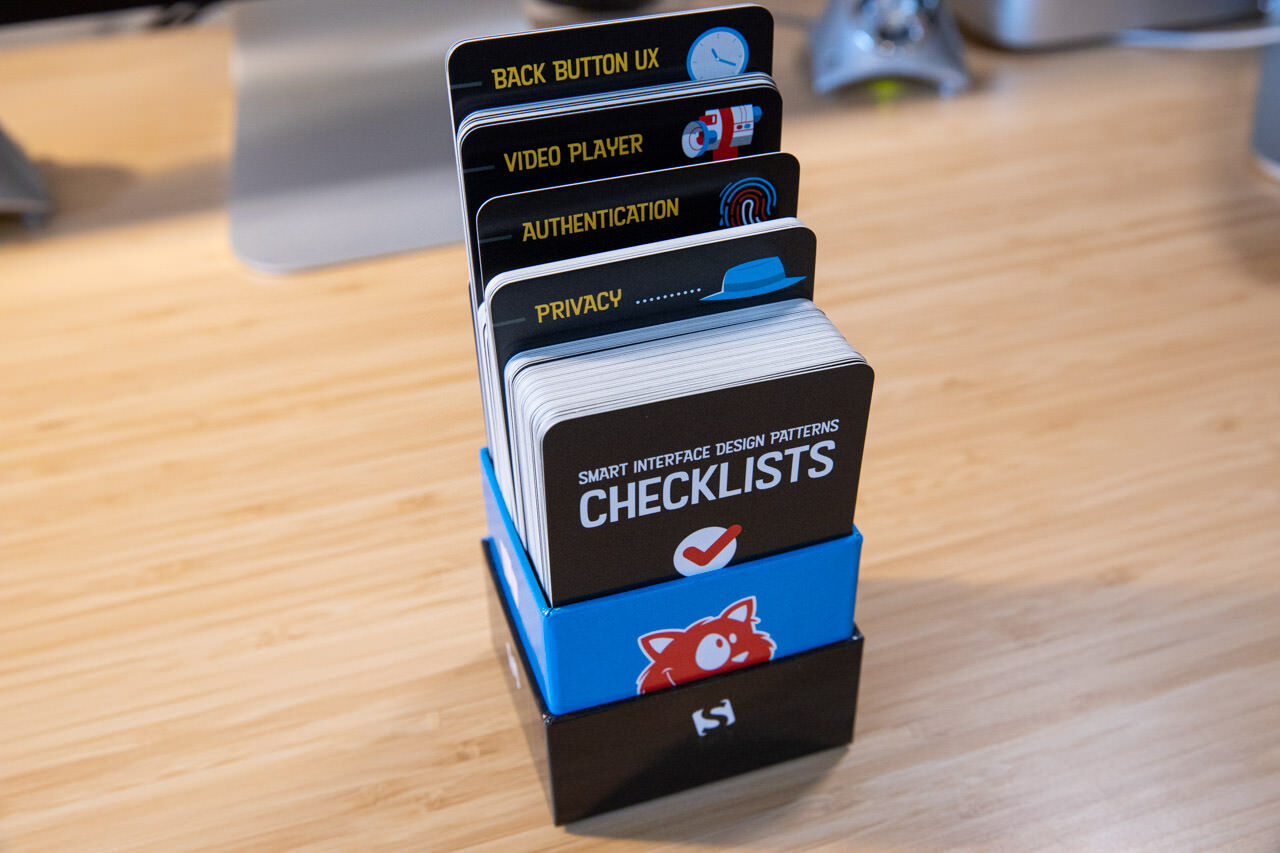
The cards span a wide range of interface challenges. Each section includes a representative subset of the questions the full checklist covers:
- Designing for touch: icon sizes to avoid rage taps, undo/restore on double tap, frequency of rage clicks. (27 questions)
- Accordions: icon choice, auto-collapse behavior, auto-scroll on expand. (15 questions)
- Navigation: hover vs. tap/drop-down behavior, overlay vs. slide-in on mobile, vertical split for sub-menus. (31 questions)
- Hamburger menus: whether a hamburger is needed at all, interplay with search, exposing critical navigation by default. (24 questions)
- Filters: defaults for popular/relevant filters, result count previews, automatic vs. manual apply. (26 questions)
- Sorting: repeated controls at list bottom, separate "Sort by" label, default sort reflecting product diversity. (33 questions)
- Search autocomplete: surfacing frequent hits and popular items, character threshold for suggestions, look-ahead queries. (34 questions)
- Carousels: whether a grid or thumbnails would work instead, pausing auto-rotation, slide sequencing. (33 questions)
- Tables: steppers for predictable column/row navigation, tap feedback, card view on mobile exposing comparable data. (29 questions)
- Pricing and plans: features per plan, currency switching, waiving credit card data for free trials. (52 questions)
- Sliders: text input fallback, unusable values, "locking" selected values. (20 questions)
- Date pickers: presets like "prev day"/"current day," dot color-coding for rates, avoiding unavailable dates. (21 questions)
- Configurators: entry points, auto-advance steps, explaining dependencies per step. (35 questions)
- Feature comparisons: toggling differences/similarities/all, column reordering, prompting for preferred attributes. (28 questions)
- Maps: zoom levels, autocomplete search, flipping axes for charts. (27 questions)
- Privacy: grouping user data by priority, gradual permissions requests, asking only when likely to get consent. (45 questions)
- Onboarding: skipping tours/tooltips/wizards altogether, using empty states, feature timing. (16 questions)
- Web forms: floating label accessibility, frequently used countries in selectors, error counts above Submit and in tab titles. (77 questions)
- Product pages: layout choice, final price disclosure, out-of-stock notifications. (77 questions)
- Modals: necessity of the interruption, critical notifications, background dimming. (59 questions)
- Donation forms: adjacent testimonials/stories, suggested amounts, one-off vs. recurring frequencies. (33 questions)
- Authentication: password requirements, avoiding CAPTCHA via honeypot/time traps, rate-limited recovery attempts. (35 questions)
- Back button UX: human-readable URLs, restoring prior sort direction, returning to the same scroll position. (32 questions)
- Video players: keyboard precision, preview clips and popularity bars, resuming on refresh. (34 questions)
- Inline validation: per-input requirements, refresh behavior, validating again after fixing a field. (51 questions)
- Reviews and testimonials: grouping by impact/feature, prominent counts, author information depth. (37 questions)
- Mega-dropdowns: accessible levels, selected-section highlighting, navigation growth. (31 questions)
Additional checklists cover tables, price comparisons, timelines, schedule calendars, data tables, seating plans, and disabled buttons. For disabled buttons specifically, the card prompts thinking about when the button becomes disabled, what happens on hover/tap, and whether the click is prevented via aria-disabled in JavaScript.
Formats and Availability
The deck ships as a hardcover print edition with a card box, or as a DRM-free PDF. The digital version is included free with a Smashing Membership. Both formats come with a 100-day money-back guarantee and free worldwide shipping for the print option. The cards are illustrated by Ricardo Gimenes. A free preview PDF is available to review before purchase.



