
Why LCP matters
Google’s Core Web Vitals standardized how page experience is measured, and Largest Contentful Paint (LCP) is one of the three core metrics. LCP tracks when the largest content element in the viewport becomes visible. Unlike Time to First Byte (TTFB) or First Contentful Paint (FCP), LCP indicates when the page is actually meaningful to the user, since the largest element typically provides the primary context for the page. As a Core Web Vital, LCP accounts for 25% of the Performance Score, making it a high-priority optimization target.
Google considers these element types when calculating LCP:
<img>elements<image>elements inside an<svg>element<video>elements (using the poster image)- Elements with a background image loaded via the
url()function (not CSS gradients) - Block-level elements containing text nodes or inline-level text element children
You can measure LCP with PageSpeed Insights, Lighthouse, Search Console (Core Web Vitals Report), or the Chrome User Experience Report. PageSpeed Insights even identifies which element is being considered for LCP.

For a good user experience, aim for an LCP of 2.5 seconds or less for the majority of page loads.
How to reduce LCP
All LCP optimization techniques share a common principle: reduce the data transferred to the user's device and reduce the time required to send and execute that content.
Optimize your images
Most pages have a large above-the-fold image (a hero image, banner, or carousel) that becomes the LCP candidate. Optimizing these images is essential. A third-party image CDN like ImageKit.io handles optimization so you can focus on your product. ImageKit integrates with existing cloud storage (AWS S3, Azure, Google Cloud Storage) or its own Media Library, and delivers the following benefits:
- Lighter formats automatically: ImageKit detects browser support and serves WebP or AVIF when available. WebP is over 30% lighter than JPEG equivalents.

- Automatic compression: Images are compressed to balance visual quality and file size. You can adjust quality in real-time via URL parameters to match your business requirements.
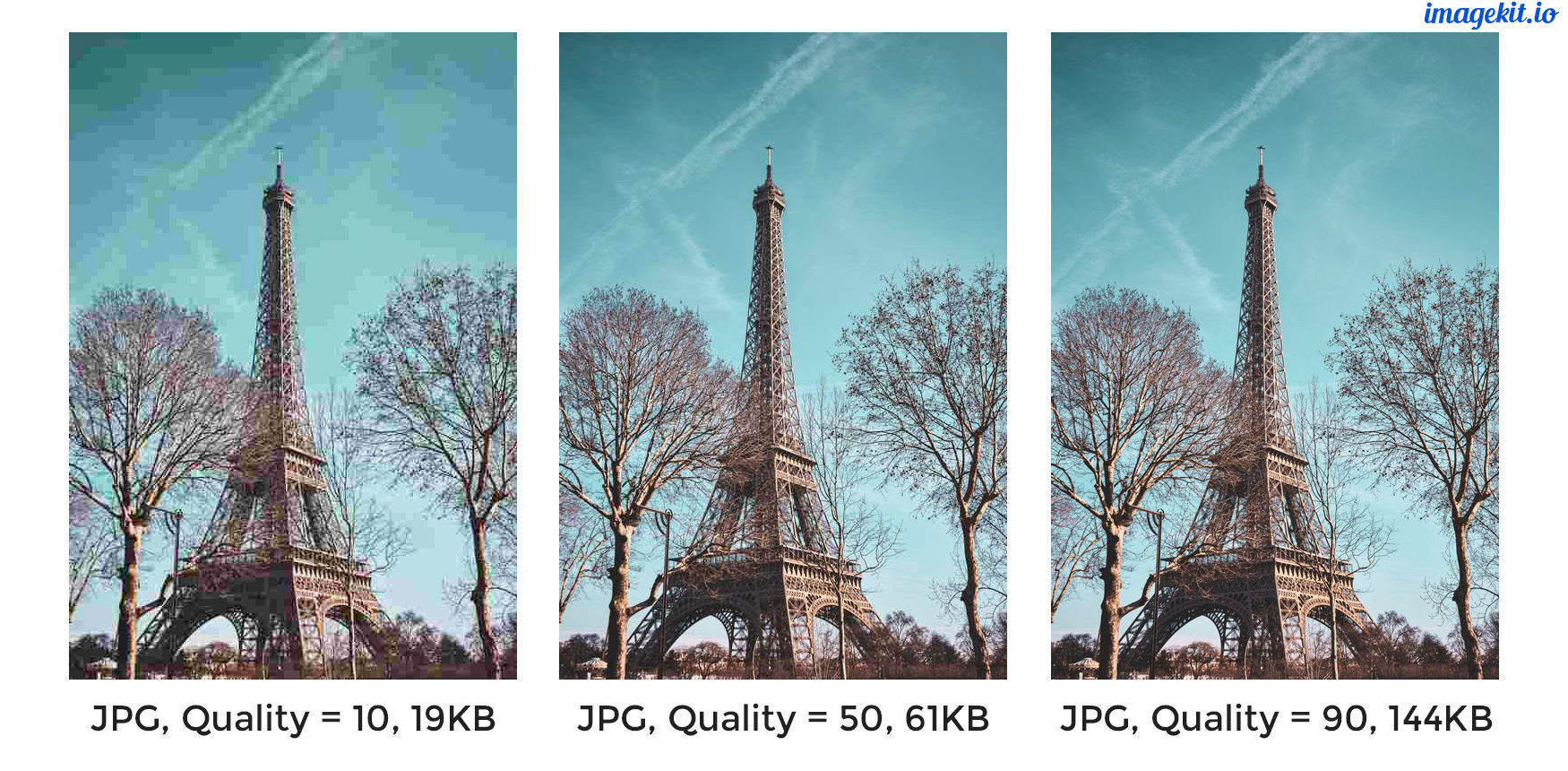
- Responsive image transformations: Since Google uses mobile-first indexing, scaling images to layout requirements matters. A smaller image is needed on a product listing page than on a product detail page. ImageKit enables real-time resizing by adding transformation parameters to the URL.

- Global CDN delivery: Using a CDN means images load from nodes closer to the user rather than from your server. ImageKit uses AWS Cloudfront with over 220 global delivery nodes, and a majority of images load in under 50ms. Proper caching directives store images on the user's device, CDN nodes, and processing networks.

Preload critical resources
Browsers sometimes don't prioritize visually important resources. For example, if an above-the-fold banner is specified as a background image inside a CSS file, the browser won't discover it until the CSS is downloaded and parsed. Add a <link> tag with rel="preload" in the head section to tell the browser to fetch it earlier.
<!-- Example of preloading -->
<link rel="preload" src="banner_image.jpg" />
Limit preloading to above-the-fold images or videos, page-wide fonts, and critical CSS and JS files.
Reduce server response times
Slow server responses delay every page speed metric, including LCP. Consider several approaches:
- Analyze and optimize servers: Identify bottlenecks like slow database queries or inefficient page construction. Apply best practices like caching DB responses and pre-rendering pages. If response times don't improve, increase server capacity.
- Use a CDN for static content: Extend CDN delivery beyond images to JS, CSS, and font files. Using a CDN for HTML and APIs is more complex given their dynamic nature, but can cache responses at edge nodes.
- Preconnect to third-party origins: If critical content comes from third-party domains (including subdomains like
static.example.com), userel="preconnect"on the<link>tag to establish the connection early.
<link rel="preconnect" href="https://static.example.com" />For browsers that don't support preconnect, use dns-prefetch as a fallback to at least complete DNS resolution.
- Serve content cache-first with a Service Worker: Service workers intercept browser requests and serve cached responses, offering fine-grained control beyond HTTP cache. They work offline and can serve precached content on slow networks, reducing LCP.
- Compress text files: Compress all text-based data (SVGs, JSONs, API responses, JS, CSS, HTML) with gzip or Brotli. Brotli offers a superior compression ratio and is supported on all major browsers, servers, and CDNs.
Remove render-blocking resources
External stylesheets and JS files pause DOM parsing while the browser fetches and processes them, delaying LCP. Several strategies can reduce this blocking:
- Avoid unnecessary bundles: Don't ship large JS and CSS bundles if they aren't needed for the current page. If a file can't be split but isn't critical, add the
deferattribute to the<script>tag so DOM parsing continues without waiting for script execution. - Inline critical CSS: Style definitions for above-the-fold content can go directly into each element's
styleattribute, removing the dependency on external CSS for first render. - Minify and compress: Remove unnecessary whitespace from CSS and JS files to reduce production file sizes. Combine with compression algorithms like gzip or Brotli for further size reduction.
Optimize for client-side rendering
Client-side rendered sites require significant JavaScript before users see or interact with content. Beyond bundle optimization and compression, additional approaches exist.
- Server-side rendering: Generate pages dynamically on the server instead of shipping all JS to the client. This decreases time to active page in the browser, though maintaining both client-side and server-side frameworks is time-consuming.
- Pre-rendering: A headless browser requests and stores the rendered page during the build cycle, and subsequent requests use that pre-rendered page without server computation. This improves TTFB compared to server-side rendering, but time to interactive still waits for JS download. Pre-rendering may not scale well for sites with a large number of pages.
LCP and other Core Web Vitals have become significant search ranking factors and correlate strongly with user experience. Optimizing these metrics is critical for online businesses, and image optimization via a tool like ImageKit is a quick way to make progress.



