
Shipping Less, Shipping Smarter: Build-Time Wins
Front-end performance in 2021 isn’t just about runtime tricks; a large chunk of the battle is won or lost at build time. The way you compile, bundle, and serve your assets determines how much code the browser has to parse, compile, and execute. Optimizing the build pipeline is often the highest-leverage work you can do, because it reduces the cost of every subsequent page load.
JavaScript: The Cost of Over-Shipment
The core problem remains JavaScript. It’s not the download size alone that hurts; it’s the cost of parsing and compiling on the main thread. Every kilobyte of JavaScript your bundles ship is a kilobyte of CPU time spent before the page becomes interactive. This is especially punishing on low- and mid-tier mobile devices.
To attack this, start by auditing what you actually ship. Use a build analyzer to see what’s inside your bundles. You will often find massive dependencies used for a handful of utility functions, or entire libraries imported when a native browser API would suffice.
Code Splitting and Critical Path
Do not ship a single bundle for the whole application. Split code by route, by feature, and by browser capability. The goal is to ship only the JavaScript that the current user, on the current page, needs immediately. Everything else can be lazy-loaded.
Vendor code is a typical candidate for splitting. Rather than pulling all third-party libraries into one giant vendor chunk, separate them. Then, consider loading only what’s necessary for the initial viewport. Load the rest after DOMContentLoaded or during idle periods.
Tree Shaking and Side Effects
Modern build tools can eliminate unused exports — a process called tree shaking — but only if your dependencies are written to support it. Many packages declare "sideEffects": false in their package.json, which tells the bundler it’s safe to remove unused modules. If you maintain a library, add this flag. If you’re an application developer, verify that your imports don’t pull in entire libraries when a deep import would do.
Avoid the common anti-pattern of importing from the root of a large package, like import { find } from "lodash". Instead, import directly from the module path: import find from "lodash/find". This prevents your bundler from including the entire library.
CSS and Fonts: Hidden Weight
CSS is a less obvious culprit but still matters. Unused CSS rules add bytes that must be downloaded and parsed. Use build-time plugins to purge unused styles from your final stylesheet, especially if you use a framework like Bootstrap or Tailwind, which are easy to over-include.
Critical CSS is another vital technique. Inline the CSS needed to render the above-the-fold content directly in the <head> of your HTML document. Then load the full stylesheet asynchronously. This eliminates a round-trip delay for the initial paint.
Self-Host Your Fonts
Web fonts are a hidden performance tax. Relying on a third-party font CDN introduces a DNS lookup, a TLS handshake, and a potential render-blocking request to another origin. Self-hosting your fonts removes at least one — often several — request boundaries.
Additionally, only load the font weights and unicode ranges you truly use. Use the unicode-range descriptor in your @font-face rules, and implement font-display: swap to avoid invisible text. This way, the browser will not download fonts for characters that are never rendered.
Image Optimization at Build Time
Images can still be the largest asset class on a typical page. Run a build step that converts images to modern formats like WebP or AVIF with fallbacks. More importantly, resize images so you are not serving 4000-pixel-wide photographs to a 375-pixel viewport. Responsive images with srcset and sizes are mandatory.
Also consider lazy loading for below-the-fold imagery using native loading="lazy" on <img> elements. This defers image requests until they are near the viewport. Combined with build-time compression, this can slash page weight by a considerable fraction.
Remember to configure your build pipeline to handle this automatically, so that future content additions are optimized without manual intervention.
The Takeaway
Performance work out in the field is reactive; build optimization is proactive. By taking the time to configure your build correctly, you prevent bloat from ever reaching a user’s browser. Implement these steps, measure with Lighthouse and field data, and you will see a substantial acceleration of your time-to-interactive and overall user experience.
Prioritize Before You Optimize
Before touching the build, an inventory is a wise first step. Document every JavaScript file, image, font, third-party script, and heavy module like carousels or video players. Break these down into three tiers: a fully accessible core experience for legacy browsers, an enhanced experience for modern browsers, and extras — web fonts, non-critical styles, carousel scripts, and the like — that can be lazy-loaded. Targeting the core immediately, then enhancements, then extras keeps the initial load aligned with user priorities.
Differential Serving: Ship Only What’s Needed
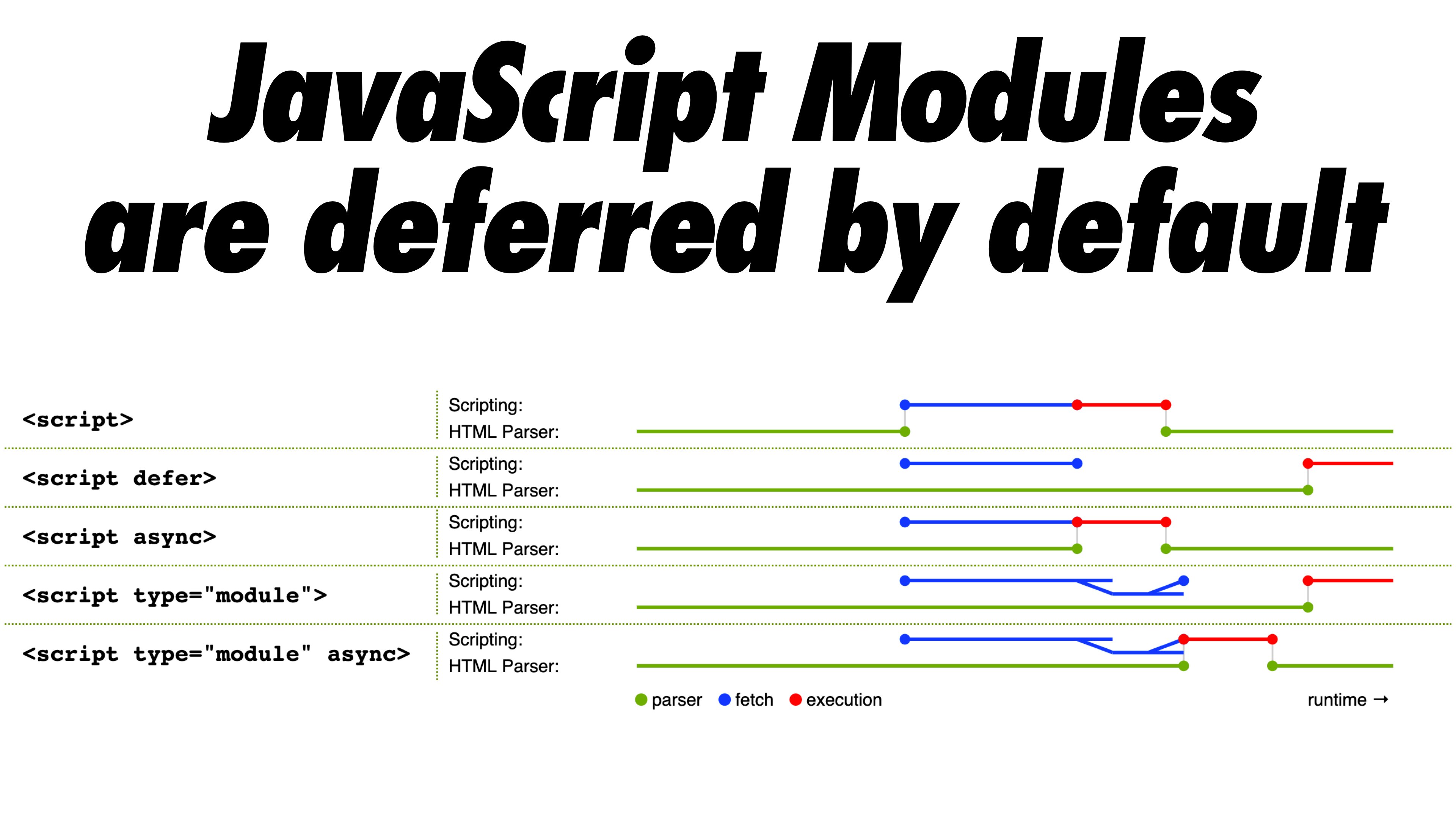
A modern twist on the cutting-the-mustard technique is the module/nomodule pattern, or differential serving. The concept is straightforward: compile two separate JavaScript bundles. One is the “regular” build with Babel transforms and polyfills, served only to legacy browsers. The other has the same functionality but no transforms or polyfills, meant for modern browsers. This reduces main-thread blocking by cutting the volume of scripts the browser must parse and execute.

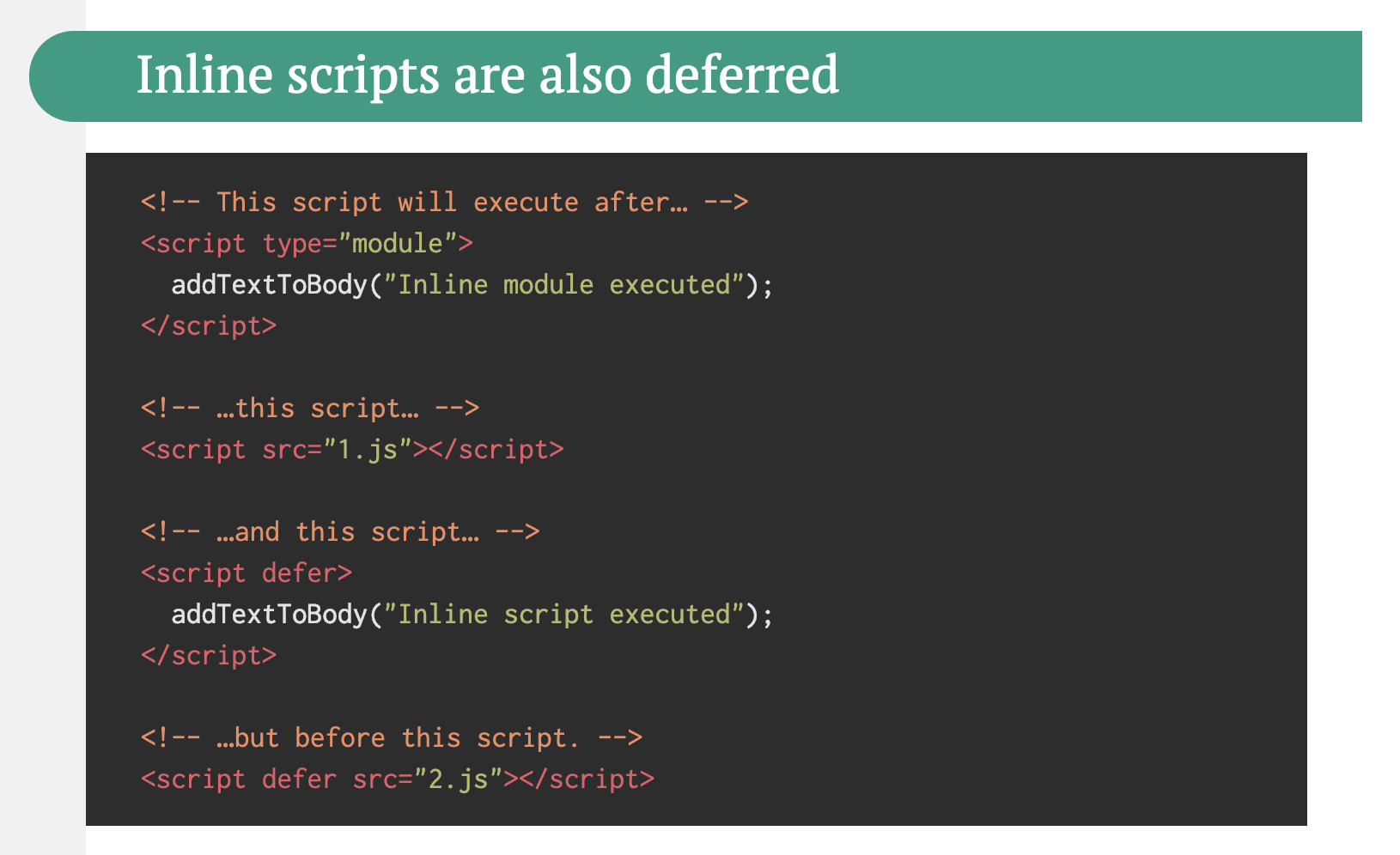
Native ES modules are deferred by default, so the browser downloads the main module while HTML parsing proceeds. Yet be careful: the module/nomodule pattern can backfire on some clients. A “less risky” variant sidesteps the preload scanner, which could have its own performance trade-offs. Rollup supports modules as an output format, Parcel 2 has module support, and for Webpack, the module-nomodule-plugin automates bundle generation.
Feature detection by browser version alone can mislead; a cheap Android phone running Chrome may support modern syntax but still have constrained memory and CPU. The Device Memory Client Hints Header targets these low-end devices more reliably, though currently it only works in Blink. A JavaScript API for device memory exists in Chrome, so you could feature-detect based on it and fall back to the module/nomodule pattern elsewhere.
Trim Unused Code with Tree-Shaking and Code-Splitting
Tree-shaking eliminates unused imports, while scope hoisting, available in Webpack and Rollup, flattens import chains into inlined functions where safe. Webpack’s code-splitting goes further, breaking the codebase into chunks loaded on demand, which keeps the initial download smaller. Track which CSS and JavaScript chunks are actually used, define split points accordingly, and consider preload or prefetch directives — though prioritize carefully to avoid competing for bandwidth.
Squeeze More from Webpack
Several plugins and flags refine Webpack output with little effort. Mark a function call with /*#__PURE__*/ (recognized by Uglify and Terser) so tree-shaking removes the function when its result isn’t used. Other recommendations include purging unused CSS classes with purgecss-webpack-plugin, enabling optimization.splitChunks, and setting optimization.runtimeChunk to improve caching. Font and service worker plugins can also offload work that would otherwise happen at runtime.
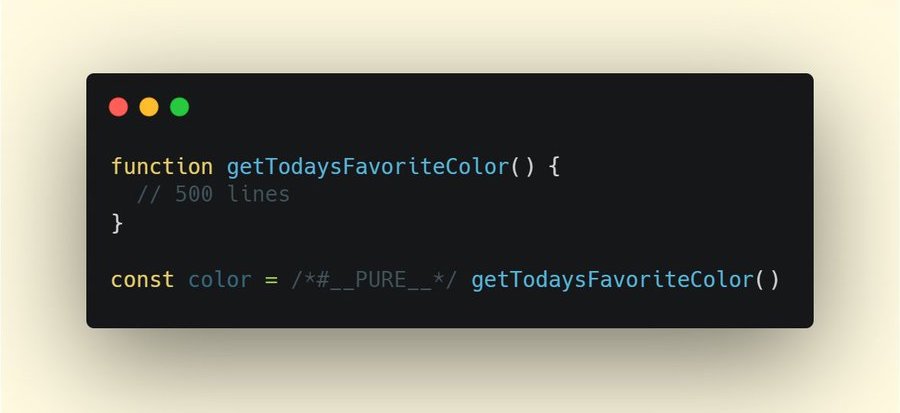
/*#__PURE__*/. Via Ivan Akulov.(Large preview)Measuring the build itself matters, too. Tools that report on duplicate packages, build speed, or the dependency map make it easier to spot waste.
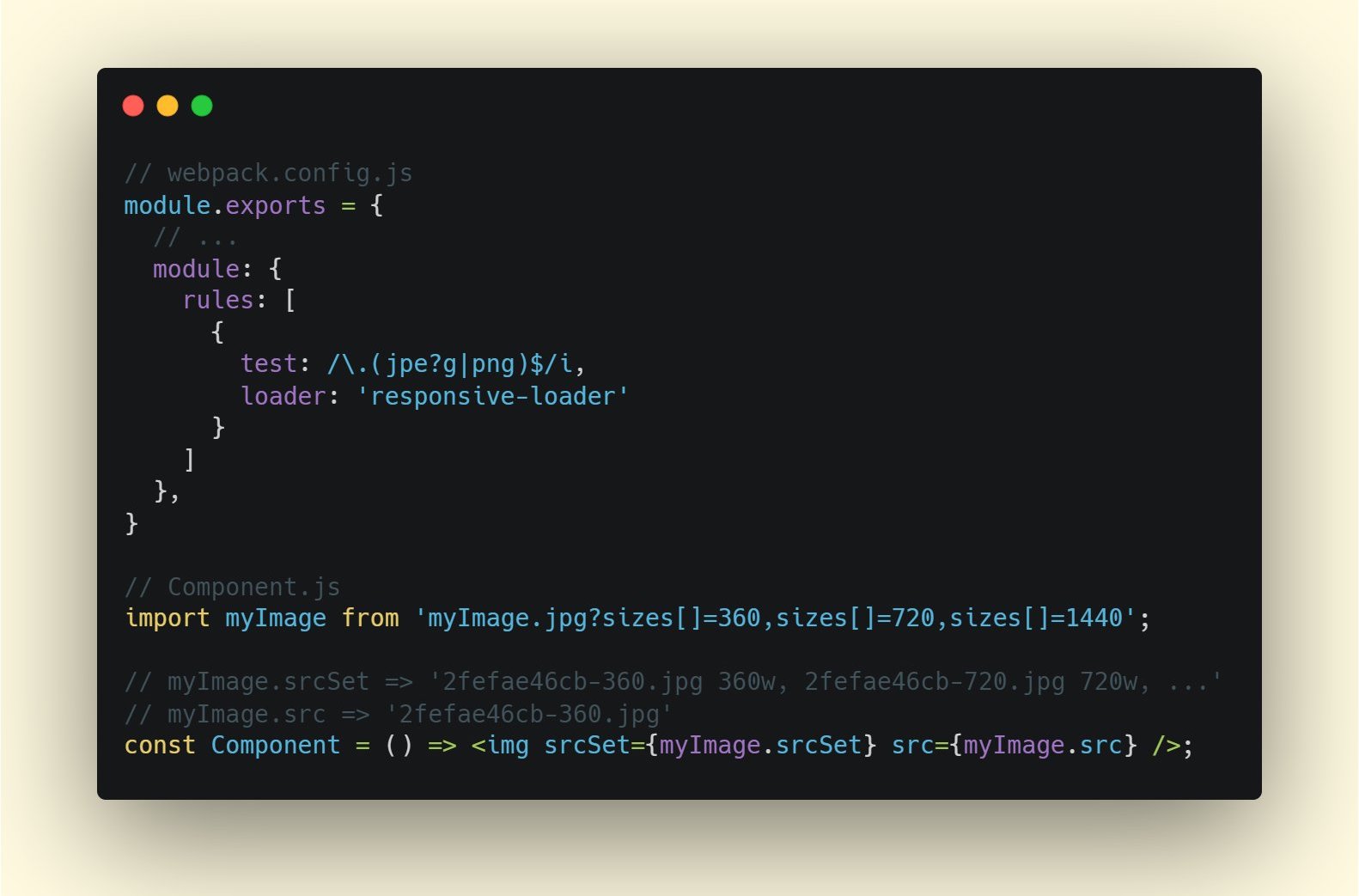
Moving Work Off the Main Thread
As code grows, UI bottlenecks trace back to DOM operations competing with JavaScript for main-thread attention. Web Workers run expensive tasks on a separate thread. Typical uses include prefetching data for Progressive Web Apps. Module workers, shipped from Chrome 80, bring module semantics to workers, including dynamic imports for lazy-loading without blocking worker execution.
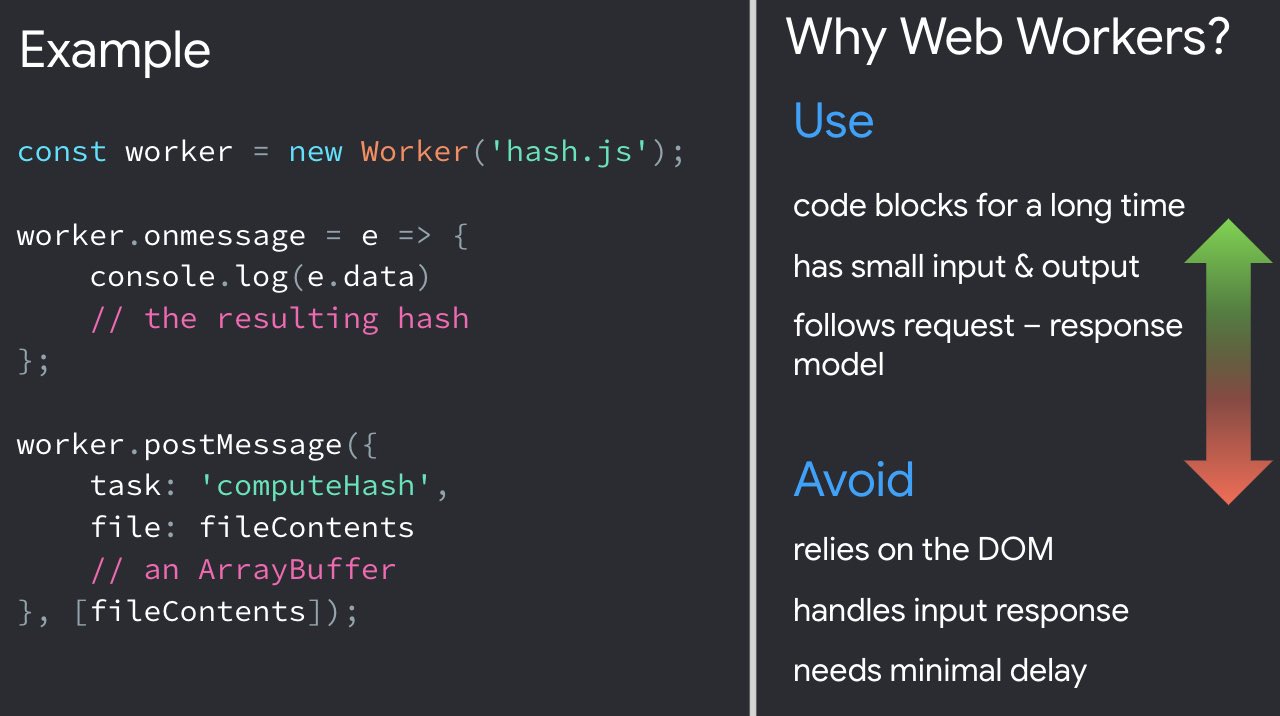
Common complaints remain — workers lack DOM access and the code must live in a separate file — but with libraries like Comlink for communication or Workerize to move a module into a worker, the friction drops. Several in-depth case studies confirm the payoff for certain workloads.
WebAssembly for CPU-Bound Tasks
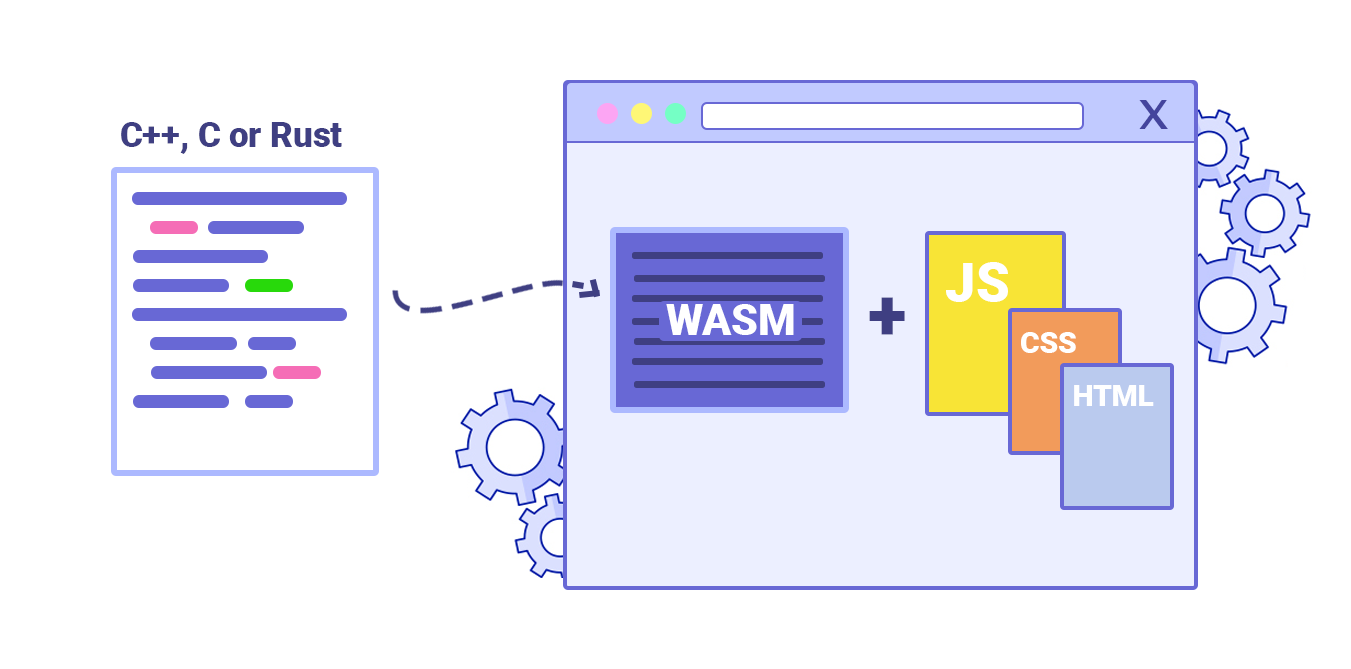
WebAssembly is maturing fast, with strong browser support and increasingly fast calls between JavaScript and WASM. It is not a JavaScript replacement but a complement for computationally intensive web apps such as games. For most applications, JavaScript remains the better fit. Selecting between Web Workers, WASM, streams, or WebGL GPU access ultimately depends on the specific task and its performance profile.
Modernizing Script Delivery
With ES2017 well supported across modern browsers, use babelEsmPlugin to transpile only the features those browsers lack. For maximum reach, serve module-based JavaScript with script type="module" and provide a legacy nomodule build for older clients. The modulepreload header can initiate early, high-priority loads of module scripts, though be mindful of fetch priorities.
Decouple and Delete Legacy Code
Older projects accumulate dependencies and outdated patterns. Track whether legacy library calls are holding steady or shrinking, and discourage further use in code reviews with CI alerts. Polyfills can smooth the transition while incremental decoupling replaces deprecated code with standard browser features.
Measure and Remove Unused CSS/JS
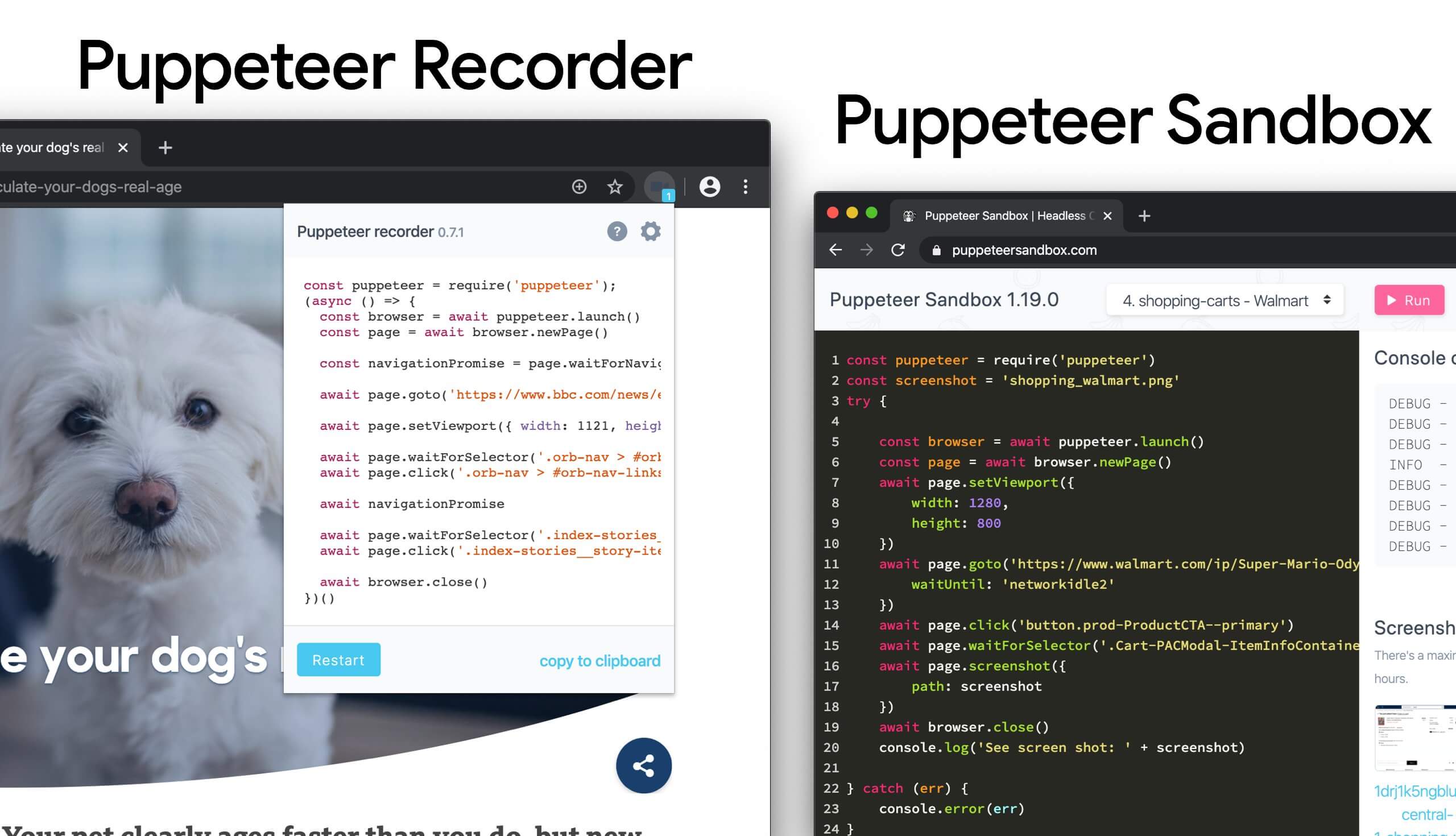
Chrome’s coverage tools show which CSS and JavaScript actually executes. Record a session, perform key actions, and inspect what stayed unused. Lazy-load the dormant modules with dynamic import(), then repeat the coverage test to confirm you ship less code at startup. Puppeteer automates collection, including separate profiles for legacy and modern browsers.
To detect dead CSS, tools like PurgeCSS and UnCSS remove unused styles entirely. For uncertainty, a clever trick: assign each questionable selector a unique 1×1 transparent GIF as a background image, then watch server logs for requests. If no requests appear after several months, the matching component never rendered — safe to delete.
Trim Bundle Sizes
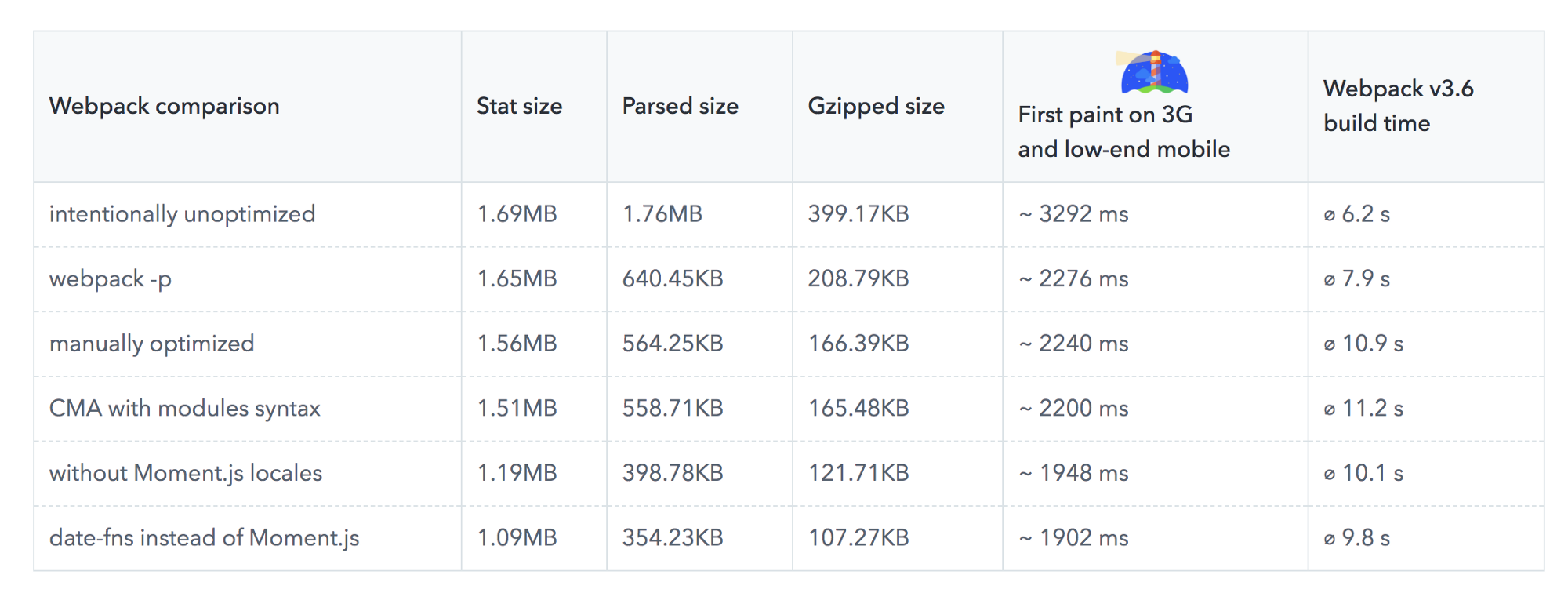
Bundling often ships whole libraries where a fraction suffices. Replacing Moment.js — now discontinued — with more modern alternatives like date-fns or Luxon can shave significant time off first paint on slower connections. Audit the bundle with tools like Bundlephobia or size-limit to learn the true cost of a dependency, including execution time. Even framework adapters can go: trimming the Vue MDC Adapter cut styles from 194KB to 10KB.

For a radical move, some projects compile React components directly to native DOM operations at build time via the Rawact Babel plugin. This avoids shipping the whole react-dom when the application does not need incremental rendering, scheduling, or events at initial load.
Hydration Strategies and SPA Tweaks
Partial hydration is a simple idea: after server-side rendering, send only the JavaScript needed to hydrate small interactive islands, rather than the entire app. The German news site Welt.de reported better performance adopting this with Next and Preact. Alternative libraries include progressive hydration samples and lazy hydration for Vue. The Import on Interaction pattern lazy-loads components when the user engages with a UI element that needs them.
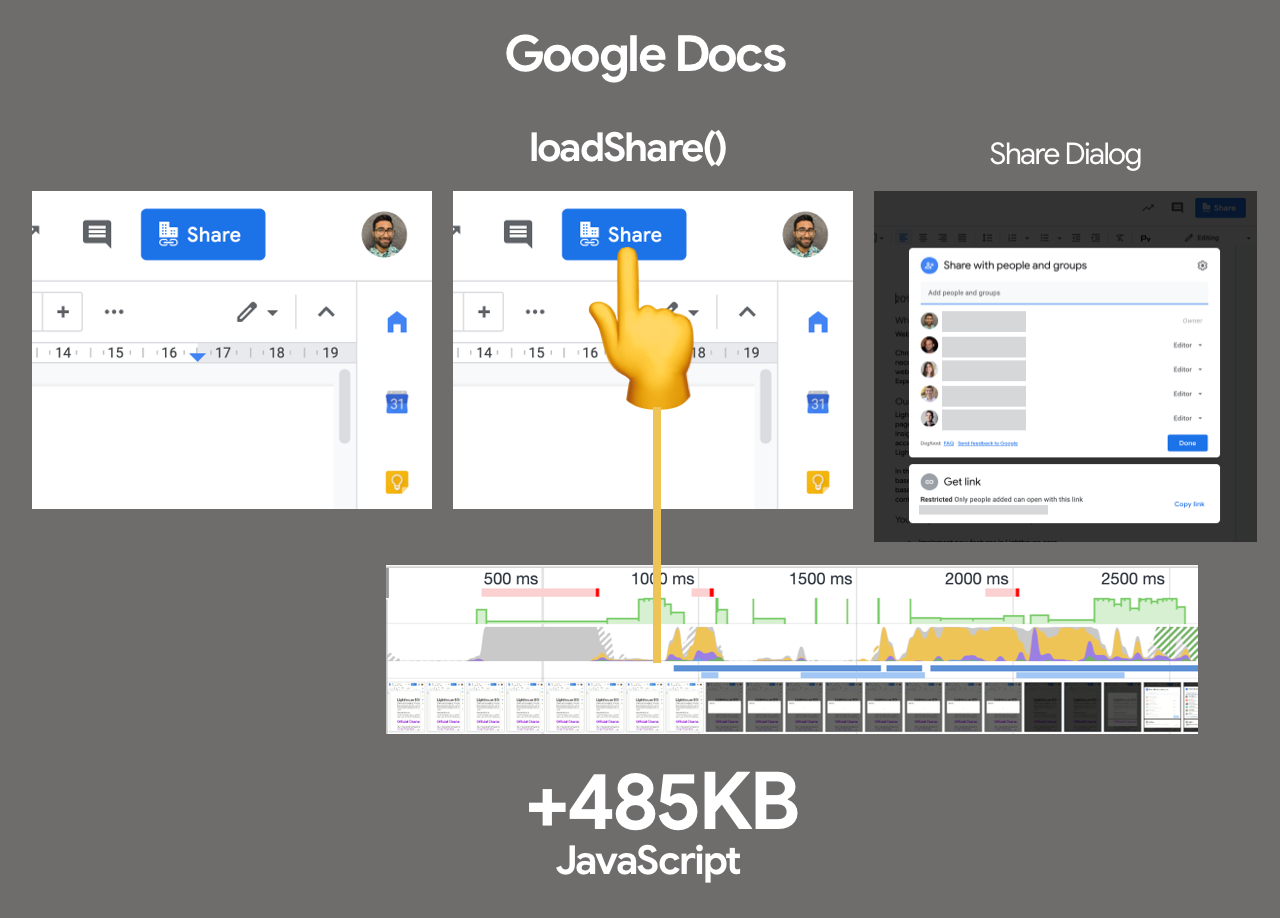
For client-side framework performance, treat hydration as a cost. A practical strategy: convert stateful components to stateless ones where possible; prerender those on the server; for stateful components with light interaction, hydrate with framework-independent event listeners; and if client hydration is unavoidable, schedule it lazily during idle time with requestIdleCallback. Notion’s engineering team described how such changes made the React app roughly 30% faster.
Predictive Prefetching with Guess.js
Guess.js applies machine learning to Google Analytics data, predicting which page a user is most likely to open next. It assigns probability scores for navigation to interactive elements and prefetches those resources early. The same technique works with Next.js, Angular, and React, with a Webpack plugin for automation. Be conservative in the number of prefetched routes to avoid downloading pages nobody visits. For simpler scenarios, Quicklink and Instant.page prefetch links appearing in the viewport during idle time, respecting data-saver settings and slower connections.
Engine-Specific Optimizations
When optimizing for V8 — used in Chrome, Node.js, and Electron — script streaming can parse async or defer scripts on a background thread after download begins. Chrome has shown improvements in page loading times of up to 10% in some cases. Examine which JavaScript engines your users rely on and tailor parsing and delivery accordingly.