
The Server-Side Rendering foundation
React's 10th anniversary this year marks a decade of continuous evolution. The React team has never been shy about radical shifts when they find a better approach. Their latest paradigm shift is React Server Components, which allows React components to run exclusively on the server for the first time.
Plenty of confusion exists online about what this actually means, how it works, and how it relates to Server Side Rendering (SSR). Understanding the context starts with how SSR functions. In the early days of React, most setups used client-side rendering: the user received an HTML file with empty markup and a JavaScript bundle:
<!DOCTYPE html>
<html>
  <body>
    <div id="root"></div>
    <script src="/static/js/bundle.js"></script>
  </body>
</html>
That bundle contained React, all third-party dependencies, and every line of application code needed to mount and run the app. Once downloaded and parsed, React conquered an empty <div id="root">, building every DOM node for the entire application.
The catch: that work takes time, and the user stares at a blank white screen the whole time. As features get added, JavaScript bundles grow, only making the wait longer. Lazy-loading and route splitting help, but as a rule, bundle sizes only creep upward.
SSR solves the "blank page" problem by rendering the application on the server, producing a fully-formed HTML document. The initial HTML is still accompanied by a <script> tag, because React still needs to run client-side for any interactivity. The client React adopts the already-present DOM instead of creating it from scratch. This process is known as hydration.
Hydration is like watering the “dry” HTML with the “water” of interactivity and event handlers.
After the JavaScript bundle loads, React quickly runs through the whole application, builds a virtual representation of the UI, fits it onto the real DOM, attaches event handlers, and fires off effects. In short: SSR generates initial HTML on the server so users aren't left staring at an empty page; client-side React then takes over and adds all the interactivity.
The round-trip problem
Data-fetching in React has traditionally meant two separate applications talking over the network:
- A client-side React app
- A server-side REST API
With a library like React Query, SWR, or Apollo, the client fires a network request to the back-end, which pulls data from the database and ships it back over the wire.
With a pure Client Side Rendering (CSR) flow, things go like this: the client receives an HTML file that only carries <script> tags, no content. JavaScript downloads, React boots up, and the UI initially shows only shell components — header, footer, layout — with a loader. Think of apps like UberEats, which render a shell while restaurant data is fetched.
The user sees this loading state until the network request resolves and React re-renders, swapping loading UI for real content. If we move to an SSR strategy, the server does that initial render, and the user receives non-empty HTML. A shell beats a blank page, but the user isn't there to see the header; they want the actual content.
The case for doing data work on the server
Looking at the SSR flow, something odd stands out: the server returns a shell with no content, the client downloads JS, hydrates the empty structure, and then makes a second round-trip request for data before any content can be rendered. The database work only happens after the client boots up.
The obvious alternative: do the database query as part of that initial request, and return the fully-populated UI from the start. This requires giving React a piece of code that runs exclusively on the server. Historically, this wasn't an option — even with SSR, every component renders on both the server and the client.
Meta-frameworks like Next.js and Gatsby stepped in with their own solutions. With Next.js's legacy "Pages" router, the pattern looks like this:
import db from 'imaginary-db';

// This code only runs on the server:
export async function getServerSideProps() {
  const link = db.connect('localhost', 'root', 'passw0rd');
  const data = await db.query(link, 'SELECT * FROM products');

  return {
    props: { data },
  };
}

// This code runs on the server + on the client
export default function Homepage({ data }) {
  return (
    <>
      <h1>Trending Products</h1>

      {data.map((item) => (
        <article key={item.id}>
          <h2>{item.title}</h2>
          <p>{item.description}</p>
        </article>
      ))}
    </>
  );
}
Here, getServerSideProps runs when the server gets the request and returns a props object that feeds into the component. That function doesn't re-run on the client; in fact, it's not even included in the JavaScript bundles.
This approach was ahead of its time, but has real limitations:
- It only works at the route level, at the top of the component tree — not in arbitrary components.
- Each meta-framework built its own variant: Next.js, Gatsby, and Remix all differ. Nothing is standardized.
- Every React component hydrates on the client, even when hydration serves no real purpose.
React Server Components is the React team's official answer: a standardized way to run code exclusively on the server, inside components anywhere in the tree, without forcing unnecessary client-side hydration.
What Makes a Server Component Different
React Server Components introduces a fundamentally different way to build React applications: components that execute only on the server. This unlocks patterns like querying a database directly inside a component:
import db from 'imaginary-db';

async function Homepage() {
  const link = db.connect('localhost', 'root', 'passw0rd');
  const data = await db.query(link, 'SELECT * FROM products');

  return (
    <>
      <h1>Trending Products</h1>
      {data.map((item) => (
        <article key={item.id}>
          <h2>{item.title}</h2>
          <p>{item.description}</p>
        </article>
      ))}
    </>
  );
}

export default Homepage;
At first glance, this looks like it violates React's core rules — asynchronous function components and side effects during render are normally off-limits. The key distinction is that Server Components never re-render. They execute once on the server to produce UI, and that output is sent to the client as immutable markup. Nothing can change it until a router-level event, such as navigation, triggers a fresh render.
Because Server Components never update, a large portion of React's API is unavailable to them. There's no state, since state implies change. There are no effects, since effects only run on the client after render, and Server Components never reach the client. However, this also loosens some rules: side effects don't need to be wrapped in useEffect or event handlers because there's no risk of them repeating on every render.
Client Components Aren't Client-Only
The React Server Components paradigm doesn't replace traditional React components; it renames them. What we've always called React components are now Client Components. Despite the name, Client Components render on both the server and the client — they're included in the JS bundle, hydrate, and can re-render in response to state changes.
To summarize the terminology:
React Server Components is the name of the overall paradigm.
Client Components are the standard components from pre-RSC React, just with a new label.
Server Components are a new type that runs only on the server, never ships to the client, and never hydrates or re-renders.
Environment and Opt-In Requirements
Unlike typical React features, you can't just upgrade your react dependency and start using Server Components. The feature requires deep integration with tooling outside of React itself: the bundler, the server, and the router. Currently, the only supported path is Next.js 13.4+ with its App Router.
In this paradigm, every component is assumed to be a Server Component by default. To opt into client-side behavior, you add a directive at the top of a file:
'use client';

import React from 'react';

function Counter() {
  const [count, setCount] = React.useState(0);

  return (
    <button onClick={() => setCount(count + 1)}>
      Current value: {count}
    </button>
  );
}

export default Counter;
The 'use client' directive signals that all components in the file are Client Components and should be bundled for the client. This resembles the "use strict" directive for JavaScript strict mode. Note that you don't add 'use server' to Server Components — that directive belongs to a separate feature, Server Actions, and is not used for marking a component as server-only.
Understanding Client Boundaries
A natural question when learning Server Components is: what happens if a prop changes? Consider a Server Component that displays a hit count:
function HitCounter({ hits }) {
  return (
    <div>
      Number of hits: {hits}
    </div>
  );
}
If hits starts at 0, the component renders:
<div>
  Number of hits: 0
</div>
If that value changes later, HitCounter needs to re-render — but as a Server Component, it can't. This is fine when the entire tree consists of Server Components, since no props ever change. The problem arises when a component higher up owns state, which requires it to be a Client Component. When that component re-renders, all of its children would re-render too, including any Server Components in the subtree.
To prevent this, the React team imposes a rule: Client Components may only import other Client Components. When you mark a component with 'use client', every component it renders below it is implicitly converted to a Client Component — even files that lack the directive themselves. This creates what's known as a client boundary.
This means you typically only add 'use client' when you're creating a new boundary, not to every file that touches the client. The same component can serve as a Client Component in one part of the tree and as a Server Component elsewhere, depending on where it's imported.
Restructuring Around Boundaries
The restriction that Client Components can't render Server Components feels limiting, especially when you need state high up in the tree. The workaround is to restructure which component owns a given component.
Consider a homepage that needs a dark/light mode toggle:
'use client';

import { DARK_COLORS, LIGHT_COLORS } from '@/constants.js';

import Header from './Header';
import MainContent from './MainContent';

function Homepage() {
  const [colorTheme, setColorTheme] = React.useState('light');

  const colorVariables = colorTheme === 'light'
    ? LIGHT_COLORS
    : DARK_COLORS;

  return (
    <body style={colorVariables}>
      <Header />
      <MainContent />
    </body>
  );
}
The state must live near the top so CSS variables can apply to the <body>. If Homepage uses state, it must be a Client Component, which would force Header and MainContent to become Client Components as well.
The fix is to isolate the stateful logic into its own component file:
// /components/ColorProvider.js
'use client';

import { DARK_COLORS, LIGHT_COLORS } from '@/constants.js';

function ColorProvider({ children }) {
  const [colorTheme, setColorTheme] = React.useState('light');

  const colorVariables = colorTheme === 'light'
    ? LIGHT_COLORS
    : DARK_COLORS;

  return (
    <body style={colorVariables}>
      {children}
    </body>
  );
}
Then Homepage renders that provider:
// /components/Homepage.js
import Header from './Header';
import MainContent from './MainContent';
import ColorProvider from './ColorProvider';

function Homepage() {
  return (
    <ColorProvider>
      <Header />
      <MainContent />
    </ColorProvider>
  );
}
Now Homepage doesn't need 'use client' anymore since it contains no state. As a Server Component, it controls the props for Header and MainContent, so they can remain Server Components. The client boundary created by ColorProvider only affects its own imports; since Homepage imports and renders Header and MainContent, it makes the ownership decisions.
This distinction is subtle: parent/child relationships in the component tree don't determine boundaries — import relationships do. The 'use client' directive works at the file level, and the bundler follows module imports. It take some practice to internalize, but moving stateful logic into leaf components and letting Server Components dictate props is the key pattern for keeping most of your tree on the server.
What the server actually sends
To understand RSC at a lower level, it helps to look at the raw output. Consider a minimal React app where every component is a Server Component by default:
function Homepage() {
  return (
    <p>
      Hello world!
    </p>
  );
}
Visiting this app in the browser delivers a standard HTML document containing the rendered UI—the "Hello world!" paragraph. That part is ordinary Server Side Rendering, not something unique to RSC.
The document also includes a <script> tag for the JS bundle, which carries React itself and any Client Components. The Homepage component's code is absent from this bundle because it only ran on the server.
A second, inline <script> tag holds the interesting part:
self.__next['$Homepage-1'] = {
  type: 'p',
  props: null,
  children: "Hello world!",
};
This snippet tells React: "You don't have the Homepage code, but here's what it rendered." Normally, hydration involves React re-rendering every component on the client to reconstruct the virtual tree. It can't do that for Server Components, because their code isn't in the bundle. So the server serializes its rendered output and sends it along; the client reuses that description instead of regenerating it.
This mechanism is what makes the earlier ColorProvider example work. The server passes the output of Header and MainContent into ColorProvider via the children prop. No matter how often ColorProvider re-renders, that child data is fixed by the server.
The trade-off is that smaller JS bundles come with larger HTML payloads. Component definitions are replaced by their serialized return values inlined in a <script> tag. In most cases the total data transferred is still lower, and because the HTML is chunked and streamed, the browser can paint quickly without waiting for the full payload. For a true look at how RSC payloads are structured, Alvar Lagerlöf's RSC Devtools is worth a look.
What RSC changes
Running server-exclusive code isn't new to the React ecosystem—Next.js has supported it since 2016. What RSC adds is the ability to run that code inside your components, rather than in separate data-fetching layers.
The obvious win is performance: Server Components never enter the JS bundle, so there's less to download and less to hydrate. For many apps, however, the "time to interactive" was already acceptable. Semantic HTML means most pages work before React hydrates, so shaving a few seconds there isn't always transformative.
The more compelling advantage is escaping the features-versus-bundle-size trade-off. A full-featured syntax highlighting library can run to several megabytes—too heavy for a client bundle. With a Server Component doing the highlighting, none of that library code ships to the browser. Projects like Bright exploit exactly this, offering rich server-side highlighting without the payload cost:
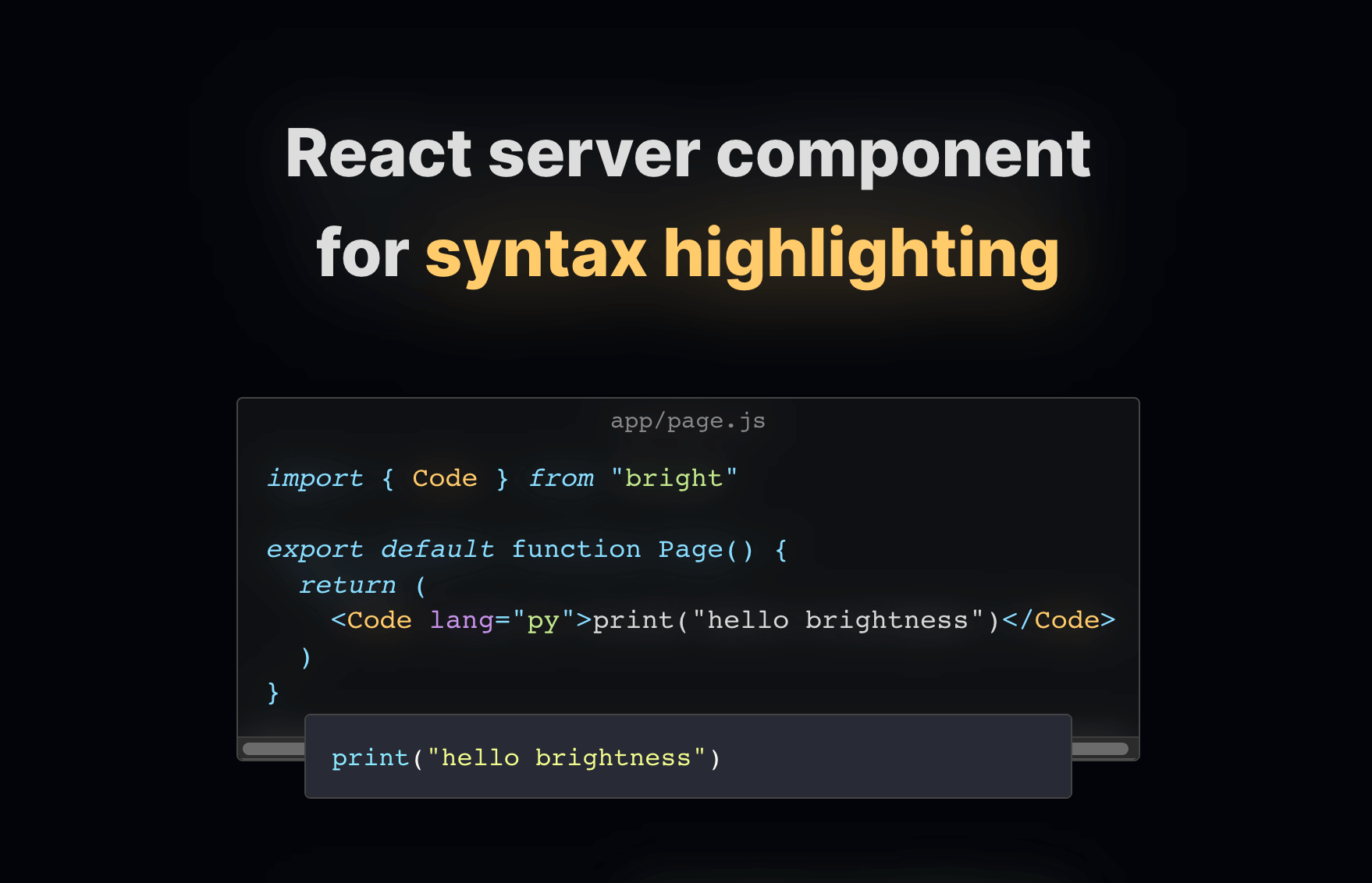
The code stays off the client, adding zero kilobytes to the bundle while improving the user experience. Server Components also simplify development by removing concerns like dependency arrays, stale closures, and memoization—all the complexity that comes from state changing over time.
RSC is still young, having left beta only recently. The next few years should bring more tools in the spirit of Bright, as developers build on the new paradigm.
Beyond server components
RSC is one piece of the modern React picture. Combined with Suspense and streaming SSR, it enables more ambitious architectures—serving a shell immediately, then streaming in content as data becomes available, without blocking hydration. That combination is covered in more depth in the React 18 working group discussions on GitHub.
RSC marks a real shift in how React apps are built. As the ecosystem matures and more tools take advantage of server-side rendering inside components, React development is likely to get considerably more interesting.


