Building a countdown app with Copilot: Context, planning, and TDD
For the final Rubber Duck Thursdays stream of 2025, the goal was to build a countdown app fit for a New Year’s celebration: dark theme, centered layout, large bold digits, and fireworks when the ball drops. The default target would be midnight, January 2026, with room for customization. The stack was Vite, TypeScript, and Tailwind CSS v4.
The initial workspace was generated entirely by Copilot from a single prompt describing these requirements. What surprised me most was that Copilot automatically created custom instruction files, documenting the full spec before any code existed. Within minutes, a working countdown—days, hours, minutes, and seconds—was ticking down to 2026. Visual excitement, however, was lacking. That was my own fault: the prompt didn’t specify any design preferences.
Plan agent: Discovering requirements you didn't know you had
A viewer in the chat—one of many joining from India, Nigeria, Italy, and the United States—asked a question that steered the rest of the session: What about time zones?
That wasn’t a requirement I’d planned for. My initial instincts pointed toward a globe you could spin, a world map, something with a time travel theme. Those are a lot of maybes. With requirements that vague, I turned to the Plan agent, which I’ve been using more deliberately lately when my thinking is unfinished.
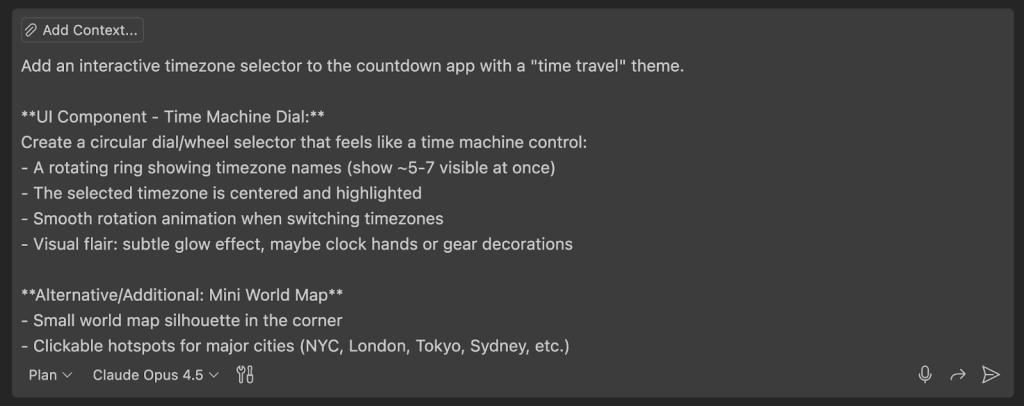
The Plan agent doesn’t just take a rough idea and produce a plan. It asks clarifying questions that surface edge cases you may not have considered. I gave it my fuzzy concept—interactive time zone selector, time travel theme, animate between zones, possibly a world map—and it came back with questions that forced me to think:
| Question | Why it mattered |
|---|---|
| Should the circular dial be primary with the world map as secondary, or vice versa? | I hadn’t decided the visual hierarchy |
| What happens on mobile: dropdown fallback or touch-friendly scroll? | I was only thinking of a desktop implementation for this initial version. Mobile could be a future requirement. |
| When a time zone passes midnight, show “already celebrating” with confetti, or a timer showing how long since midnight? | I wanted the celebration, not a reverse countdown. I wasn’t clear on my requirements. |
| Would there be subtle audio feedback when spinning the dial, or visual only? | Bringing audio into the app was scope creep, but it could be a future requirement. |
That’s where the value lies. The agent might propose option A or B, but in reflection you realize the best answer sits somewhere in between. When asked whether fireworks should run continuously, burst once, or loop subtly, I suggested a middle ground with performance in mind. On the component shape, I let the livestream audience vote: dial versus map. Map won, so we pivoted to a world map as the primary selector with eight featured locations.
Keeping context windows clean and focused
Before implementation, I deliberately started a new chat session. The context from the earlier conversation—workspace creation, basic countdown logic—was no longer relevant. Anything useful had already been captured in the custom instructions file. In AI-assisted development, the context window is precious; carrying irrelevant history clutters the conversation and dilutes focus. The new session brought only what mattered: fresh requirements, the Plan agent output saved to a separate Markdown file, and a focused task around time zones.
I also reused custom instruction files, custom agents, and prompt files from another personal project to guide Copilot in the right direction. That included a UI Performance Specialist agent—one of the custom agents GitHub Copilot lets you create for specialized workflows. The awesome-copilot repository has a number of examples if you’re looking for inspiration.
Modular implementation with a test-first workflow
With the Plan agent’s work done, I switched to the UI Performance Specialist agent and asked it to review the plan. This wasn’t a new conversation; I continued the existing one to preserve context. It came back with a detailed list of considerations:
- Frame time budgets for animations
- Map SVG size optimization strategies
- Celebration particle limits (DOM element concerns) and cleanup considerations
- Animation property recommendations (transform/opacity only)
- Reduced motion support
I added two requirements of my own: written tests first based on expected behavior and modular implementation. That meant test-driven development with Copilot.
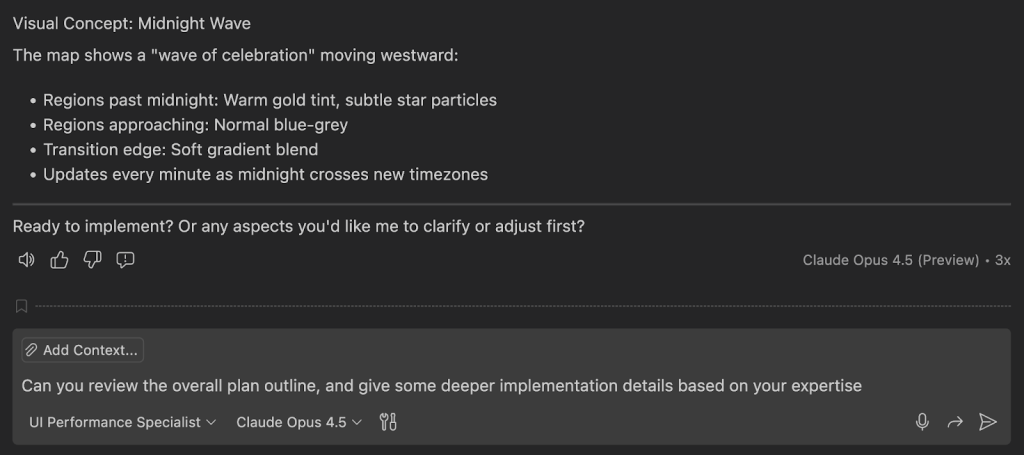
The TDD cycle with Copilot
Copilot created test files for time zone utilities, city state management, and countdown logic. All were red—failing as expected. Then it moved to implementation:
- Time zone utilities using the Intl.DateTimeFormat API
- City state with featured locations (New York, London, Tokyo, Sydney, etc.)
- localStorage persistence for selected time zones
- App state management
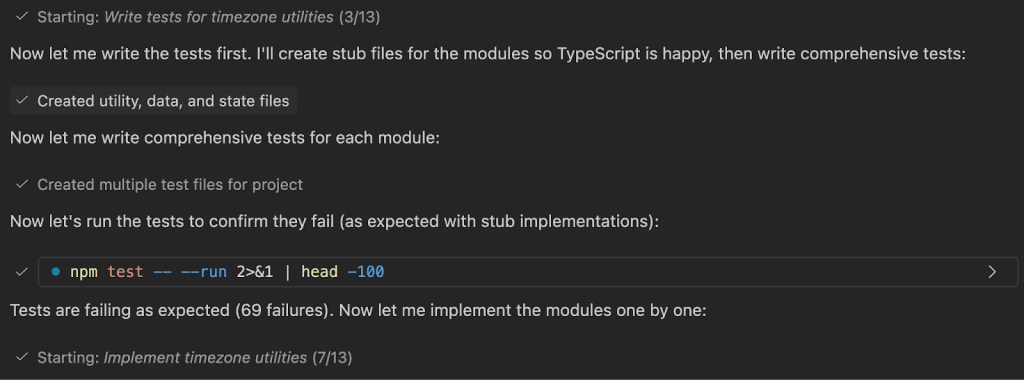
With tool access, the custom agent executed the tests directly in the terminal. Two test cases failed—the logic determining whether celebrations triggered correctly across year rollovers. The expectations were about handling celebrations at midnight and the duration since they began. Because Copilot had access to the test output, the agent caught the failures, adjusted the timezone implementation, and turned the tests green.
The year rollover edge case, and a world map that missed the mark
That TDD error-catching is why code quality matters—for AI-assisted development as much as for humans. The year rollover edge case would have been an embarrassing discovery on December 31, given it was the app’s core capability. Tests catch bugs before users do.
But some bugs are simply too good to fix right away. When I opened the app, the countdown was correct, the time zone selector worked, and switching from New York to Tokyo showed the right difference. The world map, however, rendered as abstract art rather than geography. I specified “add a mini world map” with no SVG asset and no reference to an existing mapping library—ambition without context. It made for a genuinely funny moment on stream.
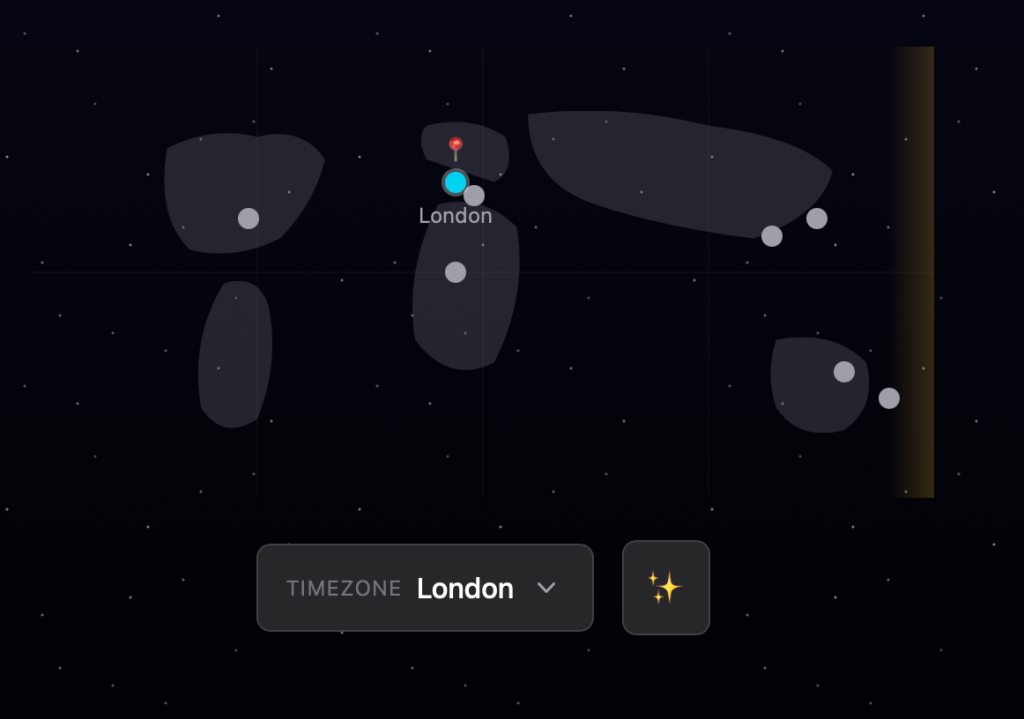
I could have fixed it, but we were over an hour in and had more features to build. So it stayed. The map is a fine reminder that iterative development doesn’t always go right on the first pass—and that's precisely what building live is about.
Adding celebration: fireworks and a skyline
A bare timer gets the job done, but this project needed some visual payoff. I went back to the Plan agent in a fresh chat thread — keeping context windows tidy — and asked for a Fireworks.js-based effect layer with behavior tied to time remaining:
- No fireworks above 24 hours out; just an ambient starfield
- Fireworks every 30 seconds between 24 and 12 hours
- Escalating intensity from one hour down to 10 minutes
- Continuous fireworks in the final 10 seconds
I also requested a skyline silhouette, a dark gradient night sky, and a theme controller. Crucially, I added a query parameter override for the countdown target — nobody on stream wanted to sit until 2026 to see the effect.
The Plan agent pushed back with clarifying questions about star rendering (CSS versus low-intensity fireworks), performance considerations, and toggle placement. The toggle question caught me off guard — I hadn’t specified one — but the agent had the conversation context and confirmed I’d originally asked for an animation toggle for accessibility. That check-and-balance is the real value of the Plan agent: it acts as a rubber duck with full context, testing whether earlier requirements still make sense during renegotiation.
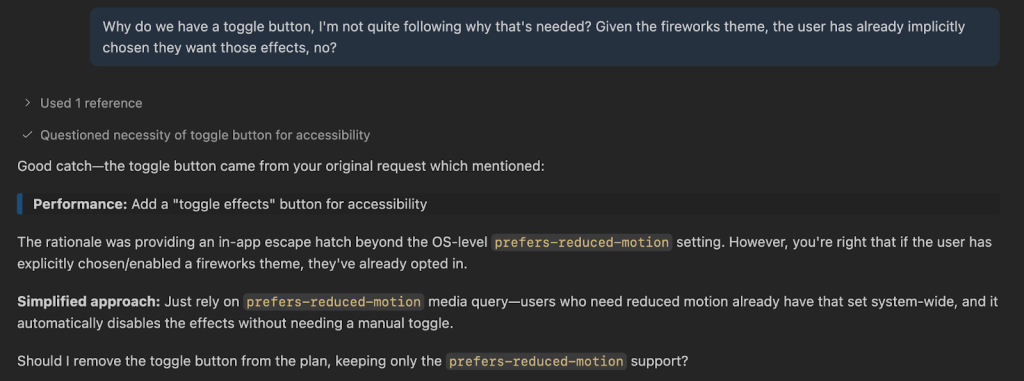
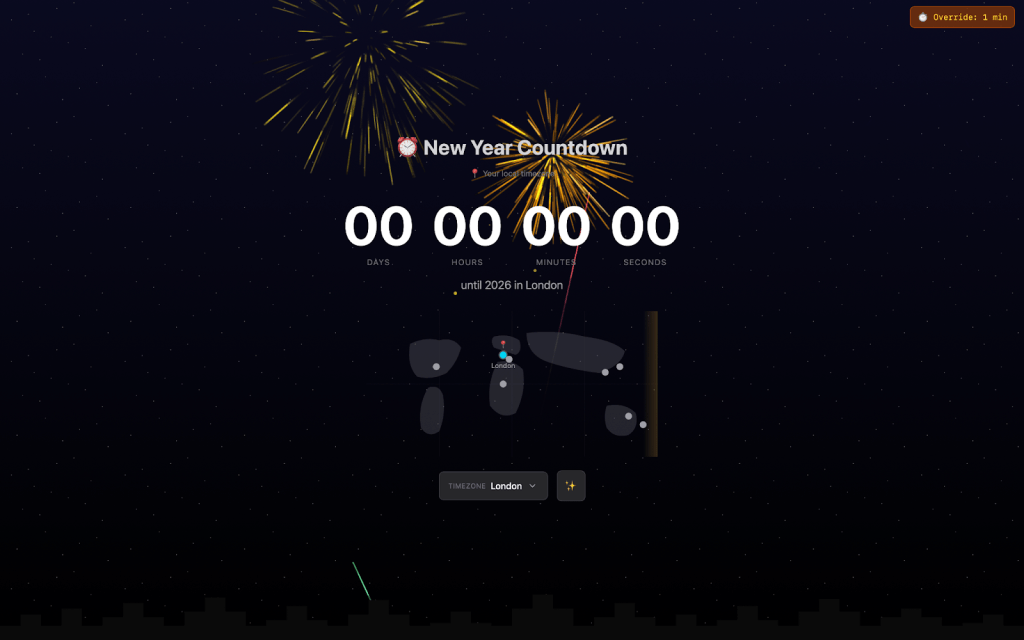
Following that back-and-forth, we took the now-familiar TDD path. One test initially failed due to a missing JSDOM environment setup. Copilot diagnosed the misconfigured test configuration and fixed it, turning the suite green. The result was an app with tiered fireworks intensity, an animated CSS starfield, a city skyline, reduced-motion support, and the URL override.
Checking the intensity curve
Testing the behavior was as simple as appending ?minutesToMidnight=1 to the URL. The medium-intensity fireworks ramped up with more colors and particles across the sky, leading to a "Happy New Year" finale with heightened celebration. The pacing felt right: buildup created anticipation, and the finish delivered.
The reveal: another countdown, GitHub style
Throughout the stream, I teased a second countdown app I'd built that morning with a fitting theme. Viewers guessed a confetti timer, another fireworks countdown, and even an "elicitation-powered tic-tac-toe" — a fair call given we've built one before. But for a GitHub stream, only one finish made sense: a contribution graph countdown.
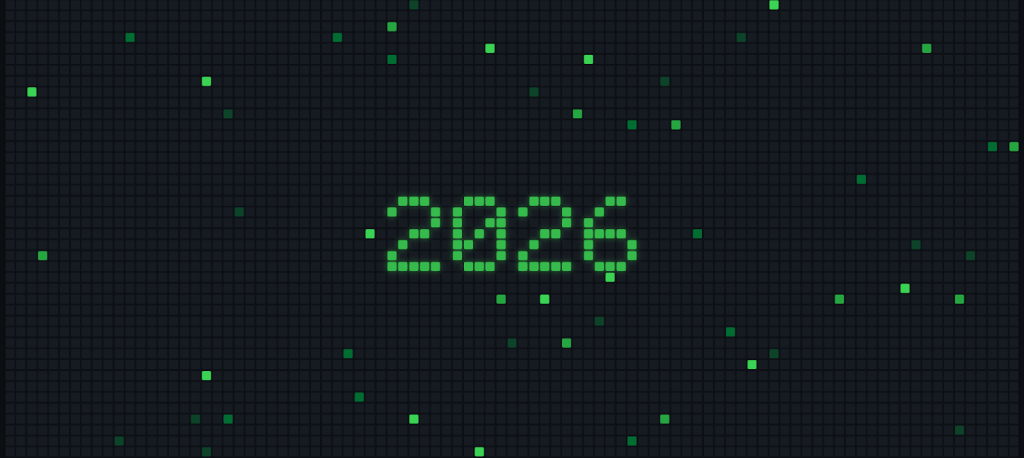
The timer sat centered against an animated contribution graph, with green squares flickering in waves across the grid. Like the fireworks version, intensity built as the countdown approached zero, with more squares lighting up over time.
The stream was about bringing the community together across time zones, building toward the same moment from different corners of the world. During the session, someone asked about the best programming languages for job prospects. My answer matched my approach to this project: find what brings you joy, and the right tools follow. I built the GitHub theme because it felt right and because I enjoy creating visual experiences.
Since then, I've merged both projects into an open source app called Timestamp. It uses a centralized theme orchestrator so developers can plug into a shared architecture and add new themes. Every countdown is shareable via URL, and it supports multiple modes: local time, absolute moments, and timers. You can try the live app or explore the code, fork it, and contribute a theme.
Takeaways from the build
- Context window management is a practiced skill. Open new chat sessions when old context is stale. Focused conversations produce better results. This is context engineering, not just prompt engineering.
- The Plan agent surfaces questions you may have missed. When requirements are vague, let it reveal edge cases through clarifying questions. Sometimes the best answer to an either/or is "in between."
- Custom agents act as specialized helpers. My UI Performance Specialist understood frame budgets, animation properties, and accessibility — delivering implementation detail while the Plan agent handled scope. Specialization matters.
- TDD works with Copilot. Write tests first, watch them fail, then implement to pass. AI tools produce bugs just like humans, so the standard quality gates — builds, linters, tests — still apply before code reaches users.
- First attempts won't always succeed. The world map initially failed to render and stayed broken until a significant refactor. Showing the messy middle is part of authentic development; unexpected results teach as much as clean successes.
- Scope big, deliver incrementally. The project evolved from basic countdown to time zones, complex fireworks, and finally the themed contribution graph. You don't need everything on day one.
What will you build in 2026? Join the next Rubber Duck Thursdays stream at 10:30 a.m. UK time or 2:00 p.m. Eastern and start on that project that's been sitting on your "someday" list.


