Skyline in your terminal
Back in December 2024, GitHub introduced gh-skyline, a GitHub CLI extension that turns your Contribution Graph into a 3D model. The output is an STL file, ready to feed into a 3D printer. If you’re not familiar with the GitHub CLI, it’s the command-line tool for interacting with GitHub—Issues, Pull Requests, Codespaces, and Actions workflows are all within reach once you’ve authenticated. The CLI also supports user-built extensions, which lets you go beyond the bundled commands.
GitHub itself maintains several extensions, including gh-copilot, gh-gei, and gh-models. Many more are available from a community of extension authors, and gh-skyline is one of them.
Running your first skyline
Before you can use gh-skyline, you need the GitHub CLI installed and authenticated. The installation instructions cover that step. Once you’re set, install the extension with:
gh extension install github/gh-skyline
You’ll see a confirmation that the github/gh-skyline extension was installed successfully. Now run gh skyline from your terminal to generate the 3D version of your contribution graph. While the STL is being created, the terminal displays an ASCII art preview of the result.
By default, the extension renders the current year. If you want to look back at an earlier period, pass a year with gh skyline --year 2024. Additional flags are documented in the project README:
| 💡 Thought: While you’re there, why not star the repository so you can keep track of the project? Or even better, contribute an idea through a feature request, bug report, or make some code contributions! We’ve already had several excellent community contributions. 🙏 |
Setting up a contributor-friendly start
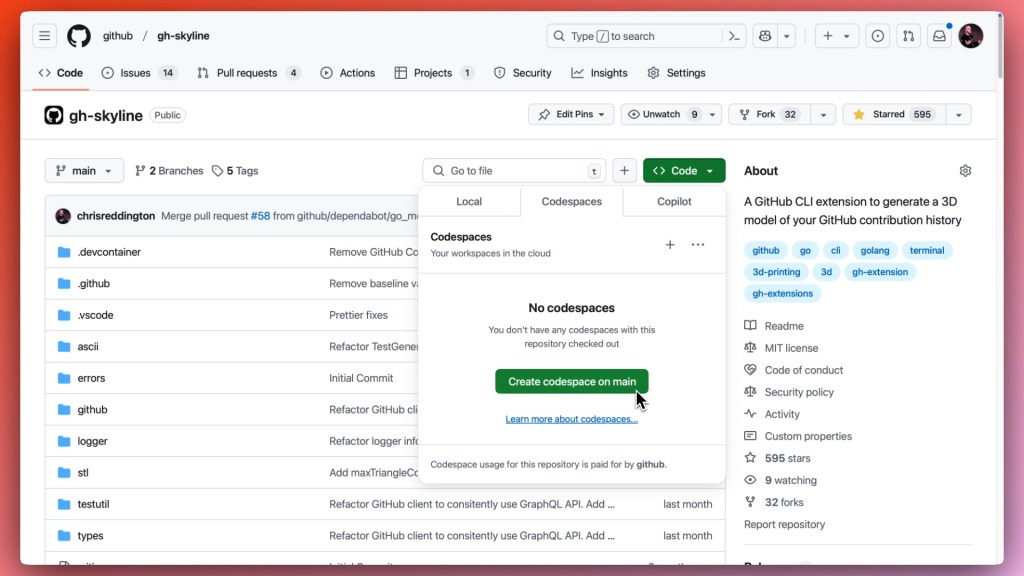
Open sourcing gh-skyline was a goal from the start, and that shaped how the repository was configured. One of the first decisions was using GitHub Codespaces to keep the barrier to entry low. The devcontainer pulls in a Go base image, adds the Go extension for Visual Studio Code alongside several GitHub extensions, installs the GitHub CLI via devcontainer features so the extension can be exercised directly inside the Codespace, and runs a postCreateCommand to install the additional Go tools that the linting process requires. Contributors get a consistent environment with everything preinstalled, so they can focus on a change instead of wrestling with local configuration.
For exploring design questions during development, Copilot Chat was used as a thought partner. Instead of bouncing between documentation and Q&A threads, Copilot provided contextual suggestions on things like type and package structure, or whether to pass a pointer or a value. It acted as a rubber duck for iterating on ideas within the project itself.
| 💡 Tip: In December 2024, we announced a free tier of GitHub Copilot. Check out the blog for more details and how you can get started! |
Executing on ideas with Copilot Edits
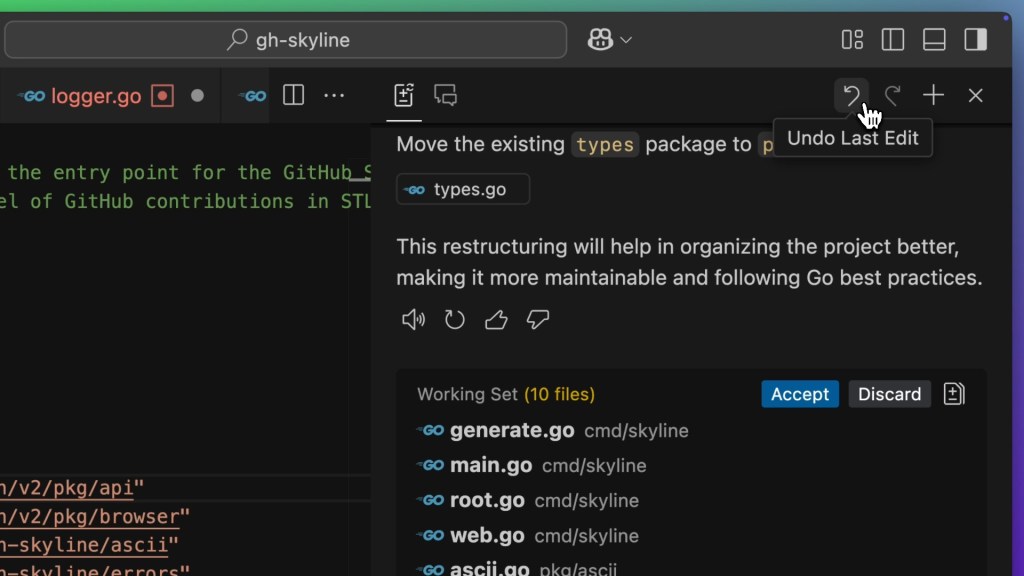
Where Copilot Chat helped with exploration, Copilot Edits was used to actually implement changes. Pointing it in the general direction of a refactor with the right context allowed it to modify files directly, while keeping full control through accept, discard, and undo actions.
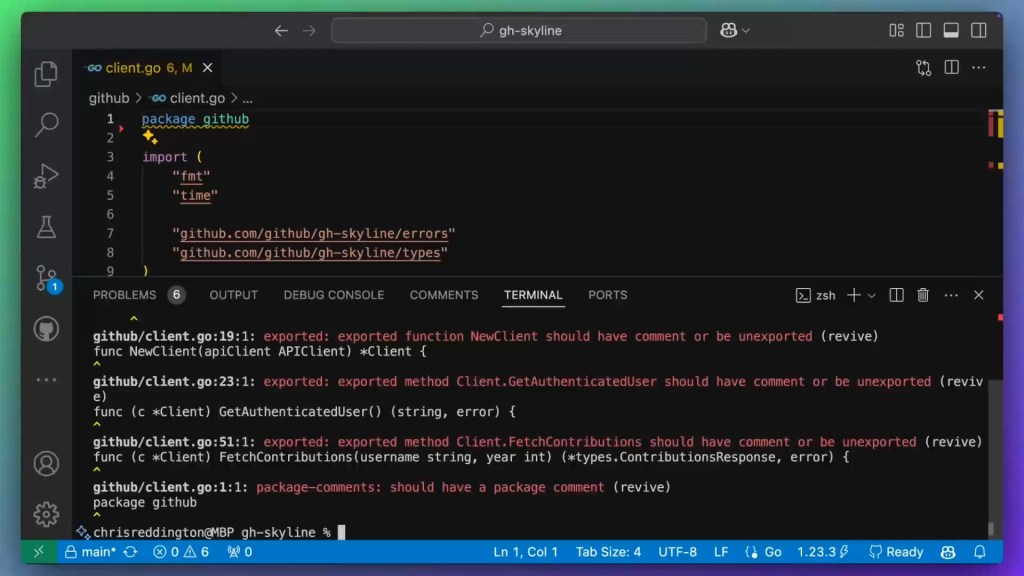
Copilot Edits also handled fixing linter suggestions. The gh-skyline repository has several linters configured, and although some issues can be resolved with a --fix or --write flag, others require manual intervention. After a lint command ran in the terminal, the output could be selected and referenced via #terminalSelection in the Copilot Edits prompt, and Copilot would address the flagged issues directly in the codebase.
Quality gates for maintainability
Since the project was planned as open source, several GitHub Actions workflows were set up to keep the codebase well-tested, linted, and consistent.
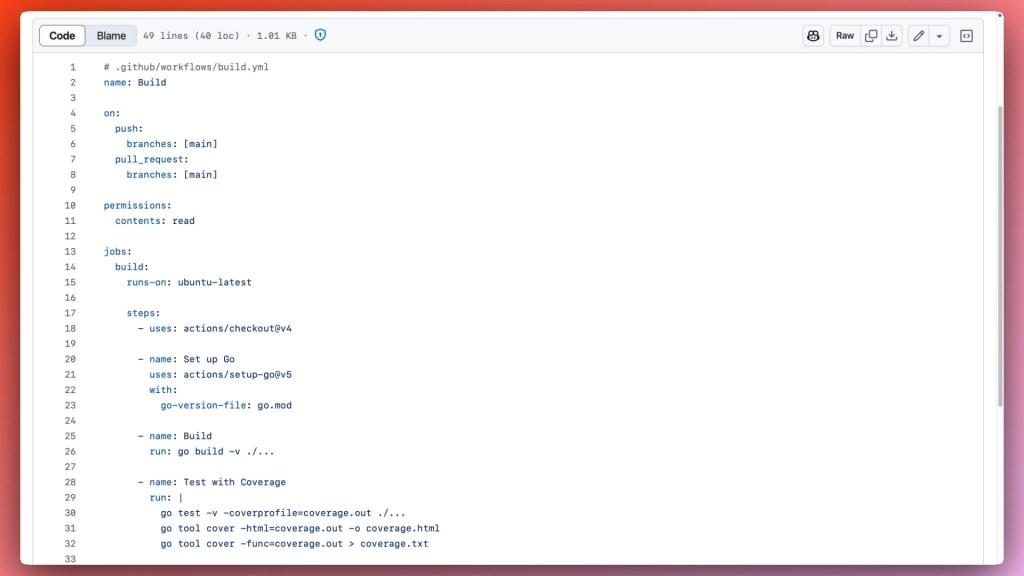
The build workflow compiles the code and runs tests, and the linter workflow uses super-linter, another GitHub open source project. Both workflows trigger on every pull request or push to the main branch. Repository branch rulesets were also configured so that the main branch can only receive changes via pull request, and only when the build and linter checks pass.
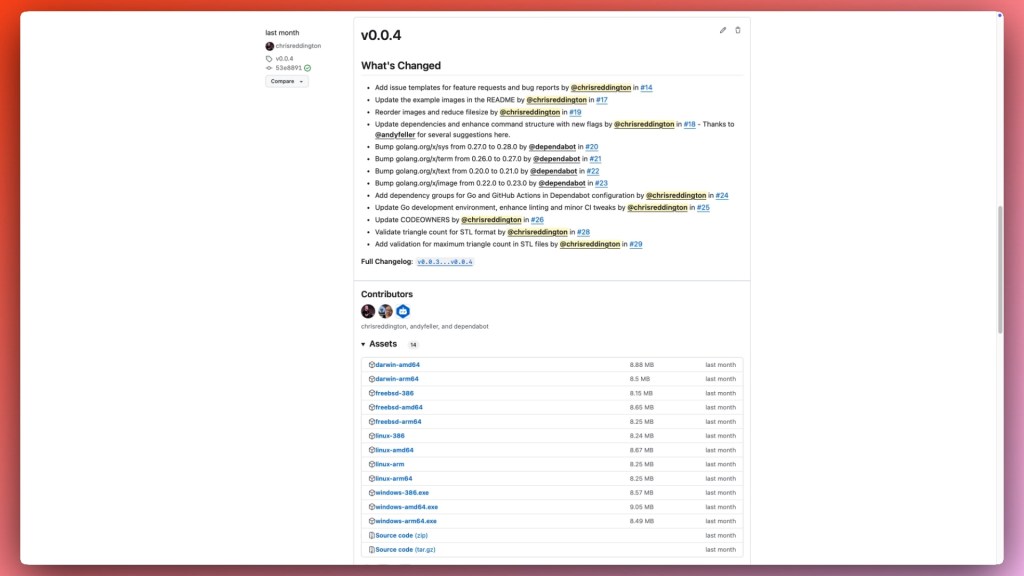
Automation is not limited to CI. The release workflow for gh-skyline was initiated with gh extension create, which scaffolded a precompiled extension in Go, downloaded the dependencies, and generated a workflow for cross-platform builds. The release workflow fires when a new release is published and uses the cli/gh-extension-precompile GitHub Action to build the extension for Windows, macOS, and Linux, attaching the binaries to the release as assets.
Security layers across the pipeline
Security is about more than writing good code. For an open source project, it means managing dependencies, scanning for secrets, and catching vulnerabilities early.
Dependencies are managed as a Go module with go.mod and locked versions in go.sum, which records hashes for direct and indirect dependencies. To stay on top of updates, Dependabot is enabled for two package ecosystems: gomod and github-actions. Each ecosystem is checked weekly and grouped into a single pull request per ecosystem. Dependabot security updates also help address known vulnerabilities. Once Dependabot opens a pull request, the existing CI workflows run their checks on the proposed change.
On the code side, the repository has code scanning default setup enabled, which automatically detects supported languages and applies the appropriate analyzers, including security-focused linters like gosec. When issues are found, Copilot Autofix can suggest remediation for the identified vulnerability.
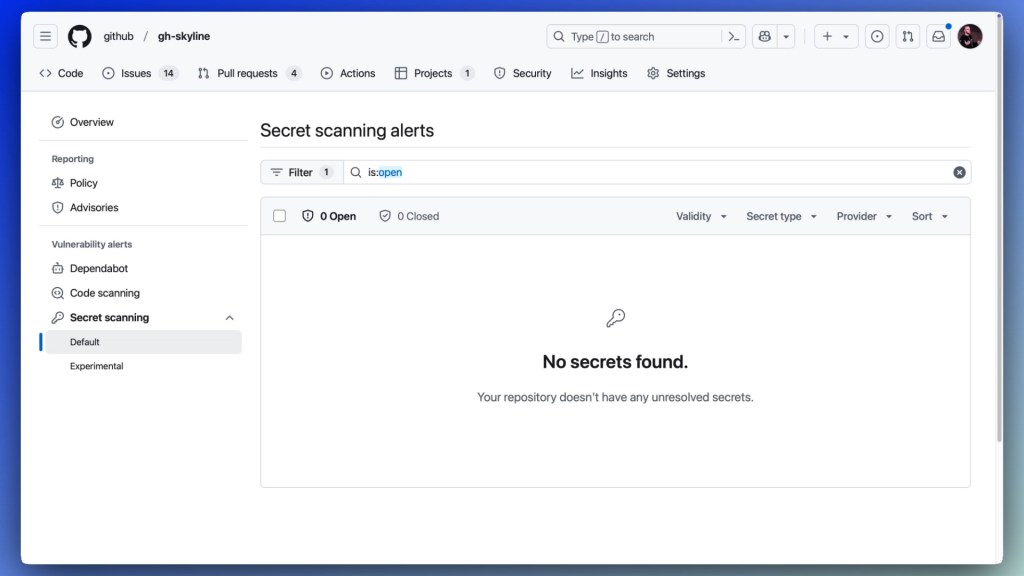
Regarding secrets, secret scanning was enabled before the repository went public as a safety check. Push protection was also turned on, blocking pushes that contain detected secrets so they can be reviewed and cleaned before they land in the repository.
Opening up the project
Taking gh-skyline from a private repository to a public open source project follows GitHub’s formal release process, which is managed by the Open Source Program Office (OSPO). This isn’t just a flip of a visibility switch—it includes a series of reviews to catch potential issues like sensitive IP, secrets, or anything that shouldn’t be public, and to confirm the repository is structured for success in the community. The OSPO has published this exact process along with a repository release template so external teams can follow the same guidelines.
Building a sustainable community
Going public is only the first step. A healthy, long-lived open source project depends on ongoing engagement with its users and contributors. That engagement breaks down into a few core practices, and the Skyline team uses specific GitHub features to make each one concrete.
Documentation that lowers the barrier
Good documentation is what makes a new repository approachable. For a project to attract contributors, it needs a code of conduct, contributor guidelines, a LICENSE, and a clear README. These are mandatory parts of the open source release process, functioning as the first point of contact between the project and anyone who might want to use or contribute to it.
Managing input with issues
Issues are how users report bugs, ask for features, and raise questions. To keep that channel healthy, gh-skyline relies on structured templates and labels. Issue templates streamline triage by asking users up front for the essential details, like operating system, CLI version, and gh-skyline version. Labels then categorize those issues; the project uses good first issue and help wanted markers so newcomers can filter for opportunities without deep context. The team tracks its workload on GitHub Projects, giving the community a public view of the backlog and active items, while maintainers use a separate “Needs Review” view to triage regularly.
Growing through pull requests and recognition
For contributors, pull requests are the route to submitting code. The maintainers treat the PR process as a learning experience, offering feedback and guidance to make sure changes remain maintainable. A strong community also depends on acknowledgment: tagging contributors in release notes and celebrating their work reinforces an inclusive culture. Suggesting edits down the line—whether someone lands here from Documentation or likes the 3D contribution view itself—is how the project grows.
Wrapping up the Skyline build
Building gh-skyline involved several distinct GitHub tools. GitHub Codespaces kept the barrier to contributing low by providing a ready-made development environment. GitHub Copilot supported coding tasks throughout the process, while GitHub Actions enforced code quality and security checks automatically. The open source release process and active community management rounded out the lifecycle, turning a useful internal tool into a public project others can adopt.
To use it yourself, install the GitHub CLI and run gh extension install github/gh-skyline to generate a 3D representation of your contribution graph. Your 2025 Skyline is yours to build—and contributing to gh-skyline is one more count on the board.


