

Markdown checklists vs. GitHub task lists
Markdown checklists are a straightforward way to visualize to-dos in plain text. The syntax simply extends a standard Markdown list: start a line with - and follow it with either [ ] for an unchecked item or [x] for a checked one.
A regular list:
- This is a list item
- This is another list item
A checklist:
- [ ] This is an unchecked item
- [x] This is a checked item
When rendered, the checklist displays with clickable checkboxes.

This pattern works well in README files for tracking missing features, contributor tasks, or documentation coverage. It is also useful in project notes and docs.
Upgrading to task lists in issues and pull requests
GitHub converts Markdown checklists inside issues and pull requests into interactive task lists. The additional functionality goes beyond checking boxes:
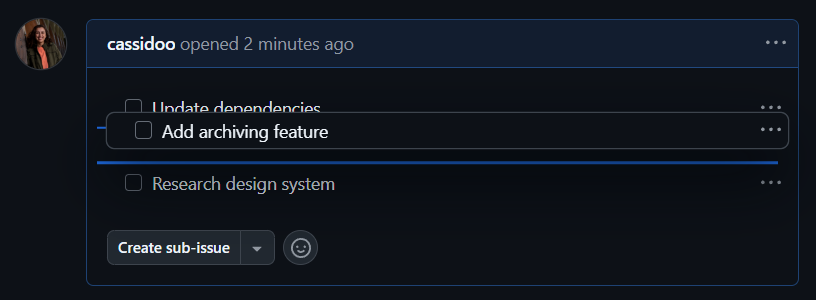
- Reordering: Hover over any task to drag and drop it into a new position.
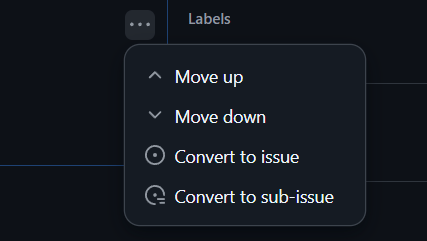
- Issue creation: Use the
...menu on the right side of a task to convert that single checklist item into its own issue or sub-issue. This is a clean way to break larger planned work into smaller, tracked pieces while keeping the connections between them visible.
For example, a feature request issue might contain a checklist like this:
- [ ] Update dependencies
- [ ] Add archiving feature
- [ ] Research design system
It renders as follows in the issue view:
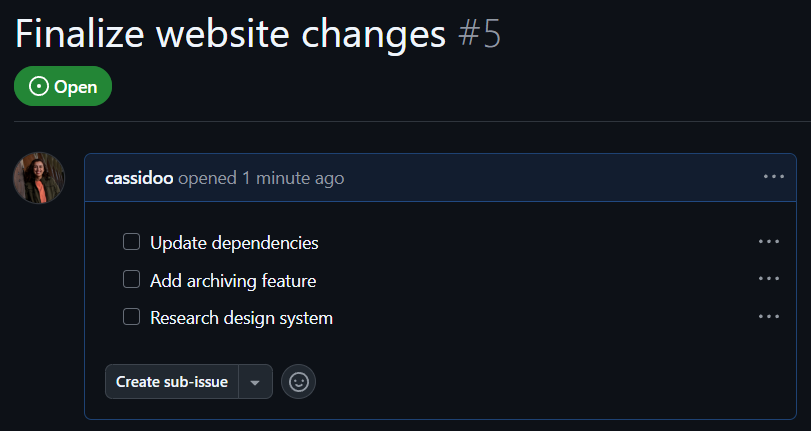
The drag-and-drop reordering works on issue task lists:
Converting checklist items into issues gives you a structured breakdown without losing context:
Task lists behave the same way in pull requests, including reordering support:
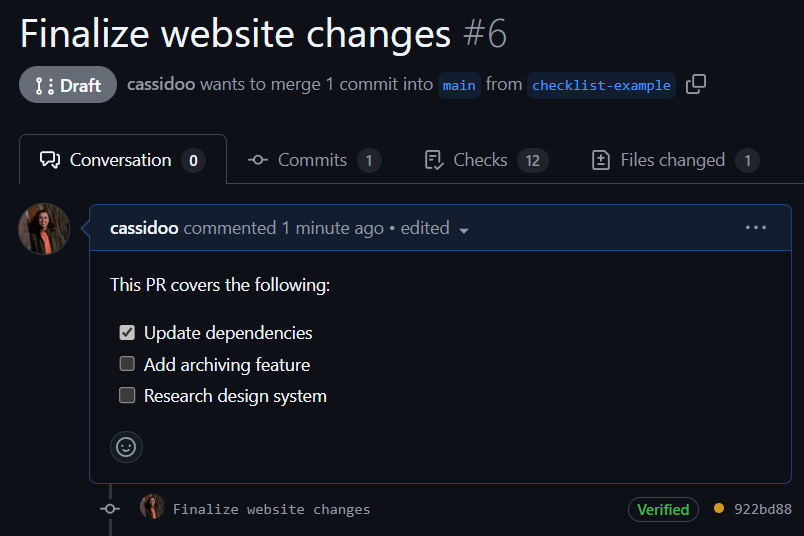
Progress visibility
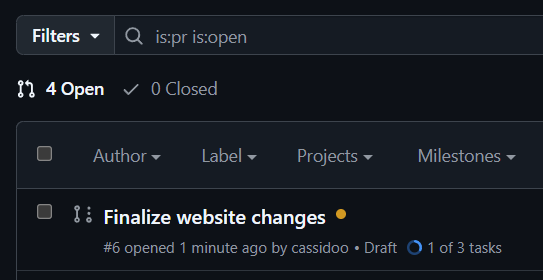
The key advantage of building a task list into a pull request is the progress indicator. Directly below the pull request title, GitHub shows a summary of completed versus remaining tasks, giving you at-a-glance status without opening the PR.
Further reading
For a deeper look at task-list behavior on GitHub, see the official documentation on task lists.


