Building Your First GraphQL Schema
In the previous installment of this series, we covered the fundamentals of GraphQL as a data manipulation and query language for APIs. Its two main advantages: you describe the exact structure of the response you want, and all resource requests go through a single endpoint. Now we move from theory to practice by building object and root fields against a sample Ruby on Rails application.
This tutorial uses a food-themed app. Clone the companion repository and seed the database. The project comes with two models: Food and Nutrition, along with the required GraphQL gems.
| Attribute | Type |
| id | Bigint |
| Name | String |
| place_of_origin | String |
| image | String |
| created_At | Timestamp |
| updated_at | Timestamp |
| Attribute | Type |
| id | Bigint |
| food_id | Bigint |
| serving_size | String |
| calories | String |
| total_fat | String |
| trans_fat | String |
| saturated_fat | String |
| cholesterol | String |
| sodium | String |
| Potassium | String |
| total_carbohydrate | String |
| dietary_fiber | String |
| sugars | String |
| protein | String |
| vitamin_a | String |
| vitamin_c | String |
| calciuum | String |
| iron | String |
| created_at | Timestamp |
| update_at | Timestamp |
Understanding the GraphQL Directory Layout
All GraphQL-related code lives under /app/graphql. Opening this folder in your editor reveals two key directories and one schema file:

- Mutations – classes that modify data (create, update, delete).
- Types – classes defining what gets returned, including the entry-point query classes
query_type.rbandmutation_type.rb.

The file food_app_schema.rb declares which queries are available on the server.
Creating the First Query: all_food
Before writing queries, it helps to distinguish the two kinds of fields in GraphQL:
- Root fields are entry points to the server. They define the shape of the response based on selected object fields, analogous to REST endpoints.
- Object fields are the individual attributes on a given object.
To expose data, first create an object type. Run the generator:
rails g graphql:object foodThis produces food_type.rb, populated with every column from the foods table in db/schema.rb. The resulting class holds all the object fields for that resource.
Next, define the root field. Open query_type.rb—the class that collects all root fields—and replace the default test_field with:
field :all_food, [Types::FoodType], null: false, description: "Get all the food items."The field helper takes four parameters: the field name (:all_food), the return type ([Types::FoodType], a list), a null flag indicating whether the field can ever return null, and a human-readable description.
Running Queries in GraphiQL
The project ships with GraphiQL, an interactive playground. Navigate to localhost:3000/graphiql in your browser. The left pane is for writing queries; the right pane displays the response.
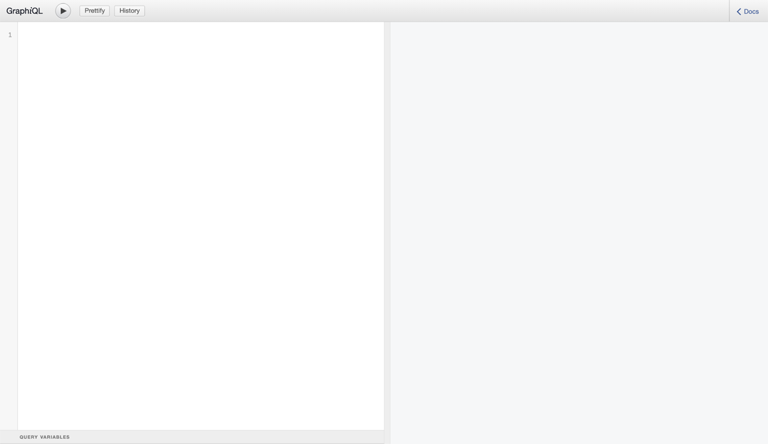
The toolbar includes buttons to execute a query, prettify the query text, and browse your query history. The < Docs button in the top-right is particularly useful: it opens a schema explorer listing every available query and mutation.


Clicking query: Query reveals the all_food field just defined. Selecting [Food!]! shows all the object fields that can be requested for each food item. Because GraphQL returns only what you ask for, you can request a subset of attributes. To fetch just IDs and names:
query {
  allFood {
    id
    name
  }
}
Executing that query returns the matching fields for every row. To retrieve additional attributes, add them to the query body—for example, image and placeOfOrigin.
What Happens Behind the Scenes
GraphQL consolidates all RESTful actions into a single smart endpoint. When you run a query, the request flow is:

- You submit a request with the query and any variables to the GraphQL endpoint.
- The endpoint’s
graphql_controllerinvokes theexecutemethod to process the request. - The method renders a JSON response tailored to your specific query.
- The response is returned to your client.
Practice: Building a nutrition Query
Try implementing a root field named nutrition that returns all nutrition facts, mirroring the all_food pattern. A sample query and response are available in a reference gist.
Adding Nested Object Fields
The Nutrition table contains a foreign key linking each food item to a single nutrition fact. The association exists at the model layer, but GraphQL doesn’t know about it yet. To allow querying a food item together with its nutrition data, add the field to food_type.rb:
field :nutrition, Types::NutritionType, null: trueNow a query can request both food attributes and nested nutrition attributes, such as:
query {
  allFood {
    name
    nutrition {
      servingSize
      calories
    }
  }
}
The response nests the nutrition facts under each food item.
Querying with Arguments
Returning entire tables is useful, but often you need a single record. Add a root field that takes an id argument:
field :food, Types::FoodType, null: false do
  argument :id, ID, required: true
end

def food(id:)
  Food.find(id)
end
In GraphiQL, the query then includes the argument:
query {
  food(id: 1) {
    name
    placeOfOrigin
  }
}
The server resolves the record and returns only the requested attributes.
Practice: Querying by place_of_origin
Create a root field called find_food that filters foods by their place_of_origin. A sample query and response are provided in a companion gist.
Wrapping Up
This tutorial covered the creation of a GraphQL object tied to an existing Rails model, along with root fields to list and retrieve records. The graphql_controller’s execute method handles every request and returns a JSON payload. Object fields expose an object’s attributes; root fields serve as the entry points shaping those responses.
Mutations—the queries that create, update, or delete data—are the next step. The finished code for this part is available on the part-2-solution branch of the repository.


