
What aria-labelledby does to a link
The technique comes from Suzy Naschansky, writing in the HTMHell Advent Calendar:
<h2 id="article1-heading">All About Dragons</h2>
<p>I like dragons. Blah blah blah blah blah.</p>
<p>
  <a id="article1-read-more" aria-labelledby="article1-read-more article1-heading">Read more</a>
</p>
The attribute in that markup references two IDs: one on the heading (#article1-heading) and one on the link (#article1-read-more). A screen reader discards the link's existing semantic label and concatenates the content of both referenced elements, announcing them as a single string:
Read more All About DragonsWhy it beats a pile of "Read more" links
Writing distinct link text for every item is the usual workaround for a page full of repeated labels, but it gets hard when the markup comes from a loop of 15 posts. Aesthetic constraints make it harder still when labels have to stay short. aria-labelledby resolves the tension: the visible label stays identical across the page, while assistive technology gets a contextual announcement.
The technique only applies when the text you want to build the accessible label from already exists on the page. If it doesn't, aria-label is the fallback — and it carries a caveat: it is purely for interactive elements that can't be labelled accessibly with semantic HTML.
The WordPress hurdle
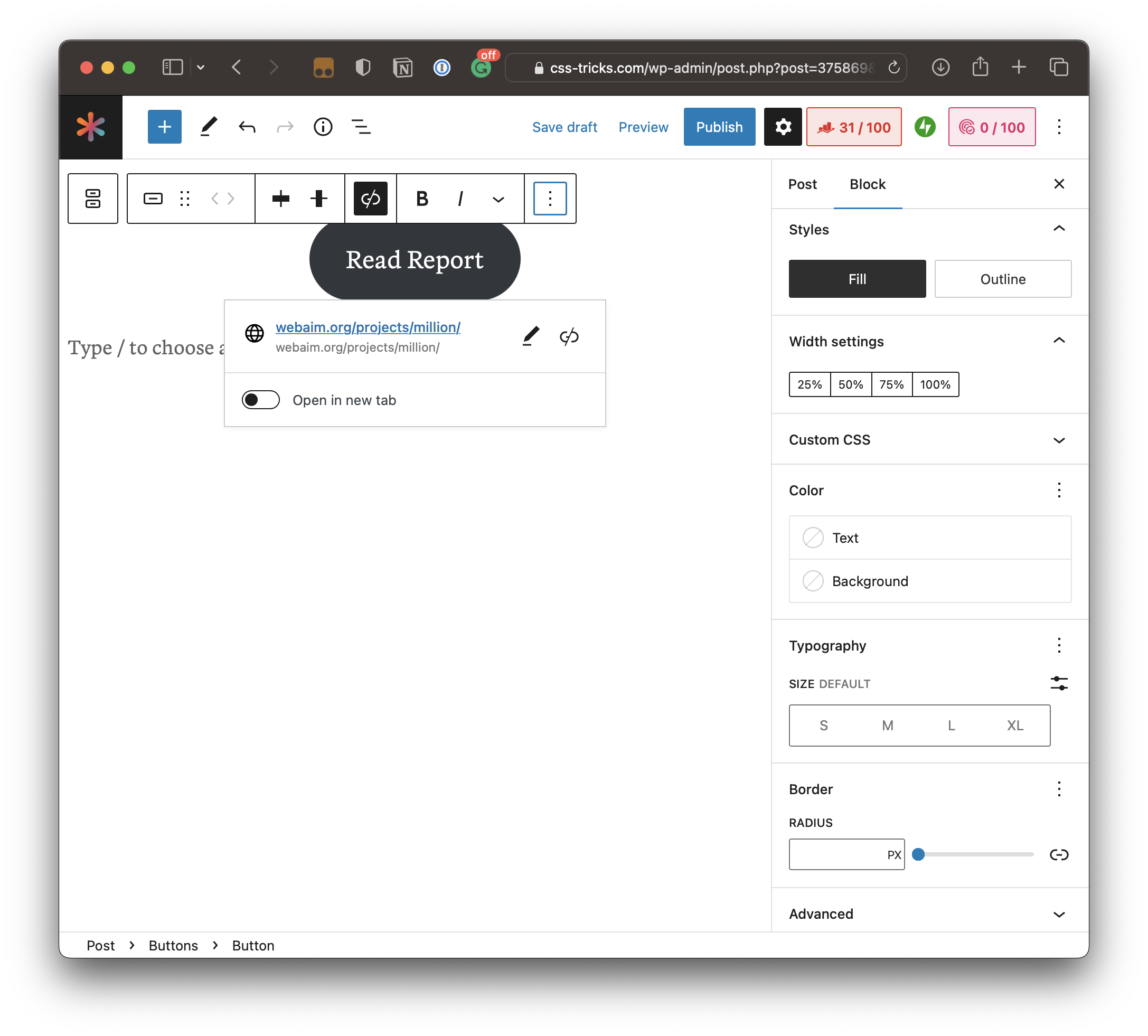
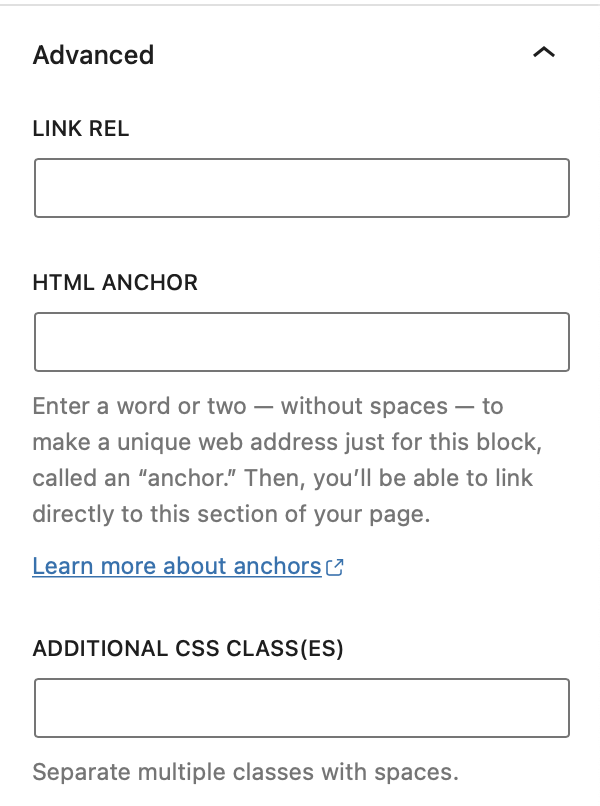
In a CMS like WordPress, wiring this up takes extra manual steps. The Button block's settings offer plenty of options, but nothing related to accessible labelling — the Advanced panel doesn't help either:
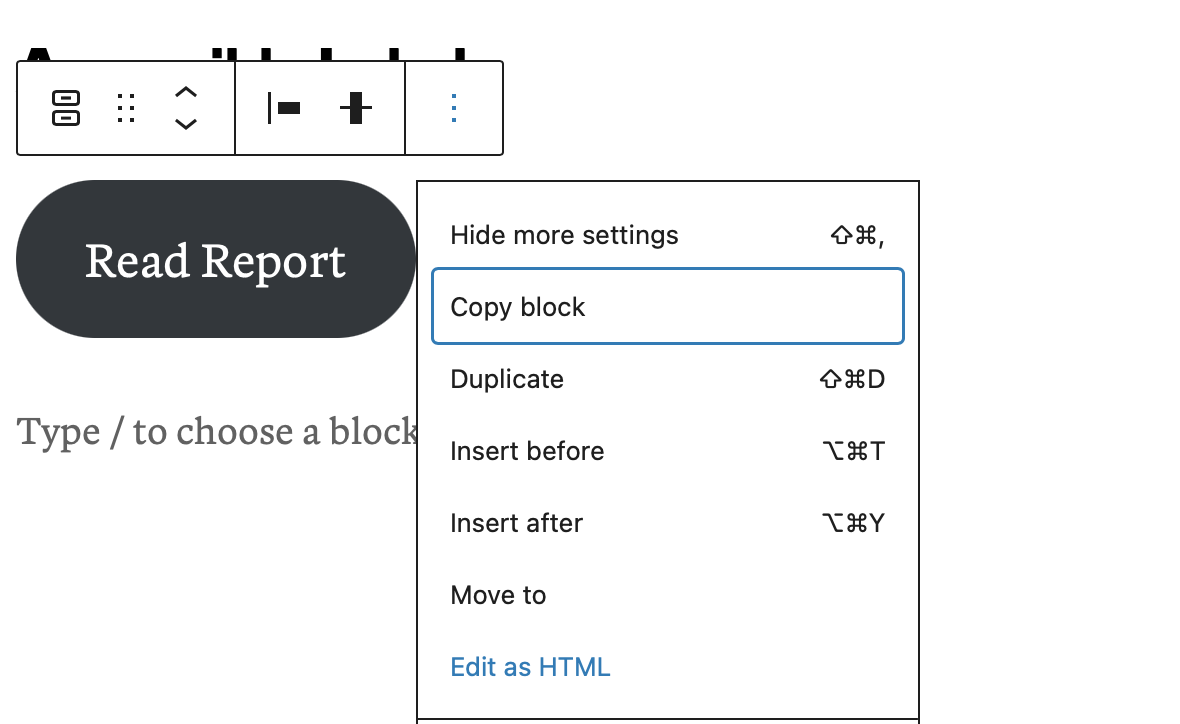
Editing the button in HTML mode is necessary:
First, though, the target heading needs an ID. The Heading block offers the same Advanced panel setting for adding an anchor, which injects an ID on the element:

With that in place, the Button block can be edited in HTML mode to add the heading's ID to aria-labelledby alongside an ID for the button itself:
<div class="wp-block-buttons">
  <!-- wp:button -->
  <div class="wp-block-button">
    <a id="read-more-button" aria-labelledby="read-more-button heading-accessible-labels" class="wp-block-button__link wp-element-button" href="https://webaim.org/projects/million/">
      Read Report
    </a>
  </div>
  <!-- /wp:button -->
</div>
WordPress rejects the result:

Attempting to resolve it doesn't help:
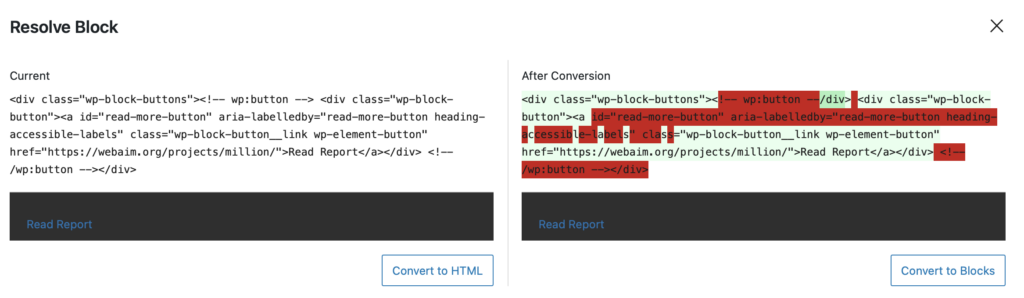
The button survives only if the block is converted to a Custom HTML block, which undercuts the visual editing workflow WordPress is built around. A quick search turned up no plugin adding ARIA labelling options to these blocks — leaving room for someone to build one, or to submit PRs for the blocks that could use those options.



