
Topframe turns the desktop into an HTML page
Jeff Lindsay has released Topframe, an open source tool that lets you build your desktop screen out of HTML, CSS, and JavaScript. In his write-up, Lindsay frames it simply:
Anybody that knows how to mess around with HTML can now mess around with their desktop computing experience.
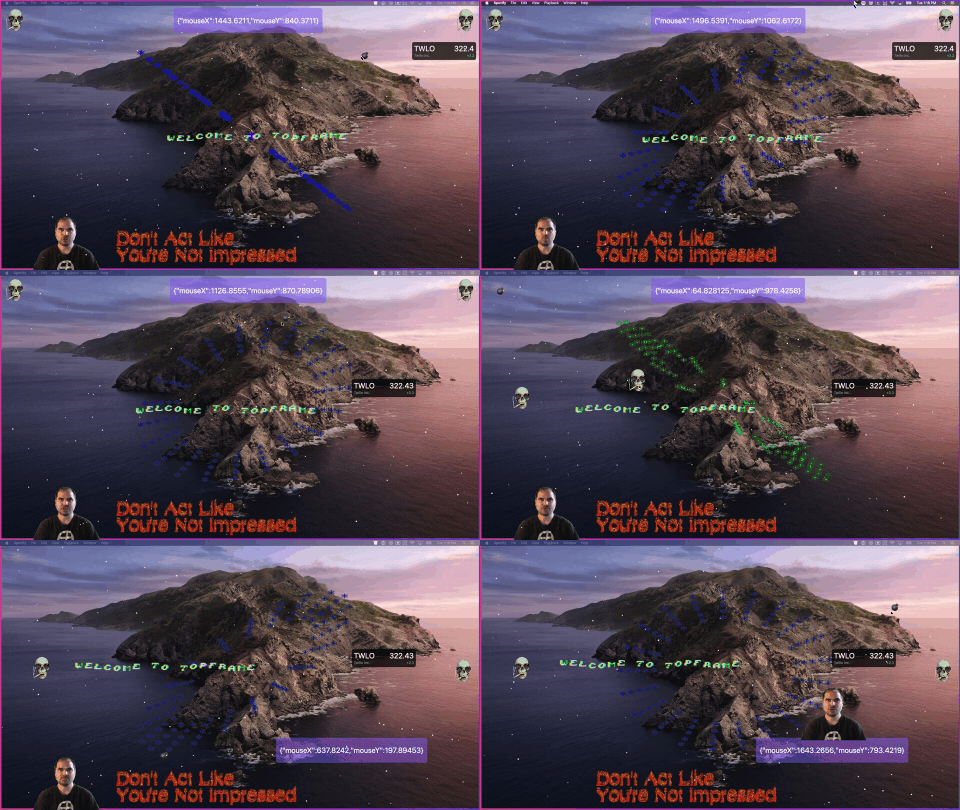
Out of the box, the screen has some hardcore weirdweb energy.
Customizing it
Making it your own takes very little: everything lives in an index.html file at ~/.topframe/index.html, and it refreshes automatically whenever you save that file.
oh hellllllo. https://t.co/retulpYUZw
— Chris Coyier (@chriscoyier) May 5, 2021
"Customize your computer screen with HTML and JavaScript" pic.twitter.com/9y3yq3IMoh
Two rough edges
One experiment hit a wall. The idea was to fill the desktop with everything Dave likes, pulled from his RSS feed, but dropping that JavaScript in didn't work — and with no console to inspect, there was no way to debug it. Practical uses, the author figures, would be little widgets showing live data you want to keep an eye on at all times.
The second snag involves screenshots. On macOS, Command + Shift + 4 then Space normally captures a single window — but that doesn't work while Topframe is running, because it's always the top window. Hence the name. The author would rather it were a "bottom frame," behaving more like a background than something always on top.
Windows, apparently, could do this a long time ago — proof, yet again, that there is nothing new under the sun.



