Printify and WooCommerce: where shipping notifications actually come from
This is a narrow integration problem, but it cost far more time than it should have. The setup: a WordPress site running WooCommerce to sell physical goods, with print-and-ship fulfilled on demand by Printify. There is no plugin involved — the two systems communicate through APIs, and orders placed on the store are pushed to Printify after payment. Tracking numbers appear in the Printify dashboard once available, but those came across to WooCommerce as well, and it was that handoff that determined whether customers ever heard anything.
The failure mode
Orders were arriving normally and fulfillment was proceeding without issue. What was missing was any notification to the buyer. The loop looked like this:
- The customer wonders where the order is.
- The customer is annoyed that no shipping notification ever arrived.
- The customer emails the store owner.
- The store owner looks up the shipping and tracking information.
- The store owner sends it back by hand.
Worth noting: Printify supports the store owner, not the store's customers. A buyer with a problem contacts the store, and the store escalates to Printify if the cause turns out to be on their side. That division is reasonable given the storefront relationship, but it makes the absence of automated shipping mail harder to absorb, since the tracking data demonstrably existed in the Printify dashboard.
Tracking data arrives as an order note
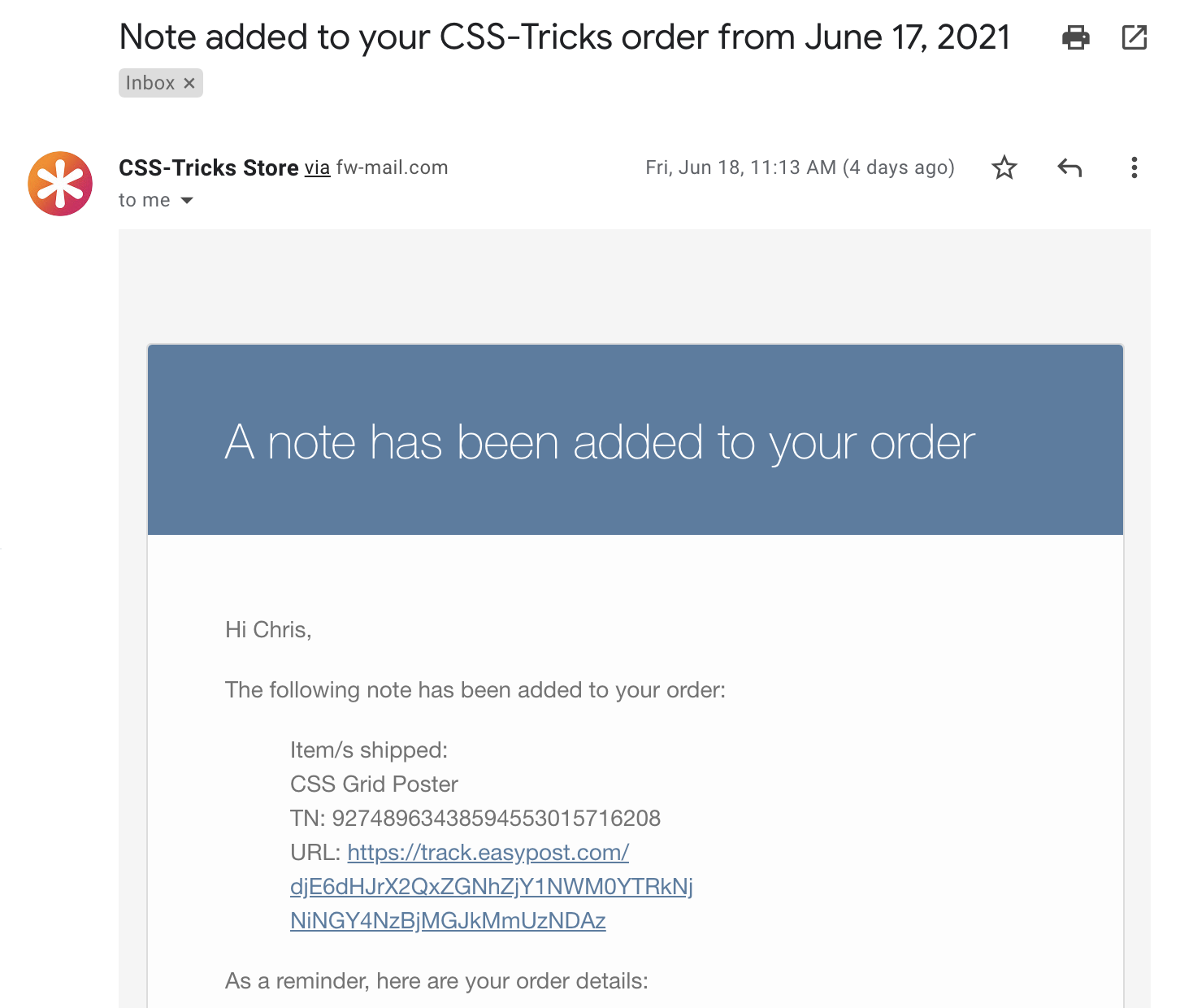
The part that isn't documented: once Printify has tracking information, it passes that data over the API to WordPress in the form of a note attached to the order. The note is visible from the order screen on the store side.
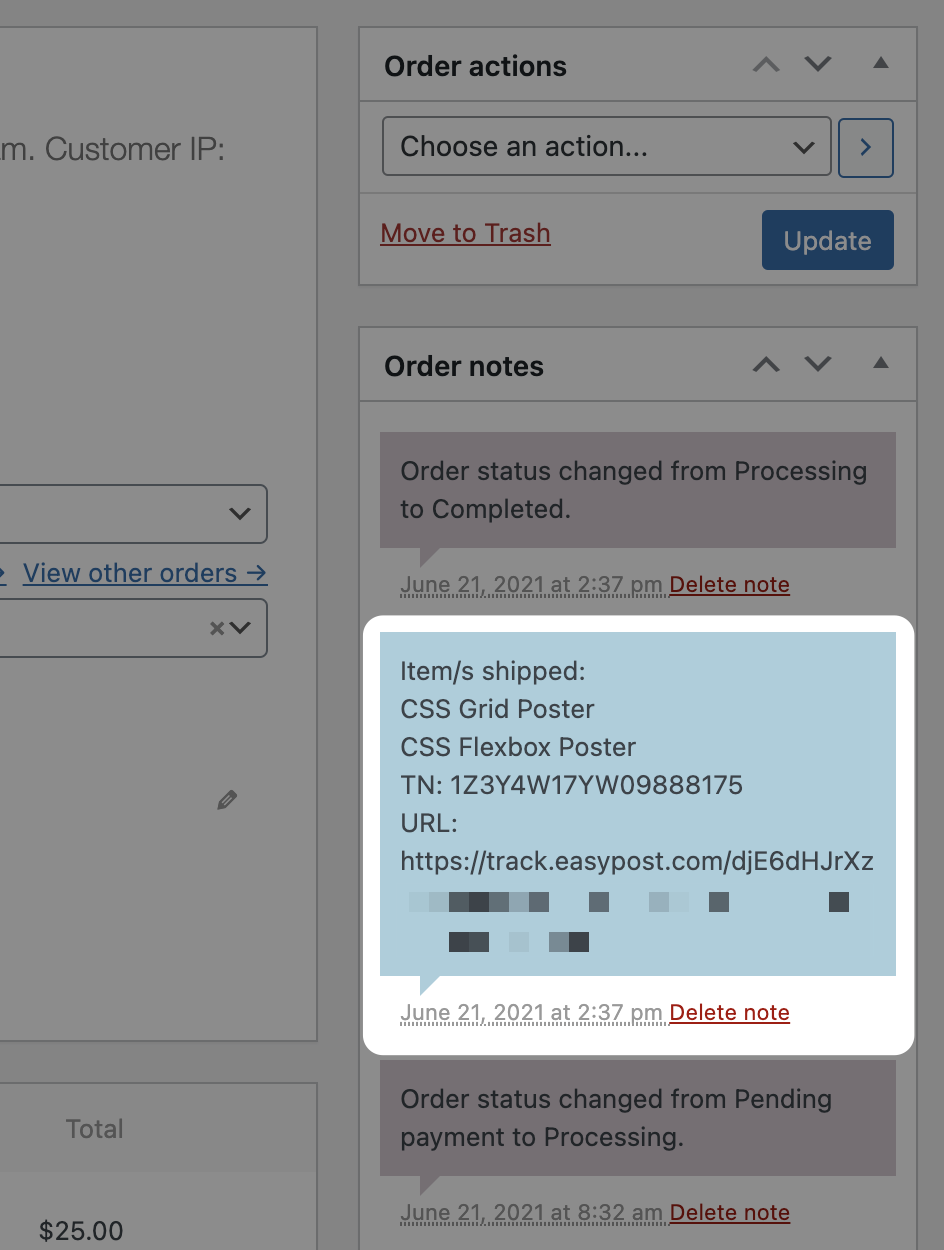
Notes function as a loose form of order metadata — arbitrary text that can be added either privately or visibly to the customer.
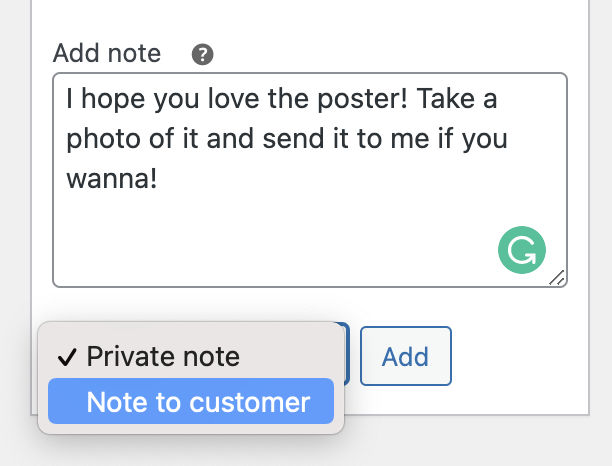
That mechanism was already working on the site, and the tracking notes were being written to orders as expected.
The actual cause
The problem was that the email tied to those customer-visible notes was switched off.
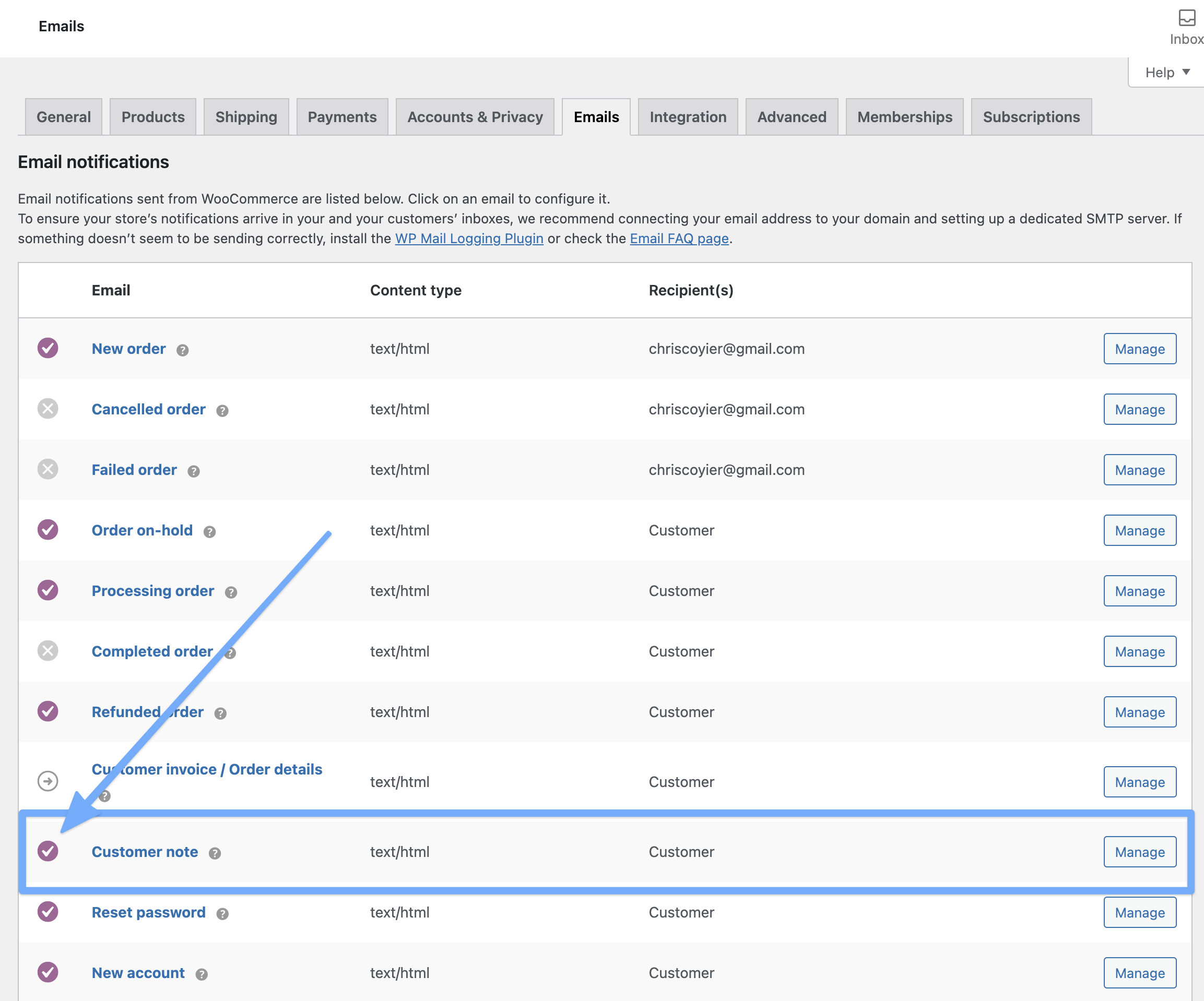
The root of it was a misunderstanding of how the WordPress "Notes" concept works, combined with the fact that no documentation states that this is Printify's channel for shipping data. Whether the setting defaults to off, or was disabled deliberately at some point by someone who didn't understand it and felt that turning off unfamiliar customer-facing emails was the safe move, isn't clear. There was also a naive assumption that Printify would email the customer directly, since it holds both the tracking information and the customer's email address.
No such email comes from Printify. With the note email enabled, the workflow works as it should, and the tracking note reaches the customer.
Takeaway
Enabling that one email turned a steady stream of manual customer service into close to none. If a Printify-fulfilled WooCommerce store is generating "where is my order" mail, the order notes are the place to look — both for the tracking data itself and for the notification setting that governs whether the customer ever sees it.



