
A French publisher once released a technical book on CSS3, HTML5 and jQuery with a typo on the cover: "HTML5" appeared as "HTLM5." One version also dropped the capital "Q" in jQuery. Publishing a book involves many people, yet none of them caught the error before it reached the printer.

The same failure mode shows up on web projects. The French expression avoir la tête dans le guidon—literally "having your head in the handlebar"—comes from cycling, where racers end up so close to the bars that nothing else around them registers. They are hyper focused on the road ahead.

Project teams do the same thing. Everyone is so intent on shipping that they stop noticing details, which is how a book about "HTLM5" gets printed and how sites ship with navigation problems, dead-end user flows, or features nobody needs. An external view corrects this, and the best way to get one is to test with people who are not on the team—usability or user testing. Testing with your actual target audience is ideal. If that isn't possible, at minimum run a first round with people who did not work on the project. You also want participants with different impairments so the result is as accessible as possible.
Timing and scope
Test as soon and as often as possible. Prototypes built in design tools are the cheapest thing to test, since a concept that fails there costs nothing beyond the mockup rather than three months of development. HTML/CSS/JavaScript prototypes with fake data are the next option, and a finished website can be tested too—changes are simply more complex and expensive at that point.
Writing the test script
Start by defining the specific tasks you want to test: an account creation process, a full checkout process, a search journey from the homepage to a final blog post. Each is a set of actions with a user goal at the end. Turn those tasks into questions—a test script; 18F publishes an example script online.
Avoid wording that biases participants. If the button reads "Sign up," asking users to "sign up" sends them straight to a button carrying that verb. Asking them to "create an account" instead yields better insight.
Then prepare the prototype—anything from click-through mockups to a fully developed build with real data, depending on project stage. Just make sure it works technically.
Finding and scheduling participants
You usually know who your users are; the challenge is reaching them. Support or sales staff may hold lists of candidates. For broad audiences, recruit where the users already are—for a plant-selling e-commerce site, physical shops, gardening communities, community gardens and Facebook groups. Social recruiting only works if you recruit the right people, which is why UX professionals use screeners: a set of questions asked during recruiting and again at the start of the test to confirm the person belongs to the target audience.
Participants are usually compensated for their time—gift cards, product, nice chocolate, whatever thanks them for the time spent. If recruiting stalls and there is budget, professional panels such as userinterviews.com or testingtime.com can help.
Once participants are in, schedule a meeting with date, time and place. Tests can run remotely or face to face. A physical room should be calm and accessible; remote sessions need tools participants can install and use. Automated reminder emails the day before protect against no-shows.
Do a dry run of your test with members of your team. It surfaces typos in scripts and prototypes and technical problems—anything that could bias the session.
Running the sessions
Conducting a usability test takes two people: one facilitates, the other handles logistics and notes.
Welcome the participant—usability.gov offers templates including consent forms and email examples. Start recording only with their permission, and explain that you are testing the site, not them, and that there are no right or wrong answers. Encourage them to think out loud and narrate what they do, see and think. A few soft questions help them relax before you follow the script.
The critical rule: don't help users accomplish the tasks. Watching someone struggle is uncomfortable, but assistance biases the results. If a participant is stuck for five minutes and the task must be completed to move on, you can unlock them—and mark that task as "failed."
Afterward, thank the participant and provide the compensation, or explain how it will arrive for remote tests. Retrieve the recording, back it up to the cloud, and do the same with your notes; a crashed computer should not cost you the data.
Analyzing what you saw
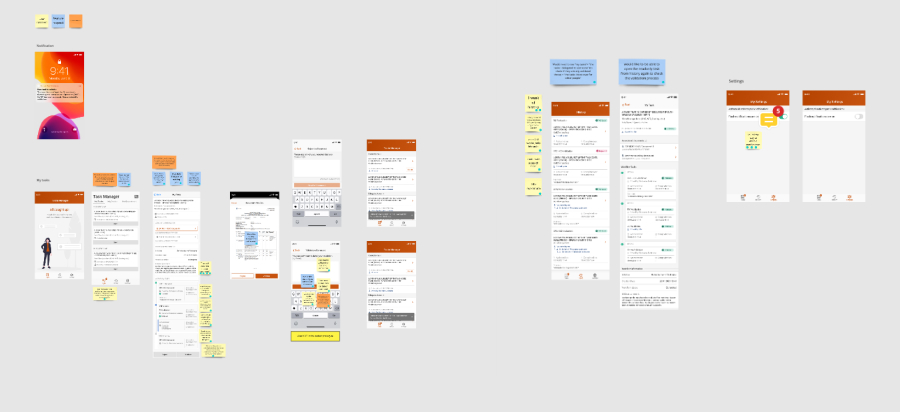
Draft the analysis for each participant quickly, while the session is still fresh. Shared documents and spreadsheets work, but a favorite approach is placing the actual screens used in testing on a Miro board with digital sticky notes for the main findings, colored by feedback type—user comment, feature request, usability issue. When multiple users report the same thing, add a dot to that note, and the board becomes a visual summary of every session.
From findings to fixes
Testing exists to improve the product. Ask what worked, what can be improved and how. Time and budget rarely allow fixing everything, so prioritize and iterate: biggest issues first. "Big" is relative and depends on your project or KPIs—it can mean most users hit the problem, or that leaving it unfixed costs users and revenue. Either way, the follow-through is a team effort.
Professional usability testing on large projects is more complex than this outline. A dedicated user researcher is the best option; smaller projects may not have that luxury. For further reading, Erika Hall's Just Enough Research includes a chapter on interviews, Steve Krug's Rocket Surgery Made Easy covers user testing in depth, Ida Aalen's "User testing" addresses limited budgets, and Kate Moran's "Qualitative Usability Testing: Study Guide" collects Nielsen Norman Group material on planning, conducting and analyzing qualitative tests.



