

Persisting block settings as attributes
The settings UI for the custom block renders in the editor, but the selections made there are not stored anywhere; after saving a post and reopening it, the settings reset. Making them persist means each control value must live as a block attribute.
The block fetches football team rankings by country, league and season, so an attribute is registered for each of those:
// index.js

attributes: {
  data: {
    type: "object",
  },
  settings: {
    type: "object",
    default: {
      country: {
        type: "string",
      },
      league: {
        type: "string",
      },
      season: {
        type: "string",
      },
    },
  },
},
Wiring the settings UI to attributes
In LeagueSettings.js, every ComboboxControl update must call setAttributes(). With a single endpoint that was simple; with several interdependent inputs it takes a bit more organization. The approach is to hold a local object shaped like the settings attributes:
// LeagueSettings.js

let localSettings = {
  country: attributes.settings.country,
  league: attributes.settings.league,
  season: attributes.settings.season,
};
The initial state variables change from null to the corresponding settings values:
// LeagueSettings.js

const [country, setCountry] = useState(attributes.settings.country);
const [league, setLeague] = useState(attributes.settings.league);
const [season, setSeason] = useState(attributes.settings.season);
Each handle______Change() then calls a setLocalAttributes() helper, passing an argument that clones and overwrites the previous localSettings object with the new country, league and season values using the spread operator:
// LeagueSettings.js

function handleCountryChange(value) {
  // Initial code
  setLocalAttributes({ ...localSettings, country: value });
  // Rest of the code
}

function handleLeagueChange(value) {
  // Initial code
  setLocalAttributes({ ...localSettings, league: value });
  // Rest of the code
}

function handleSeasonChange(value) {
  // Initial code
  setLocalAttributes({ ...localSettings, season: value });
  // Rest of the code
}
The helper is defined as follows:
// LeagueSettings.js

function setLocalAttributes(value) {
  let newSettings = Object.assign(localSettings, value);
  localSettings = { ...newSettings };
  setAttributes({ settings: localSettings });
}
Object.assign() merges the two objects, and the resulting newSettings object is cloned back to localSettings so that every settings attribute is accounted for when a new selection produces a change. Finally, setAttributes() stores the final object as usual.
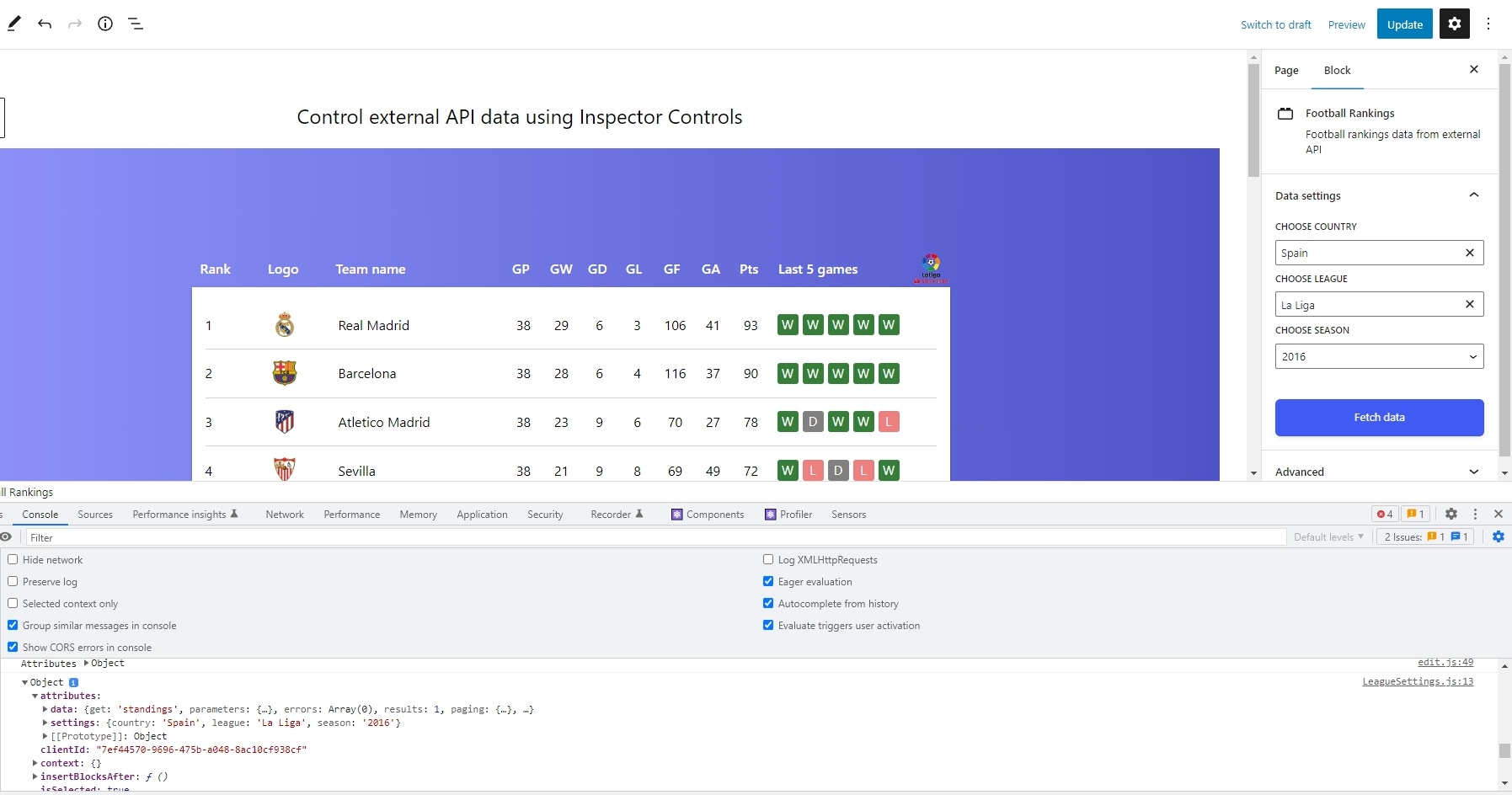
Making selections in the UI confirms the attributes change; a console.log() in DevTools shows them. The values are held in attributes.settings, and because the useState() hook makes React re-render on every change, the update is visible live.
Showing the stored values in the UI
Keeping the setting values inside the control options is of limited use when each option depends on another value, as a league ranking depends on the selected season. It is useful when the values are static and the settings are independent of each other. A simpler route is to add another section in the settings panel that displays the current attributes.
There are various ways to render those values; one is the Tip component imported from @wordpress/components:
// LeagueSettings.js
import { Tip } from "@wordpress/components";
A conditional check on the values runs before they are displayed inside the component:
<Tip>
  {country && league && season && (
    <>
      <h2>Current Settings: </h2>
      <div className="current-settings">
        <div className="country">
          Country: {attributes.settings.country}
        </div>
        <div className="league">
          League: {attributes.settings.league}
        </div>
        <div className="season">
          Season: {attributes.settings.season}
        </div>
      </div>
    </>
  )}
</Tip>


