

Faster fixes with granular workflow re-runs
GitHub Actions now supports re-running only the failed jobs in a workflow run, or even a single job on its own. The update is aimed at complex workflows where a small failure currently forces a full restart, wasting time and consuming runner capacity or billable minutes for work that already succeeded.
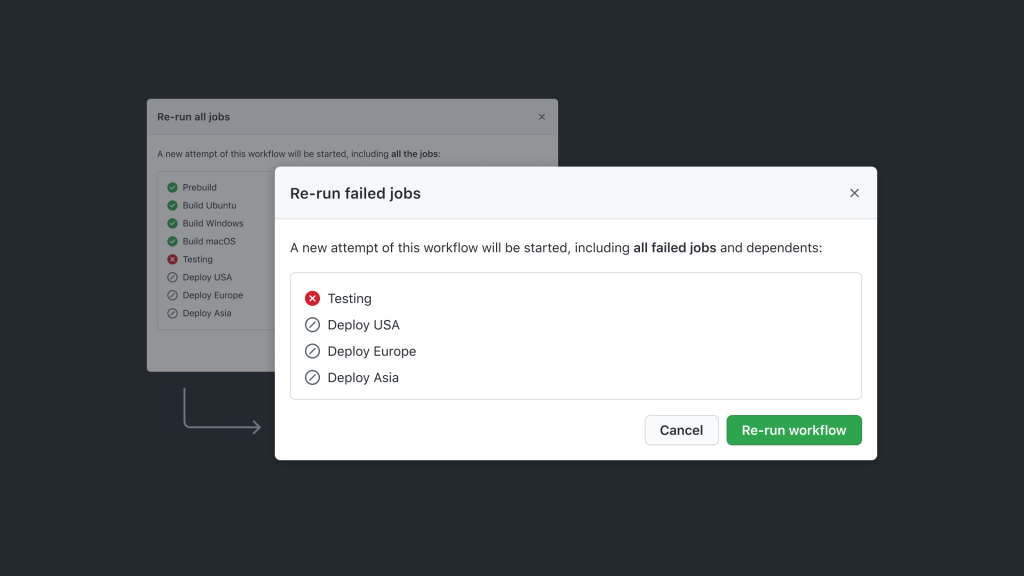
Re-run options for failed and individual jobs
When a workflow run has failing jobs, a drop-down menu next to the existing "Re-run all jobs" option now includes "Re-run failed jobs." For completed runs, hovering over any job in the sidebar reveals a re-run icon, and the same control is available directly from the logs view.
Choosing a partial re-run brings up a confirmation dialog listing every job that will execute again, including downstream jobs that depend on the ones selected. This makes it clear what the new attempt will cover before you start it.
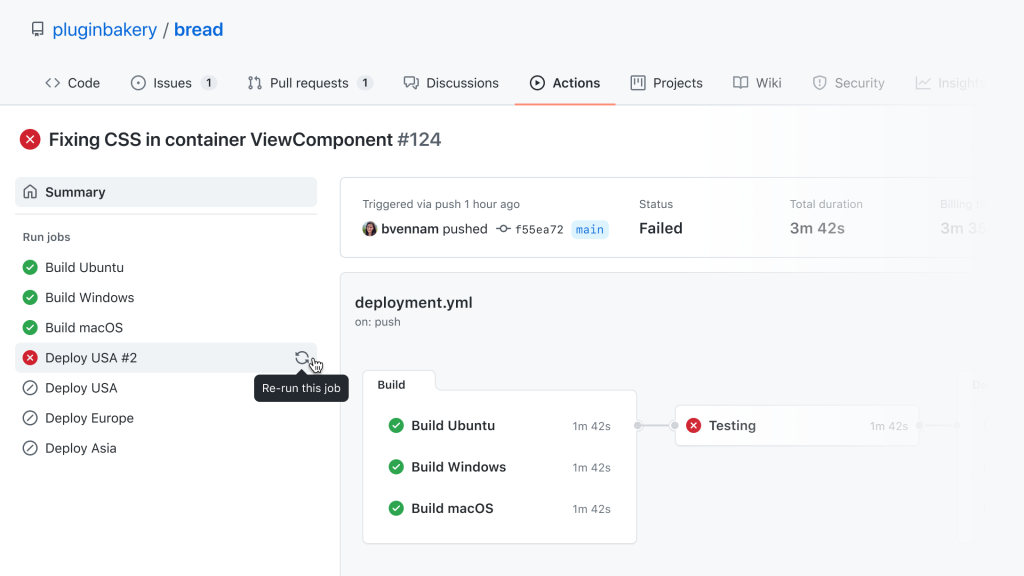
Tracking multiple attempts in one view
If a workflow run has more than one attempt, a navigation drop-down lets you switch between them to compare what happened across each try. Jobs from the new attempt appear alongside those from previous runs, so you can review all relevant logs together and understand the full sequence of events. Only the minutes spent on jobs that actually re-ran count toward your usage total.

API and CLI support
Partial re-runs are available through the REST API and command-line tools. Full details are in the documentation. Feedback can be posted in the Actions and Packages category in the GitHub Feedback repository.


