
The Problem with Static Server Props
In a Next.js application, pages using getServerSideProps receive their data as immutable props after the initial server-side render. This becomes a problem when the underlying data changes—for example, an admin dashboard where you edit user records but the table doesn't reflect modifications until a full page refresh.
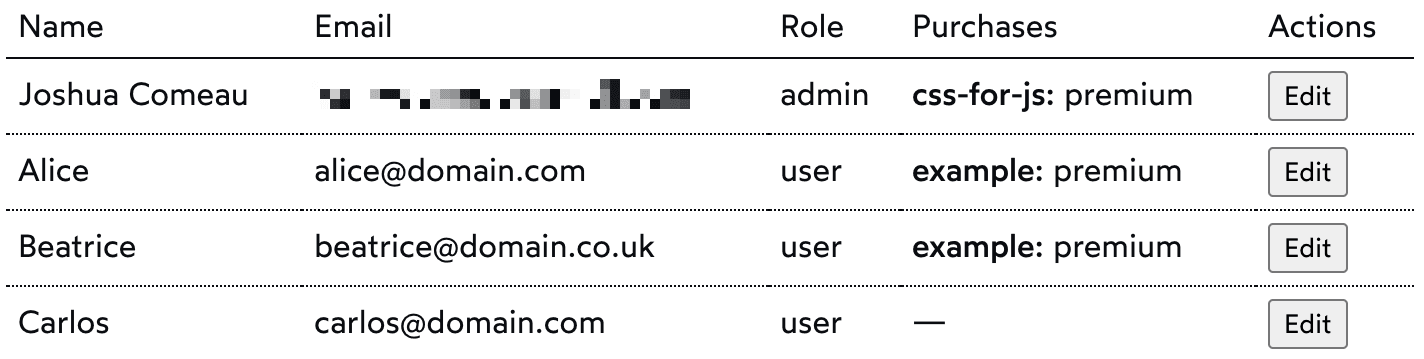
The challenge: how do you tell Next.js to re-fetch data on demand without a hard browser refresh?
Re-fetching Data via the Router
Next.js routes with getServerSideProps have a dual nature. When a user navigates via a Link on an existing client-side session, Next.js calls getServerSideProps on the server but transmits the result as JSON rather than as an HTML document. This is how client-side navigation works while still executing potentially expensive server-side logic.
We can leverage this behavior to refresh props in place by performing a client-side transition to the current route. This is the core trick:
import { useRouter } from 'next/router';

function SomePage(props) {
  const router = useRouter();

  // Call this function whenever you want to refresh props!
  const refreshData = () => {
    router.replace(router.asPath);
  }
}

export async function getServerSideProps(context) {
  // Database logic here
}
Calling refreshData triggers a client-side navigation to the exact same path, causing Next.js to re-fetch server props and pass them to the current page. For example, after updating a user's name you might call:
async function handleSubmit() {
  const userData = /* create an object from the form */

  const res = await fetch('/api/user', {
    method: 'PUT',
    body: JSON.stringify(userData),
  });

  // Check that our status code is in the 200s,
  // meaning the request was successful.
  if (res.status < 300) {
    refreshData();
  }
}
Note the use of router.replace rather than router.push. The former doesn't add a new entry to the history stack, so the browser's "Back" button isn't broken by this implicit redirect.
Adding a Loading State
There is no built-in indicator when this client-side data re-fetch is happening. For slower connections, it's wise to let the user know something is in flight. You can manage this with a state flag and an effect hook:
function SomePage({ theData }) {
  const [isRefreshing, setIsRefreshing] = React.useState(false);

  const refreshData = () => {
    router.replace(router.asPath);
    setIsRefreshing(true);
  };

  React.useEffect(() => {
    setIsRefreshing(false);
  }, [theData]);
}
A new state variable, isRefreshing, is set to true when a refresh begins. An effect tracks the data prop; when it changes, the loading state is cleared. This approach avoids resetting the flag on unrelated re-renders.
Mutating Data After Refresh
For simple cases, a straightforward refresh is sufficient. But if you need to modify the server data before showing it—for example, performing an optimistic update—the props need to be moved into local state:
function SomePage({ initialData }) {
  const [theData, setTheData] = React.useState(initialData);

  // Mutate whenever you want with `setTheData`!
}
While copying props into state is often flagged as an anti-pattern, that caution applies mainly to duplicating a source of truth. When the server props are the only source of truth at the top of the tree, initializing state from them is fine. Prefixing the prop with initial (e.g., initialUsers) makes their role clear to other developers.
An Alternative Approach
Another strategy avoids the router trick entirely:
- Extract database calls into a standalone function (e.g.,
getUsers) used bygetServerSideProps. - Expose the same data through a dedicated API route.
- In the page component, use a data-fetching library like SWR to initialize state from server props and manage subsequent fetches against the API route.
- Mutate data through SWR's API.
This is a legitimate pattern, particularly if you already have a client-facing API or need complex data-mutation logic. However, for a simple "request fresh data" need, maintaining two separate mechanisms for the same fetch can feel overengineered. The router-based refresh keeps everything in one place and handles straightforward cases with minimal code.


