Businesses that publish online at speed generate a constant stream of banners, images, videos and PDFs. A Digital Asset Management (DAM) system gives them one place to store, organize, search and track those files, which shortens campaign turnaround and keeps teams working from the same library. Once asset volumes reach the millions and arrive from many sources, though, manual UI work stops scaling. Uploading thousands of images into the right folders each day, or pushing product SKU IDs from an internal CMS into a tag on the product image, has to happen programmatically. That is what the media APIs shipped with leading DAM products are for.
How DAM APIs work
An API (Application Programming Interface) is a shared definition that lets two pieces of software talk to each other. Ordering a dish from a menu is the usual analogy: the dish name is the common language between you and the chef. In an e-commerce app, entering a pin code sends a request to a server describing what delivery estimate you want, and the estimate that comes back is the API's response.
A DAM API applies the same contract to asset management. Everything the browser UI can do becomes callable from a program: dragging an image into the UI and uploading one from a user's Android app are two front ends to the same operation. The upload API carries the instructions on what to upload and how, and then reports back on the asset it created.
ImageKit, a DAM offering with storage, management, AI tagging, custom metadata, advanced search and delivery optimization built in, exposes its full feature set through media APIs in addition to its UI.
Where the APIs fit into a workflow
- User-generated content. A site or app that accepts images, videos or other media from its users can upload them straight into the DAM via the upload API.
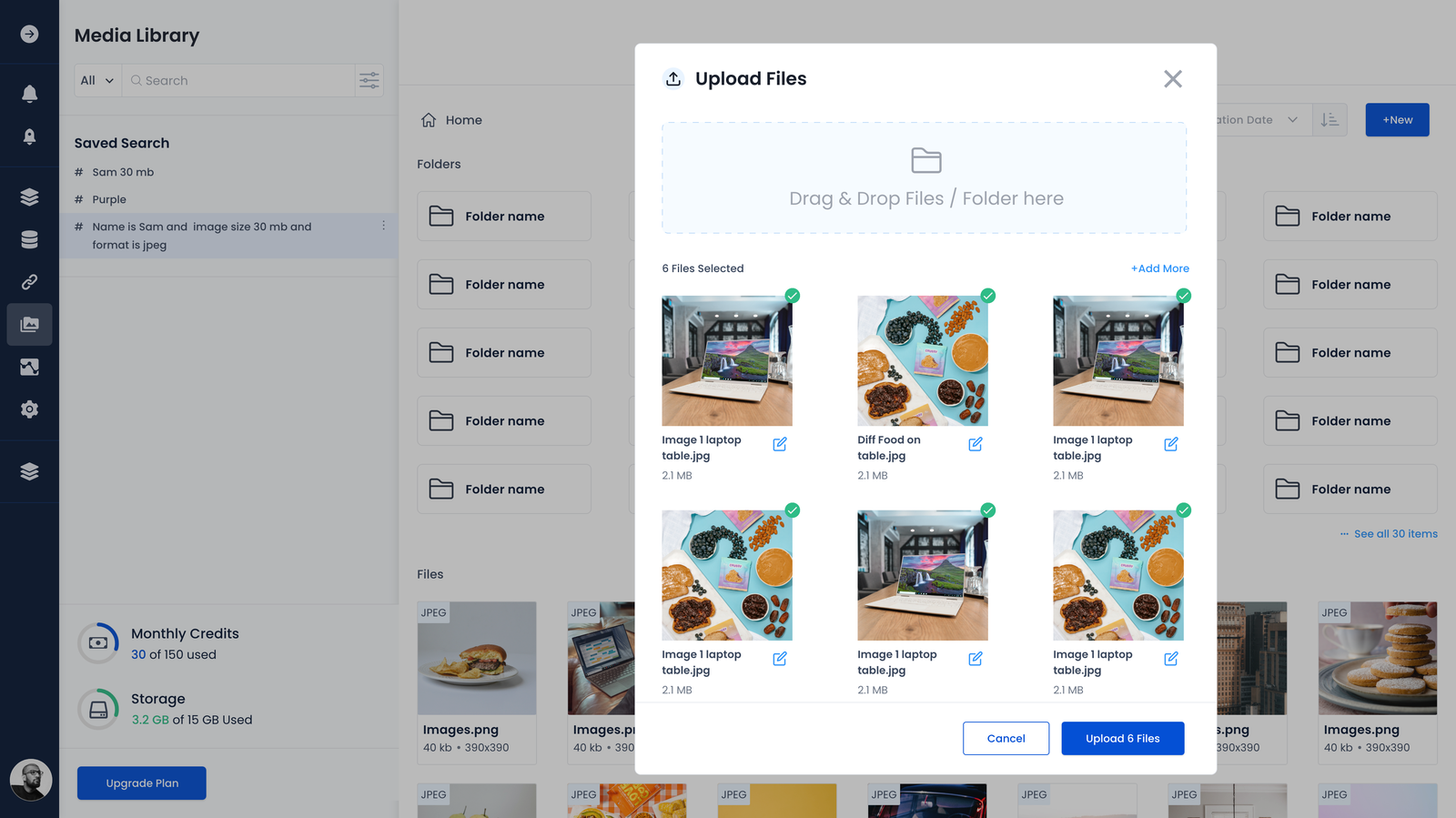
- White-labeled media libraries. A product that offers integrated storage to its own users can hide the DAM behind its interface by combining upload, list, search and image-detail APIs.
- Existing internal systems. Teams that already work inside a CMS can keep their current tooling and treat the DAM as backing storage, calling its management and search APIs so that nobody has to switch tools.
- Asset delivery. Where the DAM supports it, real-time image and video optimization APIs serve assets to users and across platforms. ImageKit delivers any asset uploaded to its media library.
The core APIs, with ImageKit examples
Uploading a file
Nothing else works until files are in the system. ImageKit's Upload API accepts either a real file from a file system or a web URL, and can run in a front-end application such as a mobile app or in a back-end application server. A back-end upload looks like this:
curl -X POST "https://upload.imagekit.io/api/v1/files/upload" \

-u your_private_api_key: \

-F 'file=@/Users/username/Desktop/my_file_name.jpg;type=image/jpg' \

-F 'fileName=my_file_name.jpg'
The response carries details about the new asset, typically a unique file ID — the handle that later API calls depend on — plus format, size, upload time and similar fields.
{
  "fileId": "598821f949c0a938d57563bd",
  "name": "my_file_name.jpg",
  "url": "https://ik.imagekit.io/your_imagekit_id/images/products/file1.jpg",
  "height": 300,
  "width": 200,
  "size": 83622,
  // other information...
}
Moving, copying and deleting
Files also need to be reorganized or removed after they land. ImageKit's move operation takes the file's current path as sourceFilePath and the target folder as destinationPath:
curl -X POST "https://api.imagekit.io/v1/files/move" \
-H 'Content-Type: application/json' \
-u your_private_key: -d '
{
  "sourceFilePath" : "/path/to/file.jpg",
  "destinationPath" : "/folder/to/move/into/"
}'
Tagging, manually and with AI
Folder structures and file names carry only so much meaning as a repository grows. Custom metadata and tags add a business-specific layer of organization: fields such as "Product Category" (Shoe, Shirt, Jeans), "Platform" (Facebook, Instagram) or "Sale Name" (Thanksgiving, Black Friday) attach the context a file name never will. Services like Google Cloud Vision can infer tags automatically, speeding up tagging and cutting errors. ImageKit exposes the tagging as an API, including AI-inferred tags from Google Cloud Vision:
curl -X PATCH "https://api.imagekit.io/v1/files//details" \

  -H 'Content-Type: application/json' \
  -u your_private_key: -d'

  {
    "extensions": [
    {
      "name": "google-auto-tagging",
      "maxTags": 5,
      "minConfidence": 95
    }
  ]
}
The same association can be applied at upload time rather than after the fact.
Search
Retrieval is the whole point of a DAM, so a search API has to cover every parameter attached to an asset, including the custom tags and metadata described above. ImageKit's query syntax is flexible enough for compound conditions, such as locating every asset older than seven days with a size above 2MB:
curl -X GET "https://api.imagekit.io/v1/files" \

-G --data-urlencode "searchQuery=createdAt >= \"7d\" AND size > \"2mb\"" \

-u your_private_api_key:
Delivery
Curated assets eventually have to appear on the web, in apps and in emails, or be shared by URL. Leading DAMs return ready-to-use URLs for stored files; ImageKit builds automatic optimization and real-time manipulation for both images and videos into that URL API.
https://ik.imagekit.io/ikmedia/default-image.jpg?tr=w-200,h-200The URL above produces a 200×200 square thumbnail, compressed and with its format optimized. An equivalent URL-based API exists for video.
What else the APIs cover
The five operations above are the foundation, not the full surface. DAM products also expose APIs for managing folders, fetching file details, controlling whether assets can be shared, and more. Combined into existing pipelines, they let marketing, creative and engineering teams work from the same asset library and take campaigns live faster. ImageKit's media management APIs are documented alongside a forever free DAM plan.



