
Offscreen iframes no longer need to load eagerly
Lazy-loading <iframe> elements delays the loading of offscreen frames until the user scrolls near them. That approach saves data, speeds up loading of the rest of the page, and cuts memory usage. As with images, you can use the loading attribute to tell the browser you want to lazy-load an iframe.

Third-party embeds cover a lot of ground, from video players and social media posts to ads. This content is frequently not visible in the user's viewport, but users still pay the cost of downloading data and expensive JavaScript for every frame, even if they never scroll to it.
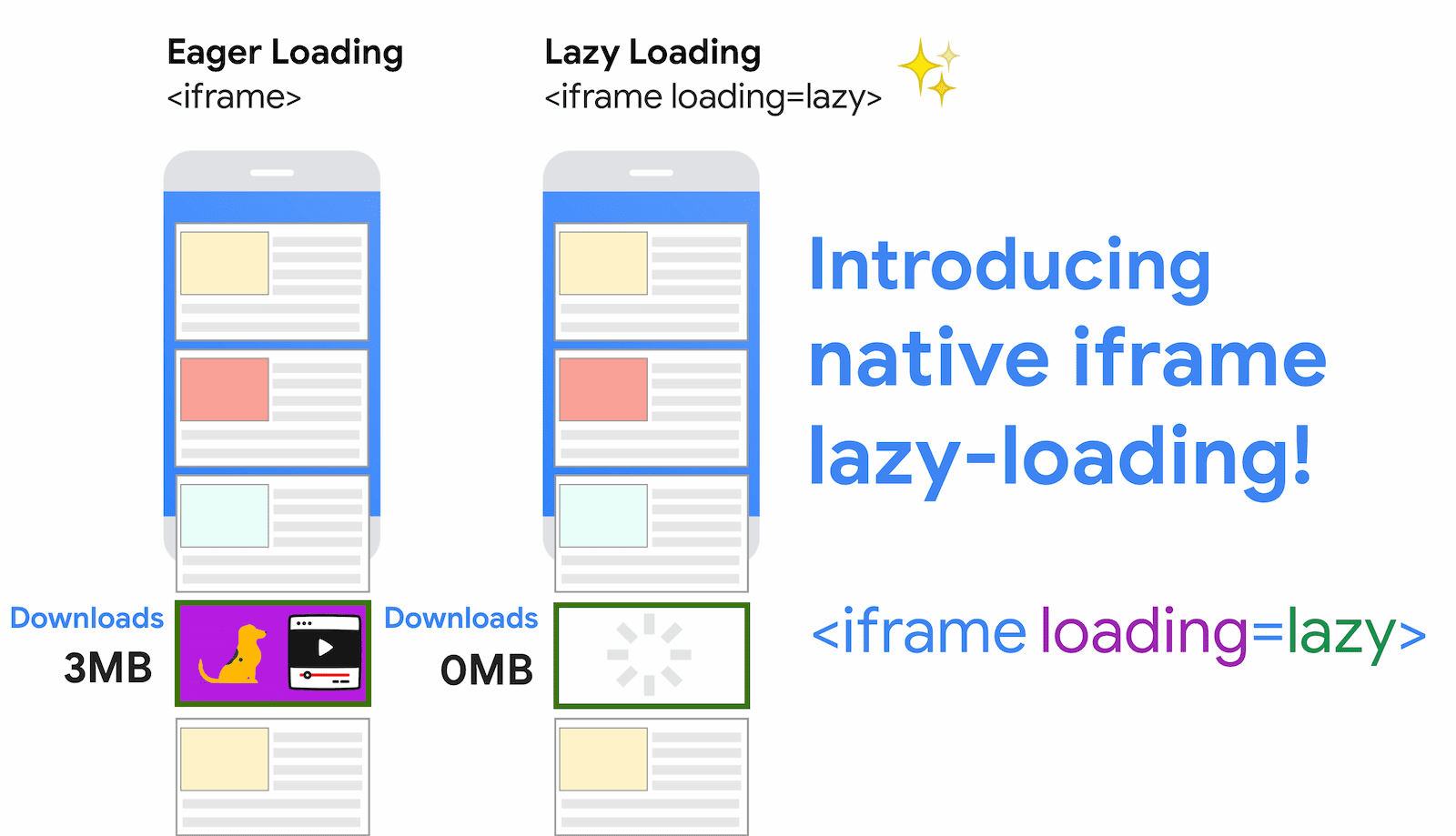
Chrome's research on automatically lazy-loading offscreen iframes for Data Saver users suggests the technique could produce 2–3% median data savings, 1–2% reductions in First Contentful Paint (FCP) at the median, and 2% improvements in First Input Delay (FID) at the 95th percentile. Lazy-loading offscreen iframes can also help Largest Contentful Paint (LCP): since iframes often require substantial bandwidth to fetch all their subresources, deferring them can reduce bandwidth contention on network-constrained devices and leave more room for resources that matter for LCP.
How the loading attribute works on iframes
The loading attribute lets a browser defer offscreen iframes and images until the user scrolls close to them. It accepts two values:
lazy: a good candidate for lazy-loading.eager: load right away; not a good candidate for lazy-loading.
Using the attribute looks like this:
<!-- Lazy-load the iframe -->
<iframe src="https://example.com"

        width="600"
        height="400"></iframe>

<!-- Eagerly load the iframe -->
<iframe src="https://example.com"
        width="600"
        height="400"></iframe>
Not specifying the attribute is equivalent to explicitly loading the resource eagerly.
If you create iframes dynamically in JavaScript, setting iframe.loading = 'lazy' on the element is also supported:
var iframe = document.createElement('iframe');
iframe.src = 'https://example.com';
iframe.loading = 'lazy';
document.body.appendChild(iframe);
Requiring an explicit attribute choice means the developer's intent is always clear. Note that the early Chrome experiment on automatic lazy-loading for Data Saver users had an exception for hidden iframes, which are often used for communications or analytics—those were always loaded to avoid breaking them. The loading attribute does not apply those heuristics; the developer decides what gets lazy-loaded. The attribute is honored subject to distance limits and other browser choices, such as printing.
What lazy-loading popular embeds saves
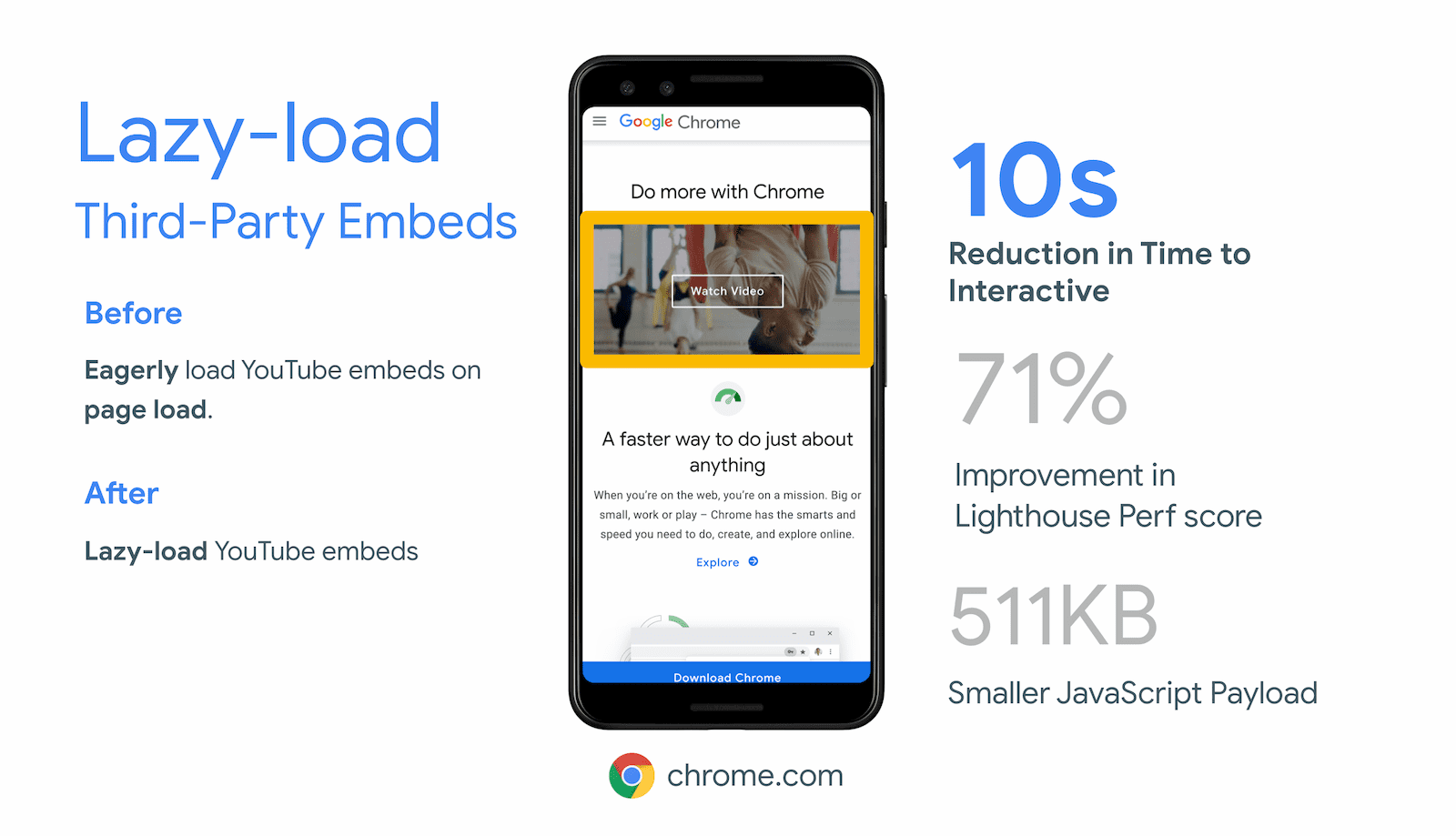
Turning on lazy-loading for iframe embeds by default would make pages noticeably more responsive. The examples below show Time to Interactive (TTI) improvements and data savings for media embeds; advertising iframes can offer similar gains.
YouTube embeds
Lazy-loading YouTube video embeds saves roughly 500 KB on initial page load:
<iframe src="https://www.youtube.com/embed/YJGCZCaIZkQ"
        loading="lazy"
        width="560"
        height="315"
        frameborder="0"
        allow="accelerometer; autoplay;
        encrypted-media; gyroscope;
        picture-in-picture"
        allowfullscreen></iframe>
Instagram embeds
Instagram embeds ship a block of markup and a script that injects an iframe into the page. Lazy-loading that iframe avoids pulling in all the script the embed needs, saving about 100 kB on initial load. Because these embeds usually sit below the viewport in articles, they're a reasonable candidate for iframe lazy-loading.
Spotify embeds
Lazy-loading Spotify embeds can save 514 KB on initial load.
<iframe src="https://open.spotify.com/embed/album/1DFixLWuPkv3KT3TnV35m3"

        width="300"
        height="380"
        frameborder="0"
        allowtransparency="true"
        allow="encrypted-media"></iframe>
Facebook social plugins
Facebook's social plugins allow developers to embed Facebook content in their pages. The most common is the Like plugin, a button showing how many users have “liked” a page. By default, embedding it via the Facebook JSSDK loads around 215 KB of resources, 197 KB of which is JavaScript. The plugin usually appears at the end of an article or page, so loading it eagerly while it's offscreen is often inefficient.

Thanks to work from engineer Stoyan Stefanov, all Facebook social plugins now support standardized iframe lazy-loading. Developers can opt in through the plugins' data-lazy configuration, preventing the plugins from loading until the user scrolls nearby. That keeps the embed functional for users who need it while saving data for those who don't scroll down to it.
When you need more control
Browser-level iframe lazy-loading is supported across all major browsers and is recommended for most cases, as it removes the need for an extra JavaScript dependency. However, if you must support older browsers or want finer control over lazy-loading thresholds, third-party libraries such as lazysizes offer additional options.


