

A new look at code changes
GitHub Desktop has long offered a graphical alternative to the command line for everyday Git tasks—branching, reviewing, committing, pushing, and checking CI status—all without leaving a polished desktop interface. Today’s release adds one of the most commonly requested features from the past year: split diffs.
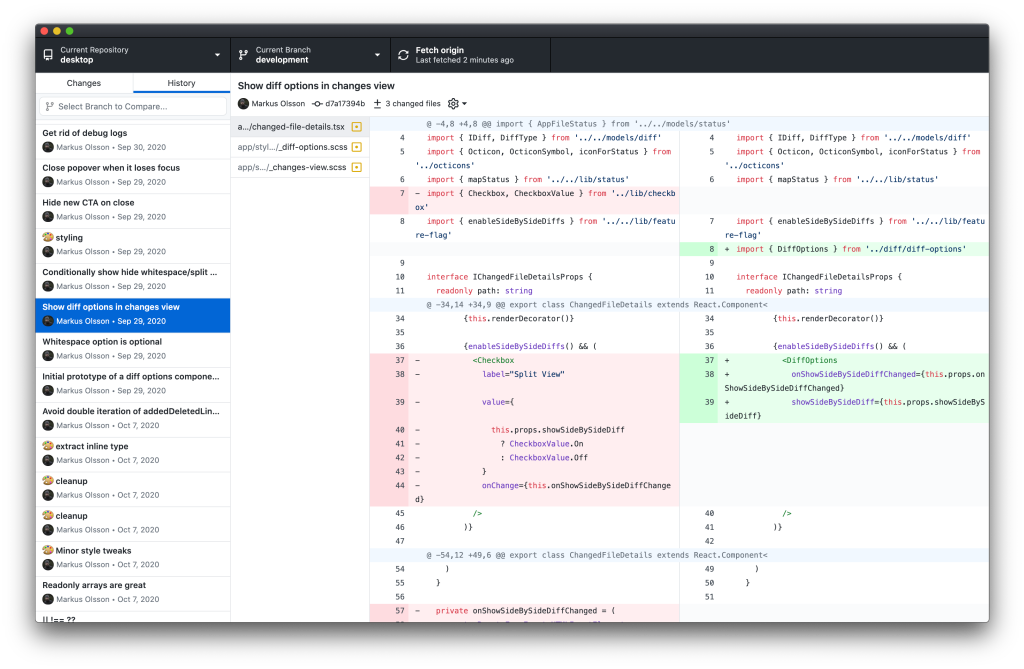
With this update, you can now view code changes side-by-side in addition to the traditional unified view. For many developers, the two-pane layout makes it noticeably easier to trace what actually changed in a file. Combined with GitHub Desktop’s syntax highlighting, split diffs provide more context than a terminal-based diff can offer.
More from community feedback
GitHub Desktop is free and open source, and its user base has expanded rapidly since the current version shipped in 2017. Today, more than 1 million people use the app monthly, solidifying its position as the most widely used desktop Git client. Hundreds of contributors have helped build the app directly, while thousands more have shaped it through feedback.
Split diffs are just one of several features arriving in response to that feedback. This release also includes Actions statuses inside the app, finer control over when to stash changes, and a way to discard individual lines from a file. The newest version of GitHub Desktop is available for download now.


