
Standardizing release workflows with GitHub Projects
Managing a release across multiple engineering teams brings a familiar set of challenges: cross-functional tasks that span documentation, engineering, product, design, and social, plus a steady stream of stakeholders who need to know how things are going. At GitHub, we’ve built our release process around GitHub Projects, using project templates and status updates to keep the work—and everyone involved—aligned.
Project templates as a repeatable starting point
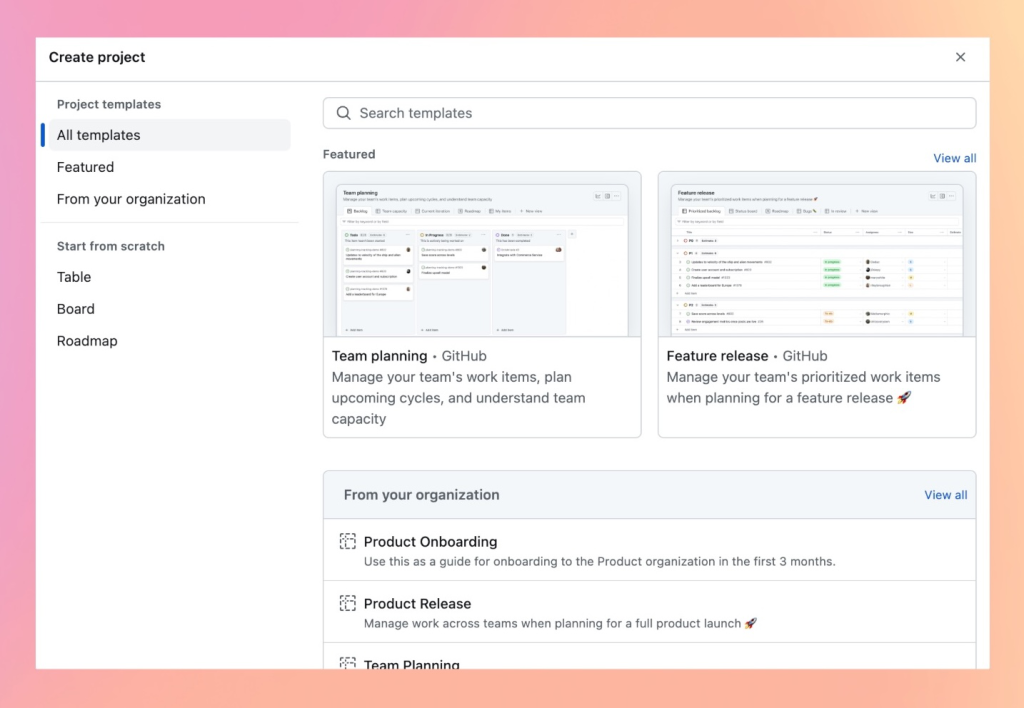
Manually setting up a new project for every release is slow and error-prone. Project templates let us skip the setup and jump straight into tracking repeatable tasks with preconfigured views, custom fields, workflows, insights, and draft items. They serve a dual purpose: capturing best practices for the team and making sure no step gets missed along the way.
We use two kinds of templates:
- Built-in templates come out of the box and cover common use cases like “Team planning” and “Roadmap.” They’re useful as-is or as a starting point to tailor further.
- Organization templates are created by members and come fully preconfigured. They can be built from scratch, copied from another project, converted from an existing one, or even recommended within the organization—which makes them a solid way to standardize workflows across teams.
Templates in practice across GitHub
Inside GitHub, our template library has grown to more than 50 templates aimed at repeatable work. Some of the most-used ones include:
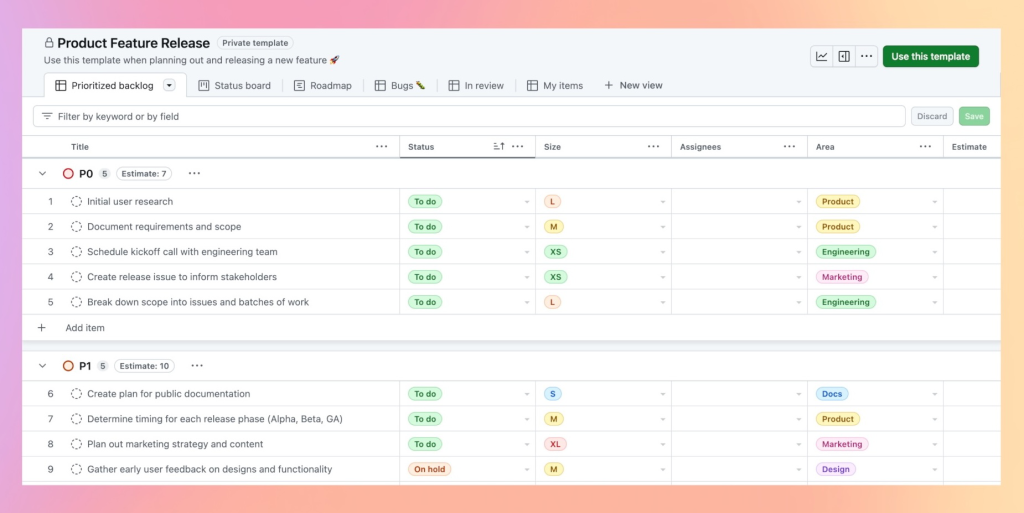
- Product Feature Release to kick off a new release and track cross-functional tasks across engineering, product, design, documentation, and social. It’s refined after every release based on what we learn.
- Program Roadmap to build and share upcoming plans in a single, visual place.
- GitHub Copilot Adoption Blueprint to guide teams through adopting GitHub Copilot.
- Engineering Onboarding to spell out tasks for new engineers across their first weeks and months.
- Bug Tracker to triage incoming reports, prioritize fixes, and track progress for first responders.
Status updates keep everyone aligned
Templates get a release started, but keeping stakeholders informed is a separate job. We use project status updates for that. Short, regular summaries posted in the project itself capture the current Status, Start date, and Target date, along with a few high-level details:
- A summary of the past week’s progress, using
@mentions to call out contributors. - Relevant metrics around early adoption and performance.
- Known risks or challenges on the horizon.
- Dependencies on other teams or workstreams that could impact the release date.
That history of updates is valuable on its own. If a target date slips or a status changes from On track to At risk, stakeholders can scroll back through the feed to understand why—and what cross-functional dependencies contributed.
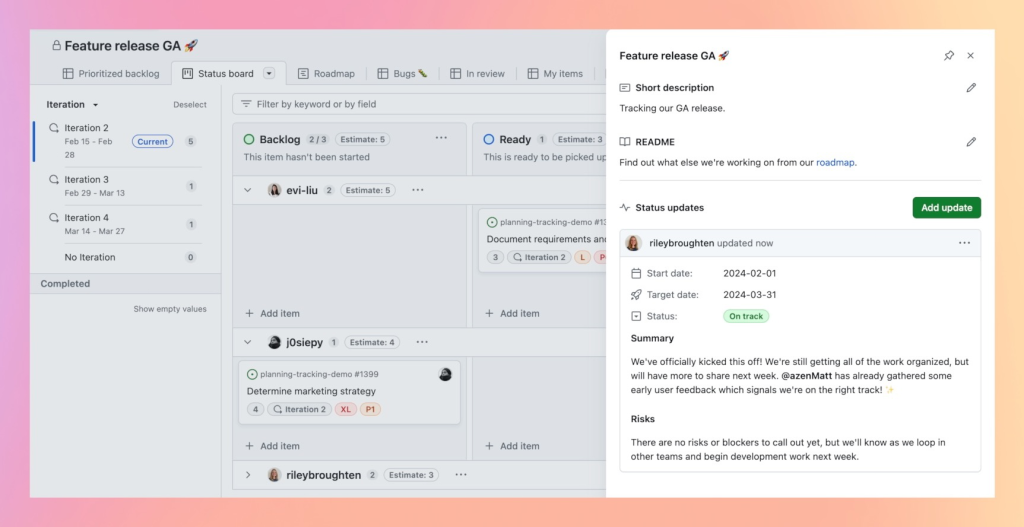
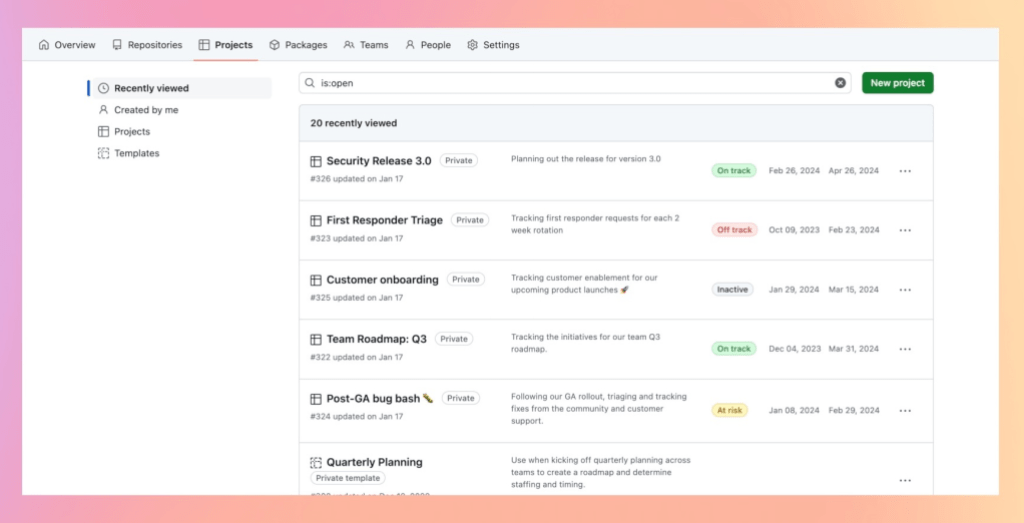
Having all of these statuses visible in one place means I can scan every active project I care about, then drill in for details when something needs attention.
Building a library that scales
Our template collection keeps expanding across teams and departments, covering feature releases, onboarding, roadmaps, and more. The goal is that starting a familiar kind of work is one click away. Teams and organizations can build their own library of templates to encode their best practices, then use status updates to keep the right people informed without extra overhead.


