Start with user needs, not with the tech
Progressive Web Apps are showing up on many company roadmaps as a way to modernize a website and keep pace with changing user expectations. But before committing to a PWA project, product owners tend to ask three practical questions: do my customers actually want this, what will it do for revenue, and is it technically sound? Answering those questions usually requires input from several roles — a product manager and marketing lead own the business impact, a CTO assesses feasibility and reliability, and UX researchers validate that a proposed feature solves a real customer problem.
The useful way to frame a PWA project is to start from customer needs, map those needs to specific PWA capabilities, and then track the business impact of each capability. That ordering keeps the project grounded in user value rather than technology for its own sake.
User research consistently surfaces a few patterns that matter for mobile experiences:
- Users have very low tolerance for slow or unreliable mobile experiences, and the stress of mobile delays is comparable to watching a horror movie.
- Half of smartphone users say they are more likely to use a company's mobile site when browsing or shopping because they don't want to download an app.
- Limited device storage is one of the top reasons people uninstall apps, while an installed PWA usually takes less than 1 MB.
- Smartphone users are more likely to buy from mobile sites that show relevant product recommendations, and a large majority find mobile notifications useful.
Match capabilities to the four pillars
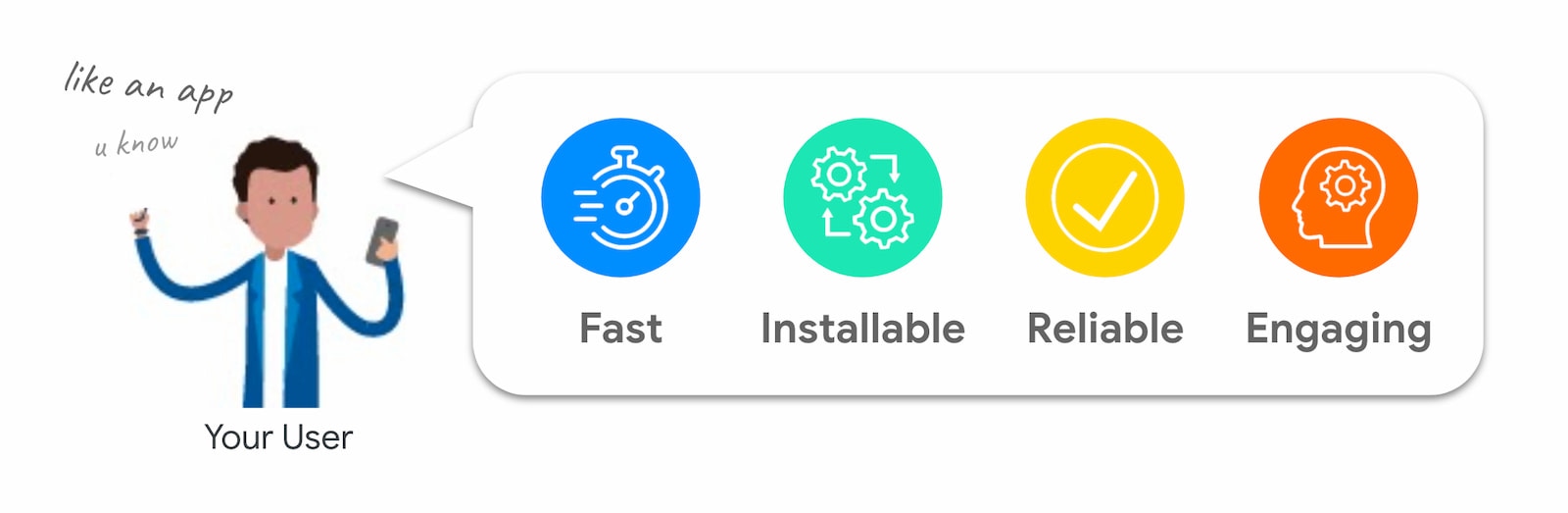
Those findings point to four qualities that customers value: fast, installable, reliable, and engaging. PWAs map directly to those pillars through a combination of modern web APIs and established best practices.
Service workers that cache resources and prefetch predictively make a site both faster and more reliable, even under poor network conditions. Installability gives customers a lightweight way to launch the site from their home screen or app launcher, without the friction of an app store download. For engagement, APIs like Web Push Notifications allow personalized re-engagement to drive loyalty and repeat visits.
Measure business impact, not just installs
Each PWA feature should have an associated business goal and a metric that ties back to it. If the goal is to reduce friction for repeat customers, the relevant metric might be conversion rate or return visit frequency rather than install counts. If the goal is engagement, time on site or push notification opt-in rate could matter more. Aligning each technical capability with a measurable outcome is what turns a PWA from a compliance checklist into a business asset.
Quantifying what speed, installability, reliability, and engagement deliver
Business success can mean different things depending on your goals: more time spent on site, lower bounce rates, higher conversion, or more return visits. Most PWA projects improve mobile conversion, but the F.I.R.E. capabilities — fast, installable, reliable, and engaging — each have distinct impacts. The good news is that you don't have to adopt everything at once; these features can be implemented and measured independently.
Speed is a revenue lever
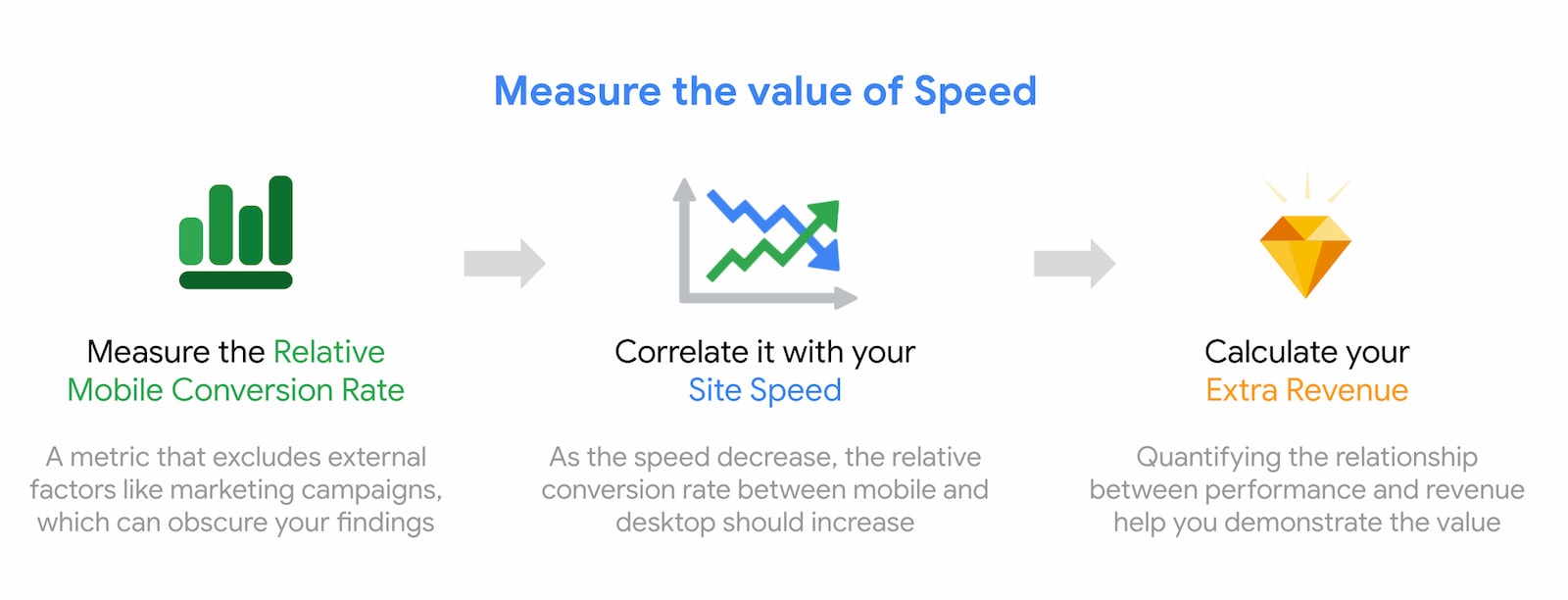
Page speed has a direct, measurable effect on business metrics, according to research from Deloitte Digital. Optimizing performance improves critical user journeys, and a logical first step is auditing with Lighthouse to identify the highest-impact fixes. Set clear targets — for example, achieving "Good" Core Web Vitals scores — and once you have them, bake a performance budget into the build pipeline.
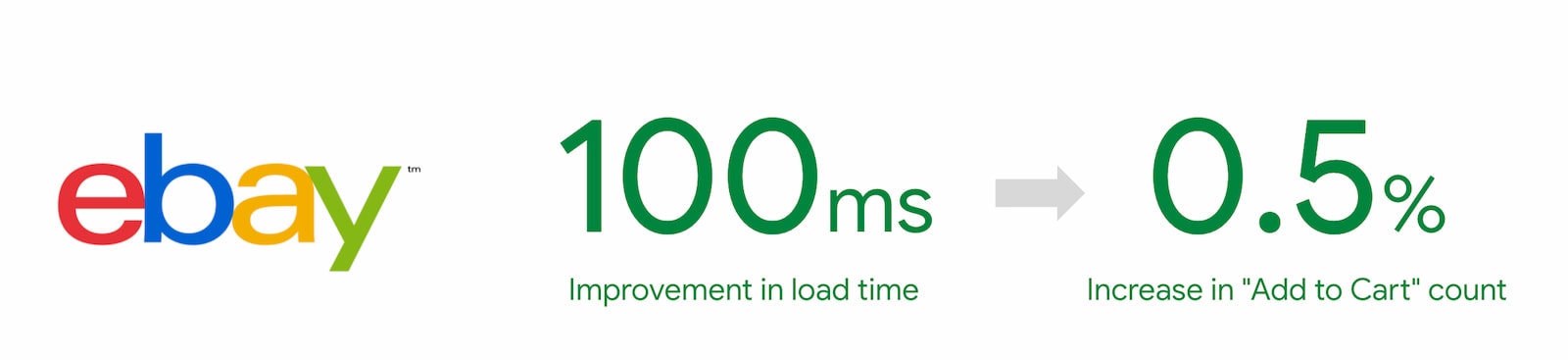
Daily measurement is essential to track incremental gains. Use the "value of speed" methodology to estimate the revenue impact of specific performance changes, rather than treating speed as an abstract quality metric. EBay provides a concrete benchmark: after making speed a company objective in 2019 using performance budgets, critical path optimization, and predictive prefetching, they found that every 100 milliseconds shaved off search page load time lifted add-to-cart count by 0.5%.
Installability builds a habit loop
The core reasoning for letting users install your PWA is simple: it lowers the barrier to returning. A platform-specific app install typically means several steps — jump to the Play Store, download, and launch — which pulls the user out of your conversion flow. A PWA installs in one click without leaving the site.
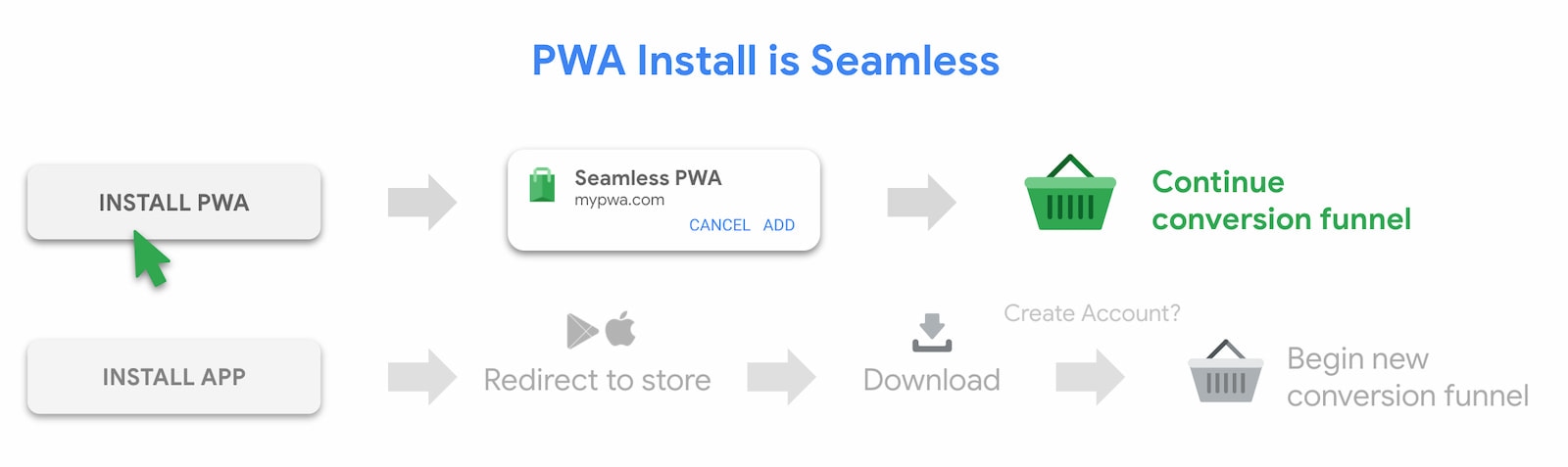
Once installed, the app behaves like a native one. Users launch it from the home screen icon, find it in the app switcher, or arrive through an app search result. This "Discover-Launch-Switch" dynamic is what you unlock by making your PWA installable. The experience runs in a standalone window, separate from the browser, and benefits from OS-level services like the app switcher and system settings.
The users who install your PWA are typically your most engaged visitors, showing repeat visits, longer sessions, and higher conversion than casual traffic — frequently matching the engagement of platform-specific app users on mobile. To enable installation, your site must first satisfy the base install criteria; after that, you can promote the feature in the interface on desktop and mobile, including iOS.
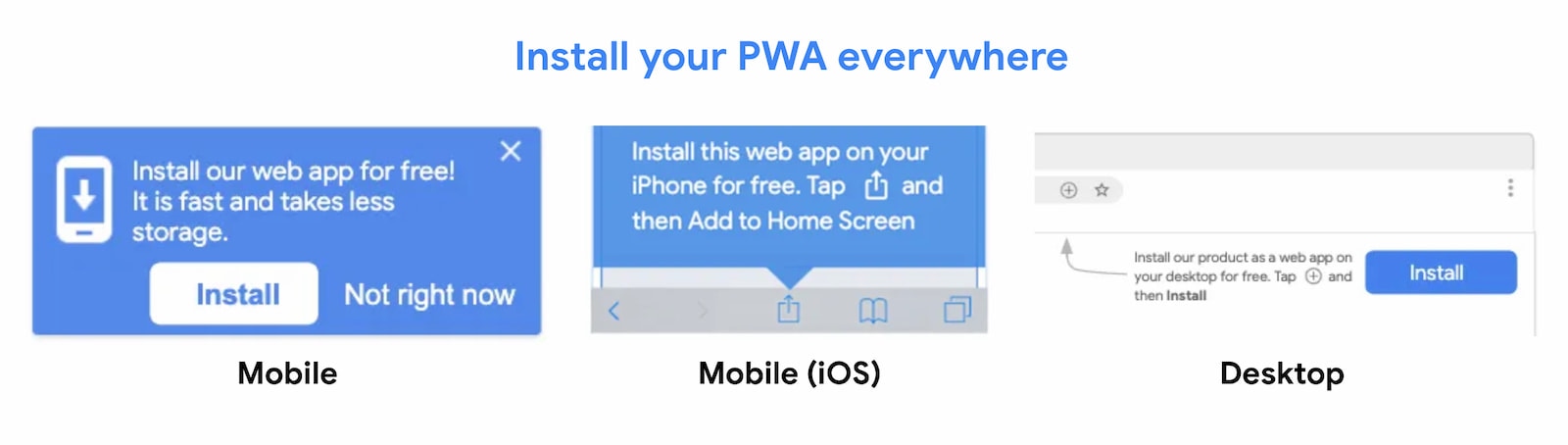
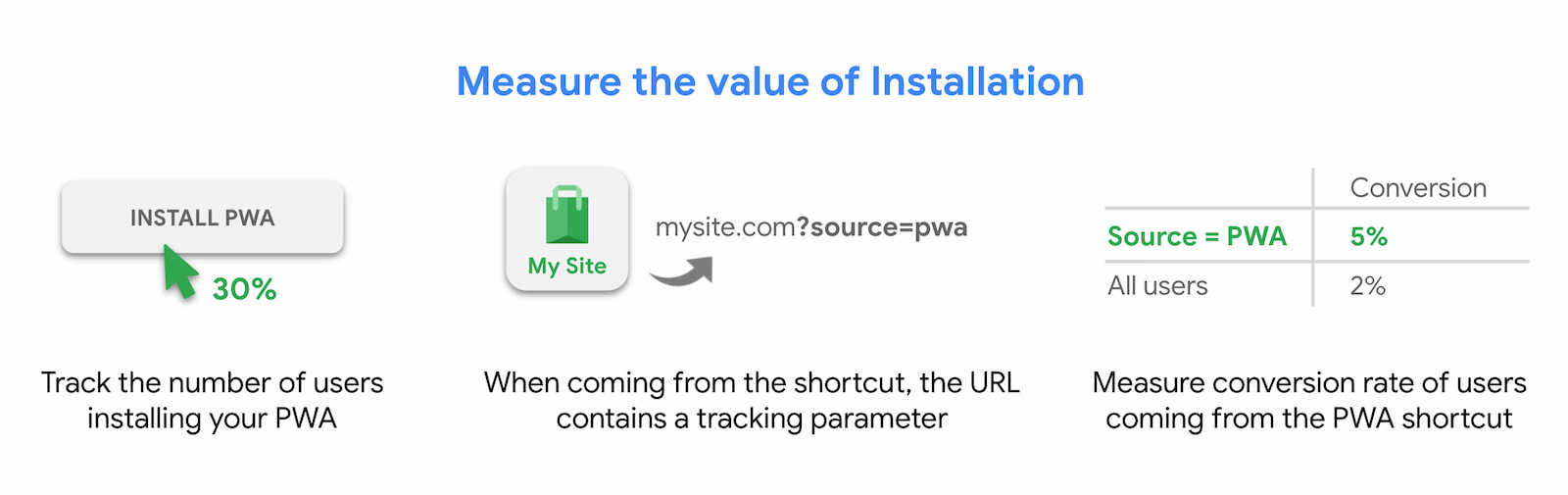
When you begin promotion, track both the number of installs and how installed users behave. Test several variables to maximize uptake: the wording of the install message ("install in one second" versus "add our shortcut to follow your order", for example), the placement (header banner compared to in‑feed), and the timing within the user journey (second page visited versus after a booking). The installation funnel has four measurable stages: users eligible to install, users who clicked the install prompt, users who accepted or declined that prompt, and those who completed installation.
Roll the promotion out to everyone, or start with a test group to limit risk. Within a few days or weeks you should see what people coming from the installed shortcut actually do. To measure this, listen for the appinstalled event and check — presumably by JavaScript — whether your site is running in standalone mode. Feed those flags into your analytics as tracking dimensions.
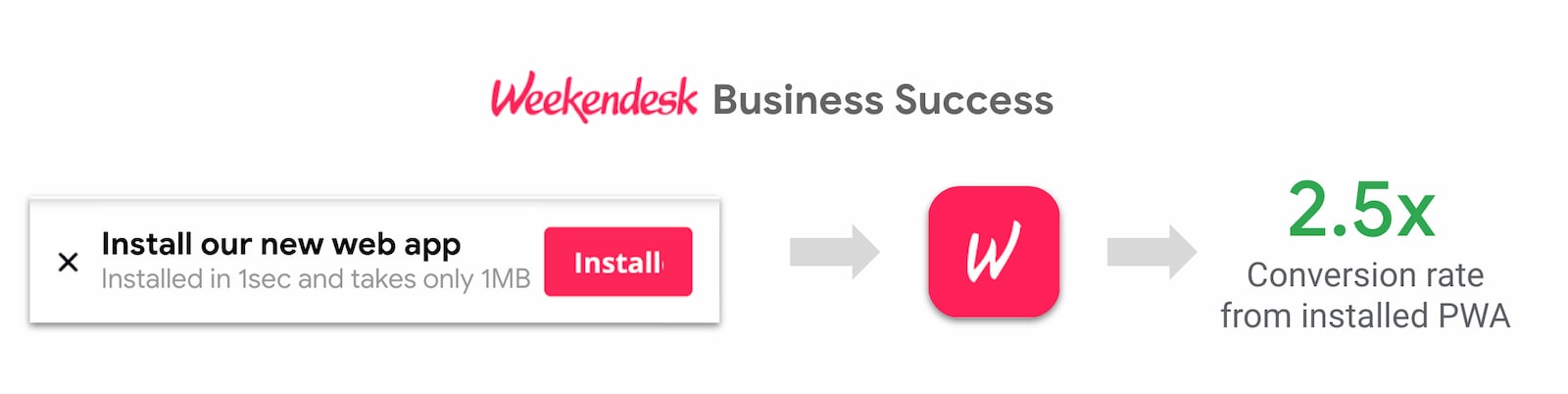
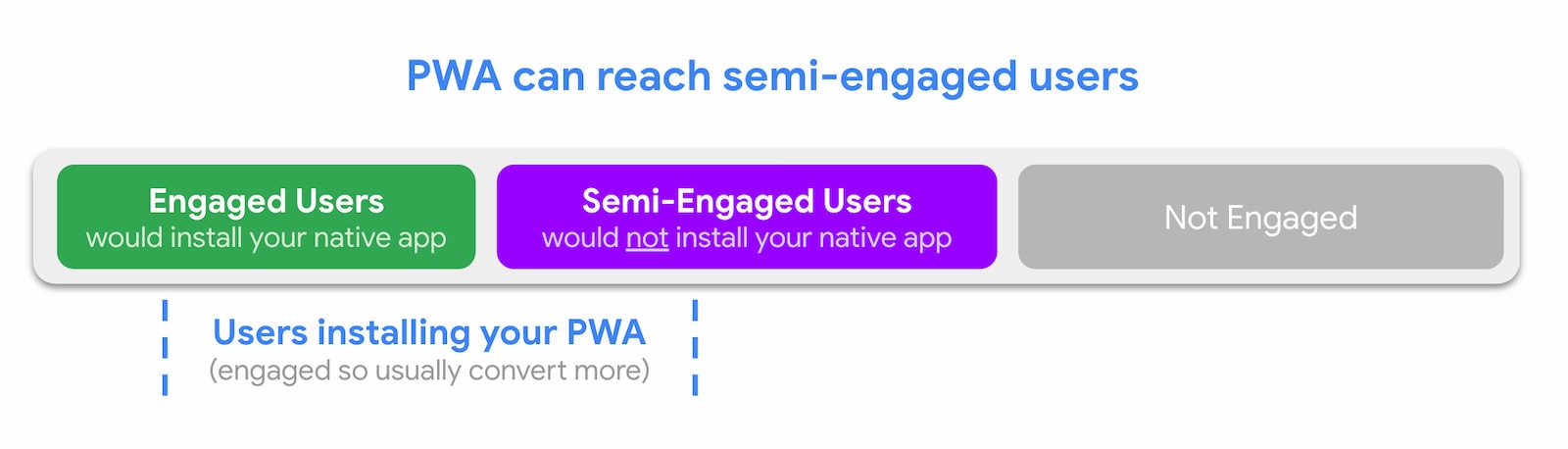
Weekendesk, for example, achieved a strong result by promoting installation on the second page a user visited: people launching the PWA from their home screen were more than twice as likely to book a stay. Installation is a route to repeat visits and customer loyalty, and it can also support personalization for your best users. And even if you already have a platform-specific app, a PWA can capture the semi-engaged users who consider a native install too heavy — a PWA feels lighter and requiring less friction can convince them to install it.
Reliability: the offline opportunity
The Chrome Dino game — shown when there is no network — is played over 270 million times per month. That is a strong signal that network unreliability is an underserved area, especially in markets with patchy connectivity or costly mobile data, such as India, Brazil, Mexico, or Indonesia. A user launching an installed app expects it to open, connected or not; the same expectation applies to a PWA.
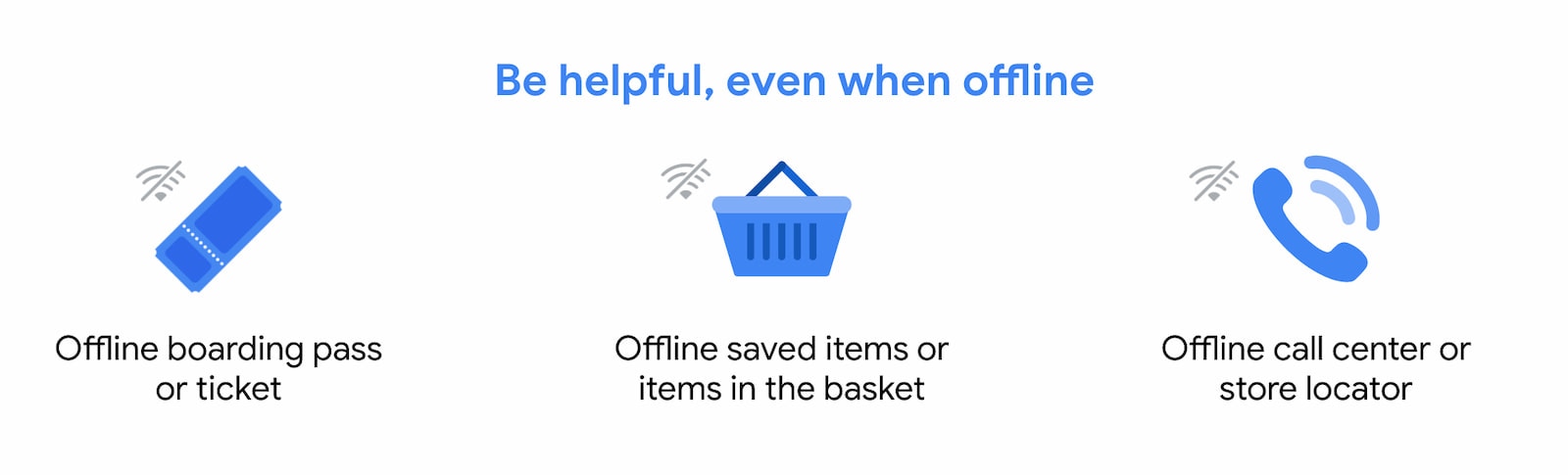
A minimal implementation is a static offline page saying the site is unavailable. The next step is offline features that actually help: cached membership cards or boarding passes, an offline wish list, a customer service contacts screen, or previously viewed articles and recipes.
To see whether the investment pays off, track who goes offline, in which regions, and, crucially, whether they remain after the connection returns. Analytics that logs offline and online transitions will reveal how many users keep browsing once the network is back.
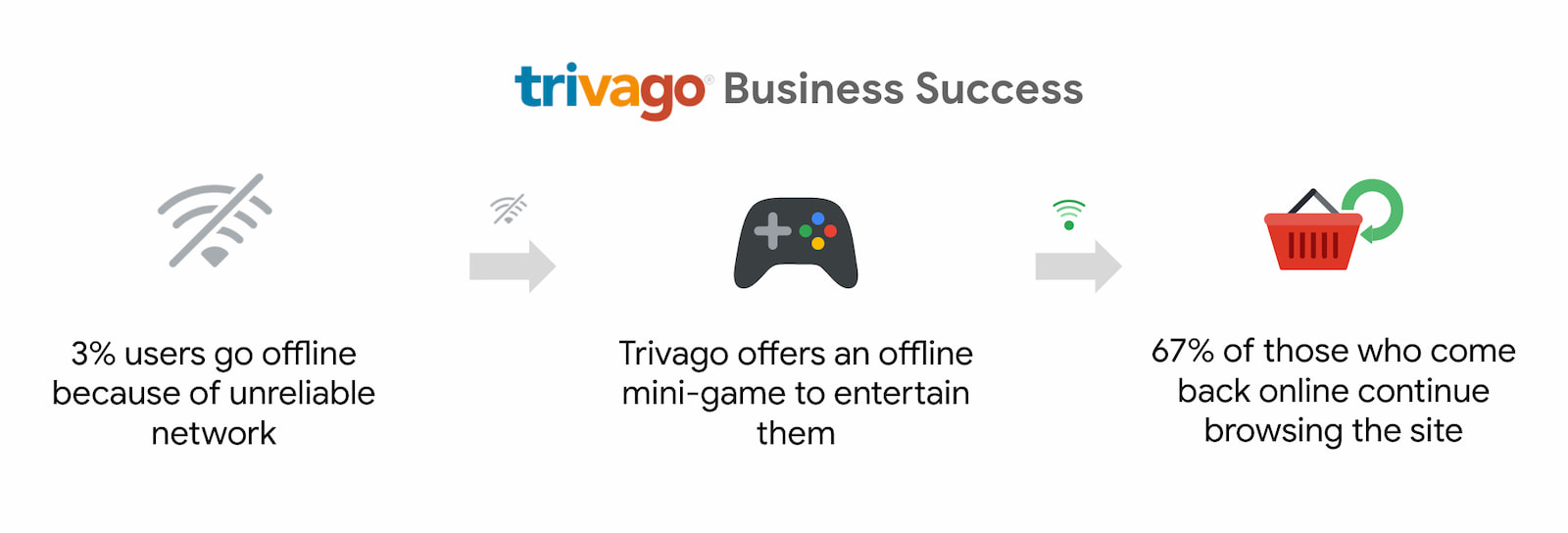
Trivago’s data suggests that the benefit is real: of the roughly three percent of their users whose session was interrupted by going offline, 67% continued browsing the site once connectivity was restored.
Engagement through notifications
Web push asks users to opt in to timely updates and, done right, brings them back with content that they have already signalled an interest in. The catch is that annoying prompts early in the session can backfire. Follow permission best practices and build the request around relevance — a train delay, price drop, or restock alert — rather than as a generic sign‑up demand.
Push on the web is handled by a service worker running in the background, with the actual messages sent from an existing campaign system such as Firebase. It works on Android and on desktop, and its main commercial value is that it raises the frequency of return visits, driving sales and conversions.
To judge whether a campaign has worked, measure beyond the click-through rate:
- Number of users eligible to receive push notifications
- Number who click a custom UI prompt for notification permission
- Number who grant permission
- Number who actually receive each push
- Number who engage with a notification
- The conversion and engagement metrics of users arriving via a notification
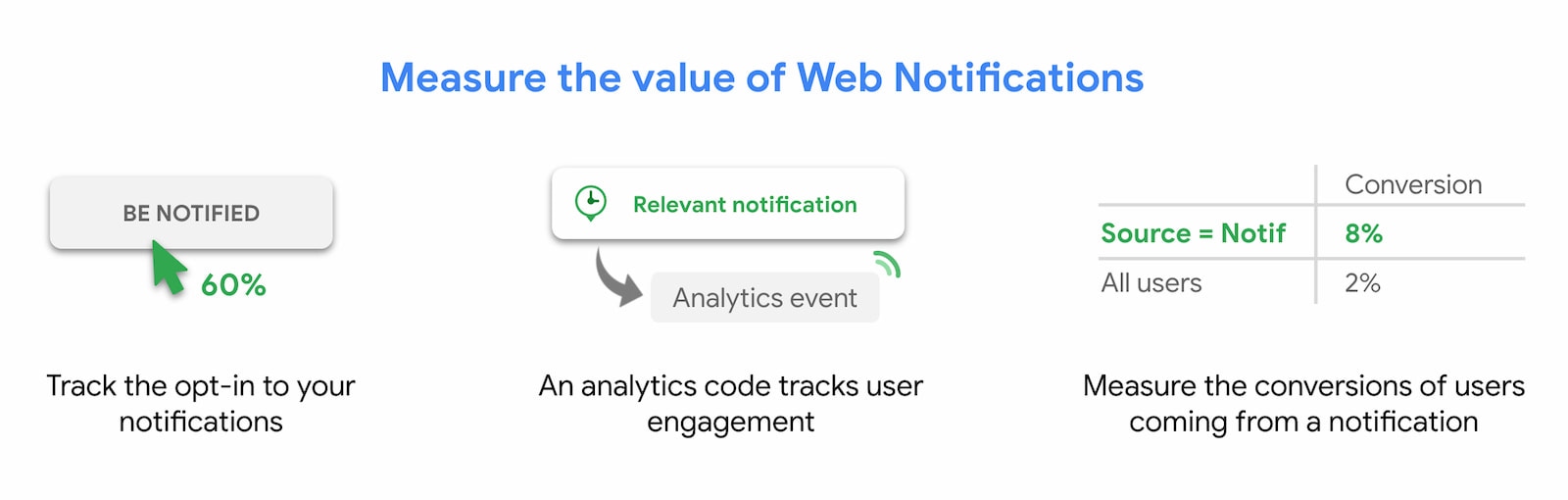
Carrefour’s campaign is a well‑documented example: they multiplied conversion of the pushed segment by 4.5 by re-engaging users with abandoned carts.
Feature by feature: the progressive in PWA
PWA is best understood as a set of independent best practices and modern web APIs, assembled in the order and combination that serve a particular business. The web’s reach is there from day one; the native‑style capabilities are the upgrades you layer on.
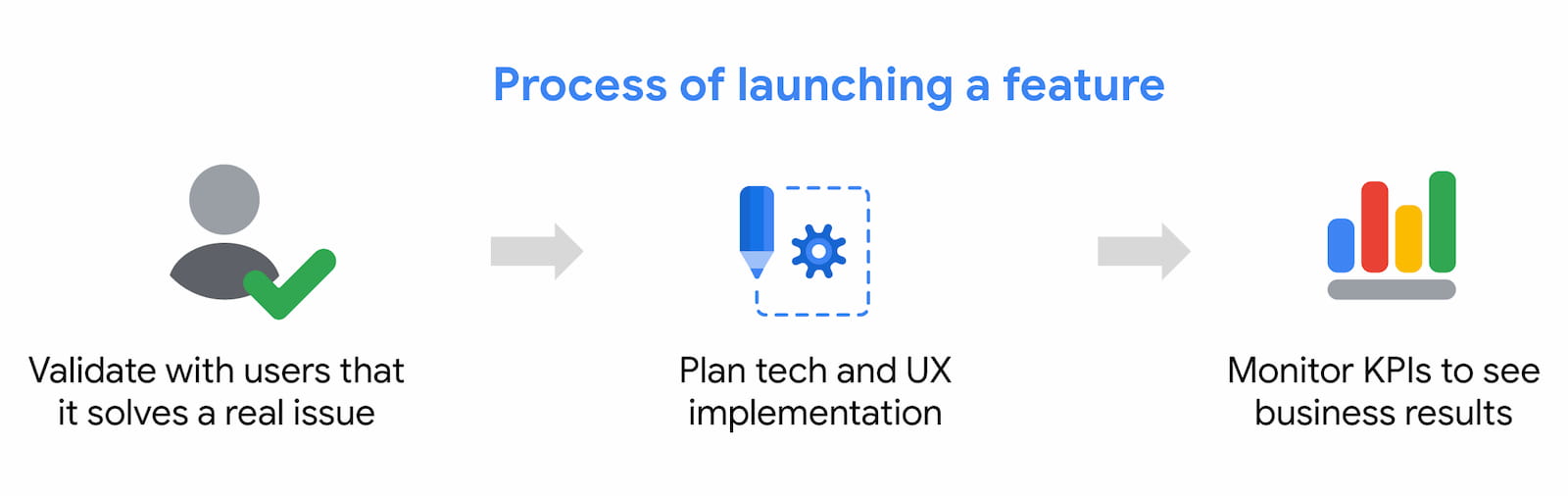
To get there, work incrementally. Research which of the four capabilities matters most to your users, ship that with your designers and developers, and measure the revenue difference precisely when it is live. Launch one feature at a time, verify the business change — and use that data to set the priority for what you build next.


