

GitHub Discussions opens up to private repositories
GitHub launched Discussions as a public beta in December 2020, giving open source communities a forum-style space to ask questions, share updates, and hold longer conversations alongside their code. Adoption has been steady since then — maintainers are using it to stay closer to the people building with and around their projects. Now the same collaborative forum tool is available for private repositories as a public beta.
The feature works the same way it does in public repos, but the audience changes. For private projects, Discussions becomes a channel for teams to talk through ideas that don’t fit neatly into issues or pull requests — without exposing anything to the outside world.
Use cases from early adopters
Two early users illustrate how private Discussions can fit into different workflows:
- Classrooms and bootcamps. Educators running private code training can host a question-and-answer space between classes. Students get a safe area to post technical questions or share error messages, with replies from both classmates and instructors who have the context of the same codebase.
- Developer relations at Stripe. Stripe is using private Discussions to maintain a direct connection between its engineers and the developer advocacy team. It serves as a place for beta feedback, workshop coordination, and collaboration on new payment features before they go public.
Enabling Discussions for a private repository
To turn it on, you need admin or maintainer permissions for the repository. Navigate to the repository settings, find the “Features” section, and enable Discussions there.
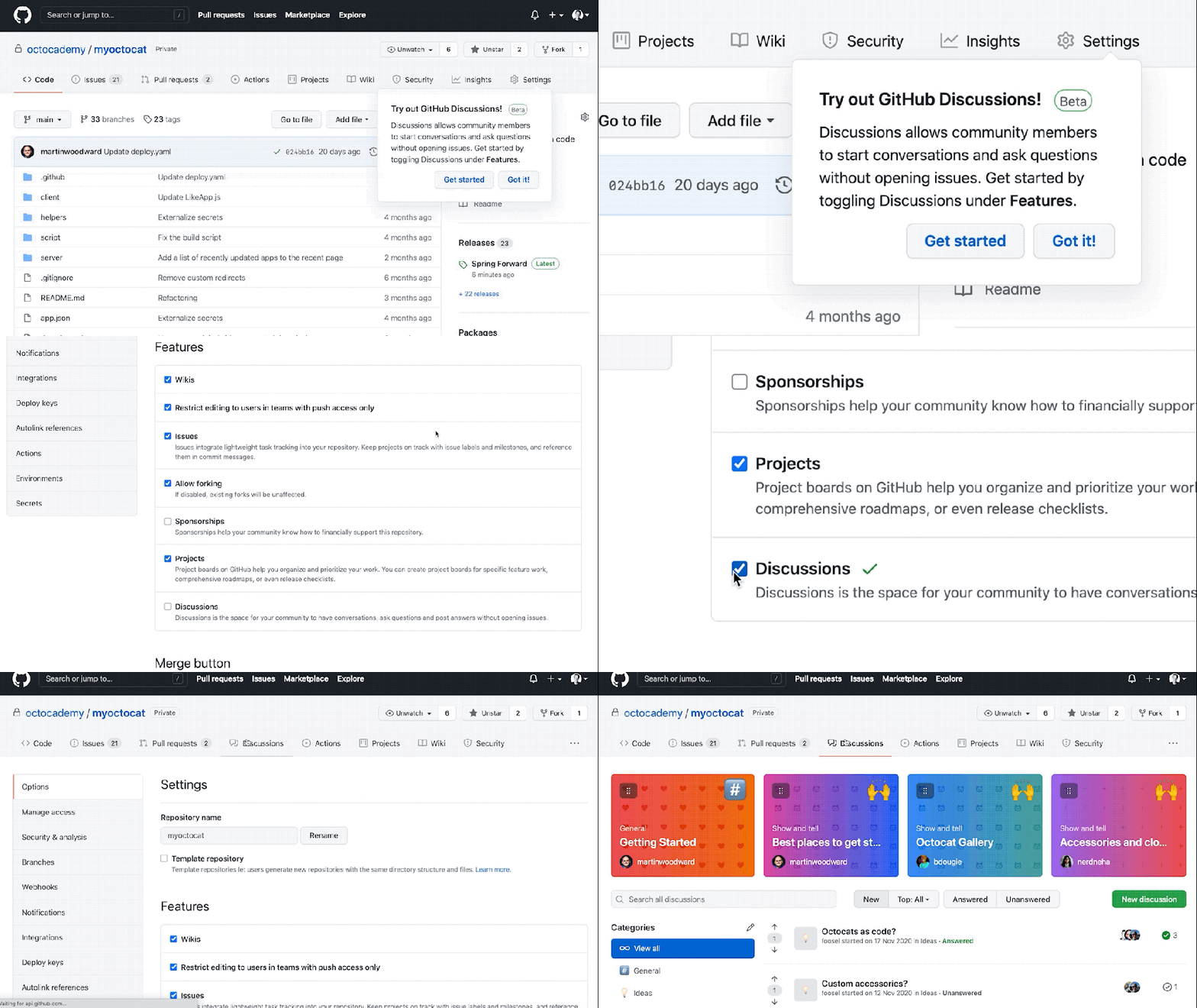
The beta is now live. Questions and feedback can be directed to the GitHub Discussions feedback page, and full setup instructions are in the GitHub Discussions documentation.


